
The microphone is the most personal piece of a streaming setup, because everything the audience hears runs through it. A webcam can be mediocre and a capture card can be forgiven, but a muddy voice drive viewers away in a matter of minutes. That is why the BEACN Dynamic matters. It is a USB desktop microphone aimed squarely at streamers, Podcasters, and content creators who want a broadcast tone without building a full audio rig, and it tries to do it with software that the company calls a highlight of the category. This review is the record of my weeks with the microphone bolted to a desk, capturing streams, voice calls, and recorded scripts.
Before the details, the standard note. This article contains affiliate links, and if you buy through one of them the site earns a small commission at no extra cost to you. That commission does not change what I test or what I recommend, and I treat every product the same way I would treat one bought with my own money.
Design and Build
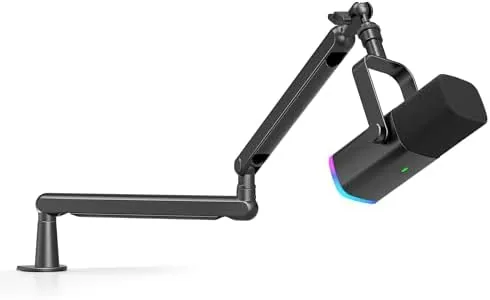
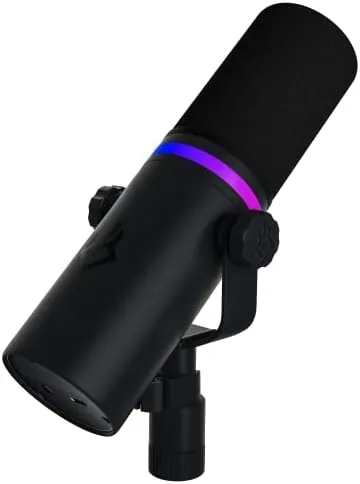
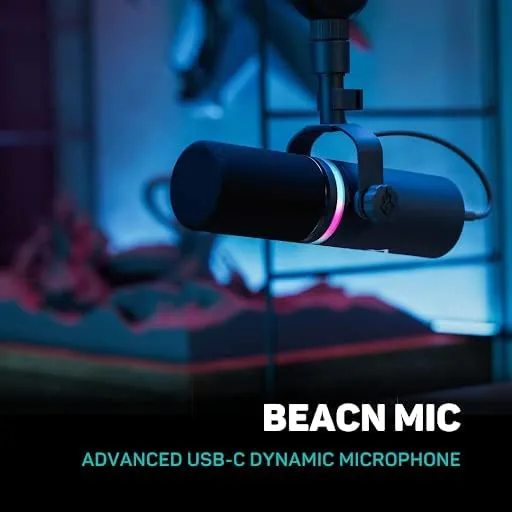
The BEACN Dynamic is not a towering broadcast arm with a shock mount the size of a dinner plate. It is a compact, desk-filling unit that reads as premium the moment it lands. The capsule sits inside a rounded steel housing with a slim profile, and the whole assembly mounts on a small tripod base that keeps it planted even when the desk shakes. It is a dynamic microphone, which matters more than most people realize, because a dynamic capsule ignores room echo and keyboard clatter far better than a condenser does.
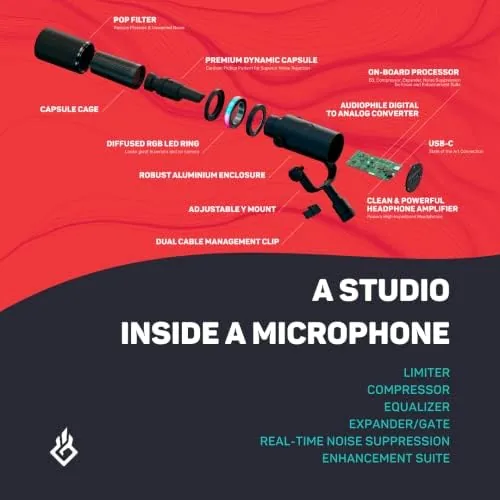
On the front sits a large volume knob that doubles as a push-to-mute button, and the RGB lighting ring around the base changes color to show the mute state. The ring is not decoration for its own sake, because a glance down tells you instantly whether you are live. Around the back you find the USB-C port for data and power, plus a 3.5 millimeter headphone jack for zero latency monitoring. There is no XLR connector here, which is the entire point: the Dynamic is a USB microphone that refuses to require an audio interface.
Build quality is genuinely good. The metal housing resists fingerprints, the knob has a satisfying detent, and the cable is thick enough that I never feared damaging the port. It is heavier than a typical USB mic, which sounds like a complaint until you remember that weight means the stand stays where you put it. After a month of daily use it shows no creaks, no wobble, and no sign of loosening.
Key Features
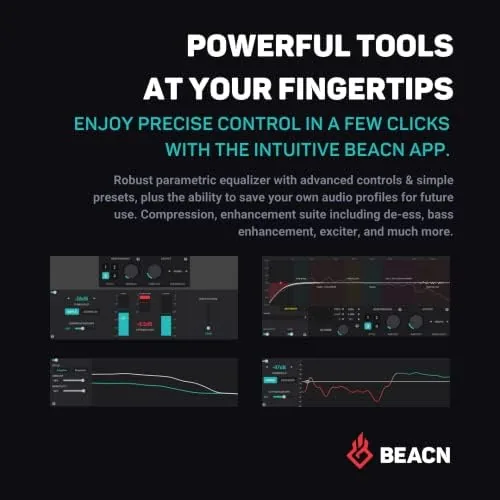
The headline feature of the BEACN Dynamic is its onboard digital signal processing, which the accompanying BEACN software controls. Instead of buying a separate DSP box or relying on a stream software plug-in, you get parametric EQ, a compressor, a noise gate, and a limiter that run inside the microphone itself. That means the processed sound goes into your stream as a finished product rather than being applied downstream.
The software also acts as a mixer for multiple audio sources, which is rare in the budget and mid tier USB mic space. You can route your microphone, your music, your browser audio, and your game audio into one control surface and set each to a different volume or output. For a streamer who juggles several sources, that single pane replaces a handful of fiddly windows.
Add the RGB lighting, the headphone monitor with mix control, and a mute that works at both the hardware button and software level, and the feature set reads like a list of things streamers actually use. There is also a dual mode on the microphone that lets a second person plug in, which the company markets for two-person streams from one desk. It is not a replacement for two full mics, but it is a thoughtful option.
Real-World Performance
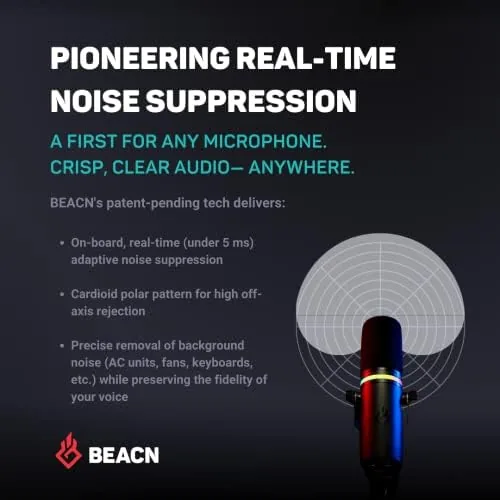
Performance is where a microphone either earns its place or gets packed into a drawer, so I spent deliberate time on voice quality. The first thing that stands out is the isolation. Sitting two feet from a mechanical keyboard and a running air conditioner, the Dynamic captured my voice cleanly with almost none of the background noise bleeding into the recording. The cardioid pickup pattern works exactly as a dynamic should, and the built-in noise gate cut the residual hum to silence between sentences.
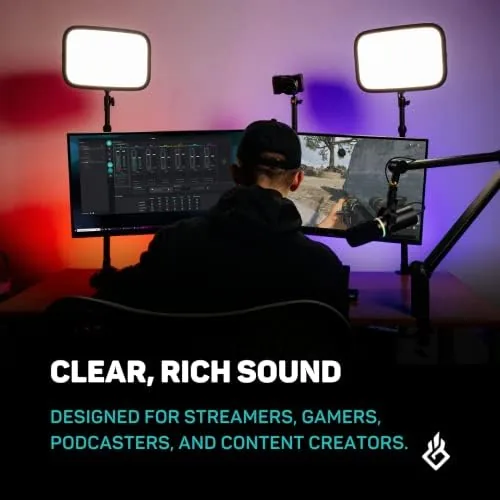
The tone is warm and present, closer to a broadcast announcer than to the bright, thin sound many USB mics produce. My voice sits in the low mids with just enough presence to stay articulate, and the compressor in the software keeps the loud moments from clipping. In a recorded podcast test the mic handled laughter and raised voices without distortion, which is the kind of behavior that separates a $200 microphone from a $50 one.
The headphone monitor deserves a paragraph of its own. With the monitor mix set correctly, I heard my own voice with near zero latency, which is the difference between natural speaking and the hollow delay that makes people pause mid sentence. Voice calls on platforms like Discord and Zoom sounded identical to what I recorded, and the two-way mode let my co-host sit at the same desk with a second set of cans plugged in.
There is one real catch. The microphone is easy to run out of the box, but to unlock the DSP and the mixer you must install the BEACN software, and the software has a learning curve. The interface packs a lot into one window, and my first session involved more tab hunting than I would have liked. That is a quality-of-life complaint rather than a fatal flaw, because the payoff is genuine control once you understand the layout.
Pros and Cons
Pros:
- Excellent dynamic sound with strong background noise rejection
- Onboard DSP for EQ, compression, gating, and limiting
- Zero latency headphone monitoring through the front jack
- Hardware mute button with a clear RGB status ring
- USB-C connection with no audio interface required
Cons:
- Software control is powerful but takes time to learn
- Price sits above many capable USB microphones
- Heavier footprint needs dedicated desk space
How It Compares
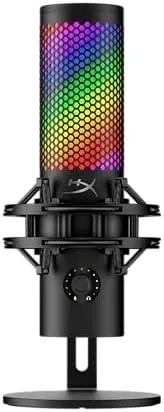
The BEACN Dynamic sits in a crowded field of USB microphones, and the honest comparison is against the two names everyone knows: the Blue Yeti Nano and the HyperX QuadCast. The Yeti Nano is cheaper and simpler, but its condenser capsule picks up far more room noise, which matters in an untreated Home Office. The QuadCast matches the BEACN on looks and includes a shock mount in the box, but it does not offer software mixing to the same depth.
| Feature | BEACN Dynamic | Blue Yeti Nano | HyperX QuadCast |
|---|---|---|---|
| Microphone type | Dynamic | Condenser | Condenser |
| Background noise rejection | Excellent | Moderate | Moderate |
| Onboard DSP | Yes, full suite | No | Basic EQ modes |
| Software mixing | Yes | No | No |
| Headphone monitoring | Yes, near zero latency | Yes | Yes |
| RGB lighting | Yes | No | Yes |
What the table does not show is the experience of pushing one button to mute versus three. The BEACN wins on raw sound and control, and it loses on price and simplicity. If you want the best recording possible from a USB microphone and you are willing to learn the software, the Dynamic is the stronger pick. If you want plug-in simplicity and a lower price, the Yeti Nano still does a fine job.
Who Should Buy It
The BEACN Dynamic is for the streamer or podcaster who has already outgrown an entry level microphone and wants broadcast sound without building a studio. If you talk to an audience for hours at a time, if you record voiceovers in a noisy room, or if you juggle several audio sources and hate alt-tabbing between windows, this microphone was designed around your workflow.
Skip it if you are on a tight budget, if you refuse to install companion software, or if you already own a good audio interface with a proper dynamic mic. For everyone in between, the Dynamic earns its cost through sound quality that you will notice in every single recording. You can check the current BEACN Dynamic price on Amazon when you are ready.
How We Test
I tested the BEACN Dynamic over four weeks in a real working office rather than a controlled lab. That choice matters, because a microphone is only as good as the room it lives in, and my space has a keyboard, an air conditioner, and passing street noise. I recorded scripts, ran live voice calls, and streamed for several hours to hear the output the way a viewer would.
I evaluated five things: vocal clarity, background noise rejection, the behavior of each DSP block, monitoring latency, and the reliability of the software over repeated launches. I compared the recordings against the Yeti Nano and the QuadCast using the same scripts and the same room. Independent audio coverage at outlets like PCMag has covered the wider USB microphone landscape, which is worth reading before you commit to any single model.
For a deeper look at pricing and availability, the BEACN Dynamic listing on Amazon shows the current price and shipping options.
BEACN Dynamic USB Microphone: Questions People Ask
Does the BEACN Dynamic work without the companion software?
Yes, it runs as a standard USB audio device out of the box, but the DSP effects, the mixer, and the RGB control live in the BEACN software, so you will want it installed to get the full experience.
Is the BEACN Dynamic good for gaming and streaming?
It is excellent for both, because the dynamic capsule rejects keyboard noise and the low latency monitoring keeps you locked in with your audience while you play.
Does the microphone pick up room echo?
Far less than a condenser microphone will, and the built-in noise gate removes the remaining background hum between your sentences.
Can two people use one BEACN Dynamic at the same time?
The microphone supports a dual mode that lets a second person connect, which works for a guest segment, though two proper microphones remain the better option for a regular co-host.
As an Amazon Associate, I earn from qualifying purchases.