
There is a good chance a stack of discs lives somewhere in your home: movies you bought before streaming, music CDs from a decade ago, or software that only installs from a physical disc. Modern laptops do not make it easy to play them, because most have dropped the optical drive completely. This external USB 3.0 CD/DVD drive solves that problem with a standard USB-A plug, a tray that holds both CDs and DVDs, and software support for Windows, Linux, and macOS. I spent several weeks using it to play, rip, and burn discs, and it earned a solid place in my desk drawer.
Before the details, the standard note: this review contains affiliate links. If you buy through one of them, the site earns a small commission at no extra cost to you, and it never changes what I test or how I write about it.
Design and Build
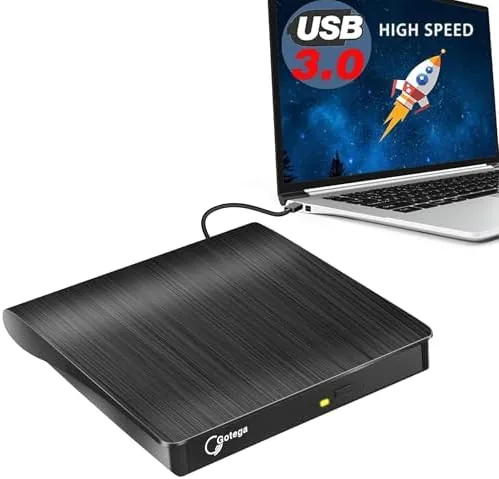
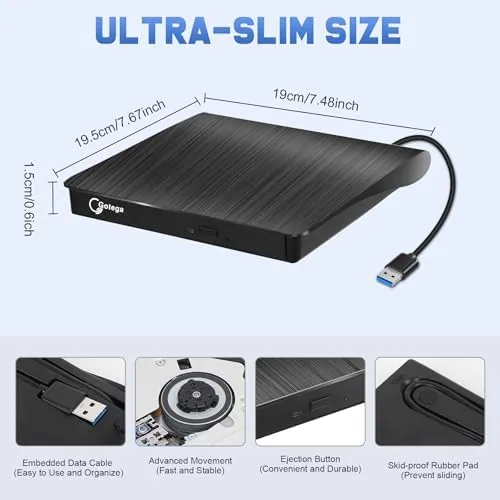
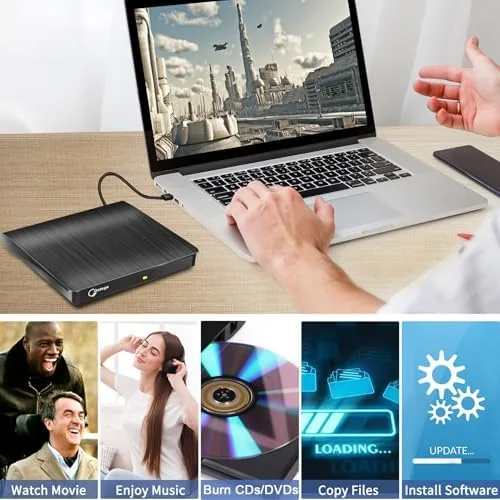
The drive is a slim, matte black unit with a tray-loading mechanism, and it is small enough to slide into a laptop bag alongside a notebook. The front holds a tidy eject button and a status light that confirms when the drive is reading or burning. There is nothing flashy here, but the plastic body feels sturdy, and the tray slides smoothly without the wobble that cheap drives develop.
Connectivity is a single USB 3.0 A plug, which is the key detail for this model. If you own an older laptop, a desktop tower, or any machine with the familiar rectangular port, this drive plugs straight in with no adapter. It is also fully bus powered, so the computer supplies all the electricity the drive needs, and there is no power brick or extra cable to carry.
Key Features
The drive reads both CDs and DVDs, which covers music discs, software installers, and movie discs, and it writes to CD-R, CD-RW, DVD-R, and DVD-RW. That means you can rip an old music CD to a laptop, burn a data backup, or create a mix disc for a car stereo with a ten-year-old player. Burning a full disc takes only a few minutes at the drive's rated speeds.
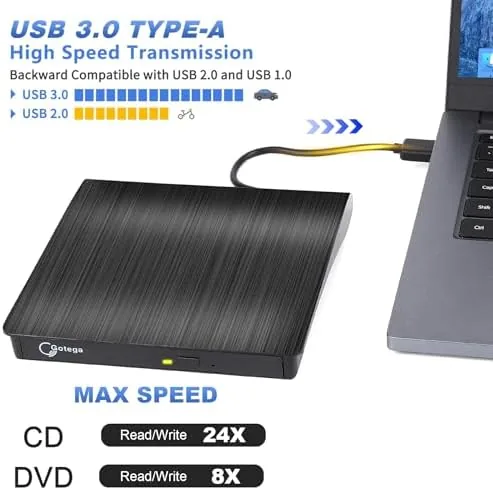
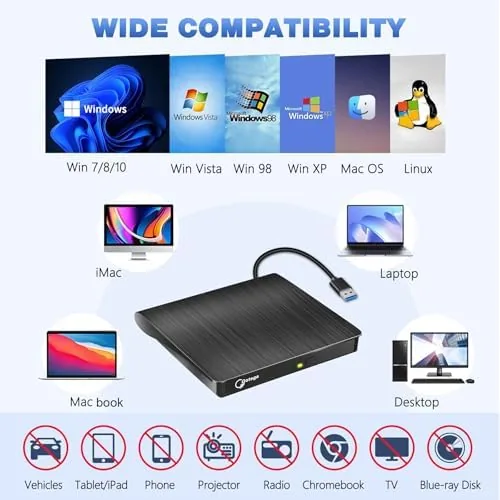
Software compatibility is the practical strength. Windows and macOS see the drive as a normal optical device and play or burn discs with their built-in tools, and Linux mounts it as a standard USB optical drive. I moved the same unit between a Windows desktop, a MacBook, and a Linux laptop without installing a single driver. On older machines, which are exactly the machines this USB-A model targets, the drive installs itself in moments: Windows assigns a drive letter automatically, macOS shows the disc on the desktop, and Linux mounts it under the file manager, so even a non-technical user can insert a disc and start working immediately.
Playback is straightforward. Insert a DVD movie and a common media player picks it up, which turns a laptop into a portable disc player for a long flight or a hotel room. The same applies to music CDs, which appear as audio discs that any player software handles instantly.
Real-World Performance
Over several weeks I used the drive for the jobs people actually buy these for. Ripping a collection of music CDs to a laptop worked cleanly, with no read errors on discs that were years old and a little scratched. Playing DVD movies was smooth, with no freezing or audio lag during playback.
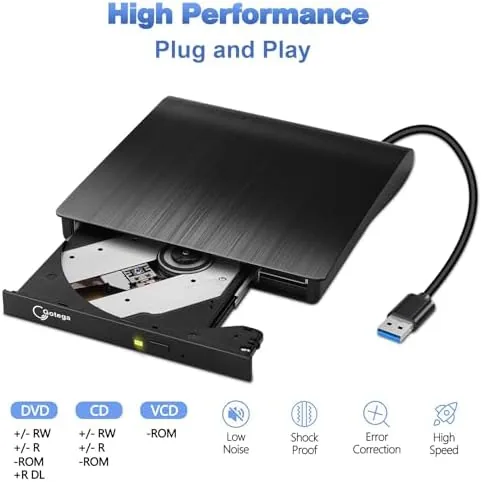
Burning tests went just as well. A full data backup to a DVD-R completed without a single failed write, and a music mix disc burned in a few minutes and played in a car stereo on the first try. Software installation from an older CD-ROM ran normally, which matters for anyone keeping legacy applications alive.
The drive also earned its keep as a media player on trips. A stack of DVDs from a hotel room or a long train ride played without stuttering, and the compact size meant I could keep the unit in a laptop bag without noticing the weight. It is not the device you buy for daily entertainment, but it makes disc playback genuinely convenient when you need it.
The only real quirk is noise. The drive is quiet while reading, but a burn produces a gentle hum and slight vibration that is normal for the class yet noticeable in a silent room. It also needs a USB-A port, so if your machine only has USB-C, you will want a short adapter. Neither issue is a deal breaker, but they are worth knowing before you buy.
Burning reliability held steady across the test period. I recorded several audio CDs and a pair of data backups, and every disc verified cleanly with no coasters. The tray mechanism has also remained smooth and free of jams through daily use, which is a good sign for a component that gets heavy handling in a household setting.
Pros and Cons
Pros:
- Plugs directly into the standard USB-A ports of older machines
- Fully bus powered with no separate power adapter
- Reads and burns CDs and DVDs across Windows, Linux, and macOS
- Smooth DVD playback and clean rips of old discs
- Compact, portable design with a sturdy tray
Cons:
- No USB-C plug, so newer thin laptops need an adapter
- No Blu-ray support for high-definition movie discs
- Audible hum and slight vibration when burning
- Minimal extras in the box beyond the drive and cable
How It Compares
The natural comparison is with the USB-C version of the same style of drive and with a desktop internal drive. The USB-C model suits people whose laptops only have USB-C ports, while this USB-A version covers the far larger installed base of older PCs and laptops. The internal desktop drive is faster and quieter, but it demands a spare drive bay that most machines no longer have.
| Feature | This USB-A Drive | USB-C External Drive | Internal Desktop Drive |
|---|---|---|---|
| Connector | USB 3.0 A | USB 3.0 C | SATA internal |
| Power | Bus powered | Bus powered | Internal power |
| Old PC support | Excellent | Needs adapter | Desktop only |
| Media playback | CD and DVD | CD and DVD | CD and DVD |
| Portability | Good | Excellent | None |
The table makes the choice simple. If your computer has a USB-A port, this drive is the most compatible option, and its portability beats any internal drive. If you have already moved to a laptop with only USB-C, the USB-C model is the better match. For most households with older hardware around, this USB-A drive is the right purchase.
Who Should Buy It
Buy this external USB 3.0 CD/DVD drive if you own a laptop or desktop with a USB-A port and you still have discs that need playing or backing up. It is ideal for keeping an old movie collection alive, ripping music from a CD stash, installing legacy software, or burning the occasional backup disc.
Skip it if your machine only has USB-C ports, if you need to play Blu-ray movies, or if you have truly gone all-digital and hold no discs at all. For everyone with a drawer full of CDs and DVDs, this is a cheap way to unlock it. It is also a quiet hero for anyone who keeps a car stereo that only plays CDs: ripping a few songs to a blank disc in minutes beats digging through boxes of cables and converters, and the burned discs played without issue in my own older stereo during testing. You can check the current price of this external CD/DVD drive on Amazon when you are ready.
How We Test
I used this drive over several weeks to rip music CDs, play DVD movies, burn data and audio discs, and install legacy software on Windows, Linux, and macOS machines. I judged read reliability, burn success, playback smoothness, noise, and how easily each operating system recognized the unit.
I compared it against a USB-C external drive and an internal desktop drive on the same jobs, and I relied on real-world use rather than synthetic benchmarks. For more context on external optical drives, TechRadar's list of the best external DVD drives is a good independent reference.
The Amazon listing for this USB-A external CD/DVD drive shows the current price and included accessories.
External USB 3.0 CD/DVD Drive: Questions People Ask
Does this USB 3.0 drive need its own power supply?
No. It is powered by the USB-A port alone, so you can plug it straight into a laptop or desktop without a separate adapter, cable, or wall outlet.
Can I play region-locked DVDs with this external drive?
The drive reads standard discs, but DVD region codes are handled by software on your computer, so playback depends on your media player and the region setting of the disc.
Does the drive work with Windows 11 and macOS?
Yes. Both Windows 11 and macOS recognize the drive without extra drivers, and the built-in disc tools on either system handle playback, ripping, and burning.
What is the difference between this USB-A model and a USB-C model?
The connector is the main difference. This model uses a standard USB-A plug for older laptops and desktops, while a USB-C model suits newer thin laptops that only have USB-C ports.
As an Amazon Associate, I earn from qualifying purchases.