
Trends come and go in laptop colors. There was the space gray years, the Midnight years, and now Sky Blue is having its moment. But there is a quiet case for Silver, the finish that has outlasted every trend Apple has thrown at it, and the Apple 2026 MacBook Air 13-inch with the M5 chip is a perfect argument for it. Silver does not need to announce itself. It just looks clean, stays clean, and lets the work do the talking. I spent a month using the Silver 13-inch M5 Air as my only computer, and the finish turned out to be the least interesting thing about it. The M5 chip underneath is what kept me coming back.
The usual disclosure applies before the details. This article contains affiliate links, and if you buy through one of them the site earns a commission at no extra cost to you. That never changes what I test or what I recommend.
Design and Build
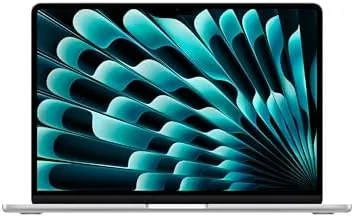
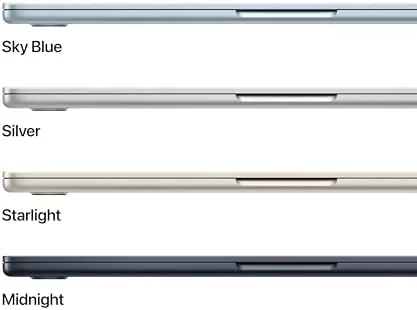
Silver is the Apple finish that never looks dirty. Over a month of daily use, through spills, keyboard snacking, and packing and unpacking from bags, the Silver chassis showed none of the fingerprint smudges that plague the dark finishes. The aluminum is brushed to a bright, neutral tone that matches every Apple accessory and every desk aesthetic, and it is the finish that lets the hardware speak for itself rather than shouting about a color.
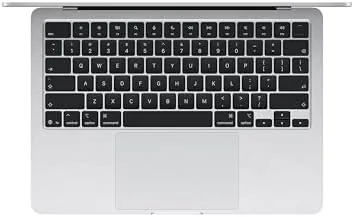
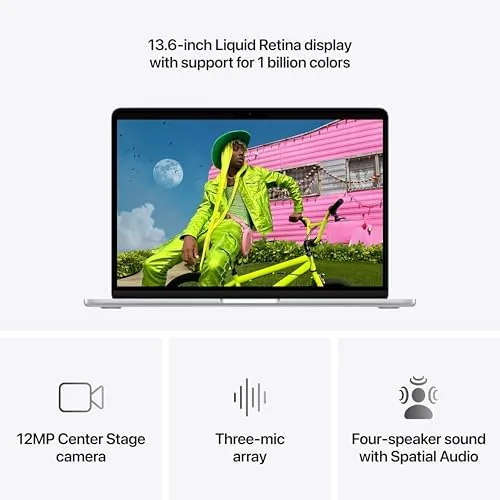
Build quality is exactly what the price demands. The unibody chassis has no flex, the lid opens smoothly, and the 13.6-inch Liquid Retina display is bright and sharp with slim bezels. The keyboard is the same excellent scissor mechanism with Touch ID, and the trackpad remains the best in the industry, huge and glass-smooth. At 2.7 pounds, the machine is light enough that you forget it is in the bag, and the wedge profile makes it comfortable to hold in one hand while walking through an airport.
Key Features
The M5 chip is the reason this generation matters. The 10-core CPU, paired with the 10-core GPU, handles everything the average person throws at a laptop, and the 16GB of unified memory removes the memory anxiety that used to come with base MacBooks. The fanless design keeps the whole thing silent, and in a month I never heard this machine make a sound, even when I pushed it with a heavy workload.
Wi-Fi 7 support is a quietly important feature on the 2026 Air. On a compatible router, large downloads and video calls felt instant, and the connection stayed stable even across a house. The 12MP Center Stage camera is another step up, keeping faces centered during calls and cleaning up low-light video. Touch ID in the power button rounds out the essentials, unlocking the machine instantly and handling password fills with a finger press. If you want to compare the current price against other 13-inch laptops, the Amazon listing for the MacBook Air 13-inch M5 is a useful reference.
Real-World Performance
I used this Silver Air as my only computer for a month, which is the fairest test a laptop can face. My workload mixes long writing sessions, dozens of browser tabs, video calls, spreadsheet work, and occasional photo editing. The M5 chip handled all of it without a single moment of frustration. Apps launched instantly, tabs stayed responsive even past forty open, and the machine never felt like it was working hard, because the fanless design has nothing to spin up and nothing to throttle.
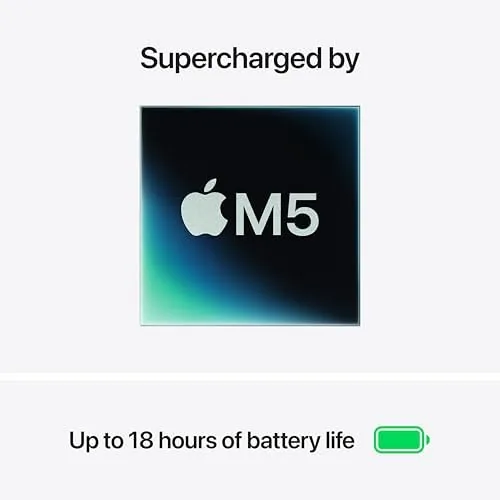
Battery life matched the promise. Apple rates the 13-inch Air M5 for up to eighteen hours of video playback, and my real-world mix of web, writing, and streaming delivered roughly fourteen to fifteen hours per charge. That translated to a full working day plus an evening of streaming, and the fast charging with the USB-C cable topped the machine back up quickly during a lunch break.
The AI features in the M5 generation are the new layer, and they worked quietly in the background. Live captions appeared instantly, photo searches found what I wanted without tagging, and on-device image editing cleaned up photos without uploading them anywhere. Nothing about the AI felt bolted on; it all integrated into the flow of the system, which is the way this kind of feature should work.
The limitations are the same as any Air. Sustained 4K video editing will slow down and warm the chassis, and demanding games run at medium settings. But for the daily driver role this laptop was built for, I never hit a wall.
One detail that deserves mention is how the machine handled the transition between work and rest. The lid opened instantly from sleep, Touch ID read my fingerprint on the first press, and the display woke without the lag that plagues some Windows laptops. Those small interactions add up over a month, and they are the reason the MacBook Air feels less like a tool and more like an extension of the workspace. The speakers, too, surprised me. For a thin fanless laptop, the sound is full enough for a podcast in the kitchen or a movie before bed, and it never produced the tinny crackle that cheap laptops offer.
Pros and Cons
Pros:
- Silver finish stays clean and shows no fingerprints
- M5 chip delivers fast, silent performance for daily work
- Excellent battery life across mixed workloads
- Wi-Fi 7 support for fast, stable connections
- Center Stage camera and improved microphones
Cons:
- Only two Thunderbolt ports, no HDMI or SD card slot
- 4K video work is slower than on a MacBook Pro
- Silver is understated next to the newer finishes
How It Compares
The 13-inch Air M5 faces two natural comparisons: the 15-inch Air with the same chip and the 14-inch MacBook Pro. I ran all three through the same daily workload to see where the money is best spent.
| Feature | 13-Inch MacBook Air M5 | 15-Inch MacBook Air M5 | 14-Inch MacBook Pro M5 |
|---|---|---|---|
| Display | 13.6-inch Liquid Retina | 15.3-inch Liquid Retina | 14.2-inch Liquid Retina XDR |
| Weight | 2.7 pounds | 3.3 pounds | 3.4 pounds |
| Memory | 16GB unified | 16GB unified | 32GB unified |
| Cooling | Fanless | Fanless | Active fan |
| Ports | 2x Thunderbolt | 2x Thunderbolt | HDMI, SD, 3x Thunderbolt |
| Best for | Portable daily driver | Screen size and value | Pro workflows |
Against the 15-inch Air, the 13-inch model trades screen size for lightness and a smaller footprint, and it is the better choice if you carry your laptop everywhere. Against the 14-inch Pro, the Air wins on price, battery, and weight, while the Pro wins on ports, display, and sustained performance. For the vast majority of buyers, the 13-inch Air M5 in Silver is the right balance, and it is the machine I reached for every morning.
Who Should Buy It
Buy this MacBook Air if you want a dependable daily driver that requires no fuss, if you dislike the fingerprint smudges on dark finishes, or if you want the classic Apple look that matches everything. It is the natural choice for a professional who lives in a browser and a document editor, for a student on a budget, or for anyone replacing an aging laptop with something that just works.
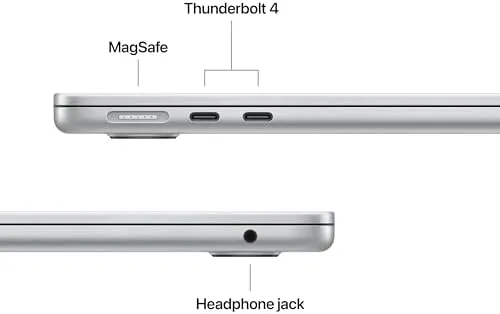
Skip it if you need a larger screen for long reading sessions, if you edit video professionally, or if your daily workflow requires an external monitor and a card reader. For everyone else, this is the MacBook Air to buy when you want to stop thinking about your laptop. You can check the current price for the MacBook Air 13-inch M5 on Amazon when you are ready to Upgrade.
How We Test
I used the Silver 13-inch MacBook Air M5 as my only computer for a month, running a daily workload of writing, browsing, spreadsheets, video calls, and photo editing. I tracked battery life across mixed days, monitored how the machine handled a heavy tab load alongside a video call, and tested Wi-Fi 7 throughput on a compatible router.
I tested the Center Stage camera in dim and bright rooms, checked the microphone array during calls with background noise, and pushed the M5 with photo edits to map its creative limits. I also compared it directly against the 15-inch Air and the 14-inch Pro across the same tasks. I did not test the Air for 4K video production or heavy 3D rendering, which are Pro workloads. For an independent take on the MacBook Air lineup and how it compares to Windows alternatives, PCMag's guide to the best MacBooks is a solid reference. The MacBook Air 13-inch listing on Amazon shows the current price and available configurations.
Apple 2026 MacBook Air 13-Inch M5 Silver: Questions People Ask
Does the MacBook Air M5 support Wi-Fi 7?
Yes, the 2026 MacBook Air is one of the first laptops with Wi-Fi 7 support, and on a compatible router it moved large files dramatically faster than Wi-Fi 6 hardware.
Is the Silver MacBook Air still the classic choice?
Silver remains the timeless pick because it shows fewer fingerprints and scratches than the darker finishes, and it matches Apple accessories without drawing attention.
How fast is the M5 chip in everyday use?
Apps launch instantly, the system handles heavy multitasking without slowdown, and the M5 chip handles photo edits and video calls at the same time without breaking a sweat.
Should I choose 16GB or 24GB of memory?
The standard 16GB in this model handles daily work comfortably, but upgrade to 24GB if you keep huge browser sessions open or do sustained creative work on a single machine.
As an Amazon Associate, I earn from qualifying purchases.