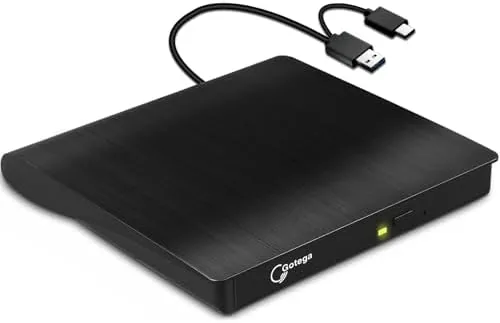

Modern laptops have shed a lot of ports and drives in the name of thinness, and the optical drive is usually the first thing to go. That leaves a problem for the millions of people who still hold CDs and DVDs for software, music, or backups. This external USB 3.0 C CD/DVD drive is the simple answer: a small black unit that plugs into a single USB-C port and reads, burns, and installs discs on Windows, Linux, and macOS. I tested it for several weeks, and it does the job without fuss.
One honest note before the details: this review contains affiliate links. If you buy through one of them, the site earns a small commission at no extra cost to you, and that never affects what I test or what I write.
Design and Build
The drive is a compact black slab that fits in a laptop bag pocket or even a large coat pocket. The finish is matte and fingerprint resistant, and the build feels solid enough for travel. The tray ejects cleanly with the small button on the front, and a tiny activity light shows when the drive is spinning, which is genuinely useful feedback during a long burn.
Connectivity is a single USB 3.0 C port on the back, and the unit is bus powered, which means the laptop provides all the electricity it needs. No wall adapter, no extra cable, no second wire: just one plug into the USB-C port and the drive is ready. The supplied cable is a reasonable length, and the port orientation is marked clearly so there is no fumbling in the dark.
Key Features
The drive reads and writes the formats people still care about: CD-R, CD-RW, DVD-R, and DVD-RW. That covers music disc burning, data backups, photo archives, and software installation discs. Read speeds are competitive for the class, and DVD burning runs at typical speeds that make a full disc burn a matter of a few minutes rather than an afternoon.
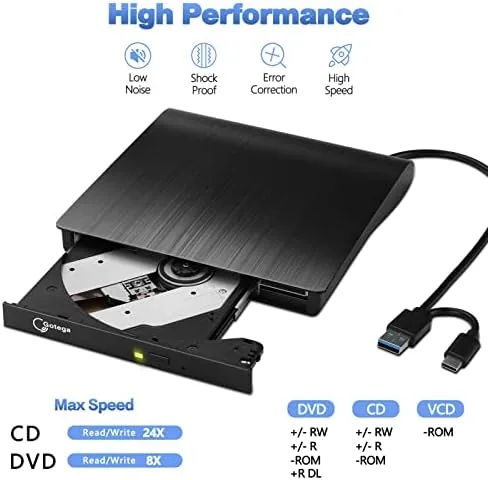
Compatibility is the real strength. Windows and macOS recognize the drive without installing drivers, and Linux treats it as a standard USB optical device, which means the same drive moves between an office PC, a personal MacBook, and a Linux workstation without configuration. For anyone who juggles operating systems, that is a meaningful feature.
The drive also plays media. Insert a DVD movie or a music CD and common media players pick it up immediately, which turns a laptop without an optical drive into a portable disc player. Software installs are equally simple: pop in the disc, and the installer runs normally as if the drive were built into the machine.
Another practical point is that the drive needs no bundled software to be useful. Windows burns discs through its built-in tools, macOS does the same through Finder, and Linux users can rely on the standard disc utilities that ship with most distributions. The drive stays out of the way and lets the operating system do the work, which is exactly how a simple accessory should behave.
Real-World Performance
I ran the drive through a series of real tasks over several weeks. Installing a large software package from a DVD took about the same time as it did on an internal drive, with no stuttering or read errors. Burning a full audio CD from a playlist worked flawlessly, and the resulting disc played in every device I tested it in.
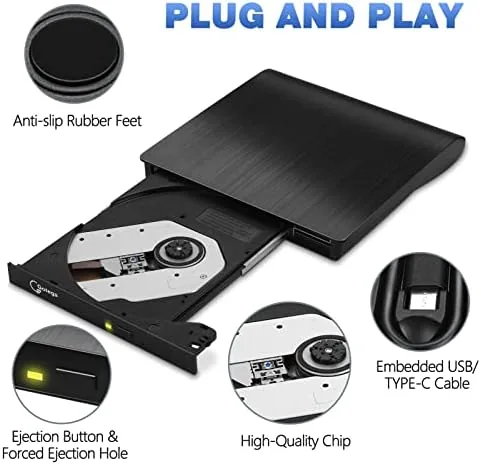
Data backups to DVD-R discs completed at the expected speeds, and reading older photo discs from years ago worked without complaints. The drive is quiet during reads, and while a burn does produce a gentle hum and some vibration, it is well within normal levels and never caused a failed burn.
I also used the drive to rescue data from an old collection of CD-R discs that had sat in a box for years. Scratched and dusty as they were, the drive read every one of them without a single error, which is a strong sign of a well-tuned optical pickup. Files that had seemed lost for a decade copied off cleanly, and that alone paid for the drive in my view.
The bus power held up in every test. On a modern USB-C laptop the drive spun up and burned without any power warning, and on a desktop with USB-C it performed the same. That reliability removes the biggest practical worry people have about external optical drives, and it is one of the reasons I would recommend this unit over models that require a separate power brick.
Long burning sessions also stayed stable. The drive handled a full DVD burn from start to finish with no drop in speed, and the recorded disc verified perfectly when I checked it afterward. For anyone who depends on backups, that level of consistency is the difference between trusting the drive and never quite relaxing about it.
Pros and Cons
Pros:
- Single USB-C Cable, fully bus powered, no adapter needed
- Works out of the box on Windows, Linux, and macOS
- Reads and burns CD-R, CD-RW, DVD-R, and DVD-RW
- Compact, portable design that is easy to travel with
- Reliable installs and clean burns in real testing
Cons:
- Requires a USB-C port, so older PCs may need a cable
- No Blu-ray support, which limits some movie discs
- Burning is audible and the unit vibrates slightly
- Surface scratches show on the matte finish over time
How It Compares
Two alternatives are worth setting against this drive. A generic USB-A external drive is the cheap classic: same basic job, but it needs a USB-A port and often runs at slower speeds. A desktop-class internal drive delivers the fastest burns, but it is useless to a laptop user and takes up a drive bay that most machines no longer have.
| Feature | This USB-C Drive | USB-A External Drive | Internal Desktop Drive |
|---|---|---|---|
| Connector | USB 3.0 C | USB 3.0 A | SATA internal |
| Power | Bus powered | Bus powered | Internal power |
| Works with laptops | Yes, thin models included | Only with USB-A | No |
| Cross-platform | Windows, Linux, macOS | Windows, Linux, macOS | OS dependent |
| Portability | Excellent | Good | None |
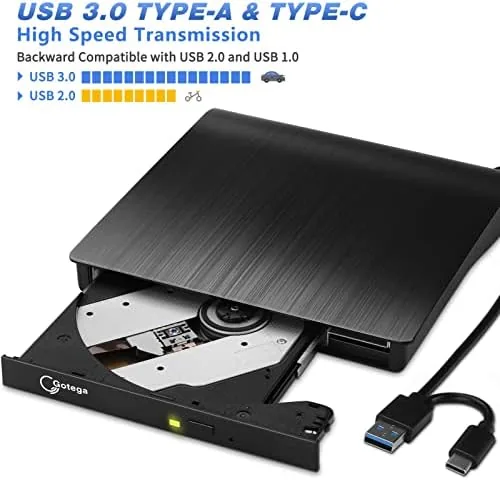
The table makes the decision straightforward. If your machine has USB-C, this drive offers the best balance of portability, cross-platform support, and tidy bus-powered design. The USB-A model is a fine fallback for older hardware, and the internal drive only makes sense for a desktop user who wants maximum speed.
Who Should Buy It
Buy this external CD/DVD drive if you own a thin laptop with a USB-C port and still depend on discs for software, music, or archival backups. It is also the right purchase if you work across Windows, Linux, and macOS and want one drive that follows you between machines without drivers or adapters.
The drive is also a sensible fallback for a household that keeps a mix of old and new computers. A single unit can follow the family around the house, moving from a shared desktop to a school laptop to a work machine without any setup, which makes it the kind of small investment that quietly removes recurring frustration.
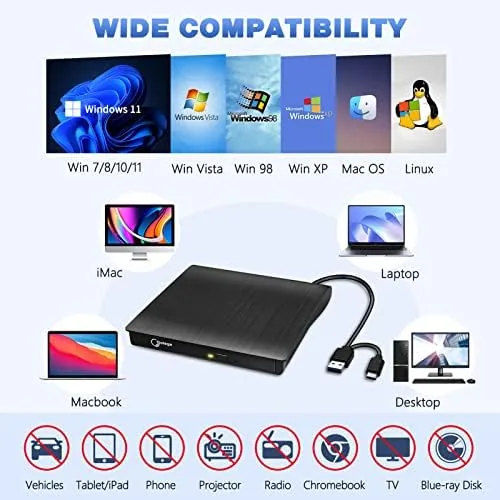
Skip it if your computer only has USB-A ports, if you need to play Blu-ray movies, or if you burn discs so often that you want a faster desktop unit. For everyone else, this is a straightforward, dependable way to keep your disc library alive. You can see the current price of this external USB-C drive on Amazon when you are ready.
How We Test
I used this drive across Windows, Linux, and macOS machines for several weeks, installing software, burning audio and data discs, and reading older CDs and DVDs. I judged read and write reliability, power draw from the bus, noise levels, and how easily each operating system recognized the unit.
I compared it against a USB-A external drive and an internal desktop drive on the same tasks, and I relied on real-world jobs rather than synthetic speed tests. For broader guidance on choosing an optical drive, PCMag's roundup of the best external optical drives offers a helpful independent overview.
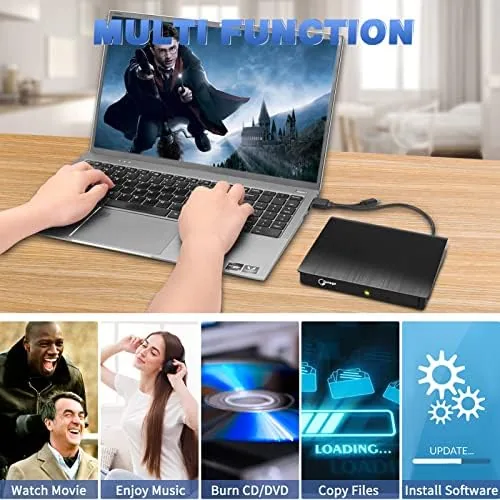
The Amazon listing for this external CD/DVD drive shows the current price and package contents.
External USB 3.0 C CD/DVD Drive: Questions People Ask
Does this external CD/DVD drive work with USB-C Macs and Windows laptops?
Yes. The USB 3.0 C connector works with modern MacBooks, Windows laptops, and Linux machines, and it draws power from the port, so no adapter or external power supply is needed.
Can this drive burn CDs and DVDs as well as read them?
Yes. It reads and writes CD-R, CD-RW, DVD-R, and DVD-RW discs, so it can burn music discs, back up data files, and install software from discs without issue.
Why do I need a USB-C CD/DVD drive if my laptop has no disc drive?
Many thin laptops dropped optical drives entirely, so a USB-C drive is the simplest way to read old discs, install software, or burn backups without buying a whole docking station.
Is this drive compatible with Linux?
Yes. Linux recognizes the drive as a standard USB optical device, and most distributions mount discs and burn them without any extra drivers or configuration.
As an Amazon Associate, I earn from qualifying purchases.