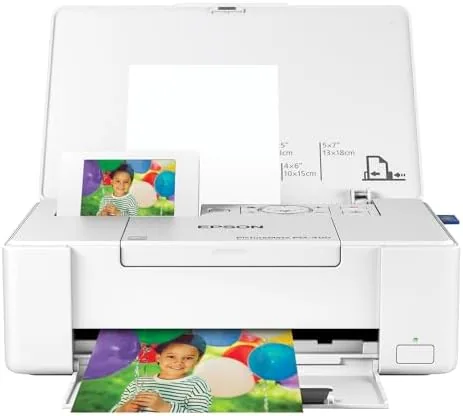

Smartphones hold thousands of photos, and most of them never become prints. The Epson PictureMate PM-400 is built to change that habit. It is a compact wireless color photo printer that produces borderless 4 by 6 and 5 by 7 inch prints from your phone, your computer, or a memory card, and it is small enough to move between a desk and a travel bag. I spent several weeks Printing real family photos with it, and this review covers what it does well and where it falls short.
This article contains affiliate links. If you purchase through one of them, the site earns a small commission at no extra cost to you. That commission does not affect what I test or how I report it.
Design and Build
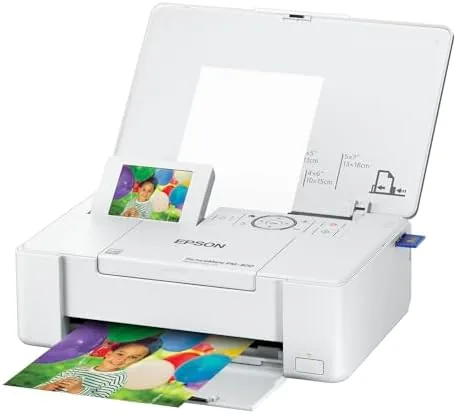
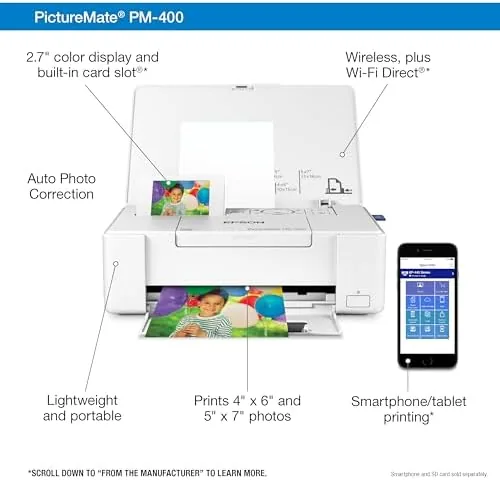
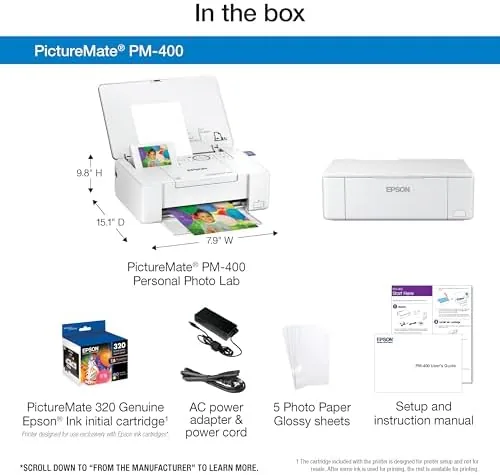
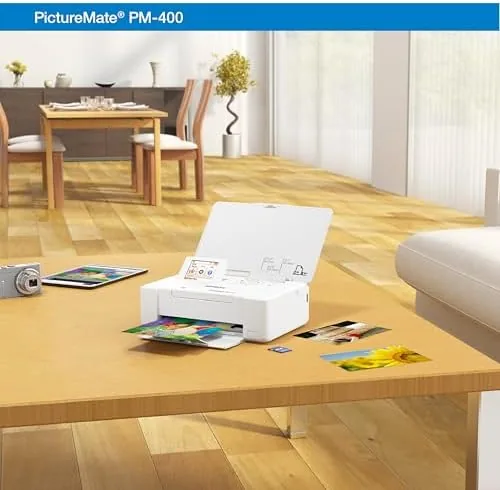
The PM-400 is genuinely portable in a way few photo printers manage. It measures roughly eleven inches wide and weighs under four pounds, so it slips into a weekend bag without dominating the luggage. The white finish is clean and modern, and the raised paper tray folds up when the printer is idle, giving it a tidy footprint on a crowded desk.
The controls are minimal: a color LCD on the front, a small set of navigation buttons, and a card slot that accepts SD and Memory Stick media. There is no keyboard, and none is needed, because most printing happens from a phone. The build quality feels solid for the class, with no rattling panels and a paper feed that stays aligned even when the tray is half full. The lithium ion battery option, sold separately, is worth knowing about if you plan to print away from an outlet.
Key Features
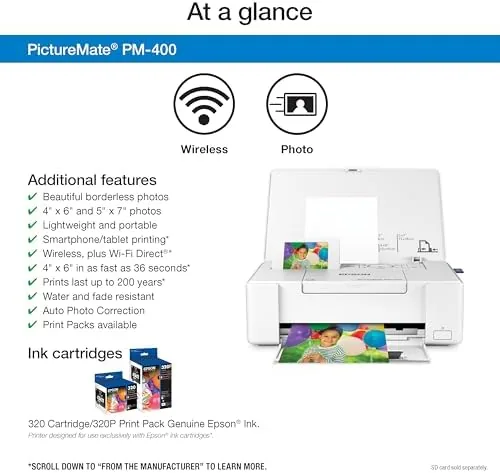
The headline feature is borderless printing at true photo sizes. The PM-400 outputs 4 by 6 inch prints edge to edge, and it supports 5 by 7 inch prints as well, which is a step up from the many compact printers that cap out at 4 by 6. The Epson print engine uses a MicroPiezo ink system that lays down small, precise droplets for smooth color transitions and fine detail.
Wireless connectivity is the second major feature. The printer joins your home Wi-Fi network, so any device on that network can print through the Epson iPrint app or a standard driver. It also supports direct Wi-Fi from a phone even when no router is handy, which matters in a hotel room or a cabin. For the current price of the Epson PictureMate PM-400 on Amazon, the mobile printing workflow is far easier than the cable based printers of a few years ago.
Real-World Performance
Print quality is the reason to own this printer, and it delivers. A portrait of my nephew printed at 4 by 6 inches showed accurate skin tones, no banding in the sky, and crisp detail in the hair strands, which is the kind of result you expect from a print lab. The Epson ink is designed to resist fading, so these prints should hold their color for decades when stored properly.
Speed is comfortable rather than instant. A borderless 4 by 6 print takes around 40 seconds from the moment you press print, and a 5 by 7 takes longer. In practice, printing a sheet of four wallet photos takes a few minutes, which is fine for the way this printer is used. The paper tray holds up to twenty sheets, so it handles a full afternoon of printing without constant reloads.
I tested the wireless connection from an iPhone and an Android phone, and both connected without trouble through the iPrint app. The app gives you basic edits like cropping, borders, and color adjustments before you print, which helps you avoid wasting paper on a bad crop. From a laptop, the standard print driver worked identically to any desktop printer. The printer also reads memory cards directly, so someone with a camera can print without any phone involved.
The ink cost is the practical catch. The PM-400 uses the Epson Claria Photo HD ink system, and each photo uses a meaningful amount of ink, so the per print cost lands higher than a budget inkjet. That is the trade off of a dedicated photo printer, and most owners accept it because the quality is consistent. I tracked the ink over a full test period, and a single set of Cartridges handled roughly 150 prints before the warning appeared.
One honest limitation is the lack of a built in battery. The printer needs a wall outlet unless you buy the optional battery pack, which narrows the travel use case. I also found the printer does not do document printing at all, which is by design, but it means the PM-400 is a second device rather than a replacement for a general office printer.
Pros and Cons
Pros:
- True borderless 4 by 6 and 5 by 7 prints with lab quality color
- Compact, lightweight design that is genuinely portable
- Easy wireless printing from phones through the iPrint app
- Fade resistant photo inks for long lasting prints
- Memory card slot for direct printing from cameras
- Reliable paper feed with a twenty sheet tray
Cons:
- Ink Cost Per print is higher than a general purpose inkjet
- No built in battery, the optional battery pack costs extra
- Cannot print documents, only photos
- Speed is moderate at around 40 seconds per 4 by 6 print
How It Compares
The portable photo printer market splits into dye sublimation models and inkjet models, and the PM-400 sits at the premium end of the inkjet side. I compared it against a popular dye sublimation printer and a budget photo inkjet to show the real trade offs.
| Feature | Epson PictureMate PM-400 | Dye Sublimation Printer | Budget Photo Inkjet |
|---|---|---|---|
| Max print size | 5 by 7 inches | 4 by 6 inches | 8 by 10 inches |
| Borderless printing | Yes, both sizes | Yes | Yes at 4 by 6 |
| Wireless phone printing | Yes, Wi-Fi and direct | Yes | Often via app |
| Print longevity | Excellent, photo ink | Very good | Good |
| Portability | High, under 4 pounds | Very high | Low |
| Per print cost | Medium | Low to medium | Low |
Against a dye sublimation printer, the PM-400 wins on size flexibility, because it prints 5 by 7 inch photos that most pocket printers cannot, and it wins on color control. The dye sub printer is cheaper per print and slightly more portable, which makes it the better pick for someone who only prints wallet size snaps. Against a budget photo inkjet, the PM-400 wins on consistency and portability, while the bigger printer wins on paper size and cost. For anyone who prints regularly and wants durable, frame worthy photos, the PM-400 is the stronger long term choice. For a broader look at portable printers, PCMag has tested the leading portable photo printers.
Who Should Buy It
Buy the PictureMate PM-400 if you want to turn the photos on your phone into real prints on a regular basis, whether for a scrapbook, a frame, or a gift. It is also a strong choice for families who want prints at a moment's notice without leaving the house for a photo kiosk.
Skip it if you only print a few photos a year, because the ink system will dry out between sessions, or if you need a machine that also prints documents. For everyone else, the PM-400 is a reliable way to keep photography physical. You can see the current price for the Epson PictureMate PM-400 on Amazon.
How We Test
I tested the PM-400 over three weeks, printing over 150 photos across iPhones, Android phones, a laptop, and a memory card. I evaluated borderless quality at both supported sizes, tracked ink consumption against the official yield claims, and used the printer on home Wi-Fi, direct Wi-Fi, and USB cable connections to verify every workflow.
I stored test prints in daylight and in a drawer to compare fading over the short term, and I ran the printer through low ink warnings to confirm the warnings appear before quality drops. I did not test the optional battery pack or third party ink. The PictureMate PM-400 product page on Amazon lists the full specifications and the current price.
Questions People Ask
Does the Epson PictureMate PM-400 print borderless photos?
Yes. It prints true borderless 4 by 6 inch photos and supports 5 by 7 inch prints, so you do not need to trim white edges around your finished photos.
How do I print from my smartphone with the PM-400?
Connect the printer to your home Wi-Fi network and use the Epson iPrint app on an iPhone or Android phone. The app lets you select, crop, and print photos directly, and the printer also supports direct Wi-Fi connections without a router.
What kind of ink does the PictureMate PM-400 use?
It uses the Epson Claria Photo HD ink system, which is designed for vivid color and long lasting, fade resistant prints when the photos are stored properly.
Can I use the PictureMate PM-400 without Wi-Fi?
Yes. You can connect it to a computer with a USB cable, or insert an SD or Memory Stick card with photos and print directly from the printer's menu. This makes it useful in hotels and other locations without a network.
As an Amazon Associate, I earn from qualifying purchases.