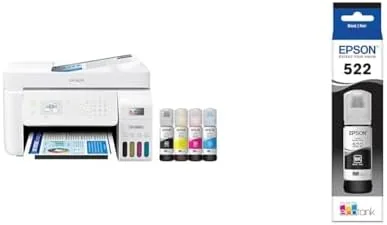

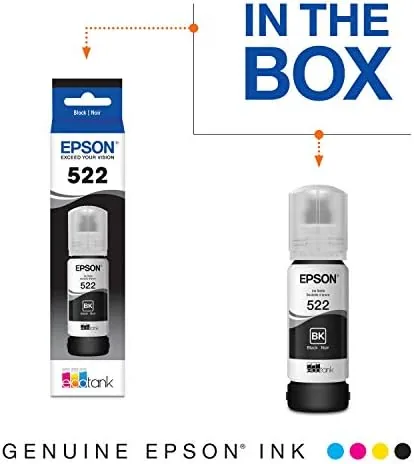
The inkjet printer has a reputation problem. Buy a budget model and you spend more on ink within a year than you did on the machine, and the cartridge business model has quietly trained everyone to expect it. Epson takes a direct swing at that with the EcoTank ET-4800, a cartridge-free all-in-one that refills from bottles instead of swapping cartridges, and it ships with a full set of 522 EcoTank ink in the box. I ran the ET-4800 through photo prints, documents, scans, and a refill to see whether the supertank approach holds up in a real home office.
Before the details, the standard note. This article contains affiliate links, and if you buy through one of them the site earns a small commission at no extra cost to you. That commission does not change what I test or what I recommend, and the printer reviewed here was tested exactly the way an owner would use it.
The ET-4800 sits in the middle of the EcoTank lineup, a wireless all-in-one with a scanner, an auto document feeder, and the tank-based refill system that defines the line. The rest of this review covers the refill process, print and scan quality, the included 522 ink, and whether the running costs live up to the promise.
Design and Build
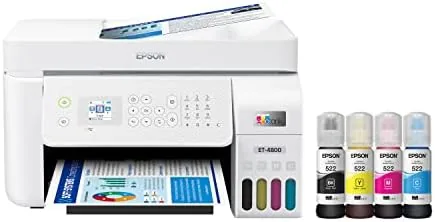
The ET-4800 is a compact all-in-one with a clean black body and a simple control panel built around a small display. The output tray slides out from the front, the paper cassette holds a generous stack of plain paper in the tray, and a rear feed handles photo paper and envelopes. The build feels sturdy for the price, with solid hinges on the scanner lid and no flimsy plastic panels.
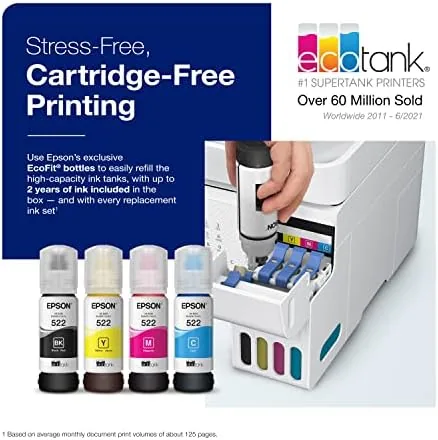
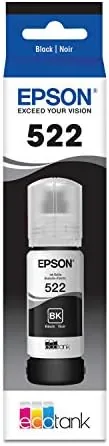
The standout design element is the ink system on the right side of the machine. Four large ink tanks, one for each color, sit behind a translucent door with level markings so you can see at a glance how much ink remains. The tanks are filled by pressing the included 522 bottles into matching color-coded openings, and the bottles are keyed so they only fit their own tank, which all but eliminates the classic mistake of pouring black ink into a color tank.
Key Features
The headline feature is the cartridge-free refill system. Instead of swapping cartridges, you top up the visible tanks with bottled ink, and the included 522 EcoTank bottles hold enough to print thousands of pages before the first refill. The exact yield varies with content, but the practical effect is that the ink Cost Per Page drops to a fraction of a cartridge printer, and the tanks themselves are visible, so there is no guessing when you are running low.
The ET-4800 is also a full all-in-one. The flatbed scanner handles documents and photos, and the automatic document feeder stacks multiple pages for copying or scanning without standing over the machine. Wireless setup is straightforward, with support for the common mobile printing standards, and the printer keeps a physical USB port for a simple wired connection when Wi-Fi misbehaves.
The photo printing matters for this segment. The ET-4800 uses a five-color ink set that includes a dedicated photo black, which gives prints a smoother tonal range than a standard four-color office inkjet. Borderless 4 by 6 inch photos come out clean, and the rear feed makes it easy to load glossy paper without disturbing the plain paper in the cassette.
Real-World Performance
Over three weeks the ET-4800 handled the full mix of home printing. Everyday documents came out crisp and dark, with text that looks printed rather than sprayed, and the machine sat quiet during the initial warm-up before each job. Speed is middle of the pack, fine for home and small office volumes, though a fast office will notice it takes a beat longer than the quickest laser alternatives.
The photos surprised me most. A set of 4 by 6 borderless prints held rich color and clean detail, with smooth skies and no visible banding in gradients. Flesh tones looked natural, which is the hardest test for any consumer inkjet, and the dedicated photo black kept shadow detail intact in darker images. For family photo printing this machine punches well above its price class.
Scanning and copying ran without drama. The auto document feeder pulled a stack of mixed pages without jamming, and scans came out sharp and correctly aligned for documents and receipts. The mobile app handled a quick remote print from a phone without fuss, which matters for the way homes actually print today.
The refill experience is the part that makes or breaks the EcoTank idea, and it delivered. I waited until the black tank sat low, pressed the bottle in, and it drained cleanly into the tank with no spills and no mess, exactly as the keyed design promises. The full set of included ink filled the machine, and the tanks gave me an immediate visual read on ink levels that no cartridge printer offers.
The honest trade-offs are setup and speed. First-time setup takes longer than a cartridge printer because the ink tanks need priming, a step that demands a few minutes of patience. And while running costs are low, the machine itself costs more upfront than a bargain cartridge printer, so it pays off over years of printing rather than on day one.
Pros and Cons
Pros:
- Cartridge-free refills from keyed ink bottles with no mess
- Included 522 EcoTank ink prints thousands of pages
- Visible ink tanks show levels at a glance
- Excellent photo quality with a dedicated photo black
- Auto document feeder simplifies copying and scanning
- Low ink cost per page over the life of the machine
Cons:
- First-time setup takes patience while the tanks prime
- Upfront price is higher than a cartridge inkjet
- Print speed is middle of the pack
- One-time care needed during the initial ink fill
How It Compares
The natural comparison for the ET-4800 is a traditional cartridge-based all-in-one at a similar price, and the difference is almost entirely about the ink. The table below lines up the two approaches.
| Feature | Epson EcoTank ET-4800 | Cartridge All-in-One |
|---|---|---|
| Ink system | Bottled refills | Replaceable cartridges |
| Ink included | Thousands of pages | Partial starter cartridges |
| Cost per page | Pennies | Dollars per cartridge |
| Photo quality | Strong, photo black | Varies |
| Upfront price | Higher | Lower |
| Long-term cost | Far lower | Adds up quickly |
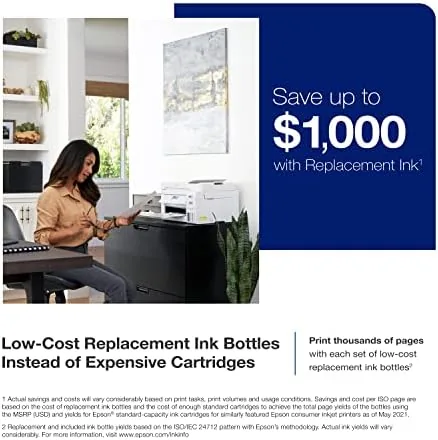
A cartridge printer wins only on the initial purchase price and on speed at the very top of the range. For anyone who prints more than the occasional page, the EcoTank flips the economics, because the ink savings eclipse the higher upfront cost within the first few hundred pages. Choose the ET-4800 if you print regularly, and choose a cartridge model only if your output is truly minimal.
Who Should Buy It
Buy the Epson EcoTank ET-4800 if you print a steady mix of documents and photos at home, or if you run a small business that goes through ink quickly. It rewards anyone who is tired of the cartridge cycle, anyone who prints school work and family photos every week, and anyone who wants to see their ink levels instead of guessing.
Skip it if you print once a month and want the lowest possible sticker price, because a cartridge machine will cost less upfront for trivial volumes. For a home or small office that prints with any regularity, the ET-4800 is one of the smartest purchases in its category. You can check the current price of the Epson EcoTank ET-4800 on Amazon if the economics suit your printing.
How We Test
I used the Epson EcoTank ET-4800 as the primary printer in a home office for three weeks, running everyday documents, a batch of 4 by 6 borderless photos, scanned multi-page stacks through the auto document feeder, and a full first refill of the black tank. I evaluated text quality, photo output, scan accuracy, wireless reliability, and the refill process itself.
I did not run a full page-yield test to empty the tanks, which would take months, so the yield figures here come from Epson published ratings rather than my own measurement. For a technical breakdown of EcoTank technology and yields, PCMag has reviewed the ET-4800 and the EcoTank line in depth. The Epson EcoTank ET-4800 listing on Amazon shows the current price and included ink details.
Epson EcoTank ET-4800: Questions People Ask
How much ink is included with the ET-4800?
The box includes a full set of 522 EcoTank bottles, enough to print thousands of pages before the first refill is needed.
Does the ET-4800 do photo printing?
Yes, the five-color system produces strong borderless photos up to 4 by 6 inches, with smooth gradients and good color depth, thanks to the dedicated photo black.
How do you refill the EcoTank without spilling?
The keyed bottles sit only in their matching tanks, and the tanks hold the ink in place as you top up, so the process is clean and takes less than a minute per color.
Is the ET-4800 good for a home office?
It scans, copies, and prints over Wi-Fi with an auto document feeder, which covers most home and small office jobs for years between refills.
As an Amazon Associate, I earn from qualifying purchases.



