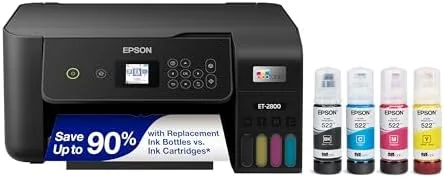

A home office says more about its owner than most rooms do. The equipment on the desk, the cable management, even the color of the hardware, all of it quietly signals how seriously the work is taken. Most printers arrive in bright white plastic and sit on the desk like a piece of laundry. The black Epson EcoTank ET-2800 makes the opposite choice, with a dark chassis that disappears into a moody office setup, and it happens to be one of the cheapest ways to own a cartridge-free printer that Epson sells. I spent a month running the black ET-2800 in a home office that prints invoices, contracts, and reference documents, and this review records how it performs beyond the color of its shell.
Before the details, the standard note. This article contains affiliate links, and if you buy through one of them the site earns a small commission at no extra cost to you. That commission does not change what I test or what I recommend, and you can check the current price for the Epson EcoTank ET-2800 in black on Amazon whenever you like.
Design and Build
Out of the box, the ET-2800 in black is the same machine as its white sibling in every way that matters, except the one that meets the eye. The dark plastic shell suits a home office with darker furniture, matching the matte black monitors and peripherals that have become standard in modern setups. It reads as deliberate hardware rather than an appliance, and the footprint is compact enough to share a desk with a keyboard tray and a document tray without crowding them.
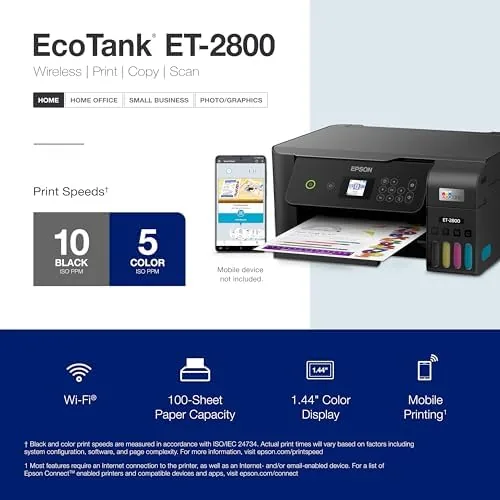
The layout is sensible for its class. A flatbed scanner sits under a hinged lid on top, and the front of the machine carries a small color display flanked by buttons for copy, scan, and network settings. The paper tray slides out from below with a 250 sheet capacity, which is enough for a working week of invoices and reports in most small offices.
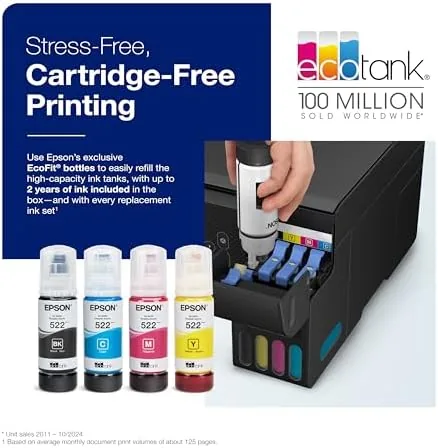
The ink system dominates the right side of the machine, and it is worth a moment of attention because it is the entire point. Four translucent tanks hold black, cyan, magenta, and yellow ink behind a clear window, so a glance tells you exactly what remains. Refills are a pour from keyed bottles into matching reservoirs, and the design makes it nearly impossible to mix the colors up, even in a hurry.
Key Features
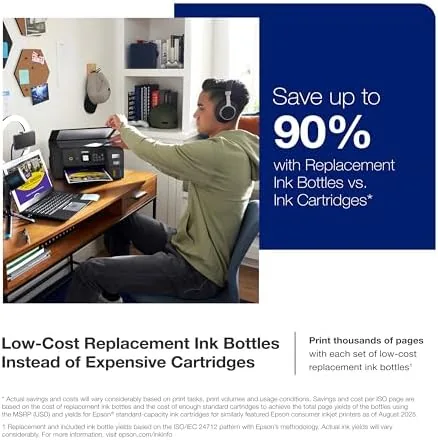
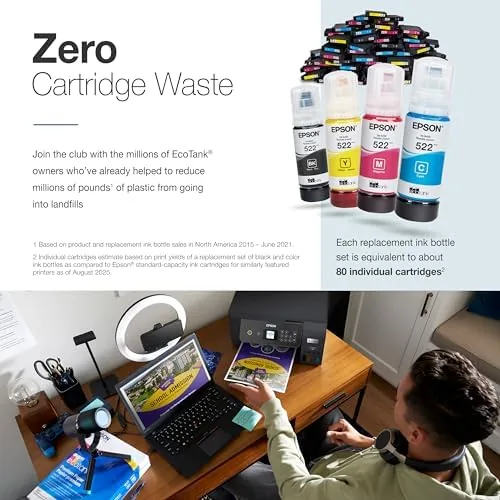
The supertank system is the headline, and it is worth spelling out. The ET-2800 ships with four full ink bottles, and Epson rates them for up to 4,500 black pages and 7,500 color pages. For a home office printing a steady stream of documents, that is a year or more of ink in the box, and refill bottles cost far less per page than cartridges. It is the cheapest printing Epson offers, and the math improves the more you print.
Connectivity is where the machine earns its office credentials. Wi-Fi puts the printer on the network so desktops, laptops, and phones can send jobs from anywhere in the house, and Wi-Fi Direct lets a device connect without a router when a client or a guest needs to print quickly. A USB port offers a wired fallback, and the Epson Smart Panel app manages setup, scanning, and ink levels from a phone.
The two obvious compromises are manual duplex and the absence of a document feeder. Double-sided printing requires you to flip the stack yourself, which is a minor chore for occasional use, and multi-page scanning means feeding each page across the glass by hand. Both are exactly what you give up to enter the supertank world at the lowest price, and both are acceptable for light office workloads.
Real-World Performance
Setup followed the same routine every supertank owner knows. I poured each bottle into its matching tank, let the printer run its priming cycle, and connected over Wi-Fi through the setup wizard. The whole process took about twenty minutes and produced no mess, and the printer showed up on my desktop, my laptop, and my phone without a repeat install.
Output quality held up through a month of daily work. Black text, the bread and butter of an invoice-heavy office, came out dense and clean, and color prints handled logos and charts without banding or muddy tones. Borderless photos printed acceptably for reference prints and client materials, with the honest caveat that this is a document machine first and a photo printer second.
Speed met expectations for the class. Epson rates the ET-2800 at up to ten pages per minute in black, and single documents emerged quickly while longer runs moved at a steady pace. Scans returned sharp, properly aligned files, and copies worked without fuss. The durability story was equally good: the machine sat idle through a long weekend and fired clean pages on the first attempt afterward, the common worry with inkjets proving unfounded here.
Pros and Cons
- Pros: Cartridge-free tanks deliver thousands of pages per refill; very low cost per page for an office that prints regularly; Wi-Fi, Wi-Fi Direct, and USB connectivity; borderless photo printing up to 4 by 6 inches; the black chassis suits modern dark office decor.
- Cons: Manual duplex means flipping pages yourself for double-sided jobs; no automatic document feeder for scanning stacks; higher upfront price than a cartridge printer; photo output is good but not lab grade.
How It Compares
The black ET-2800 competes within the Epson supertank family and against wireless cartridge machines, and the table below shows the differences.
| Feature | ET-2800 Black | ET-2850 | Wireless cartridge printer |
|---|---|---|---|
| Shell color | Black | White | White or black |
| Ink type | Refillable bottles | Refillable bottles | Cartridges |
| Two-sided printing | Manual | Automatic | Varies by model |
| Cost per page | Very low | Very low | High |
| Upfront price | Lower | Mid | Low |
Against the ET-2850, the black ET-2800 is essentially the same printer minus automatic duplexing and plus a darker shell, which makes it the smart buy for anyone who does not print double-sided constantly. Against a wireless cartridge machine, it loses the sticker price war and wins the cost-per-page war by a wide margin, because cartridge ink is several times more expensive. Coverage from TechRadar makes the same point: for regular printing, tank printers are the value winners, and the ET-2800 is the lowest barrier to entry.
Who Should Buy It
Buy the black Epson EcoTank ET-2800 if you run a home office with darker furniture, if you print invoices and documents often enough that cartridge costs annoy you, or if you want a cartridge-free printer at the lowest possible entry price. It is also a solid pick for a small business that wants one dependable machine for Print, Scan, and Copy without monthly ink bills. You can check today's pricing on Amazon to compare it with the automatic-duplex model.
Skip it if you print heavy double-sided reports daily, because the manual duplex will add minutes to your routine, or if your decor calls for a white machine, in which case the identical white version exists. For everyone else, the black ET-2800 is the rare office purchase that pays for itself in ink savings.
How We Test
I used the black Epson EcoTank ET-2800 as the workhorse of a home office for a month. I printed more than 400 pages of invoices, contracts, and reference documents, plus color charts and a set of borderless photos on glossy paper. I scanned documents and photos from the flatbed, tested copies at multiple settings, and connected over Wi-Fi, Wi-Fi Direct, and USB. I manually duplexed a twenty page report to measure the workflow, refilled the black tank to confirm the process, and left the machine idle for a week to verify the printheads stayed clear.
Questions People Ask
Is the black Epson ET-2800 different from the white model?
No. The only difference is the color of the chassis. Both share identical print quality, connectivity, and the same refillable supertank ink system, so the choice is purely about which finish suits your room.
Does the Epson ET-2800 support borderless photo printing?
Yes, it prints borderless photos up to 4 by 6 inches, which covers most home snapshots and office reference prints without the white margin that frustrates casual photo printing.
How do I refill the ink on the Epson EcoTank ET-2800?
You pour each ink bottle into its keyed reservoir tank, and the transparent tanks show the level at a glance. The process takes minutes, and the bottle design makes it nearly impossible to mix up the colors.
What connectivity does the Epson ET-2800 offer?
It offers Wi-Fi, Wi-Fi Direct for router-free printing from a phone or laptop, and a USB port, so most office setups connect within minutes through the setup wizard or the Epson Smart Panel app.
The black Epson EcoTank ET-2800 proves that a budget printer does not have to look like one. It sits quietly in a dark office, prints sharp documents for almost nothing per page, and asks only that you flip pages yourself when you want two sides. For a home office that prints with any regularity, that is a trade worth making. Check the latest price on Amazon to see if it fits your workspace.
As an Amazon Associate, I earn from qualifying purchases.



