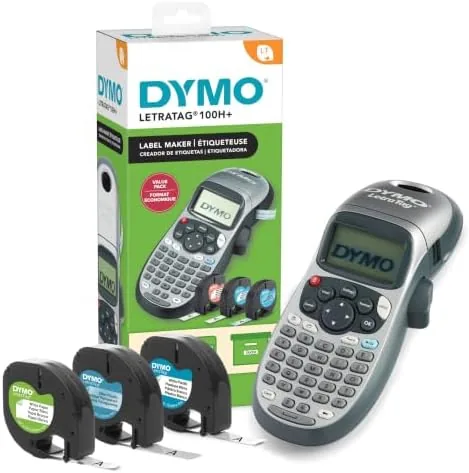

Every organized home and office runs on labels, but the process of making them has become oddly complicated. Printing from a phone app requires pairing, fonts, and a printer that may or may not cooperate, and handwriting strips of masking tape looks terrible on a binder or a power strip. The DYMO LetraTag 100H takes the opposite approach. It is a small handheld machine that prints a crisp label in seconds using heat alone, no ink, no toner, no app, and no learning curve. This particular bundle adds three label tapes in the box, so you can label something the moment it arrives. I used it for a month around my home office, kitchen, and network cabinet to find out if a handheld Label Maker still earns a place in a modern household.
Before the details, the disclosure. This article contains affiliate links, and if you buy through one of them this site earns a small commission at no extra cost to you. That commission does not change what I test or recommend.
Design and Build
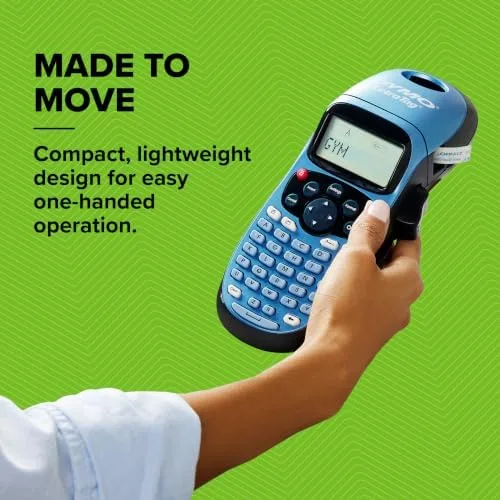
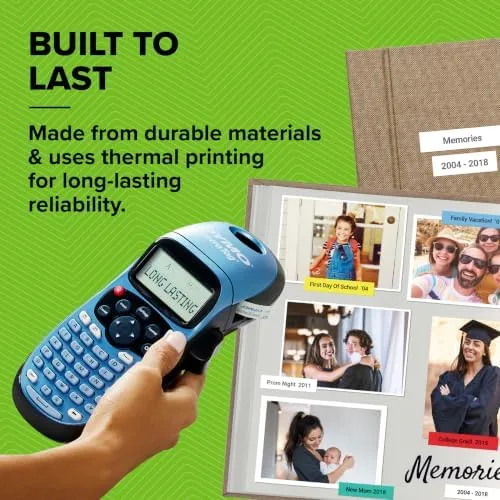
The LetraTag 100H is genuinely pocket sized. It is light enough to hold in one hand for a long labeling session, and the body is shaped with a comfortable grip so your thumb rests naturally on the keyboard. The keys are small but well spaced, with a positive click that confirms each press, and the letters are printed large enough to read without squinting. This is a device you can use on the couch while labeling spice jars, and that casual portability is the whole point of a handheld design.
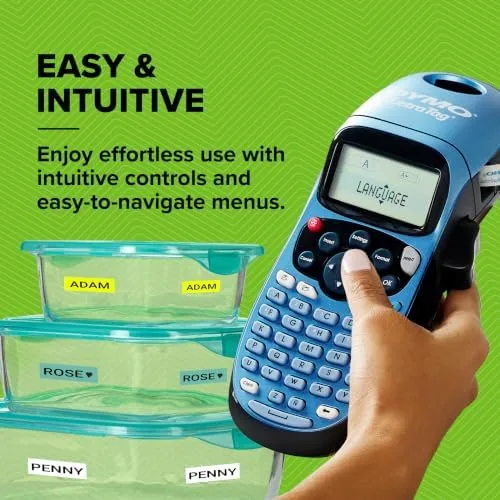
There is no screen on top that does nothing. The LetraTag has a graphical display that previews the label as you type, showing the chosen font size and style before you commit to printing, which removes the guesswork that plagues cheaper label makers. The cassette bay opens and closes cleanly, tape snaps in and out without fuss, and a small cutter trims the finished label to length with a firm squeeze. Everything about the hardware feels designed for frequent, low effort use rather than occasional frustration.
Key Features
The defining feature is thermal printing. The machine uses heat to mark the tape, so there are no ink cartridges to buy, no toner to replace, and no smudged prints while the ink is drying. You snap in a tape cassette, type your text, and the label prints in a second. That running cost advantage compounds over time, because the only expense after the machine is the tape itself, and a single cassette makes a long string of labels.
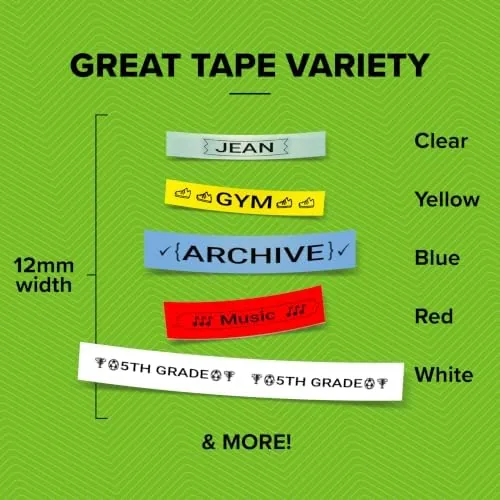
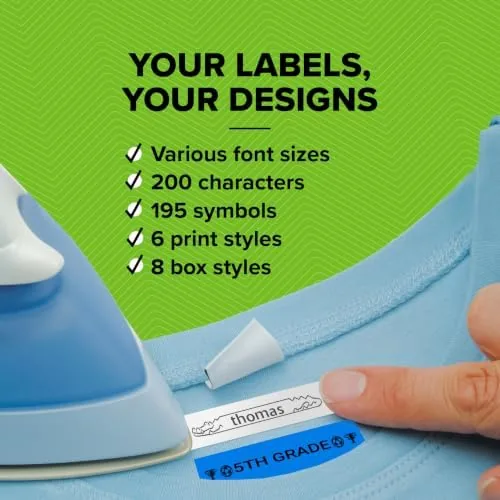
The customization options are deeper than most people expect from a budget handheld. The LetraTag offers five font sizes, seven print styles, and eight box styles, so labels can be plain and functional or dressed up for a gift or a binder tab. It prints up to two lines of text per label, which is enough for a category and an item name, and it stores nine labels in memory so you can reprint a favorite without retyping it. A built in date stamp adds a helpful touch for food storage and cable labeling.
The bundle value is the feature that makes this listing a sensible buy. Instead of the machine alone, you get three LT series tape cassettes: one paper tape in black on white, one plastic tape in black on white, and one plastic tape in black on clear. That mix covers everyday paper labels plus the tougher plastic labels that survive water, grease, and handling, so you can label pantry jars, cable ends, and tool drawers without buying extra tape immediately. For a current look at the price and bundle options, the Amazon listing for the DYMO LetraTag 100H is worth a glance.
Real-World Performance
I put the LetraTag to work on real projects around the house: labeling a shelf of storage bins, the cable ends in a network cabinet, pantry containers, and the front of a stack of binders. In every case the workflow was the same and fast. Type the text, glance at the preview, hit print, and the label slides out in roughly a second, ready to peel and stick. There is no pairing, no app, and no failed print job to troubleshoot, which is the quiet joy of a self contained device.
The labels themselves look sharp. Text prints dark and crisp on the white and clear tapes, and the two line capability let me stack a category and a detail on a single label for binders and bins. The clear plastic tape is the standout, because it disappears onto dark surfaces and looks like the label was printed on the object itself. The paper tape adheres well to cardboard and printer paper, and the plastic tapes held up through a month of handling, including a trip through the back of a fridge on a sauce jar.
Battery life was strong. The LetraTag runs on standard batteries and includes an auto off power saver that shuts the machine down when it sits idle, so it was always ready when I grabbed it and the batteries never needed replacing during the test month. The print quality stayed consistent from the first label to the last, with no fading or streaking, which is exactly what thermal printing should deliver.
Pros and Cons
Pros:
- Thermal printing means no ink or toner to buy, ever
- Three tapes included cover paper, plastic, and clear labels
- Preview screen shows the label before it prints
- Compact and light enough to use anywhere
- Two line printing with five fonts and eight box styles
- Memory stores nine labels for quick reprints
Cons:
- Two lines limit long text heavy labels
- Print speed is a single letter pass, not instant whole word
- Tape cost adds up for heavy bulk labeling jobs
- No Bluetooth or app connection in this model
How It Compares
Handheld label makers divide into the simple thermal machines like this one and pricier models with bigger displays, QWERTY keyboards, and sometimes Bluetooth connectivity to a phone app.
| Feature | DYMO LetraTag 100H | Budget Label Maker | Premium Bluetooth Model |
|---|---|---|---|
| Printing method | Thermal, no ink | Thermal, no ink | Thermal, no ink |
| Text lines | Up to two | One to two | Multiple |
| Phone app | None needed | None | Yes |
| Bundled tape | Three cassettes | Often none | Varies |
| Price | Low | Lowest | Higher |
Against a bare budget machine, the LetraTag wins because the three bundled tapes and the preview screen make it useful from the first minute, while a bare machine forces an extra tape purchase before you can print anything. Against a premium Bluetooth model, it loses the ability to design complex labels on a phone, but it wins on simplicity, price, and the fact that it never depends on an app update or a battery hungry phone.
Who Should Buy It
Buy the DYMO LetraTag 100H if you want a no fuss way to label the everyday things that clutter a home or office: storage bins, cables, pantry jars, binders, fuse boxes, and tool drawers. It suits anyone who wants labels without fighting an app, and it makes a thoughtful gift for the person who keeps an obsessively organized desk or pantry. The included tapes mean you can start labeling immediately and decide later which tape colors and widths you prefer.
Skip it if you plan to print large, multi line labels for warehouses or retail, or if you want to design labels on a phone and print over Bluetooth, because both needs point to a bigger machine. For household and office organizing, this is one of the most practical tools you can keep in a drawer. You can check the current price of the DYMO LetraTag 100H on Amazon when you are ready to buy.
How We Test
I used the LetraTag 100H for a month on real labeling projects, covering storage bins, pantry containers, binders, and a network cabinet full of cables. I tracked print quality across all three included tapes, battery life with the auto off feature, ease of the two line printing, and how the plastic labels held up to moisture and handling.
I did not test the machine with third party tapes or measure print speed with a stopwatch, so those observations are based on normal daily use rather than lab timing. For a wider view of the label maker market, Wirecutter has a detailed comparison of the best label makers that explains the trade offs between handheld and desktop models. The DYMO LetraTag 100H listing on Amazon shows the current price and the available tape bundles.
DYMO LetraTag 100H: Questions People Ask
Does the DYMO LetraTag 100H need ink or toner?
No, it uses thermal printing, which marks the tape with heat, so there are no cartridges to buy and the print never smudges while drying.
What tape does the LetraTag 100H use?
It takes DYMO LT series tape, and this bundle includes three cassettes: one paper black on white, one plastic black on white, and one plastic black on clear.
Can the LetraTag print more than one line of text?
Yes, it prints up to two lines per label and offers five font sizes, seven print styles, and eight box styles to customize the output.
Is the LetraTag 100H good for home or office use?
Both, because it is small, runs on batteries, previews each label before printing, and keeps nine labels in memory along with a built in date stamp.
As an Amazon Associate, I earn from qualifying purchases.