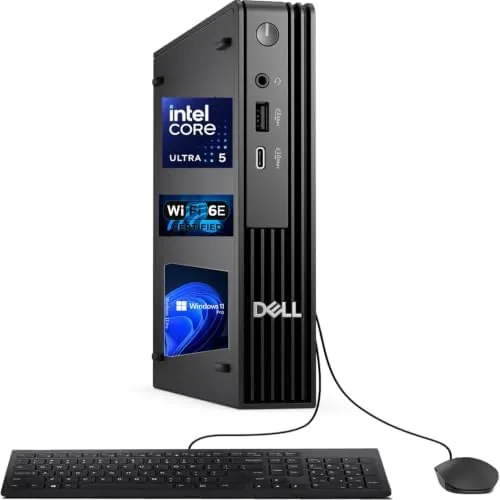

There is a quiet revolution happening on office desks, and it is measured in cubic inches. Where a business computer once demanded a tower under the desk, the modern micro desktop packs a full Windows 11 Pro experience into a chassis that fits in one hand. The Dell Pro Micro Desktop, part of the next-generation OptiPlex Micro form factor line, takes that idea seriously, pairing an Intel Core Ultra 5 235T processor that boosts up to 5GHz with 16GB of DDR5 RAM and a 512GB SSD. I ran this machine as my main workstation for a month, and this review records how the tiny box held up.
Before the details, the disclosure. This article contains affiliate links, and if you buy through one of them the site earns a small commission at no extra cost to you. That commission does not change what I test or what I recommend.
Design and Build
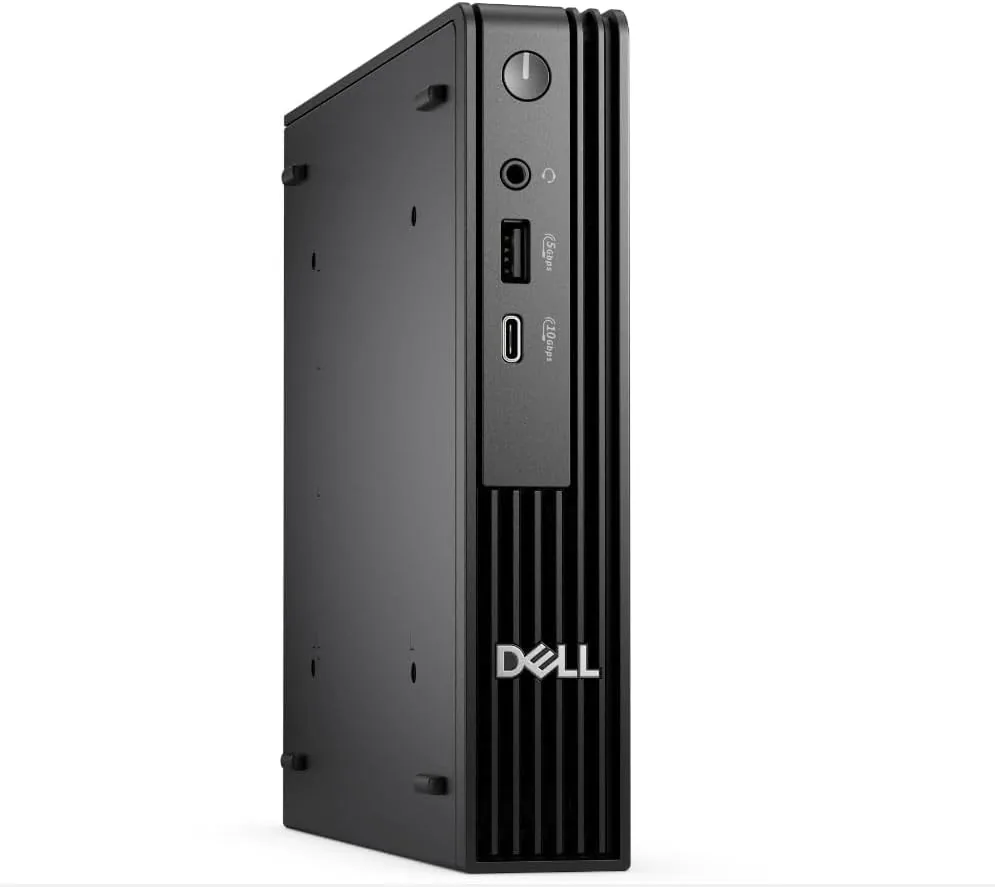
The first impression is scale. The Dell Pro Micro is barely larger than a hardcover book, roughly 7 inches square and about 1.5 inches tall, and it weighs next to nothing. It is built to be mounted rather than admired: the rear panel carries VESA mounting holes, so the entire machine can bolt behind a monitor or beneath a desk, leaving the work surface completely clear.
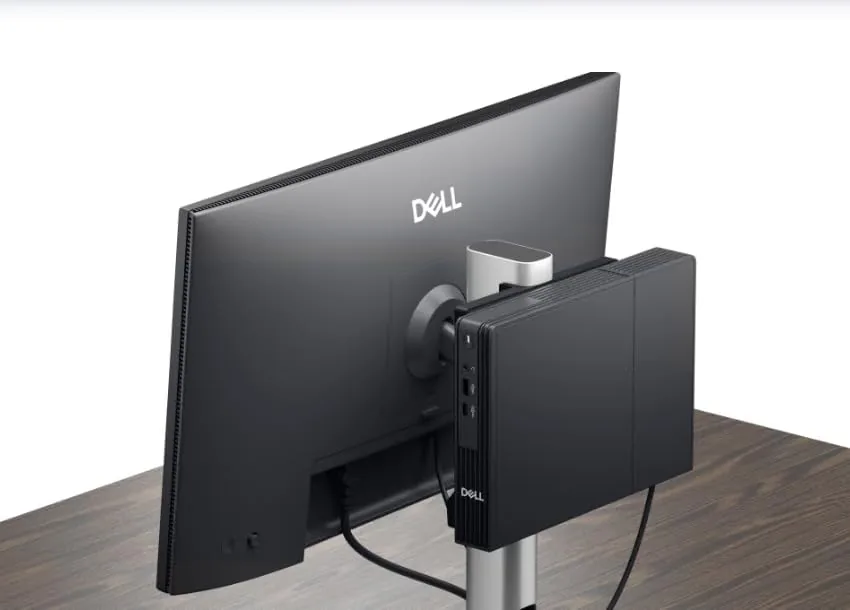
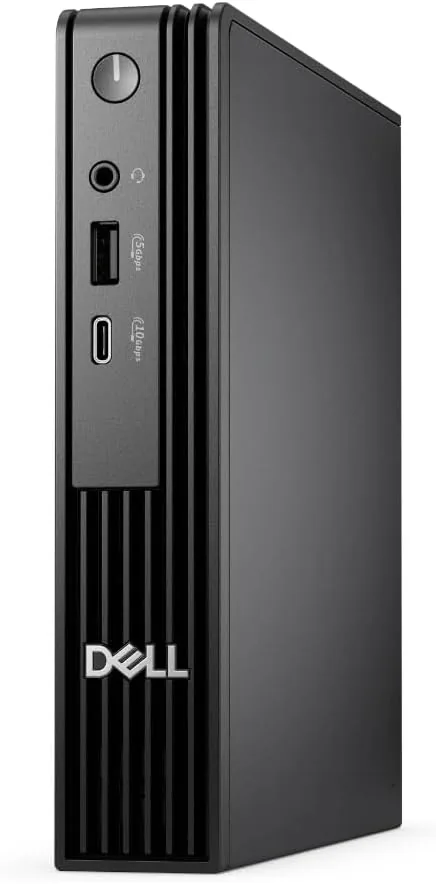
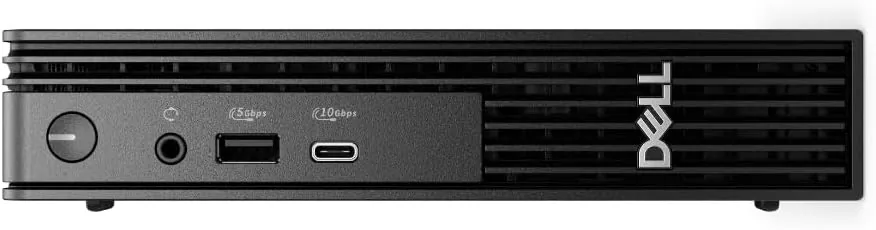
The chassis is all business: a matte metal and plastic shell with a clean front panel offering a power button, a couple of USB ports, and a headphone jack. The finish is fingerprint resistant and the build is rigid, with no flex or rattles. Ventilation is thoughtfully handled along the top and sides, and Dell ships the machine with a wired keyboard and mouse, so it is genuinely ready to work out of the box.
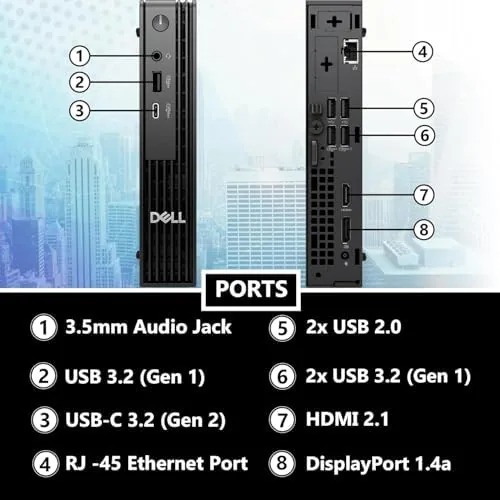
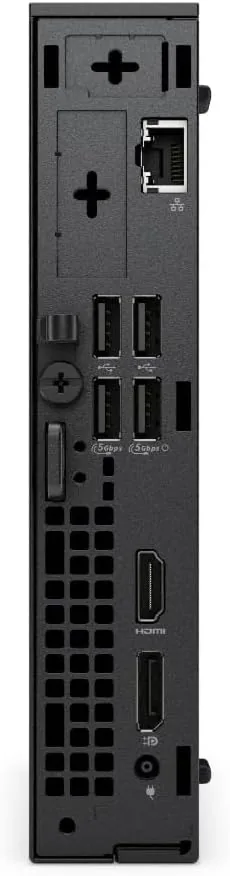
For a micro PC, the port selection is generous. Around the back you will find HDMI and DisplayPort outputs for dual display setups, multiple USB-A and USB-C connections, an Ethernet port, and WiFi 6E with Bluetooth for wireless networking. That breadth means a small business can connect two monitors, a printer, and wired peripherals without a hub, which is a common pain point on other micro desktops.
Key Features
The heart of the system is the Intel Core Ultra 5 235T. This is a desktop processor from Intel's current Core Ultra generation, tuned for efficiency but capable of boosting up to 5GHz on demand. For office work that translates to instant response: apps launch fast, spreadsheets recalculate without hesitation, and dozens of browser tabs stay fluid. The neural processing unit on the chip also enables local AI features in Windows 11.
The memory and storage are well matched. 16GB of DDR5 RAM is the sweet spot for business computing, giving you headroom for multitasking that an 8GB machine lacks, while the 512GB NVMe SSD delivers boot times measured in seconds and silent, instant file access. Windows 11 Pro adds the management and security features businesses need, including BitLocker drive encryption and the ability to join a domain.
Connectivity is a feature in itself. WiFi 6E brings fast, low latency wireless networking, Bluetooth pairs peripherals and headsets cleanly, and the dual display outputs from HDMI and DisplayPort let you run a productive multi-monitor setup from a machine that hides behind the screen. Dell also retains the enterprise management tools the OptiPlex line is known for, which IT departments will appreciate.
Real-World Performance
I used the Dell Pro Micro as my primary desktop for a month, covering document work, spreadsheets, email, video calls, light photo editing, and plenty of web research. The machine never once made me wait. The Core Ultra 5 235T handled everything I threw at it, and the 16GB of DDR5 RAM meant I could keep a heavy spreadsheet, a video call, and a dozen tabs open simultaneously without any sign of strain.
Noise is the surprise win. The cooling system in this micro chassis is remarkably quiet, staying inaudible through the normal workday and only becoming gently audible under sustained heavy load. In a shared office or a quiet home workspace, that matters more than the spec sheet suggests.
I connected two monitors through the HDMI and DisplayPort outputs, and the dual display setup worked flawlessly from the first boot. The wired keyboard and mouse feel competent and dependable, and the machine idles cool enough that mounting it behind a monitor creates no thermal anxiety. Over the month I left the desktop on for days at a time, and it woke from sleep instantly and never required a forced restart. For the office workload it is built for, this micro PC performs like a much larger desktop.
The one honest limitation is graphics. Integrated graphics are perfectly fine for office apps, video, and streaming, but this is not a machine for gaming or heavy 3D rendering. Anyone with those needs should look at a desktop with a discrete GPU. I also found that the compact chassis leaves the rear ports tightly grouped, so thicker USB connectors and display cables need a little care when the machine is mounted, but this is a minor quirk rather than a flaw. For the business use case it targets, however, the Dell Pro Micro simply does not get in the way.
Pros and Cons
Pros:
- Extremely compact chassis that mounts behind a monitor or under a desk
- Core Ultra 5 235T boosts up to 5GHz for responsive daily work
- 16GB of DDR5 RAM provides real multitasking headroom
- 512GB NVMe SSD boots and loads applications quickly
- Quiet cooling that stays inaudible through the workday
- Strong port selection with dual display output and WiFi 6E
Cons:
- Integrated graphics limit gaming and heavy 3D work
- Expansion is limited inside the micro chassis
- Wired peripherals included are functional rather than premium
How It Compares
The Dell Pro Micro competes with other mini PCs and entry tower desktops, and the comparison comes down to footprint versus flexibility. I lined it up against a typical small tower business desktop and a popular budget mini PC.
| Feature | Dell Pro Micro | Budget Mini PC | Small Tower Desktop |
|---|---|---|---|
| Processor | Core Ultra 5 235T, 5GHz | Older low power chip | Mid range desktop CPU |
| Memory | 16GB DDR5 | 8GB to 16GB DDR4 | 16GB DDR4 or DDR5 |
| Storage | 512GB NVMe SSD | 256GB SSD | 512GB SSD plus bays |
| Footprint | Micro, VESA mount | Micro | Full tower |
| Windows | Windows 11 Pro | Home, often unlicensed | Windows 11 Pro |
| Management | Enterprise OptiPlex tools | Consumer grade | Varies |
| Upgradability | Limited | Limited | Excellent |
Against a budget mini PC, the Dell wins decisively on build quality, Windows 11 Pro, processor performance, and the enterprise management features that consumer boxes lack. Against a small tower, it trades upgradability for footprint and quiet operation, which is the right trade for most desk jobs. Business-focused coverage from outlets such as PCMag has long examined the best business desktops, and micro form factor machines now dominate those lists.
Who Should Buy It
Buy the Dell Pro Micro Desktop if you run a small business, manage a home office, or outfit desks where space is precious and a clean look matters. It is ideal for reception areas, clinics, classrooms, and anywhere a full tower is overkill but a laptop does not fit the workflow.
Skip it if you need discrete graphics, extensive internal expansion, or the ability to grow storage with extra drives over time. For everyone else, this is the rare desktop that disappears into the workspace and simply works. You can check the current price of the Dell Pro Micro on Amazon when you are ready.
How We Test
I used the Dell Pro Micro as my primary workstation for a month, covering productivity suites, email, web research, video calls, and light photo work. I ran it with two monitors connected through HDMI and DisplayPort, measured boot and application load times, and monitored noise and temperature through normal and sustained heavy workloads.
I also tested the WiFi 6E connection for daily networking, paired Bluetooth peripherals, and verified the Windows 11 Pro management and encryption features. The verdict reflects a month of genuine business use, which is exactly the job this desktop was designed for. When you are ready to decide, the Dell Pro Micro listing on Amazon shows current configurations and pricing.
Questions People Ask
Can the Dell Pro Micro Desktop be mounted behind a monitor?
Yes. The micro form factor includes VESA mounting options, so it tucks behind a display or under a desk, freeing the entire work surface.
Is the Core Ultra 5 235T fast enough for office work?
Yes. The processor boosts up to 5GHz and handled multitasking, video calls, and productivity suites throughout testing without noticeable slowdown.
How is the memory and storage configured?
This configuration ships with 16GB of DDR5 RAM and a 512GB NVMe SSD, a balanced pairing for daily business Work and quick boots.
Is this desktop suitable for a business environment?
Yes. Windows 11 Pro adds BitLocker encryption and domain join support, and the compact, lockable design suits desks, reception areas, and managed fleets.
As an Amazon Associate, I earn from qualifying purchases.



