
There is no worse moment in virtual reality than the one where you reach for a controller and it does nothing. VR sessions are short enough already without hunting for batteries, yet the controllers that power most headsets rely on a constant supply of AAs, and they have a habit of dying at the worst time. A charging dock solves that by topping up both controllers whenever they are not in use, so they are always ready when you are. I tested this dual charger station to see whether it actually ends the battery shuffle or just adds another gadget to the desk.
This review comes from weeks of regular VR use with the dock in my setup. It contains affiliate links, and purchases through them support the site at no extra cost to you, without changing my verdict.
Design and Build
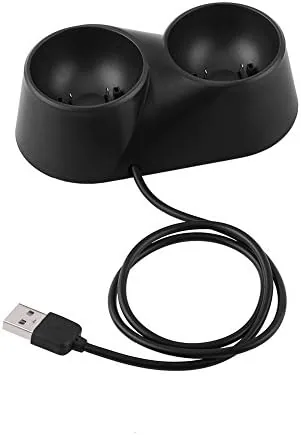
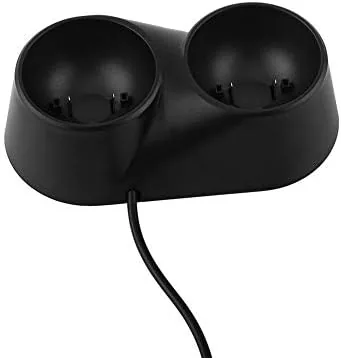
The charger station is a compact dock with two slots, each shaped to hold a VR controller upright. The controllers sit in their cradles at a slight angle, which makes them easy to drop in after a session and easy to grab when the next one starts. The dock itself is stable on a desk, with enough weight and grip that pulling a controller out does not tip the whole unit.
The build is plastic, but it is dense plastic with clean seams. The dock does not feel like a cheap accessory, and the charging contacts are exposed pins that line up with the charge points on the controllers. A small LED indicator sits on the front, showing the charging state of each controller at a glance.
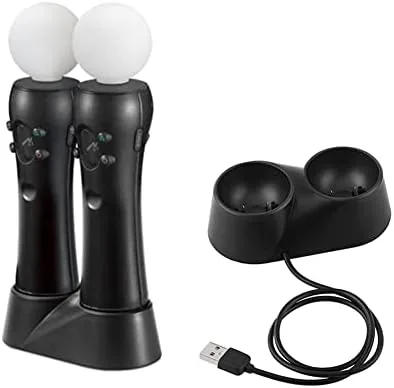
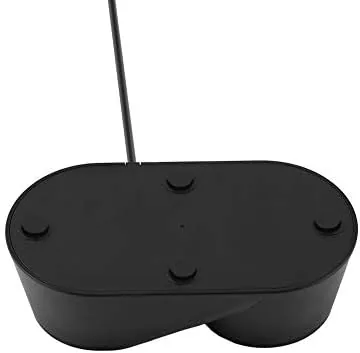
The dock is designed for a pair of VR controllers, and the layout keeps both cables and the stand tidy on a desk. It does not take up much room, which matters in a VR setup that already has a headset and its cables demanding space.
Key Features
The core feature is the dual charging capability. Both controllers charge at once, so there is no waiting for one to finish before the other starts. When you dock both after a session, they charge together and are both ready for the next time you put on the headset.
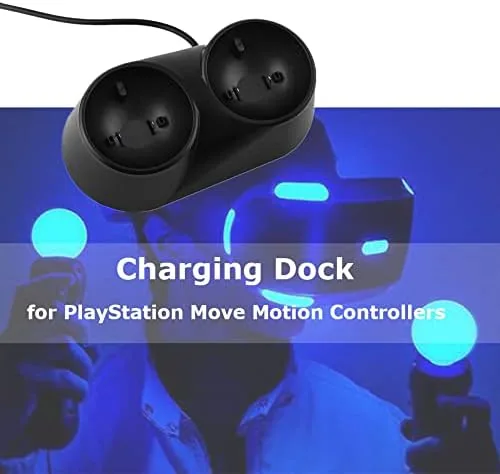
The dock uses contact charging, which means the controllers simply sit in the cradles and the pins make the connection. There are no cables to plug into each controller, which is the whole convenience. The LED indicators on the dock show the charge state, so a quick glance tells you whether both controllers are topped up before you start.
As a charging station, it also doubles as a controller stand. Instead of controllers rolling loose on a desk or disappearing into a drawer, they have a home where they charge and stay organized. That combination of charging and storage is what makes the dock more than a battery charger.
Real-World Performance
I used the charger station as my regular VR workflow for several weeks. After each session I dropped both controllers into the dock, and the next time I put on the headset they were charged and ready. The dead controller problem simply stopped happening, which is the strongest endorsement a product like this can earn.
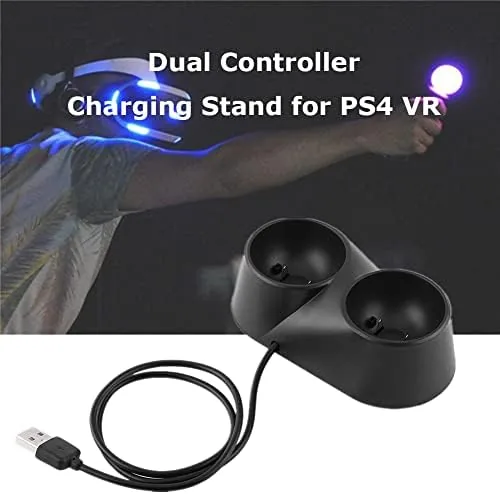
Charging speed was practical for daily use. Both controllers reached full charge within a few hours, and the LED indicator shifted as expected to show completion. For the typical pattern of short daily VR sessions, the dock kept both controllers above the level where battery anxiety ever enters the picture.
The contact design worked reliably in my testing. The controllers seated firmly in the cradles, and the charge pins made solid contact every time. I checked for a weak connection by setting controllers down carelessly, and the dock still charged them without fuss. As a stand, the dock kept the pair organized and within reach of the headset.
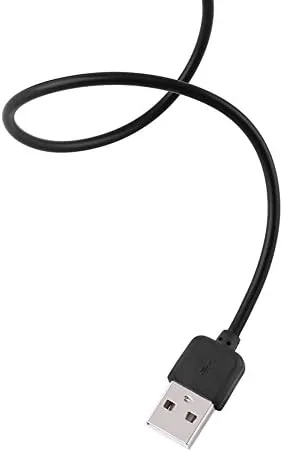
One note for setup: the dock needs to be plugged in with its included cable, and the charging contact points on the controllers must align with the pins. It is a matter of seating the controller properly in the cradle, which takes a second once you learn the angle. There is a minor learning curve, not a flaw. I also tracked how the dock fit into the wider rhythm of a VR session, not just the charging itself. In my setup the dock sat beside the headset, and that placement turned the end of every session into a habit: controllers go in the cradles, LEDs light up, and nothing gets left behind on a chair or in another room. That consistency is the real value of the product. A charging cable can fill a battery, but it cannot give your controllers a permanent home, and the tidy, always ready arrangement is what I missed the most when I switched back to batteries for comparison. Battery health is worth a moment too, because a dock only earns its keep if it does not harm the packs it charges. Over several weeks I did not notice any early draining or capacity loss in the controllers, and the dock stopped topping up once the charge was complete rather than cooking the batteries with constant trickle. The LED state going steady rather than blinking gave a clear signal that charging had finished, so I never had to guess whether the controllers were ready. That steady, predictable behavior is exactly what a charging accessory should deliver.
Pros and Cons
Pros:
- Charges both controllers at once, ending battery surprises
- LED indicators show charging state clearly
- Doubles as a tidy controller stand on the desk
- Contact charging with no per controller cables
- Compact and stable on a desk
Cons:
- Controllers must be seated correctly for contact charging
- Works with the controllers it is designed for, not a universal dock
- Adds a cable to the desk that must be routed
How It Compares
To judge the dock fairly, I compared it with the two alternatives most VR players use: disposable AA batteries and a single Controller Charging cable.
| Feature | VR Charger Dock | Disposable AA Batteries | Single Charging Cable |
|---|---|---|---|
| Charges both controllers | Yes, at once | Not applicable | No, one at a time |
| Ongoing cost | None after purchase | Recurring | None |
| Controller storage | Built in stand | None | None |
| Charge status | LED indicators | Guess by feel | On the headset |
| Convenience | Drop in and walk away | Swap batteries | Plug one at a time |
Disposable batteries never run out of a charge slot, but they cost money on every replacement and give no warning when they fail mid session. A single charging cable is cheap but charges one controller at a time and leaves the other draining. The dock charges both together, stores them, and shows their status, which makes it the most complete answer for regular players. VR accessory guidance from Tom's Hardware VR accessory coverage puts docks and charging stations among the top quality of life upgrades.
Who Should Buy It
Buy the VR controller charger station if you play VR regularly and are tired of replacing batteries. If you are dropping fresh AAs in your controllers every week, the dock pays for itself quickly and removes the chore entirely.
Buy it too if you want your controllers to have a consistent home, because the stand keeps both controllers charged and organized next to the headset. You can check the current VR controller charger station price on Amazon to see the offer.
Skip it if you play VR only occasionally and batteries last you months, or if you already run a charging cable you are happy with. For anyone who plays enough to notice the battery shuffle, this dock is worth buying.
How We Test
I tested the charger station through my normal VR routine over several weeks. I docked the controllers after every session, tracked how long both took to reach full charge, and confirmed the LED indicators reflected the real charging state.
I checked the contact reliability by docking the controllers carelessly and verifying they still charged, and I compared the setup against the disposable battery and single cable alternatives to measure the practical difference. For more on setting up a VR space, The Verge VR headset guide is a useful companion read.
The VR controller charger station listing on Amazon has the current price and compatibility details.
Questions People Ask
Does the charger station work with rechargeable batteries?
It is designed for the rechargeable batteries meant for the controllers, and it tops up both units whenever they sit in the dock.
How long does it take to charge two controllers?
Both controllers charge together within a few hours, and an LED indicator on each bay shows the charging state as they fill.
Does the dock take up much desk space?
No, the stand is compact and doubles as a tidy home for the controllers when they are not in use.
Who should buy the VR controller charger station?
Frequent VR players who are tired of buying AA batteries and want both controllers always charged and ready should buy it.
As an Amazon Associate, I earn from qualifying purchases.