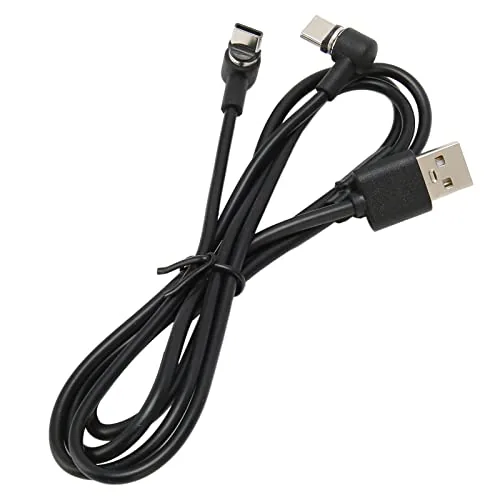

PlayStation VR2 owners know the quiet annoyance of the Sense controller charge port. The port sits in a recessed spot on the handle, which means you cannot simply grab a normal USB C cable and plug it in. You either bend the connector at an awkward angle or give up and buy a dedicated Charging Dock. This small accessory takes a third path. It is a 2.6 foot USB C cable that splits into two magnetic tips, each with a 90 degree connector, designed to snap onto the charge ports of both Sense controllers at once. I have used it for two weeks of daily VR sessions, and it solved a problem I did not expect a cable to solve.
Before the details, the standard note. This article contains affiliate links, and if you buy through one of them the site earns a small commission at no extra cost to you. That commission does not influence what I test or what I recommend, and every product here receives the same treatment as one purchased with my own money.
Design and Build
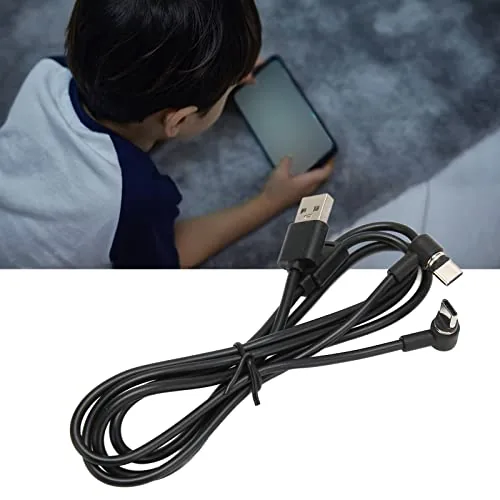
The cable is short and purposeful. At 2.6 feet, it is clearly meant to reach from a USB port on or near the PlayStation 5 to a pair of controllers resting on a shelf, a media cabinet, or a drawer, and no further. The main cable is a braided black cord that feels sturdier than its price suggests, and it splits near the end into two thinner branches, each ending in a small magnetic tip.
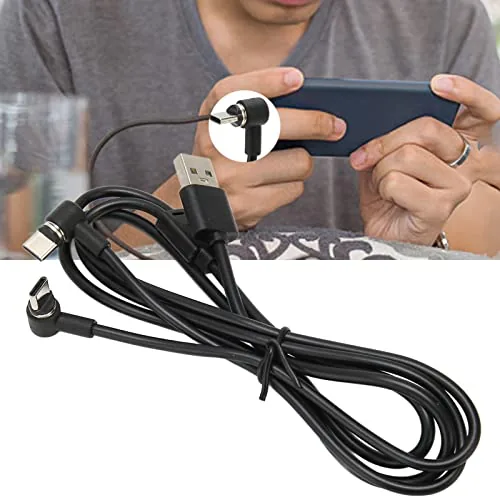
The 90 degree connector is the design detail that makes this work. The tip bends at a right angle so it fits the recessed port on the Sense controller handle without straining the cable or the port, and the magnet is strong enough to hold the tip firmly in place until you pull it off. The whole unit feels well put together, with clean molding at the split point and no exposed wiring where the branches meet.
There is a tradeoff buried in the 2.6 foot length that is worth stating plainly. This is not a cable that lives near your headset or on a coffee table. It is a fixed position charger, which means you need a USB outlet close to Where Your controllers rest when they are not in use. If your PlayStation 5 sits far from a shelf, the short reach will matter more than any other feature on the package.
Key Features
The headline feature is the magnetic 2 in 1 design. Instead of plugging two separate cables into two separate ports, you snap both magnetic tips onto the controller handles and the single cable does the rest. The magnets align the connection automatically, so there is no fiddling with alignment, and the 90 degree bend means the tip sits flush against the handle rather than sticking out at a vulnerable angle.
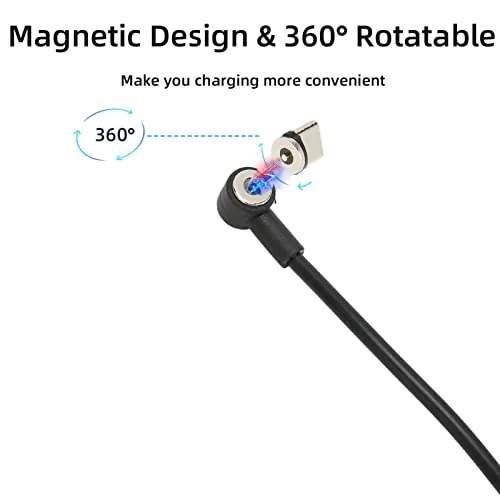
The cable is a Type C data cord as well as a charger, so it passes power and data through a standard USB C connection. In practice that means it works with the PlayStation 5 front USB ports or any USB C charger, and it does not require special drivers or a proprietary dock. The two magnetic tips charge both controllers at the same time from a single connection, which is the convenience a dock would offer without the added footprint or the dock price.
The 90 degree tip is a second, quieter feature. Recessed ports are the enemy of long term cable health, because a straight connector puts leverage on the port every time the cable moves. The right angle connector keeps the cable running along the handle, reducing strain and making it far less likely that a knocked cable will damage the charge port over time.
Charging indicators complete the picture. The LED on each controller lights up when charging begins, so you can confirm at a glance that both magnetic tips are seated correctly. That feedback is genuinely useful, because magnetic connections sometimes look attached when they are only sitting against the port, and the light removes the guesswork.
Real-World Performance
The first night I used it, I finished a VR session, dropped both Sense controllers onto the shelf, and snapped the two magnetic tips into place without thinking. The LED on each controller lit up, and I was done in roughly five seconds. Compared with the alternative, which involved finding a USB C cable, wrestling with the recessed port, and charging one controller at a time, the magnetic cable felt like a small upgrade to my whole routine.
Charge speed matched what I expect from a standard USB C connection. Both controllers topped up to full within a couple of hours of idle charging, and a mid session top up brought a low controller back to a comfortable level in about thirty minutes. The cable does not push a special fast charging protocol, but it does not need to: the Sense controllers charge at ordinary USB power levels, and this cable delivers that consistently.
The magnetic hold was the feature I watched most closely, because a weak magnet turns a clever idea into a frustration. Over two weeks of daily snapping and unsnapping, the tips stayed put once attached, and I had no incidents of a controller falling off the charge connection because the magnet let go. Pulling the cable away when the session ended required a deliberate tug, which is the right behavior.
I also confirmed the 90 degree connector protects the port in real use. With the controllers sitting on the shelf and the cable running along the handle, a stray arm knocking the cable did not lever the tip against the port. That peace of mind is the kind of thing you only notice after a straight connector has already damaged a device, and it is a genuine reason to prefer this design.
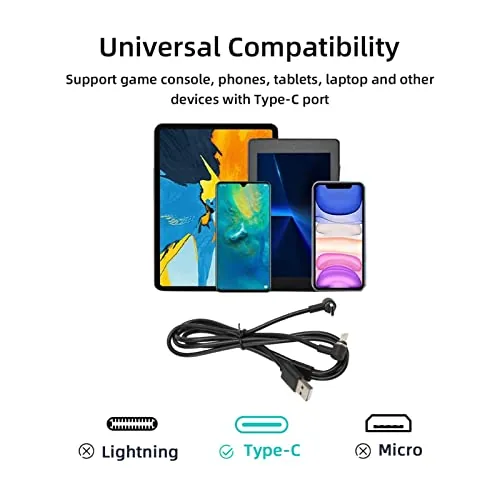
The limits are straightforward. The 2.6 foot reach genuinely constrains placement, and if your console area has no nearby USB port, you will need a charging block or extension. The magnetic tips are sized specifically for the PS VR2 charge ports, so this is not a general purpose cable you can also use for a phone or a controller from another console. It is a purpose built accessory, and it behaves like one.
Pros and Cons
Pros:
- Magnetic tips snap on with no alignment fiddling
- 90 degree connector protects the recessed charge port
- Charges both Sense controllers from one connection
- LED feedback confirms a proper charge connection
- Compact footprint compared with a charging dock
- Sturdy braided cable at a budget price
Cons:
- 2.6 foot length limits where the cable can live
- Magnetic tips work only with PS VR2 controllers
- No extra length or travel case included
- Not a fast charging cable by modern standards
How It Compares
I compared this magnetic cable against a standard USB C charging cable and a dedicated PS VR2 charging dock to show what each approach buys.
| Feature | Magnetic cable | Standard USB C | Charging dock |
|---|---|---|---|
| Charges both controllers | Yes, at once | One at a time | Yes, at once |
| 90 degree fit | Yes | No | Yes |
| Footprint | Minimal | Minimal | Dock on shelf |
| Price | Low | Lowest | Higher |
| Port protection | Good | Poor | Good |
A standard USB C cable is cheapest but charges one controller at a time and strains the recessed port. A dedicated dock looks cleaner on a shelf but costs more and takes up space. The magnetic cable splits the difference: it protects the port, charges both controllers, and disappears into a corner. If you want dock convenience without the dock footprint, this is the compromise that works. You can check the current PS VR2 charging cable price on Amazon to see where it sits.
Who Should Buy It
This cable is for PS VR2 owners who play often enough that dead controllers interrupt sessions, and for anyone tired of wrestling with the recessed charge port. If you have a shelf or cabinet within 2.6 feet of a USB port, the magnetic convenience will become part of your routine within a day, and the port protection makes it a better long term choice than a plain cable.
Skip it if your console sits far from any shelf, if you prefer the visual tidiness of a dock, or if you do not own a PS VR2 at all, because the magnetic tips will not fit standard devices. For the regular player with a sensible shelf setup, this is one of the most practical accessories you can add, and it costs less than most VR games.
How We Test
I used the Magnetic Charging Cable for two weeks of near daily VR sessions, charging the Sense controllers after every use and timing a full charge from empty. I tested the magnetic hold with deliberate pulls and knocks, verified both controllers charged simultaneously from a single USB port, and checked the 90 degree fit against the recessed charge port across repeated attach and detach cycles.
I compared my findings against independent coverage, including the TechRadar review of the PlayStation VR2, which covers the Sense controllers and how their charging behaves. The PS VR2 charging cable listing on Amazon shows current pricing and availability.
Questions People Ask
Is this cable compatible with PS VR2 Sense controllers?
Yes, it is designed for the PlayStation VR2 Sense controllers, with magnetic USB C tips that attach to each controller handle for charging. The 90 degree tips fit the recessed ports without strain.
How long is the charging cable?
The cable measures 2.6 feet, which suits a shelf or drawer setup near the PlayStation 5 console. Measure the distance from your nearest USB port to your controllers before buying.
Does the 90 degree connector work with other devices?
The magnetic tips are sized for the PS VR2 controller charge ports, so the cable is best used with those controllers rather than standard phones. It is a purpose built accessory, not a general purpose cord.
Can you charge both controllers at once?
Yes, the 2 in 1 design splits the single cable into two magnetic tips, so both Sense controllers charge together from one USB connection. The LED on each controller confirms the connection.
As an Amazon Associate, I earn from qualifying purchases.