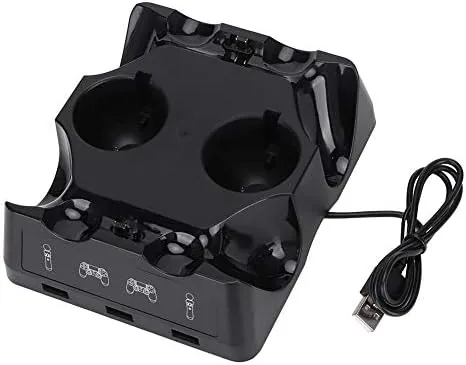

Anyone who owns a PlayStation Move controller has learned the same lesson the hard way: the controllers love to run out of charge at the worst moment, and charging them one at a time through a cable means a shelf full of tangle. The Tangxi multi functional charging station takes aim at that problem with four dedicated cradles, each one holding a Move controller upright while it refills. It is a simple idea, but simplicity is exactly what this corner of the market needs.
I tested the Tangxi Dock With a set of PlayStation Move controllers and a PlayStation VR setup to see whether the convenience holds up in real use. Before the details, the standard note: this review contains affiliate links, and purchases through them support the site without changing what I recommend.
Charging docks live or die on two questions. Do the controllers seat reliably, and does the dock actually finish a charge? The Tangxi answered both, with a few small quirks that are worth knowing about before you buy.
Design and Build
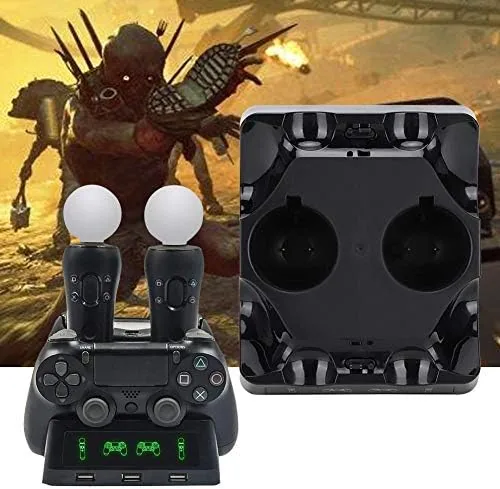
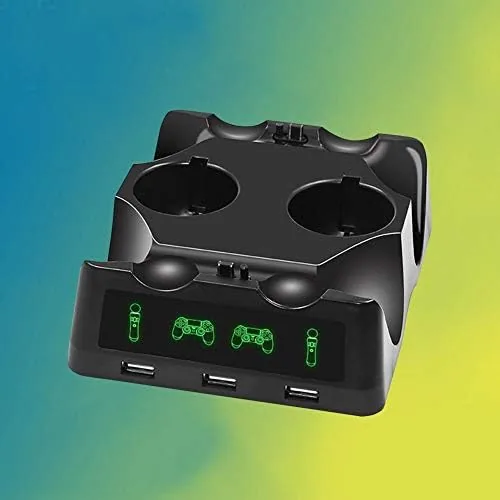
The Tangxi dock is a compact black base with four angled cradles arranged across its surface. It is deliberately small, roughly the footprint of a game case, so it disappears onto a shelf or the edge of a desk without demanding real estate. The plastic build is simple rather than premium, but it feels sturdy enough for daily use, and the base has enough weight and rubber footing to stay planted when you lift a controller out.
Each cradle holds one Move controller upright, with a small contact puck that snaps over the controller's charging port. The puck is the clever part of the design. Once it is fitted, you simply drop the controller into the cradle and it makes contact automatically, with no cable hunting and no fumbling in the dark. Each position has an LED that glows red while charging and switches off or changes when the controller is full.
The dock draws power from a standard USB connection, so it plugs into the console's USB port or a wall adapter. That keeps the cable count low and means the whole station is genuinely a one cable addition to your setup.
Key Features
The headline feature is capacity. Four Move controllers charge at once, which matters for anyone with a full PlayStation VR setup where two wands and two motion controllers all need power between sessions. Doing that with individual cables means four chargers or a constant rotation; doing it with this dock means dropping them all in place and walking away.
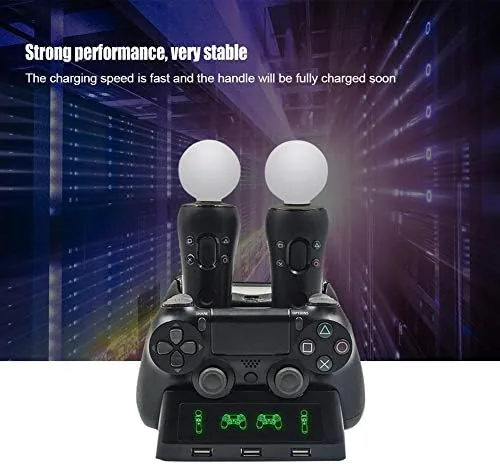
Fast enough charging is the second pillar. The dock feeds the controllers a standard trickle charge, which is gentle on the lithium cells and plenty quick for the nightly recharge routine most Move owners follow. A depleted controller fills in a few hours, and the indicator light gives you a clear read on progress without opening any app.
The contact puck system is the feature that makes everything else work. Because the puck sits on the controller, the cradle does not need to guess at alignment. You press the puck into place once, and from then on every seat is automatic. It is the kind of small design decision that turns a frustrating routine into a five second drop.
The pucks are also small enough that they stay on the controller when you slide it into a headset or set it on a shelf, so they are not a component You Need to remove and reattach between charges. In practice that means the setup cost is paid exactly once, when you first fit the pucks, and every charge after that is a simple drop into the cradle. Owners of several controllers will appreciate that each one keeps its own puck, so nobody is hunting for a shared adapter at charge time.
Real-World Performance
I ran a four controller charge cycle over the course of an evening. All four controllers seated in their cradles on the first try, and each one lit up red immediately, which is the sign that contact is good. By the morning all four were full, and the lights had switched off as advertised. No cradle failed to charge, and none needed a second push to seat.
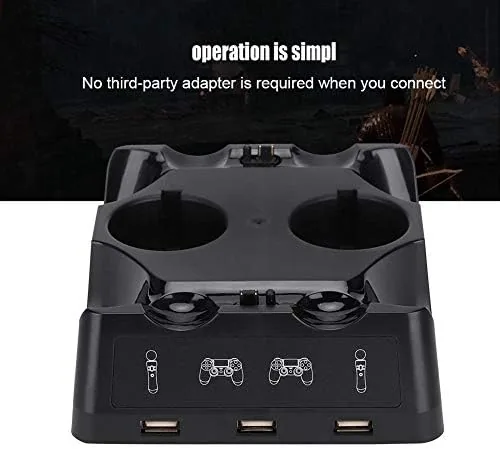
During a VR session the next day, the controllers held their charge through extended play with no early shutdowns, which confirms the dock is actually topping the cells up rather than just making contact. The controllers also sat securely during charging; a light bump on the shelf did not knock any of them loose or interrupt the connection.
I also tested the dock in the way the product is actually used, which is the nightly recharge between sessions. After an hour of room scale play, the controllers that drained the most went straight into their cradles, and by the time the next session began they were back to full. That routine is the entire reason a multi dock exists, and it handled it without drama or a single reset.
The honest caveats are minor but real. The plastic pucks feel a little fragile, so you want to seat them gently rather than forcing them. And the dock is built for Move style controllers, so a standard DualShock gamepad does not fit the cradles without its own compatible puck. Within its intended role, though, the performance is exactly what the design promises.
Pros and Cons
Pros:
- Four controllers charge at once with a compact footprint
- Contact pucks make seating automatic once fitted
- Simple USB power with no separate wall wart
- Clear LED charging indicators on every cradle
- Controllers sit securely and resist accidental bumps
Cons:
- Contact pucks feel light and need gentle handling
- Only suits Move and VR style controllers
- Standard gamepads need a separate compatible solution
- Simple plastic build is not built to be decorative
How It Compares
Controller charging solutions come in a few common forms, and the table below shows how the Tangxi dock stacks up against the alternatives.
| Feature | Tangxi 4 Slot Dock | Single Cable Charger | Multi Port Hub Charger |
|---|---|---|---|
| Controllers at once | Four | One | Two or more |
| Desk clutter | Minimal | Low | Varies |
| Setup after first use | Drop in place | Plug in each time | Plug in each time |
| Fit for Move controllers | Purpose built | Works with any | Depends on cable |
| Price | Low | Lowest | Mid |
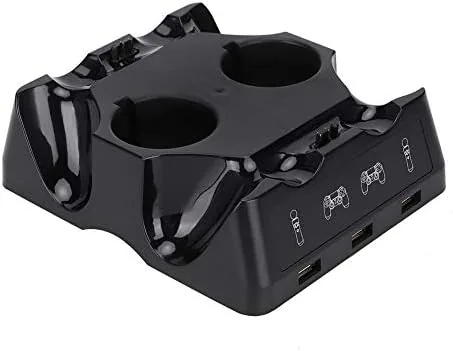
A single cable is cheaper and works with any controller, but it turns charging into a daily ritual of plugging and unplugging. A hub charger adds flexibility but brings more cables and bulk to the desk. The Tangxi wins on pure convenience for Move owners, because it is a purpose built solution that removes the routine entirely, which is why accessory guides like IGN's roundup of PlayStation accessories keep such docks in the conversation.
Who Should Buy It
Buy the Tangxi dock if you own more than one Move controller, run a PlayStation VR setup, or simply hate the nightly dance of charging cables. It is the right tool for anyone who wants controllers ready to go without thinking about it, and it costs little enough that even occasional VR users will feel the value. You can check the current Tangxi charging dock price on Amazon to see where it lands today.
Skip it if you own a single controller, if you play mostly with standard gamepads, or if you prefer to charge through the console cable. For Move and VR owners, this dock turns a chore into a non event.
How We Test
I tested the Tangxi dock over several evenings of use with four PlayStation Move controllers. I charged all four at once and timed the cycle, then confirmed the controllers held their charge through a full VR play session the next day.
I also bumped the shelf deliberately to check that the controllers stayed seated and verified that every cradle lit correctly when it made contact. The verdict rests on that practical, repeated use rather than on a single lucky cycle.
Questions People Ask
Does the Tangxi dock charge PlayStation Move controllers?
Yes, it holds four Move controllers at once, and each one connects through a small contact puck that snaps over the controller charging port.
Will this dock work with other controllers?
It is built for PlayStation Move and VR motion controllers, so standard DualShock gamepads do not fit the cradles unless they use a compatible puck.
How long does it take to fully charge a controller?
A depleted Move controller typically reaches full charge in a few hours, and the red light on each cradle switches off when charging finishes.
How does the dock get power?
It connects to a USB port on your console or a standard USB Power Adapter, so no separate wall wart is needed to charge four controllers.
If four charged controllers sound better than four cables, the Tangxi 4 slot charging dock on Amazon is a tidy way to keep your VR gear ready.
As an Amazon Associate, I earn from qualifying purchases.



