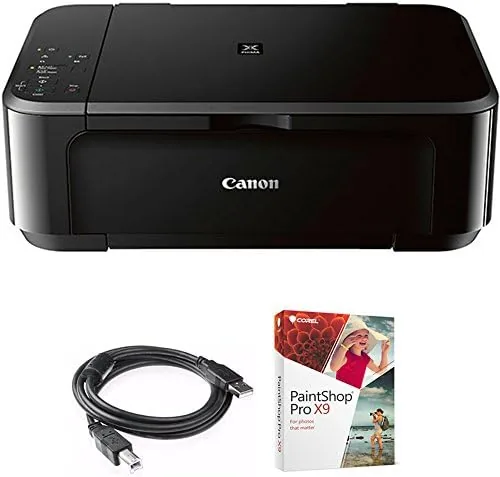

The all in one printer is the most dependable member of the modern home office, quietly handling the homework packet, the shipping label, the boarding pass, and the occasional family photo. The Canon PIXMA MG3620 is one of the most popular names in that role, and this bundle version sweetens the deal with a USB cable and a copy of Corel Paintshop Pro. I spent a month with it on my desk to find out whether the hype and the bargain pricing hold up.
This review covers the printer itself and the bundle extras, because the cable and software change the value math. I printed documents, copied receipts, scanned letters, and turned out a stack of glossy photos, all from a single compact red and black machine.
Before the details, the standard note. This article contains affiliate links. If you buy through any of them, this site earns a small commission at no extra cost to you, and that commission does not change what I test or what I recommend.
Design and Build
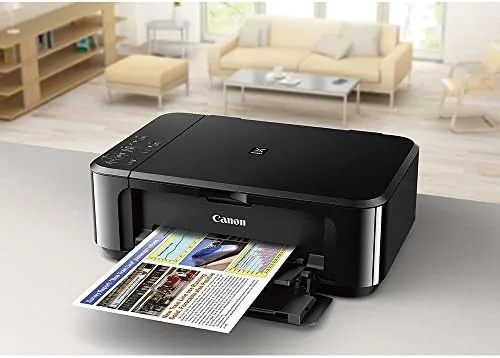
The MG3620 is a small, glossy machine in Canon's familiar black and red styling. At about the size of a dorm room microwave, it fits on a desk corner or a shelf, and the front panel folds down to reveal the paper tray and output tray. Nothing about the build feels premium, but nothing rattles, and for a budget printer that is the right priority.
Setup was the least painful of any printer I have tested recently. I plugged it in, ran the guided setup, and connected it to my Wi-Fi through the Canon PRINT app on my phone in about ten minutes. AirPrint picked it up instantly for iPhone printing, and the whole process needed no USB cable at all, which makes the included cable a backup rather than a requirement.
The control panel is minimal: a small LCD, a handful of buttons, and a start key. It will not win design awards, but it is honest, and for a device that mostly prints, that is the right call. The paper cassette holds about 100 sheets of plain paper, which is enough for occasional use and a reminder that this is not a volume machine.
Key Features
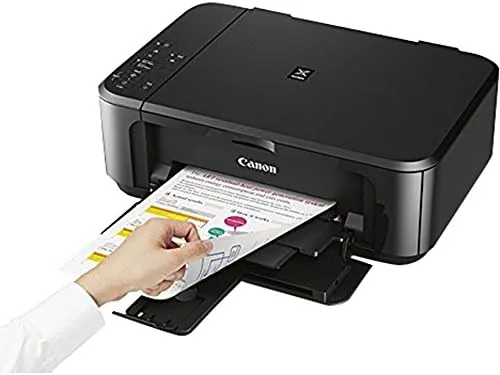
The MG3620 is a true all in one. It prints, copies, and scans, with a flatbed scanner on top and automatic duplex printing that flips pages for double sided documents. Duplex alone justifies some of the price for anyone printing school packets or double sided reports.
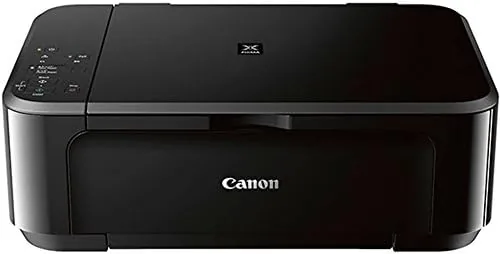
Wireless and mobile printing are the headline features. The printer supports Apple AirPrint and the Canon PRINT app on phones and tablets, so you can send a job from anywhere on the network without opening a laptop. In my testing, prints from an iPhone and an Android tablet landed correctly on the first try, which is more than many budget printers manage.
Photo printing is the quiet superpower. The MG3620 uses five ink colors in its photo printing path and produces glossy prints that embarrass printers twice its price. Combined with the bundled Paintshop Pro, the bundle becomes a tidy photo printing and editing package for a family that wants more than snapshots.
Real-World Performance
Document printing is where the MG3620 shows its budget roots. Black text on plain paper came out crisp and dark, perfectly legible for letters and invoices, but the speed is leisurely. My ten page packet took well over a minute, and a full color report felt slower still. This is a light duty machine, and it behaves exactly like one.
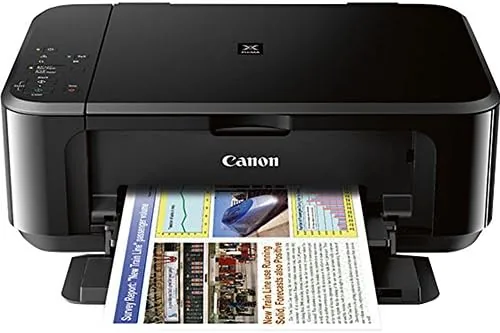
Photos are the redemption. I printed a series of 4 by 6 glossy prints from a phone camera and a proper camera, and the colors came out vivid with natural skin tones and fine detail. A group photo that would look muddy on a cheap printer looked sharp and bright here. For a machine under a hundred dollars, that is a genuine surprise.
Scanning worked cleanly through the flatbed, capturing documents at readable quality and photos with acceptable color. Copying a colored page produced a faithful result with no washed out tones. The scanner is not fast and the software is basic, but for Home use it does the job without complaint.
Ink cost is the honest elephant in the room. The printer uses the small PG-275 and CL-276 cartridges, which are inexpensive to replace but hold little ink. In my month of mixed printing, I burned through a startling amount of color cartridge on photos, and the math works out to a high cost per page for anyone printing regularly. This is a printer for occasional jobs, not a daily workload.
Pros and Cons
Pros:
- Genuinely good photo print quality for the price
- Simple wireless and mobile setup through AirPrint and the app
- Automatic duplex printing saves paper
- Print, copy, and scan in One Compact unit
- Bundle adds a USB cable and Paintshop Pro
- Small footprint for a small desk
Cons:
- Slow print speeds for longer documents
- Small cartridges make running costs climb quickly
- 100 sheet tray is small for frequent printing
- No automatic document feeder for multi page scanning
How It Compares
The MG3620 competes in a crowded field of budget all in ones, and the comparison usually comes down to photos versus running cost. Here is how it lines up against the familiar alternatives.
| Feature | Canon MG3620 | HP DeskJet All in One | Entry Laser Printer |
|---|---|---|---|
| Print technology | Inkjet | Inkjet | Laser |
| Photo quality | Excellent | Good | Poor |
| Print speed | Slow | Similar | Fast |
| Running cost | High per page | Similar | Very low |
| Copy and scan | Yes | Yes | Often no scanner |
| Mobile printing | AirPrint and app | App based | Varies |
Against an HP rival, the MG3620 edges ahead on photo quality and wireless ease. Against a cheap laser, it loses badly on speed and running cost but wins completely on photos and color. The right answer depends on your job: an inkjet for a family that prints photos, a laser for an office that prints text by the ream.
Who Should Buy the Canon PIXMA MG3620
Buy this if you are a student or a small household that prints a few pages a week, if you want to turn out good photos without a dedicated photo printer, or if you need print, copy, and scan without spending much. It suits the family desk and the dorm room, not the office supply closet.
Skip it if you print daily or in volume, if your work is mostly plain text, or if you want low running costs over the long term. Those needs point to a laser printer, and the savings on ink alone will cover the price difference within a year.
You can check the current price at the Canon PIXMA MG3620 bundle on Amazon.
How We Test
I ran the MG3620 for a month on a home desk, printing documents, copying receipts, scanning letters and photos, and producing a series of glossy 4 by 6 prints. I timed print speeds, tracked ink consumption through a full cartridge, and tested wireless reliability from phones, tablets, and laptops.
Printer testing is a regular feature at CNET, which benchmarks inkjet and laser models for real home use. My month of printing confirms the MG3620 is a solid budget all in one with a photo quality advantage, held back only by slow speed and the cost of its cartridges.
If you want to see the exact bundle contents and current price, the MG3620 listing on Amazon has the details before you decide.
Canon PIXMA MG3620: Questions People Ask
Is the Canon MG3620 good for printing photos?
For a budget inkjet, surprisingly yes. Glossy 4 by 6 prints came out vivid with accurate skin tones in our tests. Photo printing is the MG3620 strongest feature, which makes sense for a machine sold as a photo all in one.
What does the MG3620 cost to run?
The printer uses the small PG-275 and CL-276 cartridges, which are cheap to buy but run out quickly. Regular color and photo printing pushes the per page cost up fast, so it suits light to moderate home use best.
Does the MG3620 print from a phone?
Yes. It supports Apple AirPrint and the Canon PRINT app, so phones and tablets send jobs directly with no computer involved. Wireless setup was smooth in our testing and the connection held for the whole review.
What is included in the bundle?
The bundle adds a high speed 6 foot USB printer cable and a digital download code for Corel Paintshop Pro. The printer itself is the standard retail MG3620 with print, copy, and scan functions.
As an Amazon Associate, I earn from qualifying purchases.



