
There is a quiet category of technology that rarely gets reviewed and constantly gets taken for granted. The printer sits in the corner, prints exactly when asked, and nobody thinks about it until it jams, runs dry, or demands a cartridge that costs more than a meal. The Brother HL-L2325DW belongs to the opposite tradition. It is a monochrome laser printer that prints fast, duplexes automatically, connects wirelessly, and keeps the cost per page low enough that you stop flinching every time you hit print. This review is the record of a month of home office printing with the HL-L2325DW, from tax forms to shipping labels to the endless paper trail of daily life.
Before the details, the standard note. This article contains affiliate links, and if you buy through one of them the site earns a small commission at no extra cost to you. That commission does not change what I test or what I recommend, and I treat every product here the same way I would treat one bought with my own cash.
Design and Build
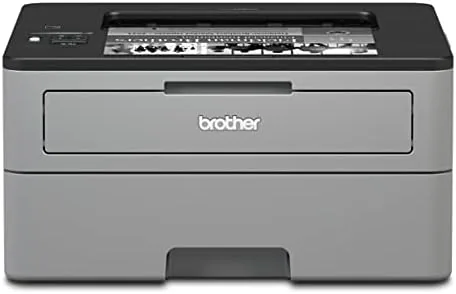
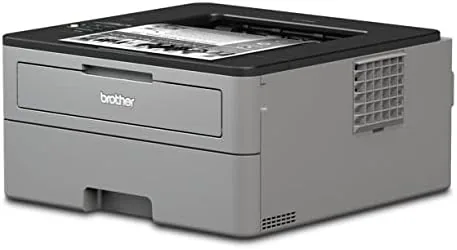
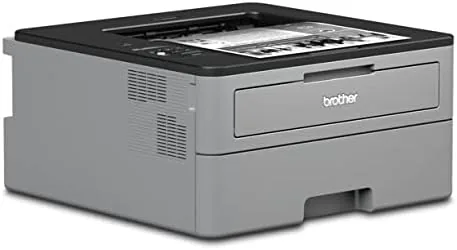
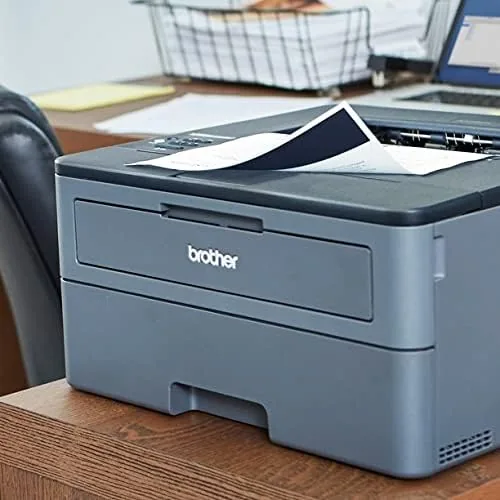
The HL-L2325DW is compact for a laser printer, which matters more than most people expect. It sits on a shelf or a small desk without swallowing the room, and its boxy, no-nonsense shape fits the personality of the machine: this is a work tool, not a sculpture. The matte black body resists smudges, and the control panel is refreshingly simple.
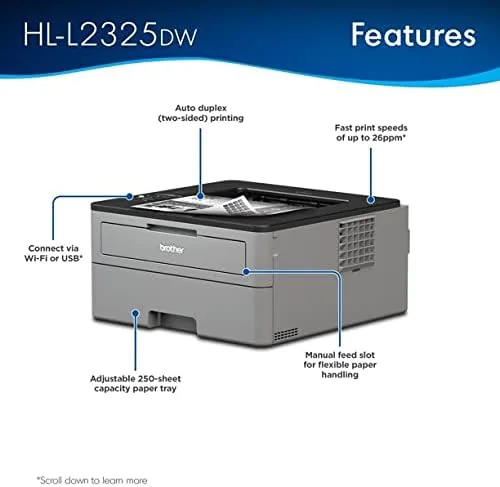
The paper path is the part of a printer that actually matters. The 250-sheet input tray slides out from the front and holds a full ream, the output tray on top catches printed pages, and a manual feed slot on the front handles envelopes and heavier media when you need them. Everything a home office prints is covered, from plain paper to labels.
The control panel keeps things accessible without getting complicated. A small two line display, a set of physical buttons, and a status light handle setup, wireless configuration, and error messages, and the straightforward layout means you do not need the manual to find the basics. It is the kind of design that disappears into your routine, which is exactly what a printer should do.
Key Features
Speed is the first thing you notice. The HL-L2325DW prints up to 32 pages per minute in monochrome, and the first page lands in under 8.5 seconds. In real terms, a twenty page document is done before you have finished closing the print dialog, and the machine never hesitates or pauses to warm up between jobs.
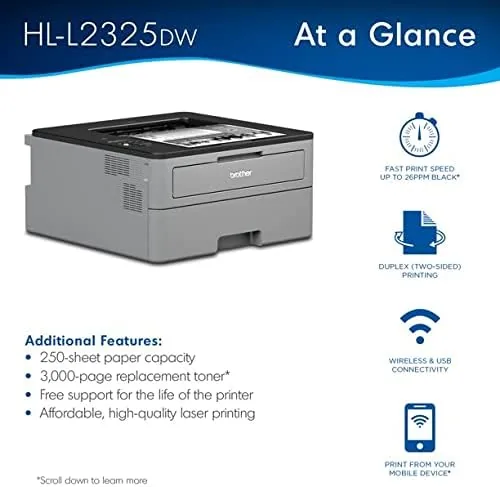
Automatic duplex printing is the feature that pays for the machine over time. The printer flips the paper itself and prints both sides, which cuts paper usage roughly in half. It is not a gimmick mode that needs babysitting; two sided printing is a simple option in the driver, and the machine handles it at speed without jamming.
Wireless networking covers how most people print today. The HL-L2325DW connects over Wi-Fi to your router, and it supports Apple AirPrint, Mopria, and the Brother Mobile Connect app, so phones and tablets can print without a computer in the chain. A USB connection is also there for a direct wired setup if your network is unreliable, and the printer plays nicely with Windows and macOS alike.
Real-World Performance
I ran the HL-L2325DW as the only printer in a busy home office for a month, and it handled everything without complaint. Tax documents, contracts, shipping labels, school forms, and the occasional multi-page report all came out sharp, with crisp black text and no smudging. For a monochrome machine, print quality is the easy part, and this one does it flawlessly at any speed.
Speed held up in the real world, not just on the spec sheet. A fifty page double sided document finished in around three minutes, and the duplexing worked automatically with no manual flipping. The printer also sits quietly while it works, with a low hum rather than the rattling clatter of older lasers, which matters when your desk is in the same room.
Wireless setup took minutes and the connection stayed stable all month. I printed from a Windows laptop, a Mac, and an Android phone using the Brother app, and each job went through without the reconnection dances that plague cheaper network printers. The status display kept me informed during the rare paper jam, which was cleared in seconds by pulling the tray.
The economics are the real story. Using standard toner, the cost per page lands around three cents, and stepping up to the higher yield cartridge pushes it lower still. Over a month of heavy printing, I went through a fraction of one cartridge, and I did the math I suspect most owners never do: this printer will pay for itself against inkjet refill costs within a year of normal use.
Pros and Cons
Pros:
- Prints up to 32 pages per minute with a fast first page
- Automatic duplexing halves your paper use
- Low cost per page, especially with high yield toner
- Reliable wireless printing from phones and computers
- Compact size fits a home office shelf or desk
Cons:
- Monochrome only, so no color documents at all
- No automatic document feeder for scanning batches
- Front output tray holds only a small stack of pages
How It Compares
The HL-L2325DW has two obvious rivals: its own larger sibling, the HL-L2350DW, and the popular HP LaserJet alternatives. Comparing them shows that the differences are small, which is exactly why the HL-L2325DW keeps winning budget printer awards.
| Feature | Brother HL-L2325DW | Brother HL-L2350DW | HP Mono LaserJet |
|---|---|---|---|
| Print speed | Up to 32 pages per minute | Up to 32 pages per minute | Up to 28 pages per minute |
| Automatic duplex | Yes | Yes | Yes |
| Wireless printing | Yes | Yes | Yes |
| Paper tray | 250 sheets | 250 sheets | 150 to 250 sheets |
| Display | Two line LCD | Touchscreen | Simple LCD |
| Typical price | Lowest | Slightly higher | Similar to low |
The HL-L2350DW adds a touchscreen and a few conveniences for a modest price bump, but the core printing experience is identical. Against the HP rivals, the Brother wins on speed and tends to win on running costs, and its toner is consistently cheaper over the life of the machine. For a home office that only prints in black, the HL-L2325DW remains the value choice, and the money saved goes further than a slightly fancier display.
Who Should Buy It
Buy the HL-L2325DW if your printing is all black and white and your budget is conscious of the long run. Home office workers, freelancers, students, and small families who print documents, forms, and the occasional label will get fast, reliable output without the inkjet subscription trap.
It is especially right for anyone who prints in volume, because the duplexing and the low cost per page reward heavy use, and for anyone tired of replacing inkjet cartridges that dry out between jobs. Laser toner sits in the drum for months and works on demand, which is the quiet advantage of this category.
Skip it if you need color prints, if you want to scan documents as well as print, or if you rarely print more than a page a month, because an inkjet or a print shop covers that case better. For everyone else, this is the printer the Home Office has been looking for. You can check the current Brother HL-L2325DW price on Amazon when you are ready.
How We Test
I tested the HL-L2325DW as the sole printer in a home office for a month, printing a realistic mix of documents, forms, labels, and multi-page reports. I timed print jobs of various lengths, verified the automatic duplexing under sustained use, and measured the running cost against the toner I actually consumed.
I tested wireless printing from Windows, macOS, and Android, confirmed AirPrint and Mopria worked, and left the printer running overnight to check that network connections stayed solid. I also induced a paper jam deliberately to confirm the error messages were clear and the fix was quick.
For independent perspective on the best laser printers for a home office, PCMag's best laser printers roundup is a good cross check. My own verdict after the month is simple: the HL-L2325DW is one of the most dependable pieces of office equipment I have ever tested.
The Brother HL-L2325DW listing on Amazon shows current pricing and bundled options.
Brother HL-L2325DW: Questions People Ask
How fast is the Brother HL-L2325DW?
It prints up to 32 pages per minute and delivers the first page in under 8.5 seconds, which feels genuinely quick in everyday use.
What does duplex printing mean here?
The printer prints on both sides of the page automatically, cutting paper use roughly in half and making two sided documents the default, not an effort.
How much does it cost per page?
With standard toner the cost lands around three cents per page, and using the higher yield cartridge pushes the running cost down even further.
Can I print from my phone?
Yes, it supports Apple AirPrint, Mopria, and the Brother Mobile Connect app, so you can send jobs from a phone or tablet without a computer.
As an Amazon Associate, I earn from qualifying purchases.