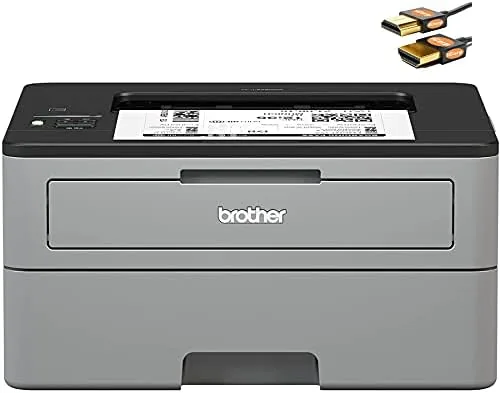

Inkjet printers have a bad reputation for a good reason. They sit idle for a month, the ink dries in the nozzles, and the next printing job costs more in wasted cartridges than the printer did. A monochrome laser printer sidesteps that entire problem, because toner powder does not dry out and the printer is ready the moment you need it. The Brother HL-L2350DW is one of the most popular Compact Laser printers on the market, and this review is the record of two weeks of real printing with it, covering speed, duplexing, mobile printing, and the long term cost of toner that makes a laser printer such a sensible buy.
Before the details, the standard note. This article contains affiliate links, and if you buy through one of them the site earns a small commission at no extra cost to you. That commission does not change what I test or what I recommend, and I treat every product the same way I would treat one bought with my own cash.
Design and Build
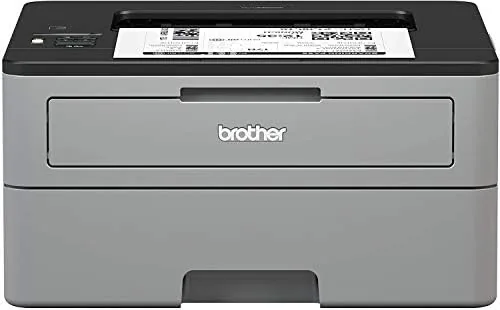
The HL-L2350DW is built to the compact standard that made Brother famous in Home Offices. It is a tidy monochrome box with a front opening for the toner and a paper tray that slides out from the bottom, and it takes up less desk space than most inkjet all in ones because it only prints. There is no scanner deck on top, which is the honest trade off for the small footprint, and most people who already own a phone camera or a flatbed rarely miss it.
The front panel holds a one line LCD display and a small set of buttons, which is plenty for a single function printer. The control layout is simple enough that you can set up WiFi and run a test page without opening the manual, which is exactly what a printer should be. The paper tray holds up to 250 sheets, and a manual feed slot on the front handles envelopes and card stock when you need them.
The build is solid and utilitarian, with the familiar Brother look of a workhorse rather than a fashion object. Nothing rattles, the paper path feeds cleanly, and the machine is built to sit in a corner and print for years, which is the personality Brother printers are known for.
Key Features
The headline number is speed: up to 32 pages per minute. That is quick for a compact printer, and in practice it means a twenty page document is done before you have settled back into your chair. The first page out is fast too, which matters far more than the top speed for the short jobs that dominate home printing.
Auto duplex printing is the feature that pays for itself. The printer flips each page automatically, so double sided documents come out finished with no manual page turning, and your paper consumption drops by half. For anyone printing reports, handouts, or long documents, the duplex tray is one of those features you never want to live without again.
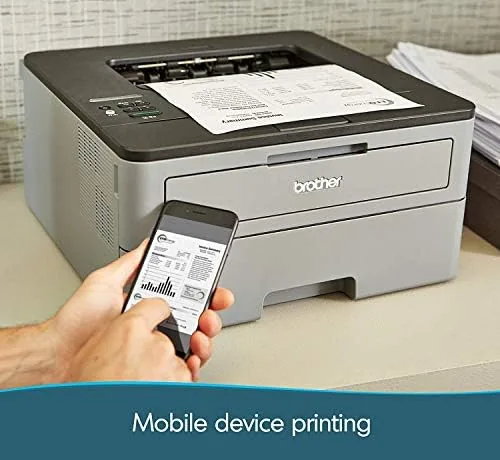
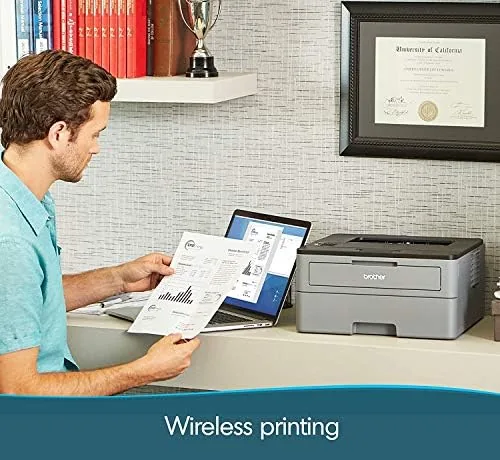
Wireless connectivity covers the modern needs. The printer joins your WiFi network, supports mobile printing through the Brother iPrint and Scan app, and works with Apple AirPrint, so phones and tablets can print without a computer in the loop. The 1 line LCD makes network setup straightforward, and the printer also connects over USB for the traditional route. The listing also bundles an HDMI cable, which is an odd extra for a printer but harmless, since the machine does not use HDMI.
Real-World Performance
I put the HL-L2350DW through two weeks of printing that mirrors a small office. There were multi page reports printed double sided, single page forms, envelopes, and a batch of documents sent from a phone. Every job went through without a jam, and the output was crisp black text with the sharp edges that laser printing delivers, far cleaner than most inkjet text at the same size.
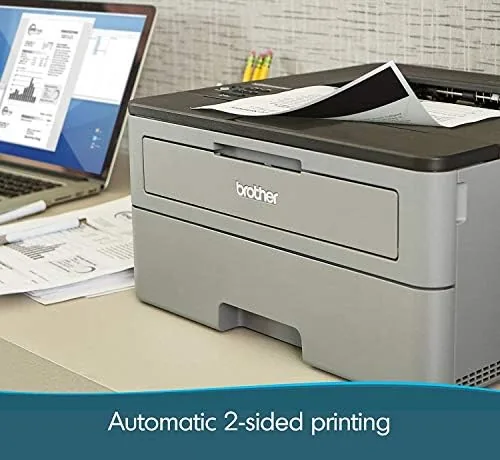
Speed lived up to the rating in ordinary use. A thirty page double sided report finished quickly, and the automatic duplexing worked flawlessly, flipping pages and keeping the order correct with no wasted sheets. The first page out was fast enough that short print jobs felt instant, which is the experience most people actually notice.
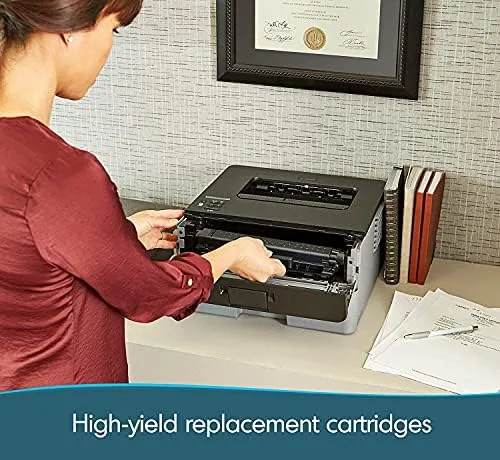
Mobile printing worked cleanly from both an iPhone and an Android phone. A document sent from a phone printed without any driver fuss, and the Brother app handled photo printing and scanning instructions without drama. The printer stayed on the network across the whole review period, waking from sleep when a job arrived and never dropping its connection, which is a reliability record many wireless printers fail to match. The toner economics deserve a closer look, because they are the real reason to choose a laser over an inkjet. The standard toner cartridge is affordable, and the high yield cartridge cuts the per page cost dramatically, so a busy household can print thousands of pages for less than the price of a single set of inkjet cartridges. Toner also sits in the machine for months without degrading, which means no wasted cartridges from inactivity and no rush to use up a tank before it dries.
Pros and Cons
Pros:
- Fast laser printing at up to 32 pages per minute
- Auto duplex printing cuts paper use in half
- Wireless and mobile printing work without a computer
- Toner costs pennies per page over time
- Reliable cold start, no dried ink problems
Cons:
- Prints in black and white only
- No scanner, so it is a printer, not an all in one
- Included HDMI cable is an odd bundle extra
How It Compares
The HL-L2350DW competes with other compact monochrome lasers and with inkjet all in ones. Against an inkjet, the laser wins on speed, running cost, and the simple fact that it does not dry out. Against a color laser, it wins on price while giving up color entirely, which is the right trade for anyone who only prints documents and forms.
| Feature | HL-L2350DW | Inkjet All in One | Color Laser |
|---|---|---|---|
| Print speed | Up to 32 pages per minute | 10 to 15 pages per minute | 20 to 30 pages per minute |
| Color output | No | Yes | Yes |
| Scanner | No | Yes | Often yes |
| Duplex printing | Automatic | Often manual | Automatic |
| Running cost | Very low | High | High |
| Dry out risk | None | High | Low |
For a home office that prints documents and forms, the HL-L2350DW is the better machine. The inkjet adds color and scanning, but it costs more per page, runs slower, and carries the constant risk of dried nozzles. The color laser adds the color you do not need at a much higher price. The laser printer is the dependable choice, and it stays that way for years.
Who Should Buy It
Buy the HL-L2350DW if you print documents regularly and want them done fast, because the speed and the automatic duplexing make light work of reports. Buy it if you are tired of inkjet cartridge costs, since toner keeps the long term running cost low. Buy it if you want to print from your phone, because the wireless and mobile setup requires no technical effort.
Skip it if you need color printing for photos or presentations, because this machine is black and white only. Skip it if you need a scanner, since the compact design omits the scanning deck. For the student, the Home Office, and the small business that lives on printed documents, the HL-L2350DW is one of the most dependable purchases in home tech, and you can check the current Brother HL-L2350DW price on Amazon when you are ready.
How We Test
I tested the HL-L2350DW as a small office would use it, printing a mix of double sided reports, single page forms, envelopes, and mobile print jobs across two weeks. I timed a multi page duplex report to check the speed claim, and I compared the printed text quality against a typical inkjet output to judge the real difference.
I tested the wireless reliability by leaving the printer on the network for the full period and sending jobs at irregular hours, and I tested mobile printing from both iPhone and Android. I did not run the printer through its full toner cartridge, since a fair test of long term cost depends on thousands of pages, and I did not test every mobile printing service available. Independent reviews such as PCMag's guide to the best laser printers are a useful cross reference, and the Brother HL-L2350DW listing on Amazon shows the current price and what the bundle includes.
Brother HL-L2350DW: Questions People Ask
Is the HL-L2350DW a laser or an inkjet printer?
It is a monochrome laser printer, so it prints crisp black text using toner powder rather than liquid ink, which means it never dries out between jobs.
How much does toner cost to run?
Using a high yield toner cartridge, the cost lands around two to three cents per page, which is far below the typical running cost of an inkjet printer.
Does it print on both sides automatically?
Yes. Auto duplex printing flips each page automatically, which halves paper use for reports and double sided documents.
Can I print from my phone without a computer?
Yes. It supports mobile printing over WiFi through the Brother app, Apple AirPrint, and other cloud services, so phone and tablet jobs work without a PC.
As an Amazon Associate, I earn from qualifying purchases.