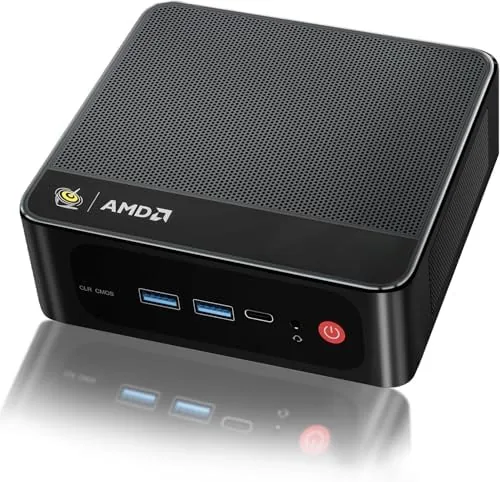

There is a persistent belief that a serious computer must be a tower under a desk. The Beelink SER5 makes a quiet argument against that idea. Inside a case smaller than a paperback novel sits a six core AMD Ryzen 5 processor, 16GB of RAM, a 480GB solid state drive, and enough graphics muscle to run three 4K displays at once. It is the kind of machine that asks a simple question: what do you actually need your computer to do, and how much space does it really require? This review tests whether a palm sized box can genuinely replace a tower for everyday work.
Before the details, the standard note. This article contains affiliate links, and if you buy through one of them the site earns a small commission at no extra cost to you. That commission does not change what I test or what I recommend, and every product here is treated the same way I would treat one bought with my own money.
Design and Build
The size is the story. The SER5 measures only a few inches per side and weighs less than a full water bottle, yet the case feels solid and well finished, with a smooth matte surface and a clean, understated look that fits any desk. It can stand upright on its included base or lie flat, and it mounts to the back of a monitor with the VESA bracket included in the box, which effectively makes the display a complete desktop.
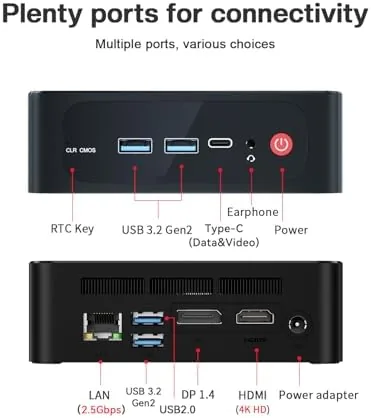
Connections line the sides and front. The rear carries HDMI, DisplayPort, USB-C, multiple USB-A ports, and an Ethernet jack, while the front adds quick access USB ports and an audio jack. The layout covers a full desktop setup without needing a single hub, and the included Wi-Fi 6 and Bluetooth 5.4 modules handle wireless peripherals and networking cleanly.
Key Features
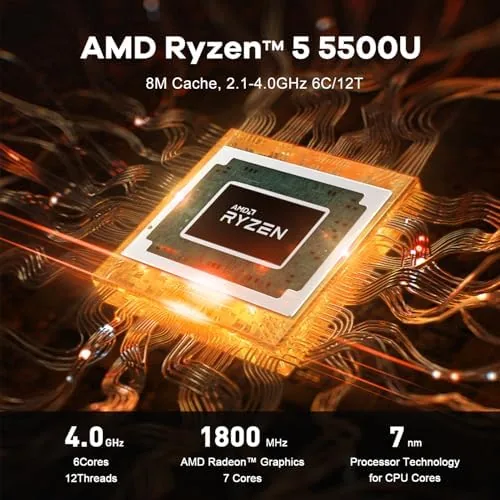
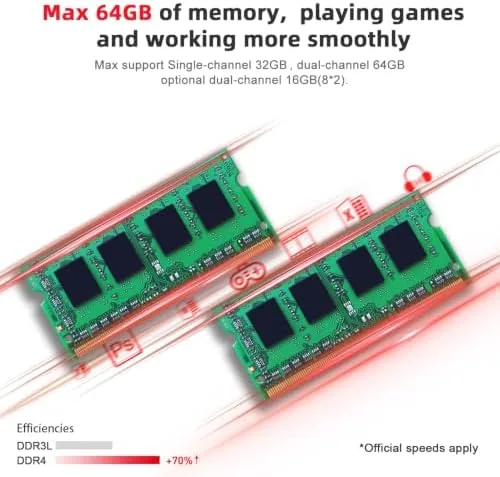
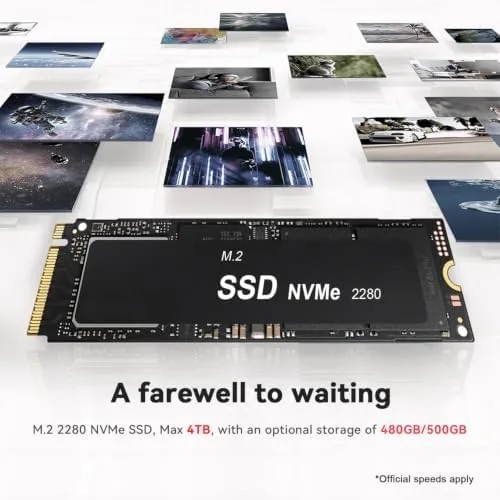
The engine is the AMD Ryzen 5 5500U, a six core, twelve thread processor that boosts up to 4.0GHz. That is genuine desktop class power in a laptop sized chip, and it shows in daily responsiveness. The 16GB of DDR4 RAM pairs with a 480GB M.2 SSD, and both sit under a base plate, which means upgrades are a screwdriver away rather than a trip to a shop.
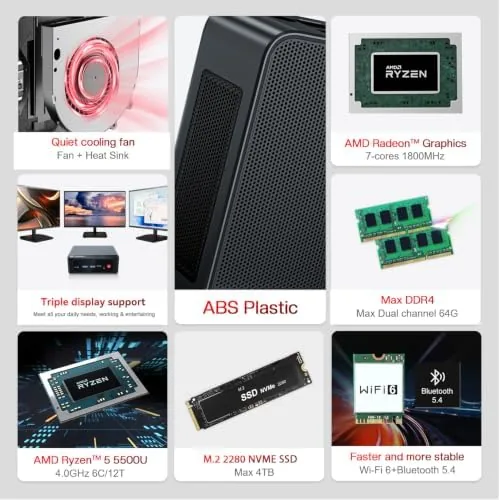
Graphics come from the integrated Radeon engine with seven cores running at 1800MHz. The highlight of the feature set is triple display support: the HDMI, DisplayPort, and USB-C outputs can each carry a 4K signal, turning the mini PC into a three monitor workstation that a tower of twice the size would be proud of. Wi-Fi 6 rounds out connectivity for a clean, wire free desk.
Real-World Performance
I used the SER5 as my full desktop for a week. The workload was the ordinary mix that fills most days: a browser with a dozen tabs, a document editor, a spreadsheet, video calls, and streaming media in the evening. The machine handled all of it without a pause, and the responsiveness of the SSD made everything feel instant.
The triple display setup worked without drama. I ran two 4K monitors and a third panel through the three video outputs, and the desktop remained smooth across all of them, with no dropped frames during video playback and no sluggishness when windows crossed screens. For office work and media, the SER5 simply disappears into the task.
I pushed it harder to find the edges. Video encoding ran the fan up to an audible level, and the case warmed noticeably, though neither reached concerning territory. Light gaming at modest settings ran acceptably, and the integrated graphics handled older titles and indie games without complaint, but this is not the machine to buy for modern AAA titles. The honest verdict is that the SER5 excels exactly where most people actually compute.
Two small notes from the week. The included power supply is a brick that hides behind the desk, which is fine for a fixed setup but worth knowing if you travel with the machine. And the machine wakes from sleep quickly, which keeps the single cable monitor mount workflow feeling seamless.
The machine also handled a home office's messier realities. I kept the browser open with forty tabs across a week, ran video calls while a large download churned in the background, and never once felt the system slow to a crawl. The 16GB of RAM gives headroom that cheaper 8GB mini PCs simply do not have, and it showed in the way the desktop stayed responsive even with a video call, a presentation, and a dozen tabs fighting for attention. For a compact computer, the grace under load was genuinely surprising.
Pros and Cons
Pros:
- Palm sized case that mounts behind a monitor
- Six core Ryzen 5 handles office work with ease
- Triple 4K display support in a compact chassis
- 16GB RAM and SSD upgradeable under the base plate
- Wi-Fi 6 and Bluetooth 5.4 built in
Cons:
- Integrated graphics limited for modern gaming
- Fan becomes audible under sustained load
- External power brick adds clutter to the desk
How It Compares
Set against a traditional desktop tower, the SER5 gives up expandability and gaming power but gains silence, size, and efficiency. Set against a laptop, it loses portability and the built in screen but wins on price per performance and the freedom to choose your own display. The comparison that matters most is against a budget tower with similar parts.
| Feature | Beelink SER5 | Budget Desktop Tower | Midrange Laptop |
|---|---|---|---|
| Processor | Ryzen 5 5500U | Similar class | Similar class |
| Footprint | Palm sized | Full tower | Foldable |
| Triple 4K display | Yes | Often yes | Usually single |
| Upgradeability | RAM and SSD | Full | Limited |
| Included display | No | No | Yes |
The tower wins for gaming builds and heavy internal expansion. For everyone who just wants a fast, quiet, tidy computer, the SER5 matches the performance they will actually use while taking up a fraction of the room.
There is also the matter of total cost. A mini PC like this arrives ready to work with no assembly, no separate components to source, and no operating system install to run, while a comparable tower build requires sourcing parts, a case, and a license. When you add the time spent putting a tower together, the SER5 often ends up the cheaper option in practice even when the sticker prices look similar. That hidden value, the difference between a product and a project, is worth weighing for anyone whose goal is simply a working computer.
The bundled power adapter and the documentation are all you need to start, and the quick start guide is genuinely quick, which is rarer than it should be. For someone who has never owned a mini PC, the setup is barely more complicated than plugging in a monitor, and the included VESA bracket means the whole computer can disappear behind the screen.
Who Should Buy It
Buy the SER5 if you need a compact office machine, if you want a home theater computer that drives a big TV at 4K, or if you want to reclaim the floor space under your desk. The monitor mount option makes it especially attractive for a tidy, single cable desk.
Skip it if competitive gaming is your hobby, if you plan to add a dedicated graphics card, or if you need lots of internal storage bays. For the majority of home and office users, this tiny box is more than enough computer. You can check the current price of the Beelink SER5 on Amazon if a compact desktop sounds right.
How We Test
I tested the SER5 as a primary desktop for a full week, covering office applications, video calls, media playback, and a triple monitor setup. I monitored temperatures and noise during sustained load, ran file transfers to verify SSD performance, and pushed the integrated graphics with light gaming.
I also verified the upgrade path by checking access to the RAM and M.2 slots. For context on what to expect from mini PC performance, independent guidance such as PCMag best mini PC coverage is a useful comparison point when weighing options.
The Beelink SER5 mini PC listing on Amazon shows the current price, configuration, and customer photos of real setups.
Questions People Ask
How many monitors can the SER5 drive?
It supports three displays at once through HDMI, DisplayPort, and USB-C, and all three can run at 4K for a multi monitor desk setup.
Is this mini PC good for gaming?
The integrated Radeon graphics handle light and older titles at reasonable settings, but modern AAA gaming needs a dedicated GPU that this small chassis cannot fit.
Can I upgrade the storage or memory later?
Yes, the M.2 SSD and the RAM are accessible under the base plate, so you can expand storage or memory as your needs grow.
How quiet is the mini PC under load?
It is nearly silent for office work, and the fan becomes audible during sustained load like video encoding, though it stays within a comfortable range.
As an Amazon Associate, I earn from qualifying purchases.



