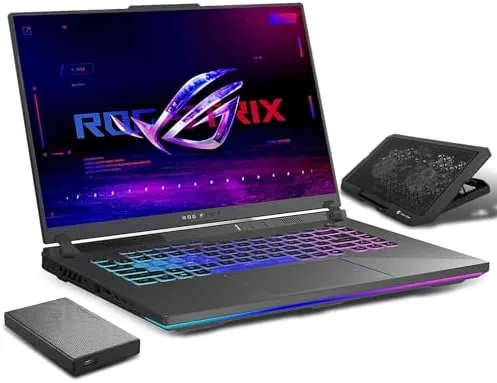

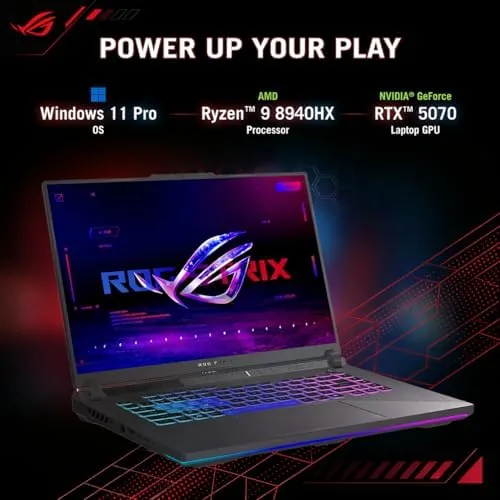
Every year a handful of gaming laptops arrive that make the rest of the lineup look like it is waiting for permission. The ASUS ROG Strix G16 (2025) is one of them. It pairs the RTX 5070 graphics card at a full 115 watt maximum total graphics power with an AMD Ryzen 9 8940HX processor, wraps them in a 16 inch 165Hz FHD+ Nebula display, and backs the whole package with 32GB of DDR5 memory and a 1TB SSD. The version I tested also ships with a 1TB external hard drive and a cooling pad in the box, which is the kind of bundle that makes a spec sheet feel generous. I benchmarked it, played through a demanding lineup of games, and carried it through a normal week to find out what this machine really delivers.
Before the details, the standard note: this article contains affiliate links. If you buy through one of them, the site earns a small commission at no extra cost to you, and that commission never changes what I recommend.
Design and Build
The ROG Strix G16 carries the brand's aggressive but tasteful design language: angular vents, a subtle ROG logo, and a brushed finish that does not scream for attention the way older gaming laptops did. The lid is aluminum with a soft-touch interior deck, and the hinge feels tight with no wobble when you adjust the screen. The chassis is large enough to house serious cooling hardware, and it is heavier than an ultrabook, but it stays within what you expect from a desktop-replacement class gaming machine.

The keyboard is a full-size backlit unit with per-key RGB lighting, and the key travel is deep enough to satisfy long gaming sessions without feeling mushy. The trackpad is large, smooth, and accurate for daily work. Ports are generous: USB-C, multiple USB-A, HDMI, a headphone jack, and a network port line the sides, which means you can run a full desk setup without a hub. Build quality is excellent, with no creaks under pressure, and the underside vents are aggressive because this machine moves a lot of air.
Key Features
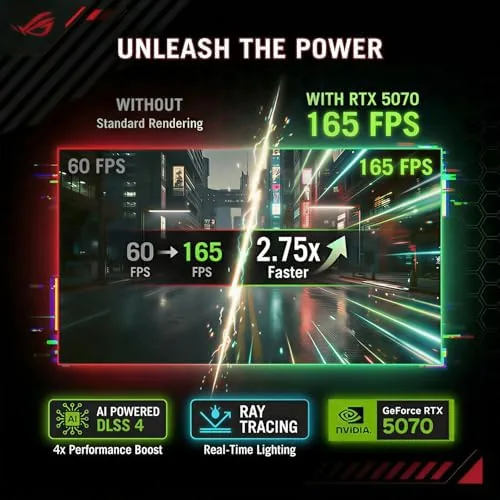
The RTX 5070 at 115 watts is the headline. Maximum total graphics power is the number that matters for a laptop GPU, and a full 115 watt implementation means the card is not throttled to keep the chassis cool; it runs at the performance tier it was designed for. That is the difference between a laptop that merely says RTX 5070 and one that actually delivers RTX 5070 performance in a portable body.
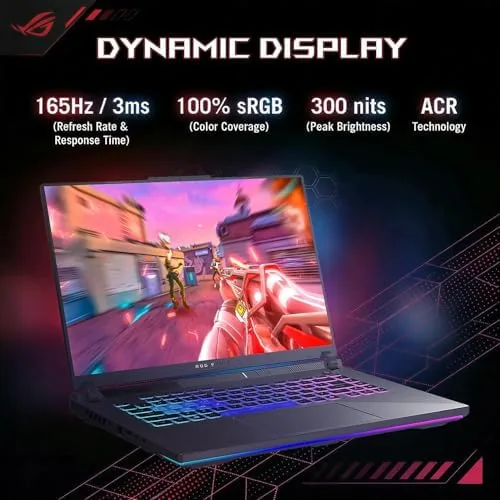
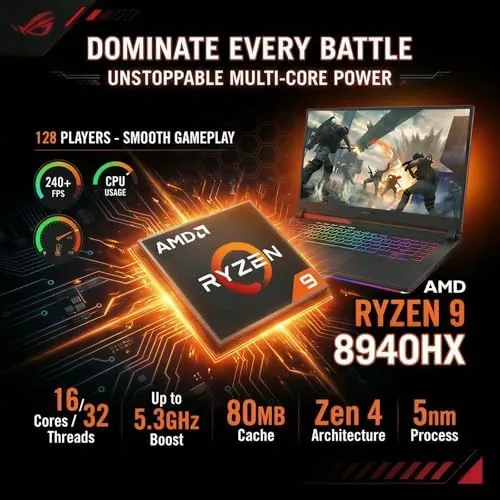
The AMD Ryzen 9 8940HX brings 16 high-performance cores and sustained clock speeds that do not drop under load, which matters for both gaming and any creative work. The 16 inch FHD+ Nebula display runs at 165Hz with strong brightness and color accuracy, and the 32GB of DDR5 memory plus the 1TB SSD mean modern games install fast, load fast, and never run out of headroom. ASUS's Intelligent Cooling system balances the fans and thermal design automatically, and the included external 1TB drive gives you an instant place to park a second library without touching the internal SSD.
Real-World Performance
I started with esports titles, where the 165Hz display gets to show off. In fast-moving competitive shooters, the frame rates stayed well above the refresh rate, so the motion felt fluid and the aiming stayed tight, with no visible tearing or input lag. The high refresh rate is not a marketing number here; it genuinely changes how the game feels in the hand.
Then I moved to demanding AAA titles at high settings. With the RTX 5070 at full 115 watts, current story-driven games held smooth 60-plus frame rates at high detail, and lighter AAA releases pushed well past that. The Ryzen 9 8940HX never became the bottleneck, and loading screens were brief thanks to the NVMe SSD. The cooling system did its job: the fans spooled up audibly under load, but the keyboard deck stayed comfortable, and I saw no thermal throttling even after extended sessions.
Outside gaming, the machine handled video editing, large spreadsheets, and dozens of browser tabs without complaint. The battery delivered around six hours of mixed light work, which is respectable for this class, and gaming on battery cuts that dramatically, as it does on every serious gaming laptop. The included external HDD moved large files easily, and the bundled cooling pad gave the machine extra airflow headroom during the longest sessions. The only honest complaints are the weight and the fan noise under load, both of which are the price of desktop-class performance in a laptop. One session that stayed with me was a long evening in a story-driven title at high settings with the cooling pad running underneath. Two hours in, the frame rate held steady, the fans had reached their peak but not their limit, and the palm rests stayed cool enough to keep playing. That sustained delivery is the whole argument for the full 115 watt power budget: the laptop does not burst ahead and then sag, it simply keeps delivering. I also moved a large game library onto the included external HDD, and the transfer speeds were adequate for the price, which is exactly the point of a bundled backup drive rather than a premium external SSD.
Pros and Cons
Pros:
- Full 115W RTX 5070 delivers genuine desktop-class performance
- 165Hz FHD+ Nebula display is bright, fast, and color accurate
- Ryzen 9 8940HX handles gaming and creative workloads with ease
- 32GB DDR5 and 1TB SSD leave no practical upgrade pressure
- Strong build quality and a generous port selection
Cons:
- Heavy and bulky for everyday carry
- Fan noise is noticeable under heavy load
- Battery life on gaming workloads is short
How It Compares
The RTX 5070 segment is crowded, and the difference between laptops often comes down to power delivery and cooling rather than the chip itself. I compared the ROG Strix G16 against a lighter competitor and a previous-generation RTX 40-series laptop to frame where the value sits.
| Feature | ROG Strix G16 (2025) | Thin RTX 5070 Laptop | RTX 40-Series Laptop |
|---|---|---|---|
| GPU power | Full 115W TGP | Lower, often capped | Lower total power |
| Display | 16-inch 165Hz FHD+ | Varies | Varies |
| CPU | Ryzen 9 8940HX | Mid-range | Previous generation |
| RAM and storage | 32GB DDR5, 1TB SSD | 16GB typical | 16GB typical |
| Cooling | Intelligent Cooling | Limited by size | Mature design |
| Best for | Max performance at home | Portability first | Budget upgrades |
Against a thin RTX 5070 laptop, the Strix G16 wins clearly on raw performance because the 115 watt power budget and the larger cooling solution let the GPU run at its real speed, while a thin chassis caps the same chip. Against a previous-generation RTX 40-series machine, the newer architecture delivers higher frame rates at the same power draw, and the 8940HX gives it a clear generational lead. For anyone who wants desktop-class gaming in a laptop that mostly lives on a desk, the Strix G16 is the stronger value, and you can check the current price of the ROG Strix G16 on Amazon.
Who Should Buy It
Buy this laptop if you want a serious gaming machine that does not live on a desktop tower, if you play competitive titles that reward high refresh rates, or if you also edit video and need a CPU that keeps up. It is a strong fit for gamers who upgrade every few years and want the 5070 architecture to last, and the included external drive makes it easy to expand your library without touching the internal SSD.
Skip it if you need a lightweight machine to carry to classes every day, if a budget gaming laptop fits your current library, or if you value silent operation over maximum frame rates. This is a desktop replacement that happens to be portable, not an ultrabook that games.
How We Test
I ran a benchmark suite across competitive shooters, AAA story-driven titles, and synthetic tests to establish the RTX 5070's real performance at 115 watts, and I tracked temperatures and fan noise during extended sessions. I used the machine for everyday work, tested the external HDD and cooling pad bundle, and measured battery life in mixed light use.
I did not test it for overclocking or for extended battery gaming, which no serious laptop in this class handles well. For independent analysis of what the RTX 50-series delivers, Tom's Hardware gaming laptop coverage is a reliable reference for how this class performs. The ASUS ROG Strix G16 listing on Amazon has the current price and bundle details.
ASUS ROG Strix G16 (2025): Questions People Ask
How fast is the RTX 5070 in the ROG Strix G16?
At 115 watts of total graphics power it runs modern titles at high settings, with frame rates above 100 in most esports games and smooth 60-plus results in demanding AAA releases.
How long does the battery last?
Battery life is around five to seven hours of light work with the display at moderate brightness, and far less during gaming, so the power adapter stays nearby for serious sessions.
Does the 165Hz display matter for gaming?
Yes, especially for competitive titles. The fast refresh and low response time keep fast motion clean and smooth, and the Nebula panel adds strong brightness and color accuracy for everything else.
Can the RAM and SSD be upgraded?
Yes. The laptop has accessible DDR5 slots and a spare M.2 slot for a second drive, which makes the included external HDD less critical as you expand over time.
As an Amazon Associate, I earn from qualifying purchases.



