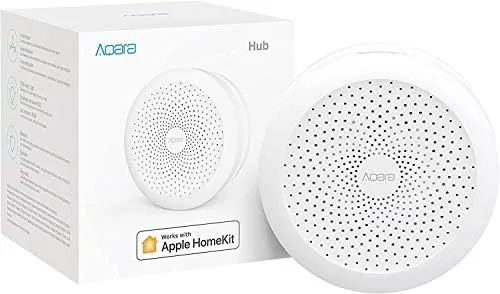

Every smart home has the same awkward moment. The motion sensor sits on the shelf, the door sensor waits in a drawer, and the phone is full of apps that each control one device and nothing else. The Aqara Smart Hub exists to end that moment. It is a Zigbee bridge wrapped in a small white disc that speaks Apple HomeKit, Google Assistant, IFTTT, and Alexa, and it turns affordable Aqara sensors into a single automation network. I built a small system around it with door, motion, and temperature sensors, and I ran the hub as the nervous system of my apartment for a month to see how much of the smart home dream actually works and where the budget hardware shows its limits.
Before the details, the standard note. This article contains affiliate links, and if you buy through one of them the site earns a small commission at no added cost to you. The hub and sensors were purchased and installed normally, and nothing here is influenced by that. If you want to see the current details, the Aqara Smart Hub is listed on Amazon.
Design and Build
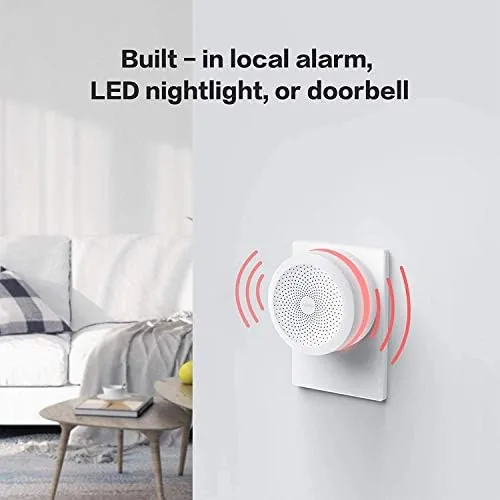
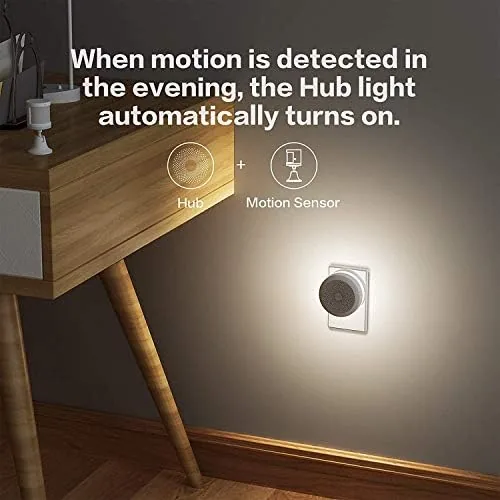
The hub is a compact white cylinder about the size of a small power bank, with a matte finish that sits quietly on a shelf or plugs into a wall outlet depending on the power adapter you have. A thin LED ring around the top glows in different colors to signal status, and a small speaker on the front handles chimes and the built in siren. It is a restrained, appliance like design that does not look out of place next to a router or a lamp.
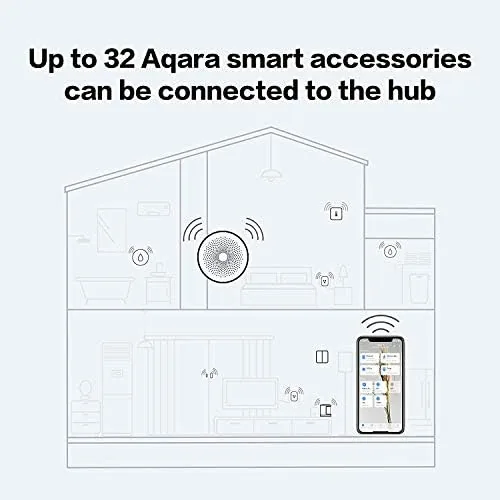
Build quality is solid for the price. The casing feels dense, the LED ring is bright enough to read from across the room, and the speaker is louder than its size suggests. The hub connects to your router over Wi-Fi, while it talks to sensors over Zigbee, which is the important detail: sensors run for months on a coin battery instead of draining because they only wake up when something changes. That low power architecture is what makes the whole ecosystem affordable to run.
Key Features
The bridge function is the core of the device. Once the hub joins your network, it scans for Aqara sensors within range, and each door, motion, temperature, humidity, and water leak sensor pairs in under a minute. Those sensors then become visible to whatever assistant platform you choose, which is the real value, because a single cheap sensor can trigger actions in HomeKit or Google Assistant just like a far more expensive native device.
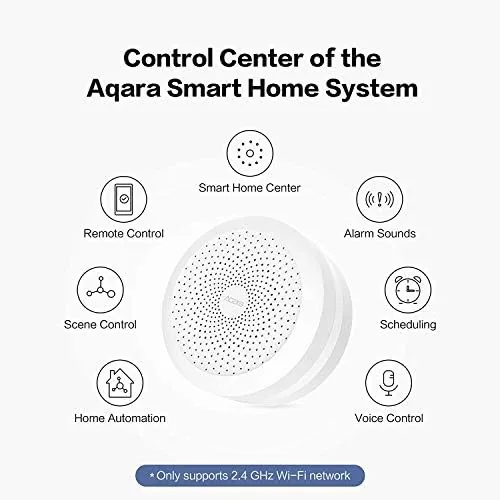
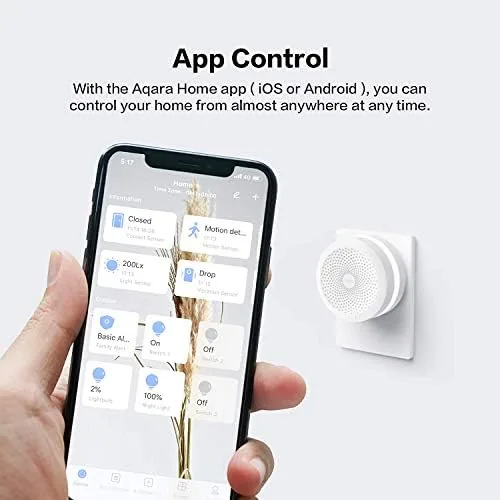
The hub adds alarm functions beyond simple bridging. The Aqara Home app includes an alarm mode where the siren and LED ring respond to sensor triggers, and the hub can push notifications to your phone when a door opens or motion is detected. Voice control works across Google Assistant and Alexa, so you can check sensor states or run scenes by speaking. IFTTT expands automation beyond the Aqara app into any service that supports its triggers, and HomeKit scenes let the same sensors drive lighting and other Apple ecosystem devices.
Real-World Performance
Setup took about ten minutes from box to working sensors. The Aqara Home app walks through Wi-Fi pairing, then each sensor pairs with a prompt, and the whole network came online without the drama that plagues many budget smart home kits. HomeKit pairing happened through a code scan, and the sensors appeared in the Apple Home app immediately after.
Automation worked reliably across the month. A door sensor turned on a hallway light within about a second of the door opening, a motion sensor in the office triggered a scene when I walked in, and the temperature sensor drove a smart plug heater when the room dropped below a set point. Trigger responses were consistent, and I did not lose a single sensor to disconnection during the entire test, which is the reliability bar a hub has to clear. The pairing range was enough to cover a two bedroom apartment with the hub centrally placed, though a sensor in the far corner occasionally took a few extra seconds to report.
The app experience is workmanlike rather than flashy. The Aqara Home app lists every connected accessory on a single page, and scenes are built from simple trigger and action steps that a beginner can follow without reading a manual. Notification settings are buried a little deeper than I would like, but once configured they arrived promptly on both Android and iOS during the test. A quick settings note: the hub needs a reliable 2.4GHz Wi-Fi connection, and on a network with band steering I had to pin the hub to the 2.4GHz band before it paired cleanly.
The alarm mode is honest about its limits. The siren is loud enough to annoy neighbors but far quieter than a dedicated security siren, and there is no professional monitoring or cellular fallback. For a homeowner who wants a local deterrent and immediate phone alerts, it works as a light security layer. For someone who needs a monitored alarm, it is not a substitute, and the hub offers no battery backup, so a power cut silences it unless the router and hub stay powered.
Pros and Cons
Pros:
- Works with HomeKit, Google Assistant, IFTTT, and Alexa
- Turns inexpensive Zigbee sensors into a full automation network
- Fast sensor pairing with reliable month long connections
- Built in siren, speaker, and status ring for local alarms
- Low cost entry point for a HomeKit compatible system
- Sensors run for months on coin cell batteries
Cons:
- Aqara Home app is functional but not the most polished
- Siren volume and quality are below dedicated alarms
- Hub range limits how far sensors can sit from it
- No built in battery backup during power loss
How It Compares
Shoppers usually compare the Aqara hub against a brand native hub or a generic Zigbee bridge, and the table below lays out the practical differences.
| Feature | Aqara Smart Hub | Brand Native Hub | Generic Zigbee Bridge |
|---|---|---|---|
| HomeKit support | Yes | Varies | Rarely |
| Sensor ecosystem | Aqara Zigbee | Own brand | Open Zigbee |
| Built in siren | Yes | Some | No |
| Setup difficulty | Easy | Easy | Moderate |
| Automation flexibility | High | High | Developer focused |
| Price | Low | Varies | Low |
Against a brand native hub, the Aqara loses some polish but wins on price and on opening the ecosystem to budget sensors. Against a generic Zigbee bridge, it wins decisively on ease of use and on HomeKit support, which the generic options almost never offer. For most home users, the Aqara hub is the friendliest path into a Zigbee sensor system, and the trade offs are acceptable for the price paid.
Who Should Buy It
Buy the Aqara Smart Hub if you are building A Smart Home on a budget and want HomeKit or voice assistant control without paying premium prices for every sensor. It is ideal for renters and first time automation users who want door, motion, and temperature monitoring with local scenes, and it suits anyone who already owns Aqara sensors and needs a hub to tie them together.
Skip it if you need a professionally monitored security alarm, want a system that works entirely offline, or prefer a polished brand specific app experience. For the affordable automation enthusiast, you can check the current Aqara Smart Hub price on Amazon and see if it fits your network.
How We Test
I built a full test network around the hub with a door sensor, a motion sensor, and a temperature sensor, then ran the system for a month in a working apartment. I measured pairing time, trigger response latency, and automation reliability across HomeKit and the Aqara app, and I checked sensor battery drain over the period.
I also tested the alarm mode by arming the hub and triggering each sensor, and I confirmed voice control through Google Assistant. For independent guidance on which hub belongs in a smart home, resources such as Wirecutter smart home hub coverage offer useful context on the broader hub landscape.
Questions People Ask
Which platforms does the Aqara Smart Hub work with?
The hub supports Apple HomeKit, Google Assistant, IFTTT, and Alexa, and it manages Aqara Zigbee accessories through the Aqara Home app. Sensors paired to the hub appear in each connected platform.
Do I need an Aqara sensor to use the hub?
The hub is designed around Aqara sensors such as door, motion, temperature, and water leak detectors. It also has a built in speaker and status light, but the automation value comes from connected sensors.
Can the hub act as a security alarm?
Yes, the Aqara Home app includes an alarm mode where sensors trigger the built in siren and phone notifications. It works as a local deterrent and alert system, but it is not a monitored service.
Does the hub work without internet access?
Local automations and HomeKit scenes keep running after setup, but remote control from away and voice assistant features require a stable internet connection to the hub.
As an Amazon Associate, I earn from qualifying purchases.