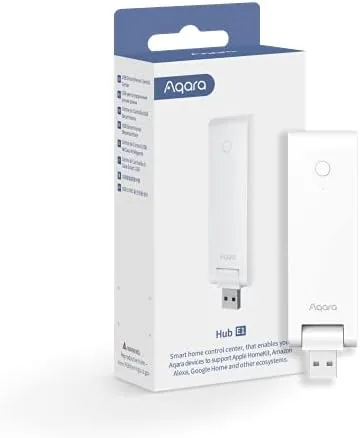

Every smart home needs a nervous system, and for most people that means a hub that speaks to a bunch of small sensors and devices. Aqara builds its entire ecosystem around Zigbee, the wireless standard that keeps battery powered sensors alive for years, and the Smart Hub E1 is the cheapest way into that world. It is a tiny black box powered by a USB cable, it connects over 2.4 GHz Wi-Fi, and it hands control to HomeKit, Alexa, Google Assistant, and IFTTT. I ran one for three weeks with a handful of Aqara sensors to see whether a budget hub is a bargain or a trap.
Before the details, the standard note. This article contains affiliate links, and if you buy through one of them the site earns a small commission at no extra cost to you. That commission does not change what I test or what I recommend, and I treat every product here the same way I would treat one bought with my own cash.
Design and Build
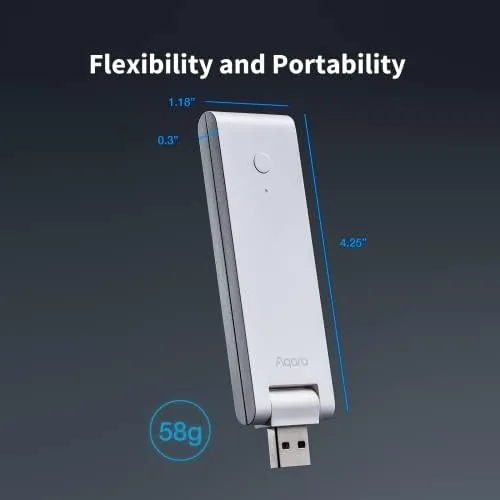
The Hub E1 is almost unbelievably small. It is roughly the size of a large coin, a compact cylinder with a flat base and a small status light, and it disappears next to a router or behind a TV. The tiny footprint is the whole point, because Aqara designed it to be tucked away rather than displayed. The plastic shell is plain but functional, and the only visible feature is the small indicator that shows network and Zigbee status at a glance.
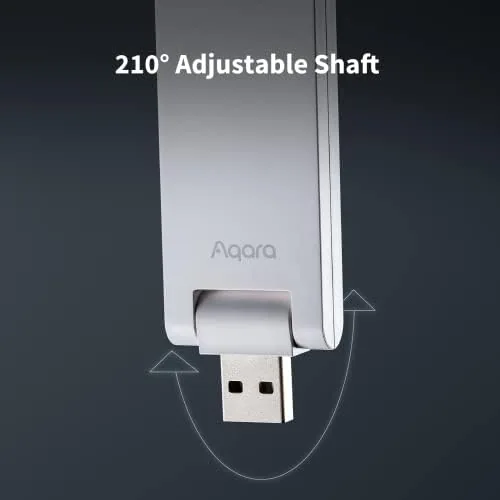
Power comes through a USB A port, which means you can run the hub from a phone charger, a power strip, or any spare USB source. That is a genuine convenience, because the hub goes wherever there is a socket and a 2.4 GHz network, and it needs no separate adapter or dock. The cable is short, so placement is limited to within reach of a USB port, but that is a minor constraint for a device this easy to hide.
Key Features
The hub is the bridge between Aqara Zigbee devices and the wider smart home platforms. It connects over 2.4 GHz Wi-Fi to your network and then speaks Zigbee 3.0 to Aqara sensors, switches, plugs, and cameras, gathering their data and carrying commands back to them. The important thing to know is that this hub works only with Aqara Zigbee devices, and Aqara is explicit about that: it will not pair with third party Zigbee hardware, so the ecosystem is closed by design.
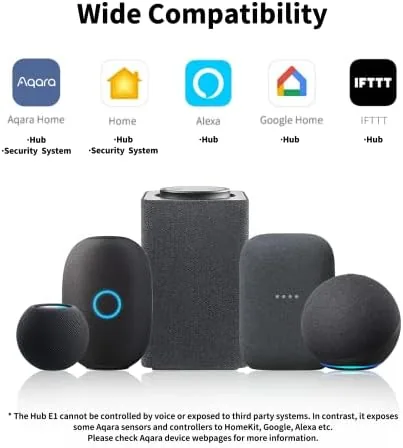
On the platform side, the hub supports Apple HomeKit, Alexa, Google Assistant, and IFTTT, which covers nearly every smart home setup in existence. Through the Aqara Home app you build automations, set scenes, and view device history, and the hub has a built in speaker that can sound alarms when a door sensor triggers or a leak is detected. That small speaker turns a box of sensors into a basic security system.
Real-World Performance
I built a small test network around the hub with a door sensor, a temperature and humidity sensor, a motion sensor, and a smart plug. Setup was straightforward: plug in the hub, scan the code in the Aqara Home app, and add devices by putting them into pairing mode. The whole network took under twenty minutes to stand up, and the hub connected to my 2.4 GHz Wi-Fi without a single dropout across three weeks of use.
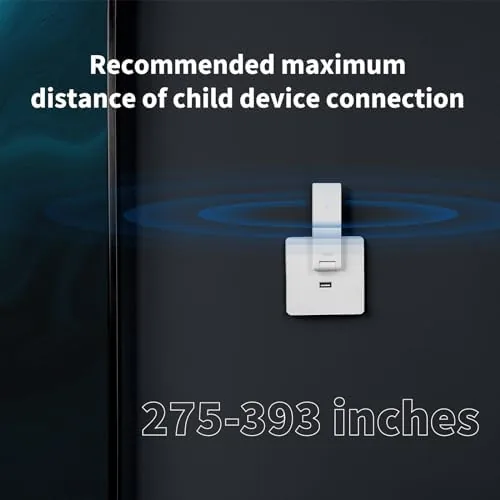
The automations worked as advertised. A door sensor triggered a phone notification and the hub's alarm, the motion sensor switched on a smart plug connected lamp in the evening, and the temperature sensor fed readings into HomeKit where I could check them from the Apple Home app. Response times were snappy, typically under a second from a sensor event to an action, and the Zigbee range covered my apartment without any mesh extenders in the way.
The limitations are where the honest review lives. The closed ecosystem is the biggest one: if you already own Zigbee sensors from another brand, they will not join this hub, so you are committing to Aqara hardware going forward. The hub is powered and Wi-Fi only, so it offers no local processing for complex automations, and a power or internet outage stops the whole network. The built in speaker is also loud only enough for a nearby room, not a house wide alarm.
Pros and Cons
Pros:
- Very low price for a capable smart home hub
- Tiny size that hides anywhere near a USB port
- Works with HomeKit, Alexa, Google Assistant, and IFTTT
- Reliable Zigbee connections with fast automation response
- Built in speaker supports alarm notifications from sensors
Cons:
- Only pairs with Aqara Zigbee devices, not third party ones
- Requires a 2.4 GHz Wi-Fi network and a USB power source
- No local automation processing without an active connection
How It Compares
The Hub E1 faces larger Aqara hubs, the Hub M2, and generic Zigbee hubs from other brands. The bigger Aqara models add infrared control, stronger speakers, and Matter support at a higher price, while the E1 keeps the core job simple and cheap. Against generic Zigbee hubs, the E1 trades the freedom to use any Zigbee device for a tightly integrated Aqara experience that works reliably with the platforms people actually use.
| Feature | Aqara Hub E1 | Aqara Hub M2 | Generic Zigbee Hub |
|---|---|---|---|
| Third party Zigbee | No | No | Often yes |
| Platform support | HomeKit, Alexa, Google, IFTTT | HomeKit, Alexa, Google, Matter | Varies widely |
| Infrared remote | No | Yes | Varies |
| Price | Lowest | Higher | Low |
| Best for | Budget Aqara setups | Full Aqara homes | Mixed brand devices |
If you are starting fresh with Aqara sensors and want the cheapest possible entry, the E1 is the right call, because it does the essential hub work at a fraction of the cost. If you want to control infrared appliances or plan a larger Aqara deployment, the M2 is worth the upgrade. If you already own Zigbee devices from several brands, no Aqara hub is the right choice, and a generic multi brand hub will serve you better.
Who Should Buy
Buy the Aqara Smart Hub E1 if you are starting A Smart Home from scratch, if you want a HomeKit compatible hub without spending premium money, or if you plan to build an Aqara device network with door sensors, motion sensors, and plugs. It is also a strong choice for renters, because the small hub and battery powered sensors leave no damage when you move.
Skip it if you already own Zigbee devices from other brands, if you need infrared control of older appliances, or if you want a hub that works as a local brain during an internet outage. For a budget conscious beginner, this is the cheapest reliable way into a proper smart home system. You can check the current Aqara Hub E1 price on Amazon when you are ready.
How We Test
I tested the Hub E1 over three weeks with four Aqara devices: a door sensor, a motion sensor, a temperature and humidity sensor, and a smart plug. I built automations in the Aqara Home app, connected the hub to Apple HomeKit, and triggered each sensor repeatedly to measure response speed and reliability. I also left the network running around the clock to catch any drops.
I verified the Zigbee range across my apartment, tested the alarm sound from the built in speaker, and confirmed the hub worked with Alexa through the Aqara skill. For broader context on smart home hubs and the Zigbee standard, The Verge smart home section is a reliable place to follow the platform wars before you commit to an ecosystem.
The Aqara Hub E1 listing on Amazon shows the current price and the compatible Aqara devices.
Aqara Smart Hub E1: Questions People Ask
Which devices work with the Aqara Hub E1?
The hub connects Aqara brand Zigbee devices, including sensors, switches, plugs, and cameras, and it supports a large number of child devices on one hub.
Can the Hub E1 connect to third party Zigbee devices?
No, the hub is designed to work only with Aqara Zigbee devices, and it explicitly does not pair with third party Zigbee hardware, so plan your setup around Aqara products.
Does the Hub E1 support Apple HomeKit?
Yes, it works with Apple HomeKit through the Aqara Home app, and it also supports Alexa, Google Assistant, and IFTTT for cross platform automation.
What power source does the hub need?
The hub is powered through a USB A port, so it runs from a phone charger or any USB adapter, which keeps the setup simple and the footprint tiny.
As an Amazon Associate, I earn from qualifying purchases.