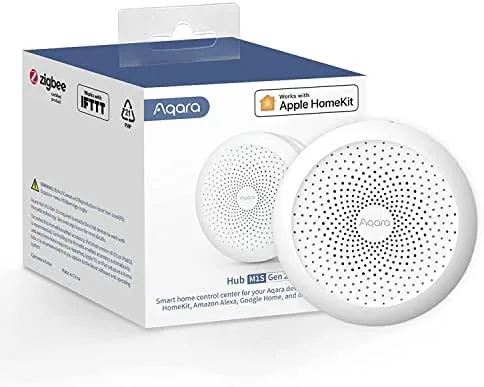

Every smart home eventually hits the same wall. You buy one or two Wi-Fi gadgets, they work fine, and then you realize the cheap sensors and switches you actually want all speak a different language called Zigbee. That is where a hub becomes the backbone of the whole setup. The Aqara Hub M1S Gen 2 is exactly that backbone: a Small bridge that listens to Zigbee devices, folds them into the big platforms like Apple HomeKit, Alexa, and Google, and adds a few tricks of its own including a built in siren for turning it into a mini alarm system. I put one at the center of my home for a month to find out whether it earns the central role.
Before the details, the standard note. This article contains affiliate links, and if you buy through one of them the site earns a small commission at no extra cost to you. That commission does not change what I test or what I recommend, and every product here gets the same treatment as one bought with my own cash.
Design and Build
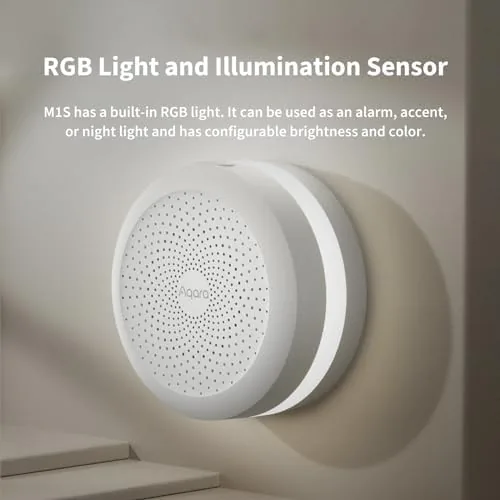
The M1S Gen 2 looks more like a small speaker or a night light than a networking hub. It is a compact white cylinder with a soft fabric finish, and it plugs straight into a wall outlet, which keeps it tidy and out of the way. Around the rim sits a ring light that can glow as a night light or flash to signal alerts, and a small speaker grille hides the built in siren and chime. The build is solid, with a premium feel that sits comfortably on a shelf or bedside table.
Setup starts with the Aqara Home app, and this is where the first important caveat appears. The hub connects over 2.4 GHz Wi-Fi only, and Aqara is explicit that it does not support Wi-Fi 6 networks. If your router broadcasts on a 5 GHz band alone, or you have jumped to Wi-Fi 6 gear, you will need to enable a 2.4 GHz network or keep a compatible router around. It is a real limitation, and worth knowing before you buy rather than discovering it at setup.
Key Features
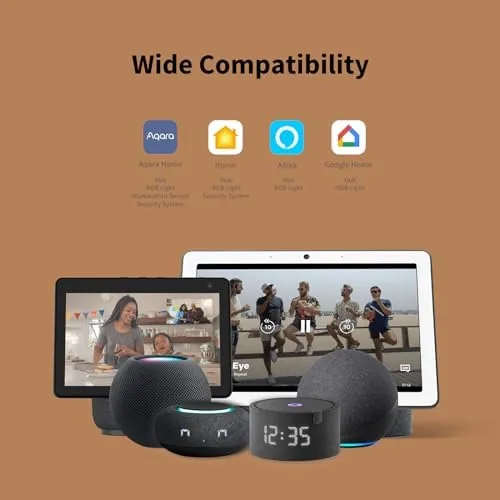
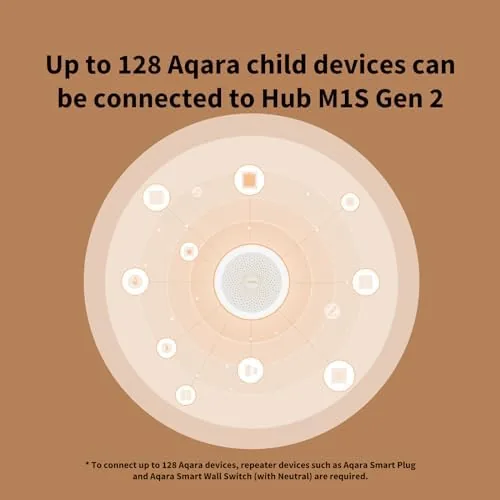
The hub's job is to be a Zigbee bridge. Plug it in, and it becomes the translator between low power Zigbee sensors and your Wi-Fi network, which is how a set of door sensors, motion detectors, and switches become smart without each one needing its own internet connection. The M1S Gen 2 supports a broad range of Aqara devices, and it hands that support to Apple HomeKit, Amazon Alexa, Google Home, and IFTTT, so the same sensor can trigger an Apple automation and an Alexa routine at once.
The built in alarm is the feature that makes it more than a hub. The M1S Gen 2 includes a siren and an alarm mode that ties to your sensors, so when a door opens at the wrong hour the hub can sound an audible alert and push a notification to your phone. A night light mode and a chime mode round out the extras, and there is even an IR blaster hidden inside that can control older TVs and air conditioners that lack smart features. It is a genuinely versatile little device.
Real-World Performance
I connected the M1S Gen 2 to a set of Aqara door and motion sensors, a smart plug, and a button, and built automations across HomeKit and Alexa. The pairing process was straightforward once I had the 2.4 GHz network sorted, and each sensor joined the hub within a minute or two. Responses were fast, with door sensor triggers appearing in the Home app almost instantly, and the automations I built ran reliably through the whole month without the delays that plague cloud dependent gadgets.
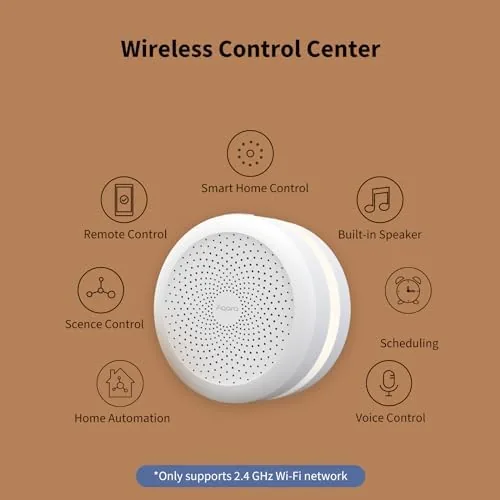
The alarm mode worked as intended. I armed it at night, opened a door, and the hub sounded its siren and pushed a notification in the same moment, which is the exact behavior you want from a budget security core. The night light was a pleasant bonus in the hallway. The one consistent annoyance was the app itself, which presents a dense dashboard that takes time to learn, and the occasional need to reauthorize a platform after an update. It is manageable, but it keeps the M1S from feeling effortless.
Pros and Cons
Pros:
- Brings Zigbee devices into HomeKit, Alexa, Google, and IFTTT
- Built in siren and alarm mode for a mini home security system
- Fast, local response times for connected sensors
- Compact wall plug design with a night light and chime
- IR blaster controls legacy TVs and air conditioners
- Works with a wide range of affordable Aqara sensors
Cons:
- Requires 2.4 GHz Wi-Fi and does not support Wi-Fi 6
- The Aqara Home app feels dense and takes time to learn
- Zigbee devices are limited to the Aqara ecosystem
- Plug in design occupies the outlet it uses
How It Compares
I compared the M1S Gen 2 against a smart speaker with a built in hub and a dedicated standalone Zigbee coordinator to see where the Aqara fits. The differences come down to alarm capability and ecosystem reach.
| Feature | Aqara Hub M1S Gen 2 | Smart Speaker Hub |
|---|---|---|
| Zigbee support | Yes, broad device range | Often limited |
| Alarm siren | Built in | None |
| Platforms | HomeKit, Alexa, Google, IFTTT | Usually one platform |
| Wi-Fi requirement | 2.4 GHz only | 2.4 or 5 GHz |
| Night light and chime | Yes | No |
| Local response | Fast | Varies |
Against a smart speaker hub, the M1S Gen 2 wins on sensor reach, alarm capability, and platform compatibility, but it loses on Wi-Fi flexibility and the app experience. A dedicated standalone coordinator offers more flexibility for tinkerers but lacks the plug and play alarm that makes this hub attractive. For someone building a HomeKit or Alexa smart home with Aqara sensors, the M1S is the natural center, and you can check the current Aqara Hub M1S Gen 2 price on Amazon.
Who Should Buy It
The M1S Gen 2 is the right hub for anyone building a smart home around Aqara sensors, which are among the most affordable and reliable Zigbee devices available. If you want door and motion sensors that reach HomeKit or Alexa reliably, or you want a cheap way to add a real siren to your home without a subscription, this hub does both. The built in alarm makes it especially appealing as a starter security system for an apartment or small home.
Skip it if your network is strictly 5 GHz or Wi-Fi 6, if you already own a Zigbee coordinator you like, or if you want a hub that works with sensors from many brands at once. For everyone else, the Aqara Hub M1S Gen 2 on Amazon is a strong, affordable center for a growing smart home.
How We Test
I ran the Aqara Hub M1S Gen 2 as the center of my smart home for a month. I paired it with door sensors, a motion sensor, a smart plug, and a button, and I built automations across both Apple HomeKit and Amazon Alexa. I armed the alarm mode and triggered sensors to verify the siren, notifications, and response speed, and I used the night light and IR blaster in daily life.
I judged performance by how fast sensor events reached the Home app and how reliably automations fired over the month, rather than by network benchmarks, because that is the experience a buyer actually lives with. I also documented the Wi-Fi caveats and the app learning curve honestly. For independent guidance on choosing a smart home hub, roundups like the Tom's Guide best smart home hubs list are worth reading before you commit.
Aqara Hub M1S Gen 2: Questions People Ask
Does the Aqara Hub M1S Gen 2 require Wi-Fi to work?
Yes. The hub needs a 2.4 GHz Wi-Fi network to set up and control devices, and it does not support Wi-Fi 6 networks.
Which platforms does the Aqara Hub work with?
The hub supports Apple HomeKit, Amazon Alexa, Google Home, and IFTTT, so Zigbee devices connected to it appear across all four ecosystems.
Can the Aqara Hub act as an alarm system?
Yes. The M1S Gen 2 includes a built in siren and pairs with Aqara sensors to trigger alerts, so it works as a local security alarm for a home.
What devices can connect to the Aqara Hub?
The hub uses Zigbee, so it connects to Aqara sensors, cameras, switches, and other compatible Zigbee devices rather than Wi-Fi gadgets.
As an Amazon Associate, I earn from qualifying purchases.