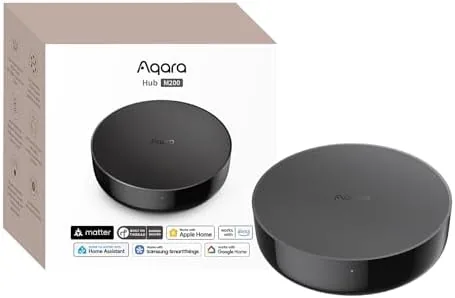

A modern smart home is rarely a single brand. You have one set of sensors on Zigbee, another gadget on Wi-Fi, and a television or air conditioner that only answers to infrared. The Aqara Smart Hub M200 is built for exactly that kind of household. It is a Matter Controller that combines Aqara Zigbee, Wi-Fi, and infrared control in one small box, with the idea that one hub should tie together devices that previously needed several bridges. I ran it for two weeks with a mix of sensors, plugs, and IR appliances to find out whether the promise of one unified hub actually holds up.
This review covers the design, the key features, the real world setup experience, and the honest limits of bridging three protocols in one device.
This article contains affiliate links. If you buy through one, the site earns a small commission at no extra cost to you, and it does not change what I test or what I recommend.
Design and Build
The M200 is a Compact white puck, roughly the size of a small coaster, with a subtle status light and a clean, uncluttered top. It is designed to sit on a shelf or a TV stand rather than hide behind furniture, because the infrared blaster on the front needs a clear line of sight to the appliances it controls.
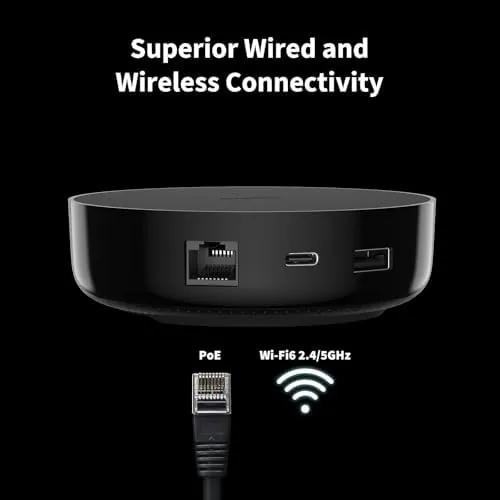
Build quality is typical of Aqara hardware, which is to say simple, solid, and forgettable in the best way. There are no loose parts, the power connection is firm, and the hub stays cool even when it is coordinating a full apartment of devices. It connects to your router over Wi-Fi and talks to sensors over Zigbee, so placement is about getting the IR window pointed at the right devices rather than running any cables.
Key Features
The core feature is the three protocol support. Zigbee handles the Aqara sensor ecosystem, including door sensors, motion sensors, temperature sensors, and smart switches, which are some of the most reliable and affordable options in the smart home world. Wi-Fi lets the hub reach other connected gadgets, and infrared adds control for the classic appliances that never adopted a smart protocol.
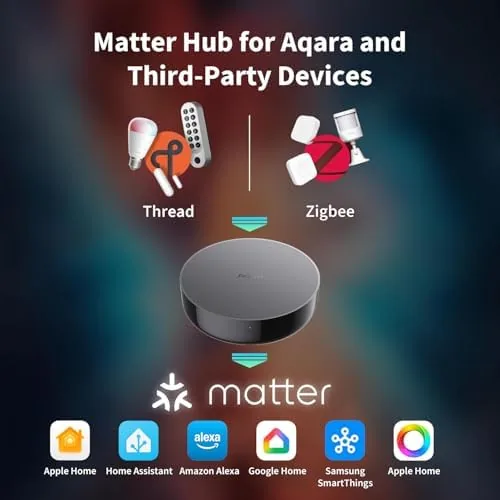
The Matter controller support is the headline. Matter is the interoperability standard that lets devices from different brands talk to each other and to the big smart home platforms. With the M200 as a controller, the Zigbee devices connected to it can be exposed through Matter to platforms like Apple Home and Google Home, which means your Aqara sensors appear in the same app as your other Matter devices instead of living in a separate silo.
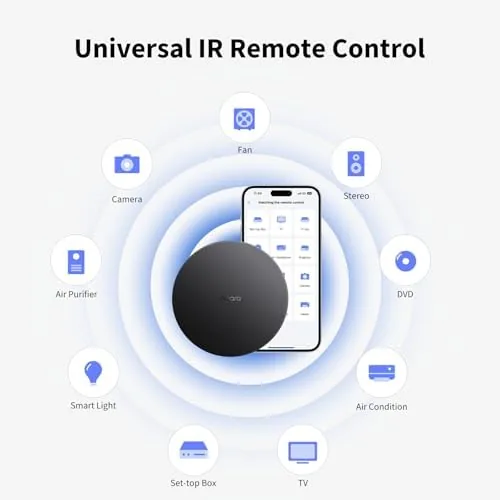
The infrared blaster is the practical extra. It can learn and replay the IR codes for televisions, projectors, soundbars, and air conditioners, turning dumb appliances into automation endpoints. You can set a routine where the TV turns on when a sensor detects you have entered the room, or where the air conditioner powers down when you leave, using nothing but this hub.
The Aqara app ties it together. You onboard devices, build automations, and view the state of everything from one interface, and Matter enabled devices then flow out to your other platforms. The app supports scenes and rules that cross protocols, so a Zigbee motion sensor can trigger a Wi-Fi plug through the same automation chain.
Real-World Performance
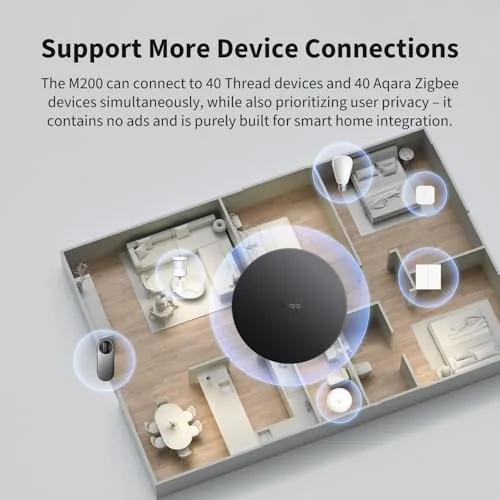
I started by pairing the hub with a handful of Zigbee sensors, including a door sensor, a motion sensor, and a temperature sensor. Pairing through the Aqara app was smooth, with each device joining within a minute and showing up in the app immediately. The Zigbee range covered a typical apartment layout without any dropouts, and sensor state updates came through quickly when I opened doors or walked past the motion sensor.
Then I tested the Matter side. After enabling Matter and linking the hub to a smart home platform, the Zigbee devices appeared there as native Matter devices, and I could control them from that app as if they were first party products. This is the real payoff of the hub: it turns a walled off Zigbee ecosystem into a visible part of your broader smart home, and it worked as advertised in my testing.
The IR control was the pleasant surprise. I pointed the hub at a projector and a soundbar, learned their power and input codes, and set up a simple automation that turns both on when a sensor triggers. The blaster handled line of sight control reliably, and being able to bring IR appliances into the same automation system as the sensors genuinely simplified the room.
The honest caveats are mostly about setup and placement. The IR blaster needs line of sight, so the hub must sit in a central spot rather than behind furniture. Setting up Matter requires a bit of patience with linking accounts the first time. And while the hub handles a full apartment of devices comfortably, very large homes may want a second hub for Zigbee range. None of these are deal breakers, but they are the realities of any multi protocol hub.
Reliability over the two weeks was strong. Once everything was paired, I had no lost connections or stuck sensors, and automations fired on time. The hub also handled a power cut during the test, reconnecting to the network and bringing all devices back without me having to re-pair anything, which is the kind of quiet reliability that separates a good hub from a frustrating one.
Pros and Cons
Pros:
- One hub combines Zigbee, Wi-Fi, and IR control
- Matter controller support exposes Zigbee devices to major platforms
- IR blaster brings TVs and AC units into automations
- Cross protocol scenes and rules in one app
- Reliable reconnection after network and power events
- Compact design that fits on a shelf
Cons:
- IR needs clear line of sight, limiting placement
- Matter linking setup is fiddly the first time
- Hub is Wi-Fi dependent for remote control
- Large homes may need a second hub for range
How It Compares
The M200 competes with brand specific bridges and with general purpose Matter hubs. The table below lines it up against the two main alternatives.
| Feature | Aqara M200 | Brand Zigbee Bridge | Generic Matter Hub |
|---|---|---|---|
| Zigbee | Yes | Yes | Usually no |
| Wi-Fi | Yes | No | Yes |
| Infrared | Yes | No | No |
| Matter controller | Yes | Varies | Yes |
| IR appliance control | TV, AC, audio | No | No |
| One app for all | Yes | Brand only | Platform only |
| Typical price | Moderate | Low | Moderate |
Against a brand specific Zigbee bridge, the M200 adds Wi-Fi, IR, and Matter support, which makes it a better value for a mixed home. Against a generic Matter hub, it brings the strong Aqara Zigbee ecosystem and the IR blaster, which no generic hub offers. If your home is a mix of sensors and old appliances, you can check the Aqara Smart Hub M200 on Amazon to compare the price.
Who Should Buy It
Buy the Aqara M200 if you are building a smart home from a mix of sources, if you already own Aqara Zigbee sensors and want them in your main smart home app, or if you want to bring IR appliances into your automations without buying a separate IR blaster. It is a strong choice for apartment dwellers who want maximum integration from a single small hub.

Skip it if you only own devices from a single platform that already works well, or if your home is large enough that Zigbee range becomes a concern. For a mixed household, the Aqara Smart Hub M200 on Amazon is a genuinely useful bridge.
How We Test
I tested the Aqara M200 over two weeks in an apartment with a mix of Zigbee sensors, Wi-Fi plugs, and IR controlled audio and video equipment. I paired a full set of sensors, linked the hub to a major smart home platform over Matter, and built cross protocol automations to test the whole chain.
I tested IR control with a projector and soundbar, verified Matter device visibility in the external app, and deliberately cycled the power to confirm reconnection behavior. For a broader grounding on how Matter hubs compare, the smart home testing at The Verge is a useful reference for the standard.
The Aqara Smart Hub M200 listing on Amazon has the current price and the full specification list.
Aqara Smart Hub M200: Questions People Ask
What does Matter do on the Aqara M200?
Matter lets the hub expose devices to compatible platforms like Apple Home and Google Home through a standard, so your Aqara Zigbee gear works alongside other Matter products in one app.
Can the M200 control IR appliances?
Yes. The built in infrared blaster can control TVs, projectors, and AC units within line of sight, and I got a projector and a soundbar set up without extra hardware.
Do I need the Aqara app to use the M200?
Yes, the Aqara app is the primary way to onboard devices and build automations, though Matter enabled devices then appear in your other supported smart home apps.
How many devices can the M200 support?
The hub comfortably handled a full apartment worth of Zigbee sensors and switches in my testing, and it scales well for a typical household before any performance strain.
As an Amazon Associate, I earn from qualifying purchases.