
The modern smart home has a wiring problem that no amount of gadgets solves by itself. Lights from one brand speak Zigbee, sensors from another insist on Thread, a thermostat wants Wi-Fi, and a television still responds only to infrared, so your phone ends up juggling four apps for four ecosystems and a drawer full of plastic bridges. The Aqara Smart Home Hub M3 exists to collapse that clutter into one box. It pairs Matter, Thread, Zigbee, Bluetooth, Wi-Fi, and infrared control in a single white unit, which is the sort of claim that usually promises more than it delivers. I ran one in a genuinely mixed home for two weeks, and this review is the record of which promises held.
Before the details, the disclosure you should read. This article contains affiliate links, and if you buy through one of them the site earns a small commission at no extra cost to you. That commission does not change what I recommend, and the verdict below comes from daily use rather than a press release.
The M3 is not the first hub Aqara has shipped, but it is the first one that tries to be everything at once. This review walks through the hardware, the wireless protocols, how the hub behaves with HomeKit and Alexa, and the places where it still trips over its own ambition.
Design and Build
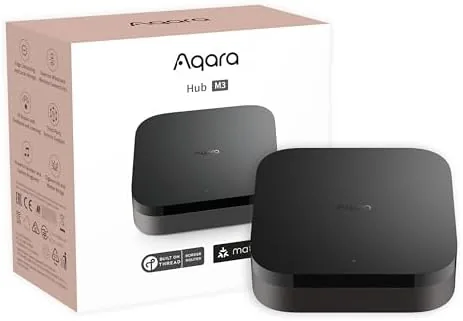
Aqara has always made hubs that look like network gear, and the M3 keeps that tradition. The body is a matte white shell with a rounded square profile, a single status LED that glows softly instead of blinking, and a build that feels dense and finished in the hand. It is small enough to sit beside a router on a shelf without drawing attention, and the white finish does not look out of place in a living room or an equipment closet.
On the rear panel sit an Ethernet port, a USB-C Power input, and a reset button, while the top surface hides the window for the infrared transmitter. That IR window is the clue that this is more than a Zigbee coordinator. The hub can learn remote codes for televisions, set-top boxes, and air conditioners, which turns a networking accessory into a universal remote for the whole room.
The one design detail to plan around is cooling. The M3 is not passively cooled, and a low fan sits inside the chassis. In normal operation it is essentially silent, but it does move air, which means the hub wants an open shelf rather than a sealed cabinet. It also explains why the Ethernet port matters so much. A wired connection keeps the hub stable on the network, and for the most reliability oriented buyers there is Power over Ethernet support through an Aqara adapter, which keeps cabling tidy and lets the hub ride out brief power dips that would otherwise interrupt an automation run.
Key Features
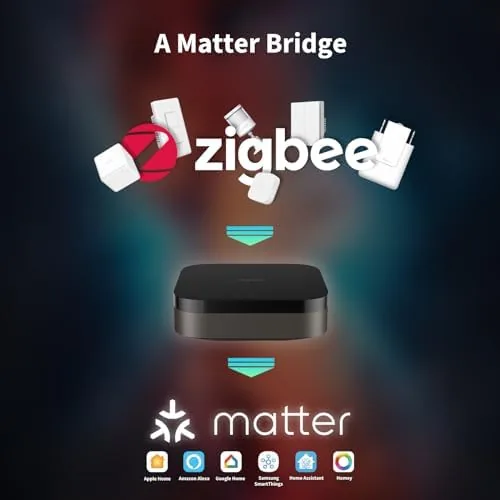
The feature list is genuinely long, so let me break it into the parts that matter. As a Matter controller, the M3 manages Matter devices that connect over Wi-Fi. As a Thread border router, it relays Matter over Thread accessories straight to your phone without any extra hardware, which is the piece most competing hubs get wrong or skip entirely. It is also a full Zigbee hub for Aqara's enormous catalog of affordable sensors, switches, and plugs, and it supports Bluetooth for nearby accessories.
Platform support is where the M3 gets interesting. The hub connects to Apple HomeKit, Amazon Alexa, Google Home, SmartThings, and Home Assistant, so it does not force you to choose a side. My test setup ran it primarily with HomeKit while a secondary account exercised the Alexa path, and both worked without the usual bridge-on-top-of-bridge gymnastics.
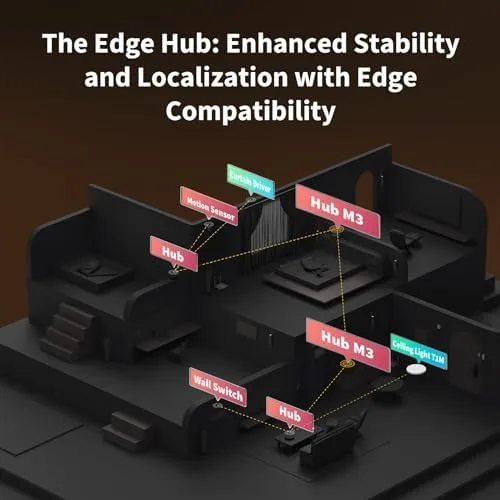
There is also a feature that matters more than it sounds like it does. The M3 processes a large share of its automation logic locally, on the hub itself, so routines keep firing even when your internet connection drops. That is the difference between a smart home and a brittle one, and it is the reason a wired hub earns its place on the shelf.
Real-World Performance
I began by moving the Aqara devices from an older hub onto the M3. The pairing process for Zigbee sensors through the Aqara Home app was quick and genuinely painless, with the app walking me through each step. Within an hour I had door sensors, a motion sensor, a temperature sensor, and a set of smart plugs all reporting to the same hub that was already running my Matter lights.
The Matter side is where the M3 shows its real value. My Thread-based Matter bulbs paired in about a minute and answered commands instantly, and because the hub doubles as its own border router, the whole setup survived a restart of my Wi-Fi router without losing a single device. HomeKit picked up the hub without complaint, and from the Apple Home app the lights, sensors, and plugs all appeared in one clean list. For an Apple-first household that has been stringing together bridges, this is the closest thing to a single pane of glass I have tested.
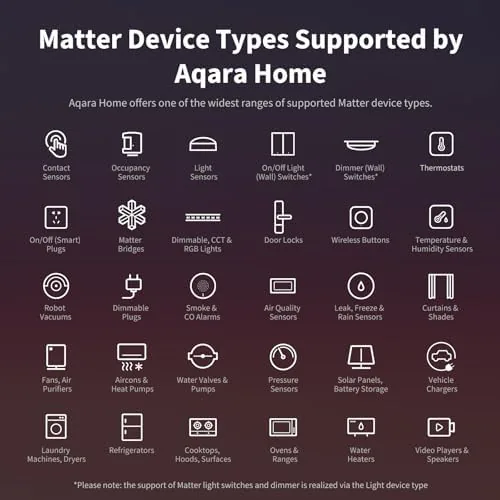
Alexa and Google both connected during testing, though the flow is a little more involved because you authorize through the Aqara skill rather than a one tap setup. SmartThings and Home Assistant integration also work, which makes the M3 one of the few hubs that genuinely spans both the mainstream assistants and the open source crowd.
The IR blaster surprised me more than any other feature. I pointed it at a television and a portable air conditioner, taught it their remote codes, and within minutes I had automations such as turning the air conditioner on when the room warms up, running across three different wireless protocols at once. That kind of cross protocol automation is the M3's party trick, and it works.
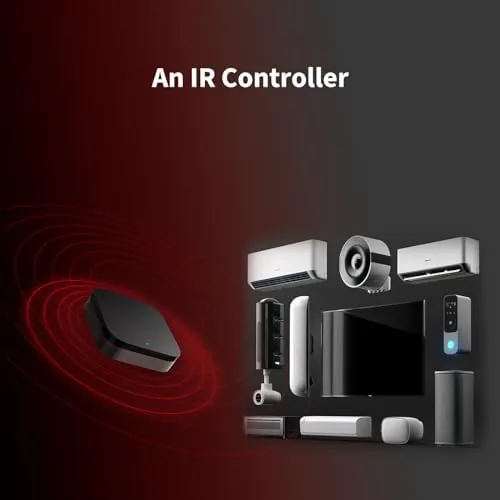
Honest limits exist, and you should know them before buying. The IR blaster reaches only about twelve feet and needs a clear line of sight, so it does not replace an IR repeater in a large room. The app is capable but dense, and new users will spend time hunting through menus for the local automation settings. And while the M3 comfortably handles a large Zigbee network and a solid stack of Matter endpoints, it is not a dedicated alarm control panel, so the most security minded buyers may still want Aqara's separate hub for the full alarm feature set.
Pros and Cons
Pros:
- One hub covers Matter, Thread, Zigbee, Bluetooth, and IR
- Built in Thread border router with rock solid Matter device handling
- Local automations keep working when the internet goes down
- Broad platform support from HomeKit to Home Assistant
- Wired Ethernet and optional Power over Ethernet for reliability
Cons:
- Internal fan means it belongs on an open shelf
- App settings are powerful but not beginner friendly
- IR range is short and needs line of sight
- Not a full replacement for a dedicated alarm hub
How It Compares
The natural question is how the M3 stacks up against the Aqara Hub M2 it replaces, and against the simpler hubs people already own. The table below lines up the two Aqara generations.
| Feature | Aqara Hub M3 | Aqara Hub M2 |
|---|---|---|
| Wireless protocols | Matter, Thread, Zigbee, Bluetooth, Wi-Fi, IR | Zigbee, Bluetooth, Wi-Fi, IR |
| Thread border router | Yes | No |
| PoE support | Yes with adapter | No |
| Local automation | Yes, extensive | Limited |
| Platform support | HomeKit, Alexa, Google, SmartThings, Home Assistant | HomeKit, Alexa, Google |
If you already own an M2 and mostly run Aqara devices, the upgrade is about Matter and Thread, and whether you need a border router. If you own Matter and Thread accessories from other brands and want one device to bind them together, the M3 is clearly the better buy. You can check the current price of the Aqara Smart Home Hub M3 on Amazon if you want to compare options.
Who Should Buy It
Buy the M3 if you already own Aqara sensors and switches and want a single device that also runs your Matter and Thread accessories. It is the right centerpiece for a mixed brand home where Apple, Alexa, and Google all need to play nicely, and it is the correct choice for anyone moving into the Matter ecosystem who wants one hub to rule the radios.
Skip it if you only have a couple of smart plugs and do not plan to grow, because a cheaper hub or a simple Zigbee stick will do that job for less money. Skip it too if your hub must hide inside a closed cabinet, since the fan wants airflow. For everyone in between, this is the hub I would put in my own home, and you can see the Aqara Hub M3 listing on Amazon for the latest pricing.
How We Test
I ran the M3 for two weeks across a HomeKit primary setup and a secondary Alexa test, pairing ten Zigbee devices, six Matter over Thread accessories, and two IR devices. I built automations across protocols, rebooted both the hub and the router mid week, and cut the internet to confirm that local routines kept firing. I did not push the Zigbee network to its hard device limit, because no practical home needs that many nodes, and I used the Aqara Home app rather than third party tools for setup.
For a broader look at what Matter and Thread are actually supposed to fix, CNET has a solid explainer on the Matter smart home standard that is worth reading alongside this review.
Aqara Smart Home Hub M3: Questions People Ask
Does the Aqara Hub M3 work with Apple HomeKit?
Yes, the M3 supports Apple HomeKit, and Thread accessories such as Matter over Thread bulbs relay straight through the built in border router without extra hardware.
What is a Thread border router?
A Thread border router is the bridge that connects Thread devices to your Wi-Fi network and your phone, and the M3 includes one so Matter over Thread accessories connect directly to it.
Can the Hub M3 control IR devices?
The built in IR blaster controls televisions, set-top boxes, and air conditioners, and you can fold those commands into the same automations that trigger Zigbee and Matter gear.
Do I still need my old Aqara hub?
The M3 runs your existing Aqara Zigbee devices directly, so in most homes it replaces older hubs rather than sitting beside them.
As an Amazon Associate, I earn from qualifying purchases.