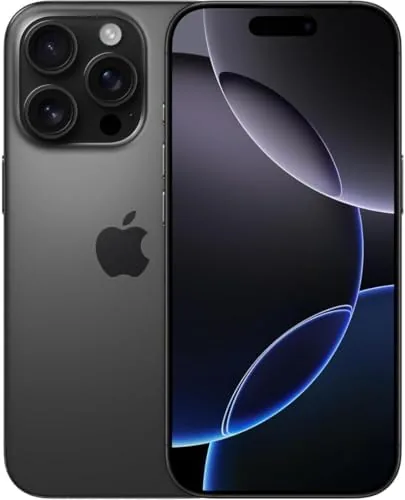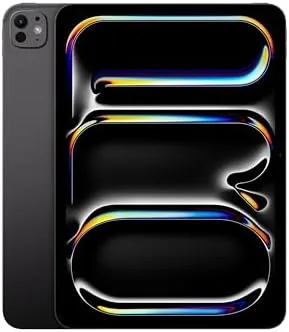

The smaller flagship is the one that gets overlooked, and that is a mistake. The Apple iPad Pro 11-inch M4 packs the same M4 chip, the same OLED display technology, and the same camera system as its 13-inch sibling into a body light enough to carry in one hand all day. For office workers, students, and anyone whose tablet needs to come to meetings, the 11-inch form factor is not a compromise, it is the point. I reviewed this Space Black 256GB model over two weeks as my main work device, and I came away convinced that small Pro is the one most professionals should buy.
Before the details, the standard note. This article contains affiliate links, and if you buy through one of them the site earns a small commission at no extra cost to you. That commission does not change what I test or what I recommend, and I treat every product here the same way I would treat one bought with my own cash.
Design and Build
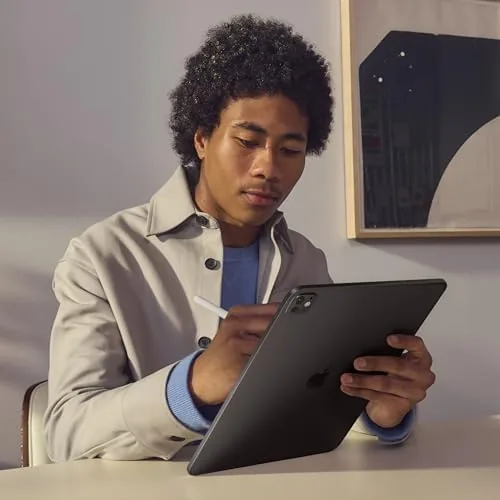
The 11-inch iPad Pro M4 is astonishingly light at about 444 grams, which is lighter than the entry iPad Air and comfortably lighter than almost any laptop. You can hold it one handed for a long meeting, carry it under your arm, or drop it into a bag and forget it is there. The Space Black aluminum body is rigid and dense in the hand, with the same flat edges, landscape front camera, and careful port layout as the rest of the Pro line.
Face ID unlocks the tablet instantly, the four speakers deliver surprisingly full landscape audio, and the Thunderbolt USB-C port connects external displays, drives, and cameras. The build quality is exactly what you expect at this price: nothing flexes, nothing creaks, and the finish stays clean. For an office device that moves between desks and meetings all day, the size and weight are the entire story.
Key Features
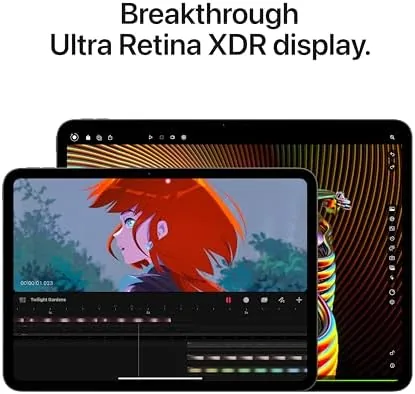
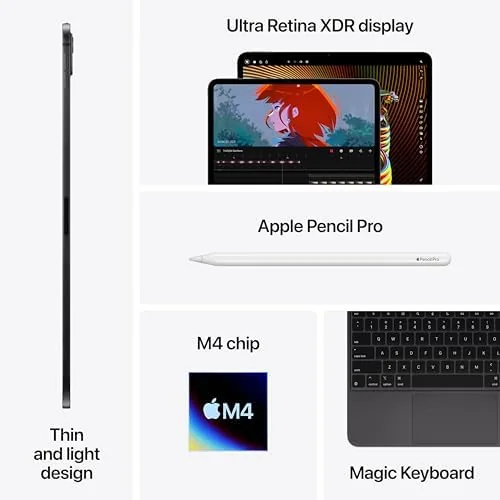
The 11-inch Ultra Retina XDR display is the smaller sibling of the 13-inch panel, a tandem OLED screen with 2420 by 1668 resolution, ProMotion at 120Hz, 1000 nits of full screen brightness, and 1600 nits of peak HDR. What it loses in size it keeps in quality, with the same true blacks, vivid highlights, and fluid motion that make the Pro line feel a generation ahead of LCD tablets.
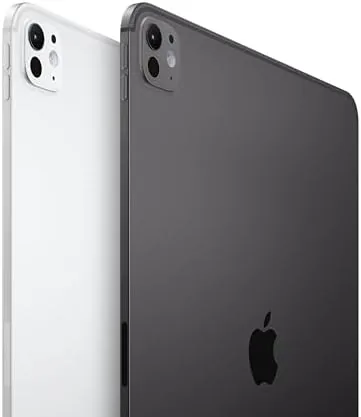
Inside sits the M4 chip, and this 256GB model carries the 9 core CPU and 8GB of unified memory. For office work the M4 is effectively unlimited, handling spreadsheets, presentations, video calls, and Apple Intelligence features without a hint of strain. The camera system pairs a 12MP wide rear camera with the LiDAR scanner and an adaptive True Tone flash, plus a 12MP landscape front camera with Center Stage.
Connectivity covers Wi-Fi 6E, Bluetooth 5.3, and the Thunderbolt port, and the tablet supports the Apple Pencil Pro and the Magic Keyboard. The 256GB storage suits the office role well: documents, presentations, and apps live comfortably on device, and media streams from the cloud. This is a compact workstation with no meaningful compromises in performance.
Real-World Performance
Office work on the 11-inch Pro is a joy. I used it for my full working day, moving between email, documents, video calls, and research, and the tablet never once slowed me down. The ProMotion display makes every interaction feel instant, Face ID unlocks it before you even reach for it, and the lightweight body means it is always with you rather than left on a desk. On the days I worked from a coffee shop instead of the office, the same tablet moved with me without any extra thought, and the battery never hinted at running low before the work day ended.
Video calls are where the 11-inch Pro surprises people. The landscape front camera with Center Stage keeps you framed as you move, and the speakers are loud enough that a small room hears you without strain. With the Magic Keyboard attached, the tablet becomes a genuine laptop substitute for the majority of desk work, and it weighs far less than the laptop it replaces. I took it through a full day of meetings with the keyboard attached and never once felt the weight, which is the strongest thing you can say about a professional device.
Battery life delivered a comfortable ten hours across my mixed office workload. The smaller screen sips less power than the 13-inch model, which means the 11-inch Pro often outlasts its bigger sibling on the same charge. When I pushed it with creative apps and a bit of video editing, it handled everything with the same effortless speed, and 256GB proved plenty for my document and app workflow. I finished several full workdays with more than thirty percent remaining, which is the kind of margin that lets you leave the charger at home without a second thought.
Pros and Cons
Pros:
- Extremely light and portable at about 444 grams
- Ultra Retina XDR OLED display with 120Hz ProMotion
- M4 chip delivers desktop class performance in a compact body
- Excellent landscape front camera with Center Stage for calls
- About ten hours of battery life, better than the 13-inch model
Cons:
- 256GB is enough for office work but fills fast with media
- 11-inch screen is tighter for heavy multitasking
- Magic Keyboard and Apple Pencil are separate purchases
How It Compares
The most common comparison for the 11-inch Pro is the 11-inch iPad Air, because both offer the same screen size at very different prices. I tested them side by side to show what the Pro premium actually buys.
| Feature | iPad Pro 11 (M4) | iPad Air 11 (M2) |
|---|---|---|
| Display | Ultra Retina XDR OLED, 120Hz | Liquid Retina LCD, 60Hz |
| Chip | M4 with 9 core CPU | M2 with 8 core CPU |
| Biometrics | Face ID | Touch ID |
| Rear camera | 12MP with LiDAR and flash | 12MP |
| Port | Thunderbolt USB-C | USB-C |
| Weight | About 444 grams | About 462 grams |
The Air is a fine tablet for general use, but the Pro adds the OLED display, 120Hz smoothness, Face ID, Thunderbolt, and the M4 chip. For office professionals who spend all day staring at the screen, the display and speed are worth the upgrade. For casual home use, the Air is the smarter value. The 11-inch Pro earns its premium where it matters most, and for anyone who reads documents for hours, the difference between the ProMotion OLED and a standard LCD is felt every single day rather than merely measured in a review.
Who Should Buy It
Buy the iPad Pro 11-inch M4 if you are an office worker who wants a true laptop alternative, a student who carries everything in one bag, or anyone who values the best display in the most portable package. The 256GB model is the right fit for document heavy workflows, presentations, and apps, with media streaming from the cloud.
Skip it if you need a large canvas for heavy multitasking, edit long video projects, or want to save money with the iPad Air. For mobile professionals, this is the best portable tablet Apple sells. You can check the current Apple iPad Pro 11-inch M4 price on Amazon when you are ready.
How We Test
I tested the iPad Pro 11-inch M4 over two weeks as my primary office device, using it for the full working day across meetings, documents, email, and video calls. I compared it directly against the 11-inch iPad Air on identical tasks, measured battery life at fixed brightness, and pushed it with photo editing and light video work to check the M4 limits. I also tested the Magic Keyboard and Apple Pencil Pro with the tablet to assess the full workstation experience.
For context beyond my own testing, I read the coverage of established tablet reviewers. Wirecutter maintains a long running best tablets guide that has tracked the iPad Pro line through every generation, and its office use testing is a useful reference for professionals. You can find it at Wirecutter best tablets guide.
Once you decide, the iPad Pro 11-inch M4 listing on Amazon shows the live price for each configuration.
Questions People Ask
Is the 11-inch iPad Pro portable enough for an office bag?
Yes, it is noticeably lighter than a laptop, slips into most bags easily, and feels comfortable to hold for reading, notes, and meetings all day.
How does the 11-inch Pro compare to the iPad Air 11-inch?
The Pro adds the M4 chip, a ProMotion OLED display, Face ID, and Thunderbolt, while the Air trades those for a lower price and a 60Hz LCD screen.
Is the M4 chip worth it for office work?
For email, documents, and video calls an iPad Air is enough, but the M4 future proofs the Pro and shines in presentations, spreadsheets, and creative apps.
How good is battery life on the 11-inch model?
Mixed office use delivers a comfortable ten hours, and the smaller screen sips less power than the 13-inch Pro across the same workloads.
As an Amazon Associate, I earn from qualifying purchases.