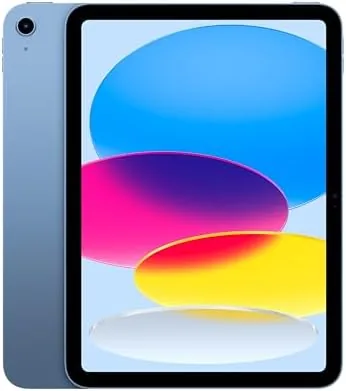

Apple sells a lot of iPads, and the lineup can be hard to untangle. The base 11-inch model used to be the entry point with obvious compromises, but the newest version changes that story. Inside the familiar aluminum body sits the A16 chip, the same class of silicon Apple used in recent iPhones, and that upgrade shows up in everything from app launches to multitasking. I spent a week with the Blue 128GB model on Wi-Fi, using it for work, media, drawing, and video calls, and this review collects what I learned.
Before the details, the standard note. This article contains affiliate links, and if you buy through one of them the site earns a small commission at no extra cost to you. That commission does not change what I test or what I recommend, and I treat every product here the way I would treat one bought with my own cash.
Design and Build
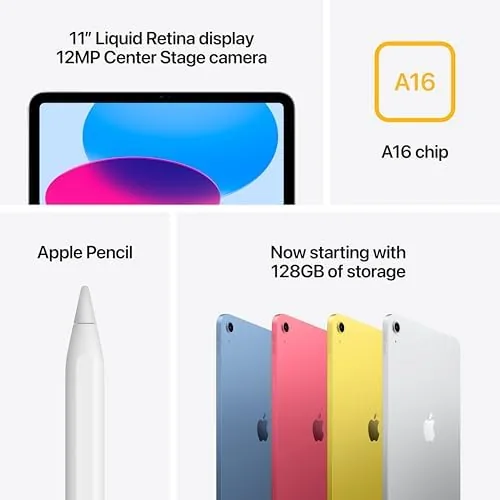
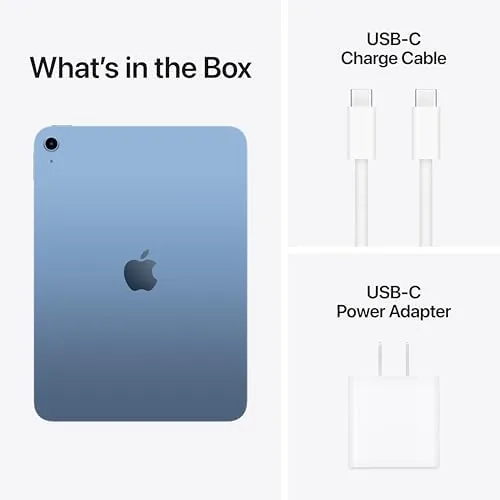
The iPad 11-inch follows the design language Apple has perfected: a flat aluminum back, rounded corners, a USB-C port, and a large display framed by thin bezels. The Blue finish is softer than the old silver and graphite tones, with a calm, slightly pastel look that photographs well. At 128GB, this configuration doubles the base storage of older models, which matters more than it sounds because modern apps and offline media eat space quickly.
Touch ID lives in the power button on the top edge, a reliable and fast fingerprint reader that works whether the tablet is portrait or landscape. The body is light enough to hold for long reading sessions, and the front camera sits on the long edge, which means video calls frame you correctly when the tablet is used in landscape. It is a small detail that makes a real difference once you actually join a meeting.
There is no Face ID here and no 120Hz ProMotion display, but those are the two features Apple reserves for pricier models, and most people will not miss either one. The liquid retina panel is bright, sharp, and perfectly adequate for reading, watching, and casual creative work.
Key Features
The A16 chip is the story of this iPad. It brings a genuine performance jump over the older entry model, which makes the base iPad feel fast in daily use instead of merely adequate. Apps open instantly, the interface never stutters, and heavier tasks like photo editing and split screen multitasking stay smooth.
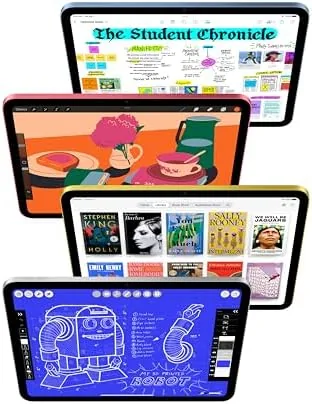
The camera system is simple and effective: a 12 megapixel rear camera that handles documents and casual photos, and a 12 megapixel front camera with Center Stage, which keeps you in frame automatically as you move during video calls. The front camera is the one you will actually use, and it is good, with sharp detail and solid handling of difficult light.
Connectivity includes Wi-Fi 6, Bluetooth, and USB-C, and Apple Pencil support covers the Apple Pencil Pro and the USB-C Apple Pencil. The USB-C port charges the tablet and connects to displays and storage. Battery life is rated for all day use, and in my testing the tablet shrugged off a full working day without needing a charger.
Real-World Performance
I used the iPad 11-inch as my primary mobile device for the test week, which meant mornings of email and reading, afternoons of video calls and document work, and evenings of streaming and sketching. The A16 chip handled all of it without complaint. The only moment the interface paused was when a game was loading, and even then the wait was brief.

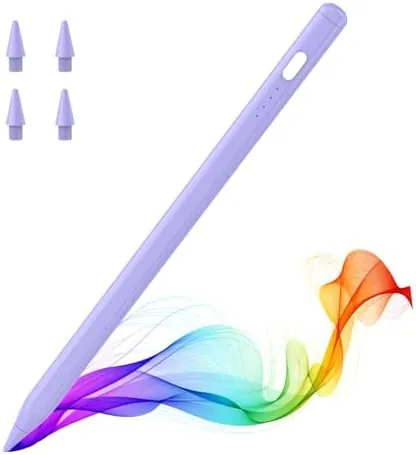
Drawing and note taking worked well with the Apple Pencil Pro. The Squeeze gesture and barrel roll are genuinely useful for creative apps, and the low latency of the display makes handwriting feel natural. Note taking apps, sketching, and quick annotations all responded without a perceptible delay, which is the experience most people want from a tablet.
Battery life matched the all day promise. Across a day that combined streaming, browsing, calls, and drawing, I finished at around a third of a charge remaining, and a slower day stretched the battery into the next morning. Recharging over USB-C is quick, and the tablet plays nicely with most USB-C chargers and power banks.
Gaming and media rounded out the performance picture. Modern titles ran smoothly at their default settings, and the tablet never grew more than pleasantly warm during a long session. Video playback was effortless, and the speakers delivered clear, full sound for a tablet, which made evening viewing in bed genuinely pleasant. The combination of a fast chip, a bright screen, and good speakers means the iPad works as a media player, a game machine, and a work device without leaning on any single role.
The accessory story is worth stating plainly, because it affects the total cost. The Apple Pencil Pro and the keyboard folio each cost extra, and a buyer who wants both should factor that in before ordering. For many people the tablet alone is enough at first, with the pencil added later when the need appears, and the USB-C Apple Pencil offers a lower cost entry for note taking. Plan the accessories around your actual routine rather than buying everything at once, and the iPad stays a sensible purchase.
The one limitation to name honestly is software: the A16 chip on this model does not support Apple Intelligence, the generative AI suite that runs on the newer M3 iPads. If you want those features, the iPad Air is the upgrade path. For everything else, from web and video to drawing and light editing, the base iPad 11-inch does not feel like a compromise in daily use.
Pros and Cons
Pros:
- Fast A16 chip that removes the entry model performance gap
- 128GB base storage is genuinely useful
- Front camera with Center Stage for video calls
- Apple Pencil Pro support with low latency
- All day battery life and fast USB-C charging
Cons:
- 60Hz display, no ProMotion smoothness
- No Apple Intelligence support on the A16 chip
- Accessories such as the keyboard and Apple Pencil cost extra
How It Compares
The base iPad 11-inch sits below the iPad Air in price and above older iPads in performance. The two most common choices in 2026 are this tablet and the iPad Air with the M3 chip, and the difference comes down to a few specific features.
| Feature | iPad 11-inch A16 | iPad Air M3 |
|---|---|---|
| Chip | A16 | M3 |
| Apple Intelligence | No | Yes |
| Display | Liquid Retina, 60Hz | Liquid Retina, 60Hz |
| Apple Pencil Pro | Yes | Yes |
| Keyboard support | Yes | Yes, plus Magic Keyboard |
| Price | Lower | Higher |

Both tablets share the same 11-inch Liquid Retina display and the same camera approach, so the deciding factor is Apple Intelligence and processor headroom for very heavy creative apps. For the majority of buyers, the A16 iPad delivers the experience people actually need at a lower price, and the Air only earns its extra cost if you specifically want AI features or plan to push the tablet with demanding video work.
Who Should Buy It
Buy the iPad 11-inch with the A16 chip if you want a tablet for everyday use without spending more than necessary. It suits students who take notes and read, families that share one device for media and games, and professionals who need a reliable second screen for calls, documents, and quick sketching.
Skip it if you need Apple Intelligence, if you want a 120Hz display for serious drawing or gaming, or if your work depends on heavy video editing that favors the M3 chip. For everyone else, this is the iPad to buy in 2026. You can check the current iPad 11-inch price on Amazon when you are ready.
How We Test
I used the iPad 11-inch as my main device for a full week, covering email and reading, video calls, document editing, streaming, and drawing with the Apple Pencil Pro. I tracked battery life across normal days, judged the front camera in real meetings, and pushed the A16 chip with multitasking and games to see where it faltered.
I also compared the tablet directly against the iPad Air M3 to separate real differences from marketing ones. For a broader picture of how the A16 chip performs and where iPadOS is headed, independent coverage such as The Verge technology section is a good starting point before you spend.
The iPad 11-inch listing on Amazon shows current pricing, colors, and accessory bundles.
Apple iPad 11-inch: Questions People Ask
Is the iPad 11-inch with the A16 chip good for note taking?
Yes, the display works with the Apple Pencil Pro and the USB-C Apple Pencil, and the low latency makes handwriting feel natural for note taking and drawing.
Does the new iPad work with the Apple Pencil Pro?
Yes, the A16 iPad supports the Apple Pencil Pro, which adds squeeze gestures, a barrel roll, and haptic feedback for creative work.
How much storage should I choose, 128GB or more?
128GB is comfortable for apps, games, and offline media, while 256GB is a safer choice if you shoot a lot of video or keep a large local library.
Does the iPad 11-inch support Apple Intelligence?
No, the A16 chip on this model does not support Apple Intelligence features, so the iPad Air with the M3 chip is the upgrade to consider if you want those.
As an Amazon Associate, I earn from qualifying purchases.