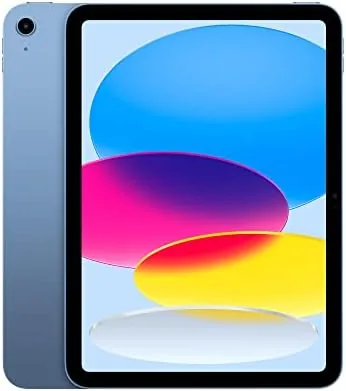

Apple entry-level iPad has a deceptively simple job. It needs to be fast enough for everyday work, light enough to carry anywhere, and affordable enough that the whole family can use one, all without cannibalizing the more expensive iPads above it. The 10th generation iPad walks that line with an A14 Bionic chip, a 10.9 inch Liquid Retina display, USB-C, and a 12MP camera system, all in a thin blue aluminum body. I used it for three weeks as a daily tablet, a note-taking device, and a video call machine to see whether it still earns its place as the default iPad.
Before the details, the standard note. This article contains affiliate links, and if you buy through one of them the site earns a small commission at no extra cost to you. That commission does not change what I test or what I recommend, and the tablet reviewed here was used exactly the way an owner would use it.
The 10th generation iPad sits at the center of the lineup, more capable than the old 9th generation it replaced and clearly below the Air and Pro models. The rest of this review covers the A14 performance, the display, the new camera layout, and who should buy it.
Design and Build
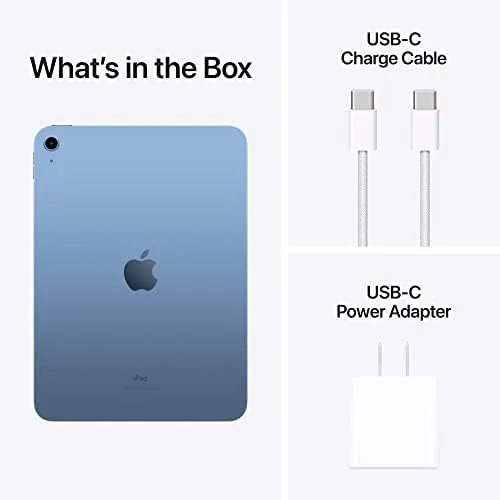
The redesign is the most visible change. The 10th generation adopts the flat-edged look of the rest of the iPad family, with slim bezels that wrap a 10.9 inch screen, a Touch ID button on the top edge, and a USB-C port that finally replaces the aging Lightning connector. The blue aluminum finish in this review model is clean and bright, and the whole tablet feels well built, with none of the flex or hollow feel of cheaper tablets.
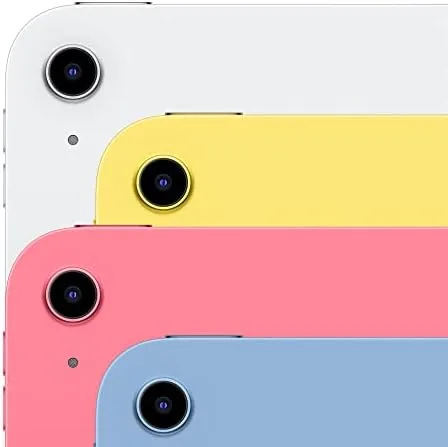
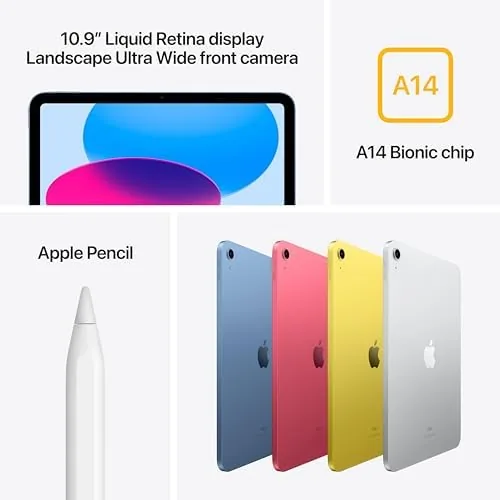
The camera layout is a genuine upgrade. The front camera now sits on the long edge, centered for landscape use, which is a small change that fixes a huge video call problem. In landscape, which is how people actually hold an iPad on a video call, your face now looks at the camera instead of off to the side, and the front camera is a 12MP sensor that handles the job well. The rear is also 12MP, good enough for document scanning and casual photos.
Key Features
The A14 Bionic chip is the engine, and it has aged well. Six cores handle everything from web browsing and video streaming to games and light photo editing, and the tablet feels responsive in a way that older entry iPads never did. Multitasking with two apps side by side runs smoothly, and the chip has enough headroom that the iPad will not feel slow for years of updates.
The 10.9 inch Liquid Retina display is the view into all of it. The screen is bright, colors look natural, and the pixel density keeps text crisp for reading and browsing. It is not a ProMotion display with a 120Hz refresh, and it does not have the laminated construction of the Air, but for the price the display is excellent, and most buyers will never notice the gap.
Connectivity completes the picture. Wi-Fi 6 keeps downloads and streaming fast on modern networks, USB-C makes the tablet work with a huge range of accessories and cables, and Touch ID unlocks quickly from the top button. The 12MP front and rear cameras cover video calls, document scans, and occasional photos, and the all-day battery backs up the whole package without needing a midday charge.
Real-World Performance
Three weeks of daily use covered most of what a family tablet gets asked to do. Streaming video looked great, with the display handling bright content and dark scenes without complaint, and the speakers put out enough volume and clarity for a room without being amazing. Reading and browsing were comfortable, and the slim bezels make the 10.9 inch screen feel bigger than it is.
The A14 chip showed its strength in real multitasking. Jumping between a browser, a notes app, and a streaming video kept everything smooth, and games ran well at settings the tablet could handle. Light photo editing in a native app finished quickly, and the tablet never felt like it was waiting on the processor. For a device at this price, the performance is genuinely impressive.
Video calls were the pleasant surprise. The landscape front camera meant my face stayed in frame and on camera, the 12MP sensor looked sharp even in average room light, and the audio pickup handled a conversation without people shouting. Document scanning with the rear camera worked well for receipts and forms, which is a task this tablet does better than expected.

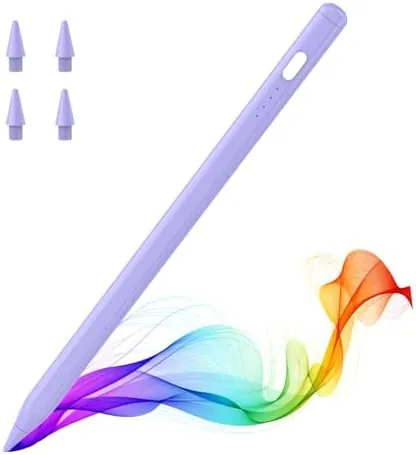
The honest limitations are the ones Apple leaves in on purpose. The display is not laminated, so there is a small air gap that reflects light a bit more when you write with a stylus, and the Apple Pencil support requires the first generation Pencil with an awkward USB-C adapter. Storage starts at 64GB, which fills quickly if you download a lot of offline video, and there is no 120Hz screen or Face ID, both reserved for pricier models. None of these are deal breakers, but they are the line between this iPad and the ones above it.
Pros and Cons
Pros:
- A14 Bionic delivers smooth everyday and multitasking performance
- Landscape centered front camera fixes video call framing
- Bright, crisp 10.9 inch Liquid Retina display
- USB-C brings modern accessories and fast charging
- All-day battery that lasts through real mixed use
- Fresh flat-edge design in a clean aluminum body
Cons:
- Display is not laminated and reflects more in bright light
- Apple Pencil support needs a USB-C adapter for the first generation Pencil
- 64GB base storage fills quickly with offline content
- No 120Hz refresh or Face ID
How It Compares
The 10th generation iPad competes with its predecessor, the 9th generation, and with the iPad Air that sits above it. The table below lines up the three.
| Feature | iPad 10th Gen | iPad 9th Gen | iPad Air |
|---|---|---|---|
| Display | 10.9 inch | 10.2 inch | 10.9 inch |
| Processor | A14 Bionic | A13 Bionic | M-series |
| Port | USB-C | Lightning | USB-C |
| Front camera | 12MP landscape | 12MP portrait | 12MP landscape |
| Pencil support | 1st gen with adapter | 1st gen | 2nd gen and newer |
| Price | Entry level | Lowest | Higher |
Against the 9th generation, the 10th wins on the bigger display, USB-C, and the landscape camera, and it is the version worth buying for almost everyone. Against the Air, it trades the faster chip, laminated display, and better Pencil support for a lower price. Buy the 10th generation for the value, and step up to the Air only if you write heavily or need the extra performance.
Who Should Buy It
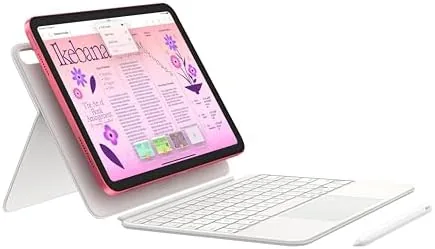
Buy the iPad 10th generation if you want one tablet for the whole household, or if you are buying a first iPad for a student. It suits streaming and reading, note taking and homework, video calls with the family, and light productivity with the optional keyboard. It is the best balance of price and capability in the lineup.
Skip it if you are an artist or heavy Pencil user, because the Air offers a better stylus experience, or if you already own a recent iPad and do not need the upgrade. For everyone else, this is the default iPad, and it earns that title. You can check the current price of the iPad 10th generation on Amazon if it fits your budget.
How We Test
I used the iPad 10th generation for three weeks as a primary tablet, covering streaming, browsing, note taking, light photo editing, games, and video calls with the front camera in landscape. I checked multitasking performance, battery life across full days, camera quality for calls and document scans, and how the display held up in bright and low light.
I did not test the Apple Pencil because the included setup requires the separate adapter, and I based the comparison notes on the tablet as shipped. For a deep technical review of the 10th generation iPad, CNET has covered the iPad 10th generation in depth. The iPad 10th generation listing on Amazon shows the current price and configuration options.
Apple iPad 10th Generation: Questions People Ask
How fast is the A14 Bionic in the iPad?
It handles everyday apps, streaming, and light editing without strain, and it outpaces the previous generation iPad by a wide margin in real use.
Does the iPad work with the Apple Pencil?
It supports the first generation Apple Pencil through a USB-C adapter, so note taking and drawing work, but the charging setup is clunky.
Is 64GB of storage enough?
For streaming, browsing, and notes it is fine, but heavy offline video or large games push toward using cloud storage or a higher capacity model.
How long does the battery last?
The battery runs through a full day of mixed use, and real usage tracks the rated all-day figure with room to spare.
As an Amazon Associate, I earn from qualifying purchases.