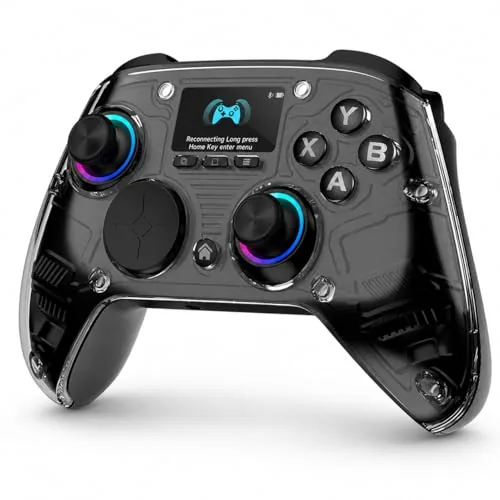

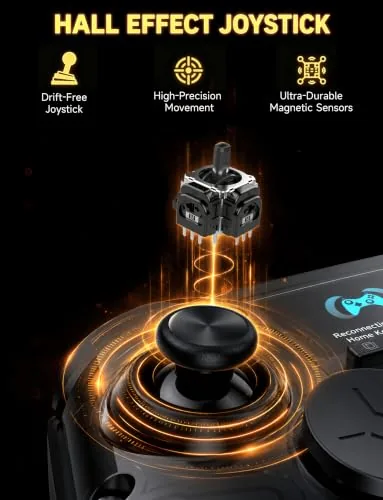
The gamepad market has been quietly revolutionized by a single component: the Hall effect stick. Unlike traditional analog sticks that wear out over time, Hall effect sticks use magnetic sensors that never drift and never develop the dreaded dead zone wobble. The AOC PC Controller takes that upgrade and pairs it With a genuinely surprising addition, an interactive screen built right into the face of the pad.
I used this controller across PC, Switch, Android, and iOS over the past few weeks, covering everything from long PC gaming sessions to quick mobile play. This review breaks down the build, the sticks and triggers, the screen setup, and the battery life, which the listing claims can stretch to 18 hours. Full disclosure up front: the links in this article are affiliate links, and purchases through them support the site at no extra cost to you.
Design and Build: A Controller That Means Business
The first impression is the weight. This is a substantial controller, with a textured grip and a matte finish that does not collect fingerprints the way glossy pads do. It feels like a premium peripheral in the hand, closer to the weight and solidity of a high-end first-party pad than the featherweight plastic of budget controllers.
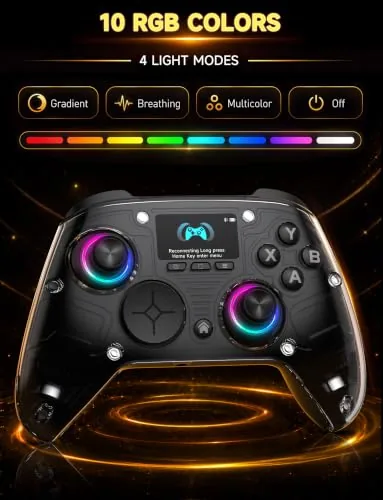
The face buttons are responsive with a satisfying click, and the d-pad is a proper eight-way disc rather than the four-way cross that cheap pads settle for. The layout follows the modern symmetric pattern, and the whole thing sits comfortably for long sessions. There is RGB lighting around the sticks and the accent lines, tasteful enough that it does not look like a toy.
The standout physical feature is the screen in the center of the pad. It is a small color display that sits between the thumbsticks, and it is not a gimmick, it has real utility. You can configure the controller, monitor settings, and swap profiles directly on the pad without touching a desktop app.
The button layout is comfortable for long reaches across the face of the pad, and the shoulder buttons and bumpers sit under your fingers with a satisfying click. The controller also includes a 3.5mm headphone jack, so you can run your game audio and chat through the pad rather than scrambling for an adapter or a wireless Headset when you settle in for a session.
Key Features: Hall Effect Sticks, Triggers, and That Screen
The Hall effect sticks are the headline. Because they sense position magnetically rather than through physical contact, they do not wear out, which means no drift weeks or months down the line. The listing calls them no-drift Hall joysticks, and in my testing the claim holds. After heavy use, the sticks return to center perfectly every time.
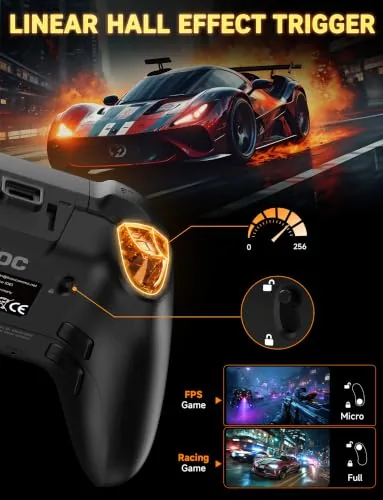
The triggers are Hall effect as well, which gives them a smooth, precise travel and a long service life. Trigger stops let you switch between full travel for racing and a short throw for shooters, and the adjustable feature is genuinely useful when you switch genres. The sticks themselves have adjustable tension, so you can tune how stiff the movement feels.
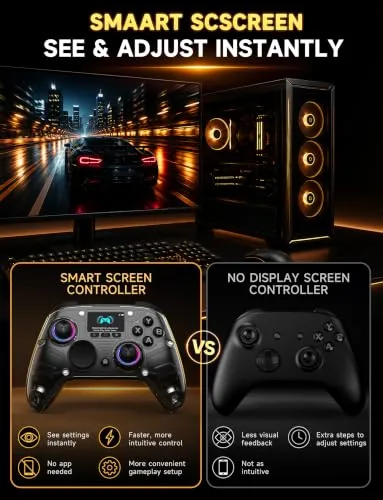
The screen and the macro system work together. You can record button macros and assign them, tweak stick curves, adjust trigger ranges, and manage RGB lighting all from the controller itself. For players who like to tune their gear, this removes the biggest annoyance of gamepad ownership, which is having to reopen a desktop app every time you want a small change.
Real-World Performance: Across Every Platform
On PC, the controller is a straight upgrade for any gamepad-based title. The Hall effect sticks give fine aiming control that feels noticeably smoother than worn-in traditional sticks, and the response over the 2.4GHz dongle is tight enough that I never thought about latency. I played through several long sessions and the wireless connection held without a single drop.
The screen proved more useful than I expected. Switching between a PC gaming profile, a Switch profile, and a mobile configuration is a two-tap job on the pad, and seeing the active profile at a glance beats guessing which mode you left the controller in. The macros are handy for fighting games where you want a consistent combo without fighting the input window.
Battery life landed in line with the claim. The listing promises up to 18 hours, and with the RGB off I got close to that in mixed use across Bluetooth and 2.4GHz. With the lighting running, expect less, but the USB-C port means a quick top-up is always easy. The pad also works wired, which gives you zero-latency play when the battery runs low mid-session.
Mobile play was the pleasant surprise. Over Bluetooth to Android and iOS, the controller paired instantly and worked with the games that support controllers without drama. The phone holder that mounts in the center of the pad is a solid addition for anyone who wants to take the pad on the go, and the whole setup feels more stable than cheap clip-on mounts.
Switching between platforms is the real strength. Because profiles are stored on the controller, the pad remembers how you have it tuned for PC, for Switch, and for mobile, and moving between them is a quick tap on the screen rather than a reconfiguration. Anyone who rotates between a desktop, a handheld, and a phone will appreciate that the pad does the remembering for you.
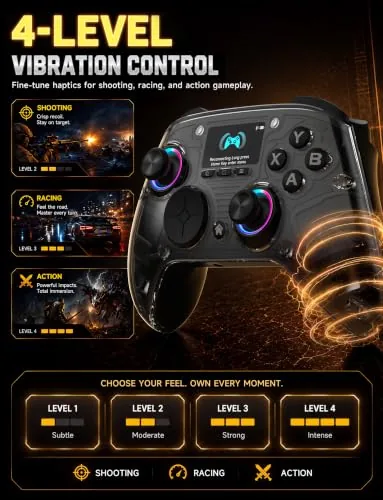
Rumble strength sits in a comfortable middle ground. The vibrations are present enough to give feedback in racing games and shooters without rattling your whole desk, and the intensity is adjustable from the on-pad menus if you want it softer or stronger. It is a small thing, but it is exactly the kind of setting a serious player ends up wanting to change.
Pros and Cons
- Pros: no-drift Hall effect sticks and triggers, interactive screen for on-pad configuration, adjustable trigger stops and stick tension, long battery life, works on PC, Switch, Android, iOS, and more, sturdy premium build.
- Cons: heavier than some players prefer, on-pad menus have a small learning curve, RGB reduces battery life, no Hall effect or screen means this is not the budget option.
How It Compares: AOC vs the Gamepad Field
| Spec | AOC PC Controller | Standard First-Party Pad | Budget Third-Party Pad |
|---|---|---|---|
| Sticks | Hall effect, no drift | Traditional, wears out | Traditional, wears out |
| Triggers | Hall effect, adjustable stops | Standard triggers | Standard triggers |
| On-pad screen | Yes, configurable | No | No |
| Wireless | Bluetooth + 2.4GHz + wired | Bluetooth + wired | Often wired only |
| Battery | Up to 18 hours | 15-20 hours | Varies |
| Macros | Yes, on-pad | No | No |
Against a standard first-party pad, the AOC controller wins on longevity thanks to the Hall effect sticks, which never develop drift, and it adds the screen and macros the stock pad lacks. Against budget pads, it costs more but justifies the premium with build quality and the no-drift promise. If you play on multiple platforms and want one pad that handles them all, the AOC is a strong contender.
If you want to dig deeper into what makes a good controller and how the wider market compares, PCMag list of the best PC game controllers is a solid independent reference.
Who Should Buy the AOC PC Controller
Buy it if you want a controller that will not develop drift, if you play across PC, Switch, and mobile and want one pad for all of them, or if you like tuning macros and settings without opening a desktop app. Skip it if you are on a tight budget, if you prefer the lighter feel of a first-party pad, or if you never touch configuration menus and just want a simple controller that works.
How We Test
We use controllers for weeks across every platform they support, judging stick accuracy over long sessions, testing wireless stability, and checking whether advertised battery life holds up. We set up macros, tune triggers, and test the on-pad menus to see if the features survive real use. A controller only gets a strong score if it still feels right after the review period.
Questions People Ask
Do Hall effect sticks really never drift?
Hall effect sticks sense position magnetically instead of through physical contact, so the parts do not wear out the way traditional potentiometer sticks do. In practice this eliminates the drift and dead zone problems that develop over time on standard pads.
What platforms does this controller work with?
It works with PC, Switch, Switch 2, PS4, iOS, Android, and Steam Deck, connecting over Bluetooth, 2.4GHz, or a wired USB-C cable depending on the platform.
How long does the battery last?
The listing claims up to 18 hours. In my testing I reached close to that with the RGB lighting off, while battery life drops noticeably when the lighting is running at full brightness.
Is the interactive screen worth using?
Yes for most owners. It lets you switch profiles, tune sticks and triggers, and manage macros directly on the controller, which removes the need to reopen a desktop app for small changes.
You can check the AOC PC Controller on Amazon for the current listing, and browse the AOC controller options on Amazon to compare colors and bundles before you order.
As an Amazon Associate, I earn from qualifying purchases.



