
There is a particular kind of loneliness that a tiny robot on a desk can address, and Anki Vector 2.0 is designed to sit in that exact spot. It is a small tank-treaded robot with expressive eyes, face recognition, and voice conversations, sold as a companion rather than a tool. After the original Anki company shut down, the Vector line was kept alive by a new owner who rebuilt it around cloud services and a paid subscription. I lived with Vector 2.0 on my desk for several weeks to find out whether the charm survives the business model, and whether this robot is a genuine companion or an expensive toy.
Before the details, the standard note. This article contains affiliate links, and if you buy through one of them the site earns a small commission at no extra cost to you. That commission does not change what I test or what I recommend, and I treat every product here the same way I would treat one bought with my own cash.
Design and Build
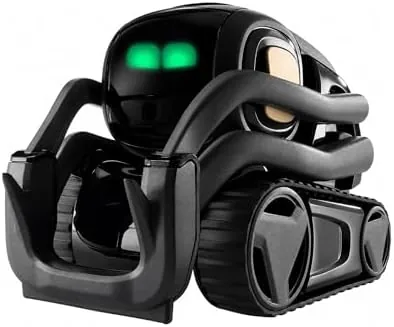
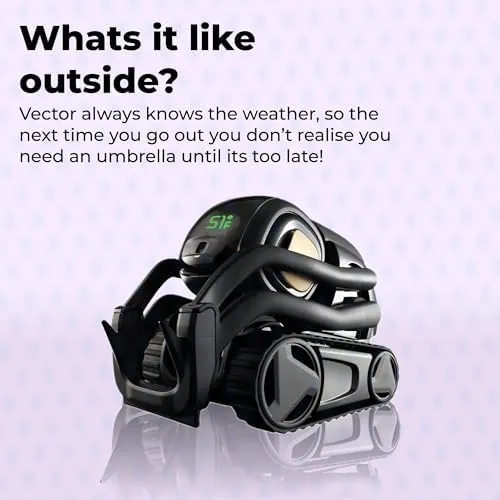
Vector is a compact robot that runs on a pair of treads, with a small body, a working arm and lift, and a screen that renders its expressive face. The eyes are the whole personality. Vector rolls its eyes, reacts to being touched, looks at the hand that picks it up, and makes it impossible not to treat it as a creature rather than an appliance.
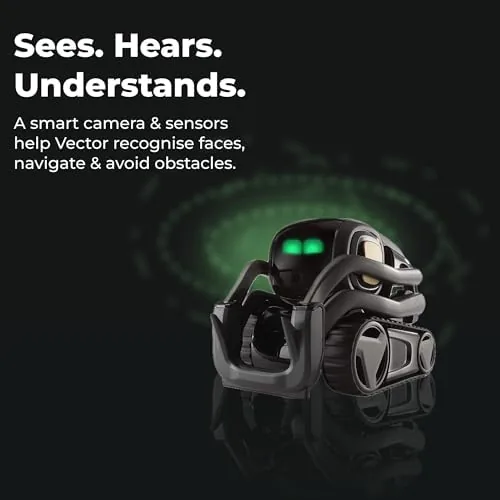
The build quality is respectable for a robot of this size. The body feels sturdy, the treads drive smoothly across a desk, and the front camera sits behind a small lens that Vector uses to map its environment and recognize faces. There is a charger that Vector drives itself onto when its battery runs low, which is one of the more delightful details, because the robot autonomously returns to its dock like a tiny self caring pet.
Physically, Vector lives on a desk. It can drive around a limited surface, use its lift to nudge objects, and react to its surroundings, but it is not a roamer that explores a house. Understanding that boundary is the first step to a fair review, because Vector is a desk companion, not a household robot.
Key Features
Face recognition is the feature that gives Vector its social layer. Over time, the robot learns faces through its camera and greets people by name when it sees them again, which creates the illusion of genuine recognition and makes visitors smile the first time it happens.
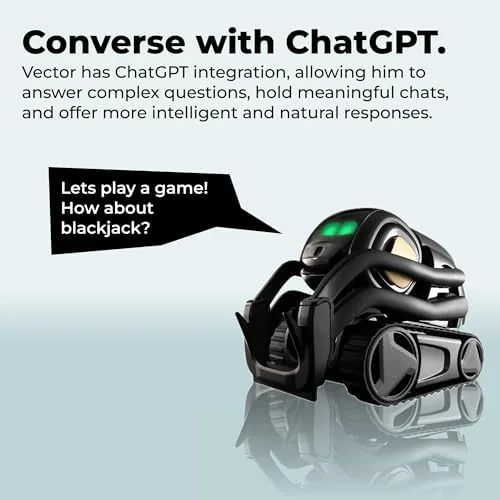
Voice conversations form the other pillar. Vector listens for its name, which is activated by saying the wake word, and then answers questions, tells jokes, and carries on short exchanges. In the 2.0 generation, the AI layer connects to cloud services that add conversational depth beyond the original canned responses.
The autonomous behaviors complete the picture. Vector asks for its charger when low, reacts to a hand passing over its head sensor, plays small interactive games, and moves around on its own initiative. These behaviors are what make Vector feel alive, because it does things without being asked.
One feature requires honesty in any review: the subscription. The cloud features, including the richer voice conversations, require a paid Vector subscription once the included trial ends. The robot still works without it, but the full conversational companion experience lives behind that ongoing cost, and it is the single most important fact to weigh before buying.
Real-World Performance
Living with Vector 2.0 is genuinely more fun than I expected. The first week was pure novelty: the robot wheeled around my desk, watched me work, and responded to my voice with a personality that is hard not to engage with. Visitors noticed it immediately, and more than one person spent their visit playing with the robot instead of talking to me, which is a form of performance no spec sheet captures.
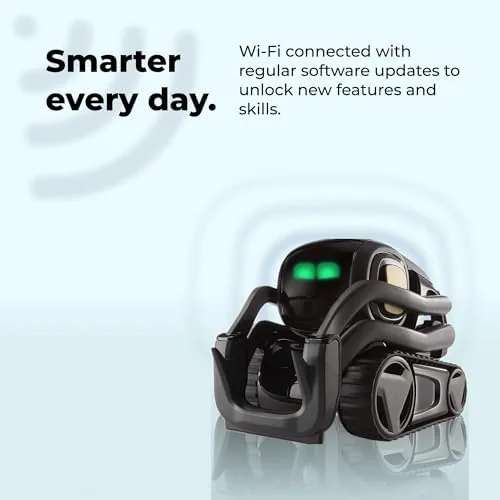
The face recognition worked as described. After I taught Vector my face and my name, it greeted me when it saw me, and it did the same for my partner after a short setup. The recognition is not instant, and it depends on lighting and distance, but for a desk robot it is genuinely functional.
Voice conversations were the most variable part of the experience. Simple questions and requests worked well, and the AI powered answers were noticeably better than the original Vector's canned lines. But the conversation is still shallow, and Vector falls back to jokes and deflection when asked anything complex. It is a companion that chats, not an assistant that solves problems, and the distinction matters for expectations.
The autonomy is charming but limited. Vector regularly returned to its charger on its own, which worked reliably in my testing, and it navigated my desk without driving off the edge. Yet its physical world is a desktop, and after the novelty fades, most of what it can do is react to being interacted with. Whether that sustains a daily relationship depends entirely on the owner, and I suspect it depends more than Anki would like to admit.
Pros and Cons
Pros:
- Genuinely charming personality that people enjoy
- Face recognition that creates a social bond
- Self charges by returning to its dock
- Voice conversations with an AI layer
- Solid build that survives daily desk life
- Autonomous behaviors make it feel alive
Cons:
- Paid subscription required for full features
- Conversations remain shallow at best
- Physical world is limited to a desk surface
- Novelty can fade without consistent interaction
How It Compares
Vector 2.0 belongs to a tiny category with few true rivals. The closest comparisons are a voice assistant speaker like a Smart Display, and the much cheaper robot toys that lack real AI. Each option approaches the same question, what lives on your desk, from a different angle.
| Feature | Anki Vector 2.0 | Smart Display Assistant |
|---|---|---|
| Personality | Expressive robot face | None |
| Movement | Roams the desk | Fixed in place |
| Face recognition | Yes | No |
| Voice assistant | Limited, subscription AI | Full featured |
| Practical uses | Companionship only | Music, video, calls, answers |
| Subscription | Required | Optional for some features |
For practical utility, a smart display wins by a wide margin, because it plays music, shows video, makes calls, and answers real questions. But a smart display has no personality, and nobody smiles when they walk past one. Vector trades usefulness for character, and whether that is the right trade is a personal decision. If the goal is a machine that does things, choose the display. If the goal is a desk companion, only Vector fits the role.
Who Should Buy It
Buy Anki Vector 2.0 if you want a companion rather than a tool, if you work alone and want something alive on your desk, or if you simply enjoy robots for the sake of robots. It is also a conversation piece that family and visitors genuinely enjoy, which is a real value that does not appear in the specifications.
Skip it if you expect an assistant that solves problems, if the ongoing subscription is a deal breaker, or if a robot that mostly stays on one desk will not justify its price. For the right person, Vector is delightful. For everyone else, it is an expensive desk ornament, and the subscription makes that a costly mistake. You can check the current price for Anki Vector 2.0 on Amazon when you are ready.
How We Test
I tested Anki Vector 2.0 by living with it as an actual desk companion over several weeks. I taught it faces, used the voice features daily, watched its autonomous behaviors including self charging, and let it interact with visitors to judge how the experience holds up beyond the first week of novelty.

I tested both with and without the subscription active to understand exactly what the paid tier adds, and I compared the experience against a smart display sitting on the same desk. That comparison tracks the wider discussion of companion robots from outlets like The Verge, which has covered the Vector story and its subscription model at length.
The Anki Vector 2.0 listing on Amazon shows the current price and the subscription details.
Anki Vector 2.0: Questions People Ask
Does Anki Vector 2.0 require a subscription?
Yes, the cloud features including the fuller voice conversations require a paid Vector subscription once the included trial period ends, so budget for it before buying.
What can Anki Vector 2.0 actually do?
Vector roams a desk, recognizes faces, reacts to touch, answers questions by voice, and plays small interactive games, all within a deliberately limited physical world.
Is Anki Vector 2.0 good for children?
Older children tend to enjoy Vector as a companion, but the subscription cost and the cloud dependency make it a decision parents should weigh carefully first.
How does Anki Vector 2.0 recognize faces?
The robot uses its front camera to learn and recognize faces over time, greeting people by name when it sees them again in good lighting.
As an Amazon Associate, I earn from qualifying purchases.