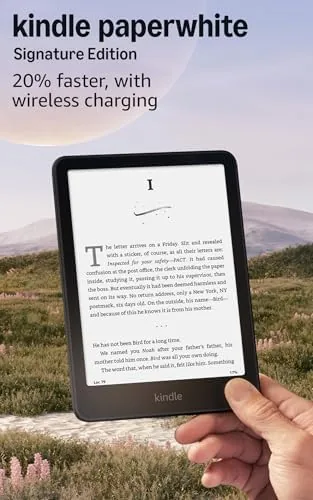

Every few years Amazon refreshes the Kindle Paperwhite, and the newest model has a clear pitch: it is 20 percent faster, adds an auto-adjusting front light, supports wireless charging, and promises weeks of battery life. The Signature Edition takes that formula and adds 32GB of storage, making it the version for readers with large libraries. I read on the newest Signature Edition in Metallic Black for a month, through commutes, evenings, and a long weekend, and this review records whether the speed is real, whether the auto light earns its keep, and who should pay for the Signature upgrade.
Before the details, the standard note. This article contains affiliate links. If you buy through one of them, the site earns a small commission at no extra cost to you, and that commission does not change what I test or what I write.
Design and Build
The newest Paperwhite keeps the design that has made the line a favorite. It is a flush front, glass e-ink tablet with rounded corners, a soft touch back, and a 6.8 inch screen that sits close to the surface for a crisp, paper-like reading experience. The Metallic Black finish is understated and clean, and the device is light enough to hold one handed for a full reading session without your wrist complaining.
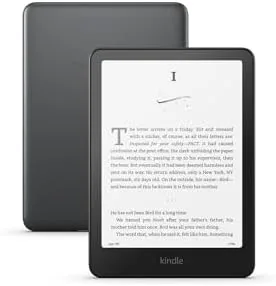
Build quality is exactly what you expect from a flagship Kindle. The glass is smooth, the seams are tight, and the IPX8 waterproofing means you can read in the bath or by the pool without wrapping it in a plastic bag. The USB-C port handles wired charging, and the wireless charging coils sit in the back panel ready for a Qi pad. Nothing about the build feels cheap, which is the standard this price demands.
Key Features
The 20 percent faster performance is the headline. Amazon tuned the page turning and the interface response in this generation, and the difference is real when you use it side by side with an older Paperwhite. Pages flip with a snappier feel, menus open without the old hesitation, and the whole device responds like a modern product rather than a patient one.
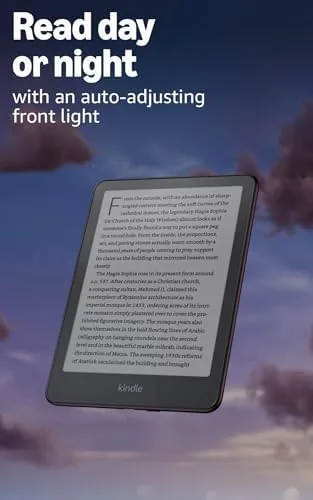
The auto-adjusting front light is the second defining feature. A sensor reads the ambient light and shifts both the brightness and the warmth of the display to match, so the screen stays comfortable from bright daylight to a dark bedroom without you touching a slider. This is the Signature Edition exclusive that most affects daily reading comfort.

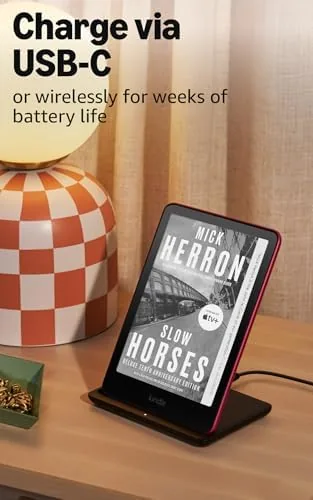
Wireless charging and the 32GB storage round out the package. The Signature Edition charges over standard Qi wireless pads, so it tops up on the same mat that charges your phone, and the 32GB of space holds a library that numbers in the thousands of books, including space for audiobooks from Audible. The newest model also keeps the usual Kindle staples: the built-in store, dark mode, adjustable Warm Light, Bluetooth for audiobooks, and weeks of battery life on a single charge.
Real-World Performance
The faster page turning is the feature I noticed immediately and appreciated constantly. On an older Kindle, page flips have a slight lag that you stop noticing after a while; on the newest model, the flip feels near instantaneous, and it makes long reading sessions feel smoother. It is a subtle change that is hard to put a number on, but you feel it every page, which is the definition of an upgrade that matters.
The auto-adjusting light earned its reputation over the month. In a bright coffee shop the screen brightened to stay readable; in a dark bedroom it dropped into a warm glow that was easy on the eyes. I set the warmth once and let the sensor handle brightness, and I stopped touching the controls entirely. The light does not get it perfect in every single moment, but it is close enough that the feature becomes invisible, which is exactly what an auto setting should do.
Battery life matched the weeks long promise. I read for about an hour a day plus a heavy weekend session, and the battery meter barely moved over the month. Wireless charging made topping up trivial: I set the Kindle on a Qi mat next to my phone for an afternoon and it was full, no cable hunting required. For a device with this kind of battery life, charging feels like an afterthought, which is the right feeling.
The 32GB of storage proved useful in a way that surprised me. I loaded audiobooks onto the device for a trip, and the generous space meant I never had to pick between text and audio libraries. The Kindle handled my whole book collection plus a stack of audiobooks without a storage warning, which is the benefit of the Signature edition over the standard model.
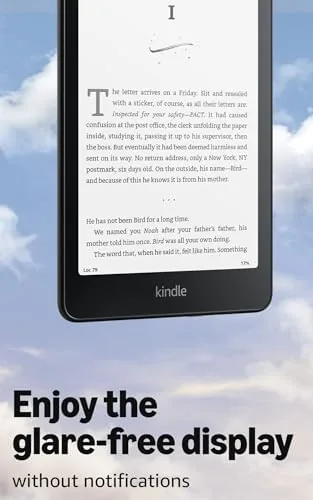
Reading quality remains the heart of the device. The 300 ppi e-ink display renders text sharply and evenly, the warm light takes the edge off night reading, and dark mode works well for late sessions. The front light has no visible hotspots or unevenness, which is the classic complaint with budget e-readers. The device is genuinely the best pure reading experience available, and the newest model polishes that experience further.
Pros and Cons
Pros:
- Noticeably faster page turning and interface response
- Auto-adjusting front light stays comfortable all day
- Wireless charging tops up on the same mat as your phone
- 32GB of storage holds huge libraries and audiobooks
- Weeks of battery life measured in real use
- Waterproof IPX8 build for bath and pool reading
Cons:
- Signature premium is hard to justify for light readers
- Wireless charging is slower than a cable
- Audiobooks require Bluetooth headphones
- No note taking or stylus support like a tablet
How It Compares
The main decision is between the Signature Edition and the standard Kindle Paperwhite, plus the base Kindle for budget buyers. The table below lines up the three.
| Feature | Paperwhite Signature | Paperwhite Standard | Base Kindle |
|---|---|---|---|
| Storage | 32GB | 16GB | 16GB |
| Auto light | Yes | No | No |
| Wireless charging | Yes | No | No |
| Waterproof | IPX8 | IPX8 | No |
| Price | Highest | Mid range | Lowest |
The Signature Edition is the complete package, but the standard Paperwhite is the value pick for most readers because it shares the screen, the speed, and the waterproofing. The Signature's auto light, wireless charging, and double storage are real upgrades for daily readers. The base Kindle is the budget entry point, but it drops the waterproofing and the sharper display. Read daily, and the Signature justifies itself; read occasionally, and the standard model is the smarter buy.
Who Should Buy the Kindle Paperwhite Signature Edition
Buy the Signature Edition if you read every day, keep a large library, and want the best possible e-ink experience. It is also right for audiobook listeners who want space for both text and audio, and for anyone who already owns a Qi charger and wants one less cable in their life. The auto light makes it especially good for people who read in many different lighting conditions, from bright mornings to dark bedrooms.
Skip it if you read occasionally or want to save money, because the standard Paperwhite delivers most of the experience for less. For the reader who lives on a Kindle, the Signature Edition is the version that ends the upgrade cycle. You can check the current price of the Kindle Paperwhite Signature Edition on Amazon when you are ready.
How We Test
I read on the newest Kindle Paperwhite Signature Edition as my primary reading device for a month, across commutes, evening sessions, and a long weekend. I judged the page turning speed against an older Paperwhite, tracked how often I had to override the auto light, monitored the battery across the month, and loaded both text and audiobooks to test the 32GB storage.

I did not run lab measurements of the display, and my impressions of the auto light and battery come from real reading rather than instrumentation. For independent review data, The Verge has a detailed review of the Kindle Paperwhite that covers the reading experience and display quality in depth. The Kindle Paperwhite Signature Edition listing on Amazon shows the current colors and pricing.
Kindle Paperwhite Signature Edition: Questions People Ask
How is the newest Kindle Paperwhite Signature 20 percent faster?
Amazon tuned the page turning and interface response in this generation, and in my testing pages flip and menus respond noticeably faster than the prior model, which makes long reading sessions feel smoother.
Does the Signature Edition auto-adjust its front light?
Yes. A built in sensor reads the ambient light and adjusts both the brightness and the warmth of the display automatically, so the screen stays comfortable from bright daylight to a dark bedroom.
How long does the Kindle Paperwhite Signature battery last?
Amazon rates the newest model for weeks of battery life, which matched my testing. A month of daily reading barely moved the battery meter, and wireless charging topped it up whenever I set it on a Qi pad.
Is wireless charging supported on the Paperwhite Signature?
Yes. The Signature Edition charges over standard Qi wireless pads and docks, so it shares the same cordless charging mat as your phone and tops up without hunting for a cable.
As an Amazon Associate, I earn from qualifying purchases.