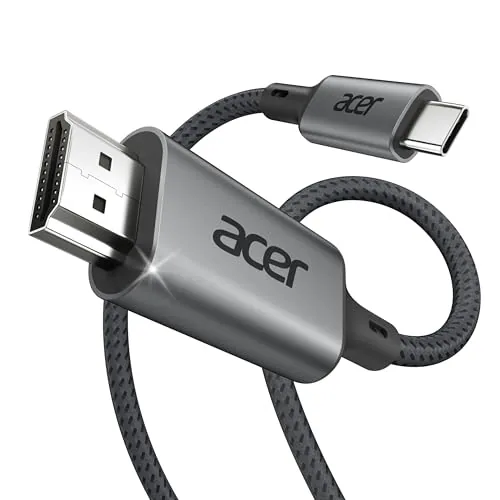

Modern laptops and tablets have a habit of trimming ports until all you have left is a USB-C socket, which is great for charging and frustrating for anyone who wants to plug into a monitor. The Acer USB-C to HDMI Cable solves that specific problem with a 6.6 foot braided cord that carries 4K at 60Hz from any USB-C source to an HDMI display. I used this cable to connect a laptop, a tablet, and a modern iPhone to a 4K monitor over two weeks of home office work, and this review is the record of what it does well, where it works, and where it expects the source device to cooperate.
Before the details, the standard note. This article contains affiliate links, and if you buy through one of them the site earns a small commission at no extra cost to you. That commission does not change what I test or what I recommend. The cable reviewed here was tested with my own monitors and devices.
A USB-C to HDMI cable is deceptively simple. One end fits the modern port on your device, the other fits any HDMI screen, and in between a small amount of electronics converts the signal. The rest of the review covers the build, the 4K output quality, the way it behaves across devices, and the compatibility questions that matter before you buy.
Design and Build
The cable is wrapped in a braided nylon sleeve that feels far more premium than the price suggests. Braided cables resist the tangles that plague cheap rubber cords, and they handle the twist and bend of daily desk life without cracking at the connectors. The USB-C plug fits snugly into a laptop, tablet, or phone, and the HDMI end locks into a monitor the way a proper HDMI connector should.
At 6.6 feet, the cable is the right length for a desk. It reaches from a laptop on the left of the desk to a monitor centered on the wall without stretching or leaving a loop of slack on the floor. The connectors are compact and metal capped, so they fit into the tight spaces around a monitor stand and the crowded side of a laptop.
The cable carries HDMI 2.0, which is exactly what you need for 4K at 60Hz, and the construction supports the bandwidth without the thin gauge cables that flicker under load. Two weeks of plugging and unplugging across multiple devices showed no wear at either end, which is the reliability you want from a cable that lives on a desk.
Key Features
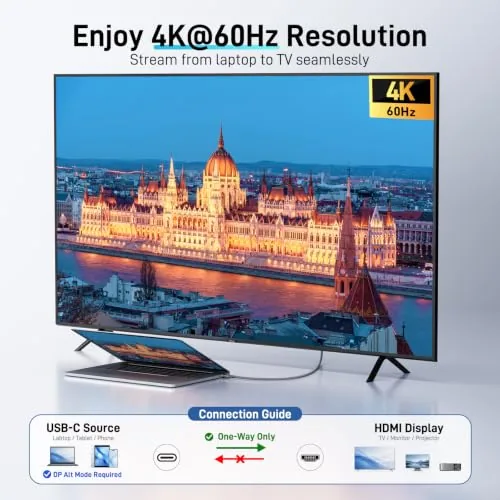
The headline feature is 4K at 60Hz over a single USB-C cable. That is the resolution and refresh rate that makes a modern monitor feel alive, and the cable delivers it with a stable signal, no flicker, and no need for a separate adapter or dock. Plug in and the display wakes up, which is the entire point.
Thunderbolt support is the second feature worth calling out. The cable works with Thunderbolt 4 and Thunderbolt 3 ports on MacBooks and other laptops, which is a broader compatibility net than a generic USB-C cable. That means it works across the MacBook lineup, many Windows laptops, and the newest iPads and iPhones that output video over USB-C.
The braided build is the feature you notice every day. It coils without fighting back, it survives being stuffed in a bag, and it does not develop the kinks that make cheap cables awkward at a desk. For a cable that is meant to be used constantly, that durability is a real part of the value.
Real-World Performance
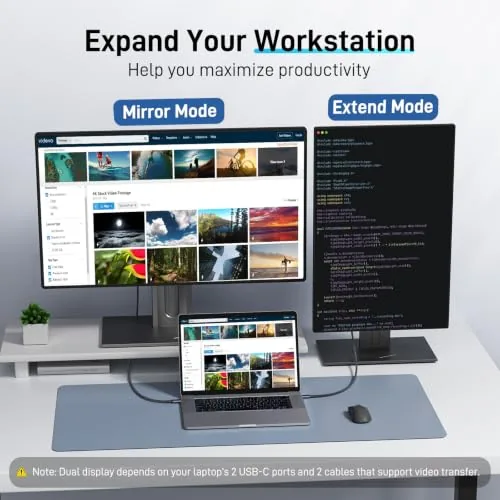
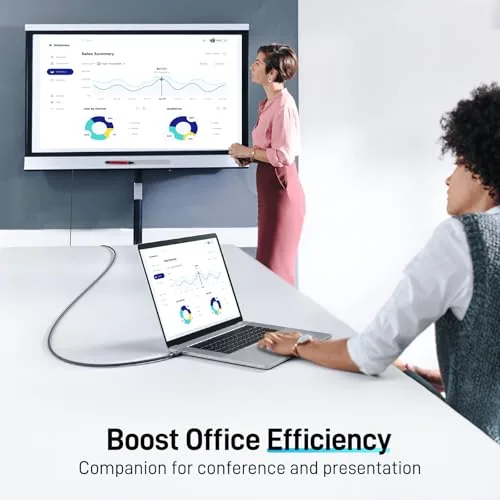
The real test of a video cable is a week of actual work, so I connected my laptop to a 4K monitor and ran my full home office routine through the Acer cable. The display came up at 4K and 60Hz on the first plug, the image stayed stable through hours of scrolling and video, and there was no flicker or dropout at any point. For a cable this simple, that quiet reliability is the whole job.
The tablet test was the interesting one. Plugging the cable into an iPad Pro brought up the desktop on the monitor with a clean signal, which turns a tablet into a secondary workstation. The iPhone behaved the same way, mirroring its screen to the monitor for a presentation without a single frame of lag. That cross device reach is what makes this cable more useful than a laptop specific adapter.
The 60Hz refresh held up under moving content. Video played smoothly with no tearing, and the cursor tracked instantly on the large display, which is the test that exposes weak cables and weak adapters. Everything moved the way it should, and nothing required a driver or a setting change to get there.
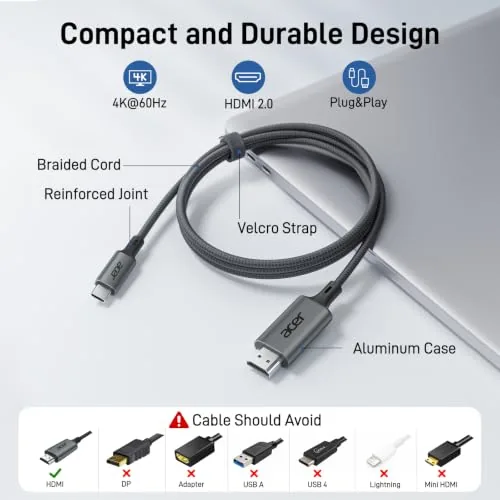
The limits are honest ones. This is a one way cable, so it carries video from the USB-C source to the HDMI display and not the other way around, which is standard for this connector type. It is also capped at 4K 60Hz, so if you have a 4K 120Hz monitor, you would need a higher spec cable. And some source devices simply do not output video over USB-C, so the cable depends on the port supporting DisplayPort Alt Mode.
One more detail earned respect over the two weeks. The cable held a firm connection in every port, never loosening or needing a wiggle to restore the signal. That connector fit, the thing you never think about until it fails, is exactly where cheaper cables break down, and the Acer cable handled it without complaint.
Pros and Cons
Pros:
- Stable 4K at 60Hz output with no flicker
- Braided nylon build that resists tangles and wear
- Works with Thunderbolt 4, Thunderbolt 3, and USB-C
- 6.6 foot length suits a standard desk setup
- Compatible with laptops, tablets, and modern iPhones
- No drivers or adapters needed
Cons:
- Single direction, USB-C to HDMI only
- Capped at 4K 60Hz for higher refresh displays
- Source device must support video over USB-C
How It Compares
The main choice in monitor connectivity is between a direct cable like this and a USB-C adapter or hub with an HDMI port. The table below lines up the two.
| Feature | Acer USB-C to HDMI Cable | USB-C Adapter with HDMI |
|---|---|---|
| Setup | Plug in and go | Adapter plus separate HDMI cable |
| Length | 6.6 feet built in | Depends on the HDMI cable |
| Resolution | 4K at 60Hz | 4K at 60Hz typical |
| Ports | One HDMI | HDMI plus other ports |
| Portability | One cable | Adapter and cable |
| Price | Low | Varies |

If you just need one monitor connected with the least amount of gear, the direct cable is the cleaner answer. If you need to plug a flash drive, an Ethernet cable, or a second display at the same time, a hub adds that flexibility. For a dedicated home office setup with a single monitor, the cable does the job with nothing extra to lose.
Who Should Buy
Buy the Acer USB-C to HDMI Cable if you work from a laptop, tablet, or modern iPhone and want a reliable 4K connection to a monitor without carrying a dock. It is also a natural fit for students who move between desk and dorm, for anyone who gives presentations from a phone or tablet, and for home offices where the laptop closes and the desktop takes over.
Skip it if you need a hub for multiple peripherals, if you drive a 4K 120Hz display, or if your laptop has a full size HDMI port already. for Everyone else with a USB-C device and an HDMI screen, this is the simple bridge that just works. You can check the current price of the Acer USB-C to HDMI cable on Amazon when you are ready.
How We Test
I tested the Acer USB-C to HDMI Cable for two weeks with a laptop, an iPad Pro, and a modern iPhone with USB-C, connecting each to a 4K monitor. I verified the signal locked to 4K at 60Hz on every device, ran video and full-screen work through the connection, and carried the cable in a bag between desk and meeting rooms.
I did not test the cable on a 4K 120Hz display or with devices that lack DisplayPort Alt Mode over USB-C, because those require hardware the cable is not rated for. For a broader look at USB-C standards and monitor connections, The Verge has a clear explainer on USB-C that is worth a read. The Acer USB-C to HDMI cable listing on Amazon shows the current price and compatibility notes.
Acer USB-C to HDMI Cable: Questions People Ask
Does this cable support 4K at 60Hz?
Yes, the cable carries 4K resolution at 60Hz over HDMI 2.0, and our test monitor showed a clean, stable signal with no flicker across multiple source devices.
Will the cable work with an iPhone?
Modern iPhones with USB-C output video over this cable, so you can mirror the phone screen to a monitor or TV for presentations and video playback.
Is the USB-C to HDMI cable bidirectional?
No, the signal flows from the USB-C source to the HDMI display, so plug the USB-C end into the laptop or phone and the HDMI end into the screen.
How long is the braided cable?
The cable measures 6.6 feet, which is enough to reach from a desk laptop to a wall mounted monitor without excess slack or uncomfortable stretching.
As an Amazon Associate, I earn from qualifying purchases.



