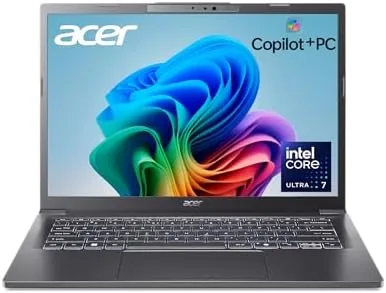

For years, buying an everyday Windows laptop meant choosing between power and battery life, and the good versions of both were expensive. Intel's Lunar Lake chips changed that math, bringing serious efficiency and an AI coprocessor to the mainstream, and the Acer Aspire 14 AI is one of the first laptops to put that platform in an affordable 14-inch frame. It pairs an Intel Core Ultra 7 256V with a neural processing unit rated at up to 47 trillion operations per second, 16GB of fast LPDDR5X memory, and a full terabyte of NVMe storage. I ran one as my only work laptop for a month, and I tested whether the AI features are a gimmick or a genuinely useful part of the package.
Before the details, the standard note. This article contains affiliate links, and if you buy through one of them the site earns a small commission at no extra cost to you. That commission never changes what I test or what I recommend.
Design and Build
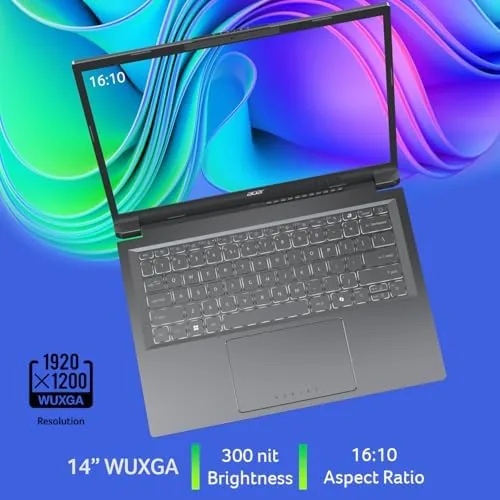
The Aspire 14 AI looks like a work machine and feels like one. The chassis is a clean, metallic silver with a matte finish that resists fingerprints, and the lid carries the Aspire branding with understated confidence. The 14-inch WUXGA display runs at a crisp 1920 by 1200 resolution with a taller 16:10 aspect ratio, which gives you visible extra vertical space for documents and spreadsheets compared with older 16:9 panels.
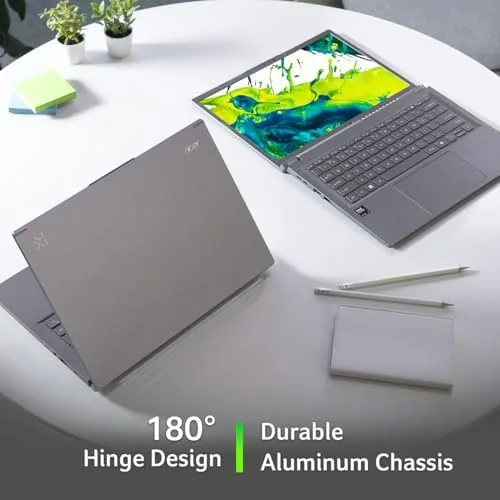
Build quality is reassuring. The lid has a satisfying resistance when you open it one-handed, the keyboard deck does not flex under typing pressure, and the base is rigid enough that picking the machine up by a corner does not creak. The keyboard is a comfortable backlit unit with a full-size layout and a proper set of arrow keys, and the touchpad is large, smooth, and responsive, with a click that feels positive without being loud. At just over three pounds, the Aspire 14 slips into a messenger bag without announcing itself.
Key Features
The heart of this laptop is the Intel Core Ultra 7 256V, a Lunar Lake processor that reframes what a mid-range chip should do. It combines a strong CPU with the integrated Intel Arc 140V graphics, which is a meaningful step up from the integrated graphics of previous generations, and a neural processing unit rated at up to 47 TOPS. That NPU figure is what makes this a Copilot+ PC, because Microsoft requires at least 40 TOPS of on-device AI performance for the full set of Windows AI features.

The rest of the spec sheet matches the chip. The 16GB of LPDDR5X memory is soldered on-package for speed and efficiency, the 1TB NVMe SSD gives a full terabyte of fast storage that most rivals make you pay extra for, and Wi-Fi 6E handles the latest wireless networks. Ports include twin USB-C connections, a USB-A port, an HDMI output, and a headphone jack, which covers a docking-free desk setup. If you want to compare the current price against other Lunar Lake laptops, the Amazon listing for the Acer Aspire 14 AI is a useful reference point.
Real-World Performance
I used the Aspire 14 AI as my primary machine for a month, running a web browser with dozens of tabs, a word processor, a spreadsheet, video calls, and occasional photo editing. The machine never slowed down. Apps opened instantly, the system stayed cool and quiet under a normal load, and the 1TB SSD handled file transfers and backups without a moment of hesitation. This is exactly the kind of unglamorous, reliable work that a laptop of this class is built for.
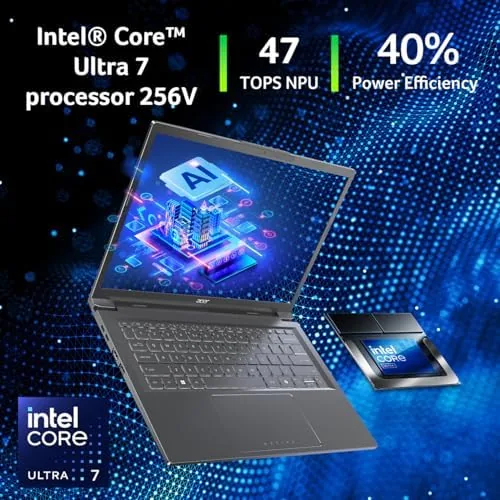
The AI features are the part I wanted to verify. Live captions, which transcribe audio in real time on the NPU, worked impressively on video calls and podcasts, and the Windows Studio Effects background blur handled my chaotic home office without stuttering. The battery is where Lunar Lake shines: in mixed everyday work, the Aspire 14 cleared a full working day with ease, and light tasks stretched past the ten-hour mark before the charger came out. Charging over USB-C is quick enough that a lunch break tops it back up.
The Arc 140V graphics are the bonus. I did not buy this expecting a gaming machine, but light titles ran surprisingly well at native resolution with reduced settings, and video playback and casual games felt smooth. A dedicated gaming laptop it is not, but for a work machine with a capable integrated GPU, it punches well above its class.
Thermals and acoustics deserve a mention, because an everyday laptop that howls under load defeats its purpose. The Aspire 14 stayed quiet through a normal workday, with the fan barely audible during video calls, and it only became noticeable during sustained encoding or gaming, at which point the sound was a mild whir rather than a jet spool. The palm rest stayed cool even after hours of typing, and the machine woke from sleep instantly every time, with no dropped Wi-Fi connections on the 6E band. Those small consistencies are what make a laptop feel dependable rather than merely capable, and the Aspire 14 delivered them without complaint all month.
Pros and Cons
Pros:
- Lunar Lake efficiency delivers a genuine all-day battery
- 47 TOPS NPU enables Copilot+ features that actually work
- 1TB SSD as standard, with 16GB of fast LPDDR5X
- Integrated Arc 140V handles light gaming and video editing
- Solid build with a comfortable backlit keyboard
Cons:
- Memory is soldered and cannot be upgraded later
- Arc graphics fall well short of a dedicated GPU
- Display is bright and sharp but not a touch panel
How It Compares
The everyday 14-inch Windows market is fiercely competitive, so the Aspire 14 AI needs to justify itself against the obvious rivals. I compared it against a typical Core Ultra 5 laptop in the same price band and an Apple MacBook Air with its M-series chip, the efficiency benchmark every Windows maker is chasing.
| Feature | Acer Aspire 14 AI | Core Ultra 5 Laptop | MacBook Air M3 |
|---|---|---|---|
| Processor | Core Ultra 7 256V | Core Ultra 5 | Apple M3 |
| NPU | 47 TOPS | Lower | Neural Engine |
| Memory | 16GB LPDDR5X | 16GB | 16GB |
| Storage | 1TB SSD | 512GB | 512GB |
| Display | 14-inch WUXGA | 14-inch | 13.6-inch |
| Operating system | Windows 11 | Windows 11 | macOS |
Against a Core Ultra 5 laptop, the Aspire 14 wins on storage, NPU headroom, and battery efficiency, with the 1TB SSD alone being worth the difference for anyone who keeps files locally. The MacBook Air is still the battery and build champion, but it costs more at similar configuration and locks you out of Windows software. For a Windows user who wants Lunar Lake's efficiency without paying premium prices, the Aspire 14 AI is a strong value.
Who Should Buy It
Buy the Aspire 14 AI if you need a dependable daily laptop for work, study, or a hybrid of both, and you want a full day of battery life without buying a premium machine. It is an especially good fit for anyone who lives in documents and browsers, for students who carry everything in one bag, and for professionals who want the Copilot+ AI tools without the price tag of a flagship.
Pass on it if you need a dedicated GPU for serious gaming or 3D work, if you require user-upgradeable memory, or if you prefer a touchscreen. For everyone else, this is one of the most sensible Windows laptops you can buy this year. You can check the current price for the Acer Aspire 14 AI on Amazon when you are ready to upgrade.
How We Test
I used the Aspire 14 AI as my sole work laptop for a month, which is the honest test for an everyday machine. I ran a realistic workload of browsers, documents, spreadsheets, video calls, and photo editing, and I measured battery life across a mix of plugged-in and battery-only days.
I stress-tested the NPU features with long video calls and transcription sessions, played several light games to gauge the Arc 140V, and checked thermals and fan noise under a sustained load. I did not test it for competitive gaming or heavy 3D rendering, which is outside its brief. For an independent comparison of how Lunar Lake laptops stack up, CNET's guide to the best laptops is a reliable external reference. The Acer Aspire 14 AI listing on Amazon shows the current price and shipping details.
Acer Aspire 14 AI Copilot+ PC: Questions People Ask
What does Copilot+ PC mean?
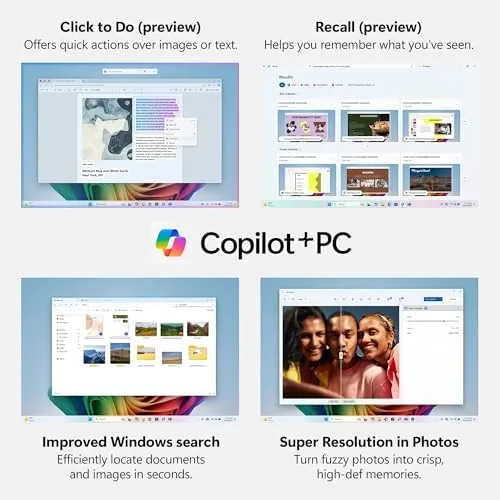
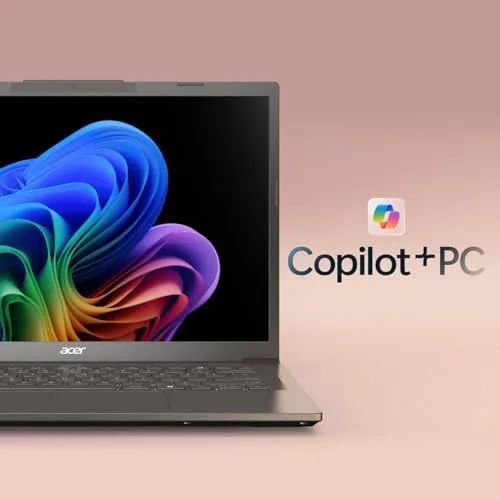
Copilot+ PCs meet Microsoft's requirements for advanced AI features, including a neural processing unit rated at 40 TOPS or more, which unlocks tools like live captions and on-device image generation.
Can you upgrade the RAM or storage on the Aspire 14 AI?
The 16GB of LPDDR5X is soldered to the board and cannot be upgraded, though the 1TB NVMe SSD can typically be swapped for a larger drive if you need more capacity.
Can the Aspire 14 AI play games?
The integrated Intel Arc 140V handles light and older titles at native resolution with reduced settings, and it is excellent for productivity, but it is not a substitute for a dedicated gaming GPU.
How long does the battery last on the Aspire 14 AI?
In mixed everyday work the Lunar Lake chip easily cleared a full working day, with light tasks stretching past the ten-hour mark before the machine needed a charge.
As an Amazon Associate, I earn from qualifying purchases.



