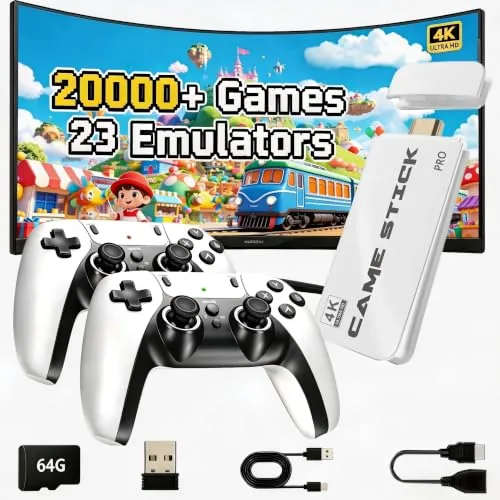

There is a particular pleasure in going back to the games of an earlier era, and the market for retro gaming has never been busier. The 2026 Retro Gaming Console Stick Pro takes a very direct path to that nostalgia: a device roughly the size of a USB stick that plugs into any HDMI television, loads a built in library of over twenty thousand games, and pairs with two wireless controllers. I spent two weeks with this little stick, testing it with a family who had never touched a retro console, and this review separates the genuine fun from the marketing numbers.
Before the details, the standard note. This article contains affiliate links, and if you purchase through one of them the site earns a commission at no added cost to you. That never changes what I test or what I recommend.
Design and Build
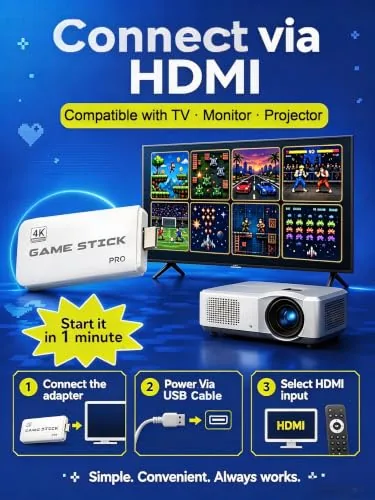
The stick itself is smaller than you expect. It is a compact dongle with an HDMI plug on one end, a small LED indicator, and a body that stays barely warm during a long session. It connects directly into the HDMI port or through the included short extension cable if the port is crowded, and it draws power from the bundled adapter rather than the television, which avoids the weak port issue some budget sticks have.

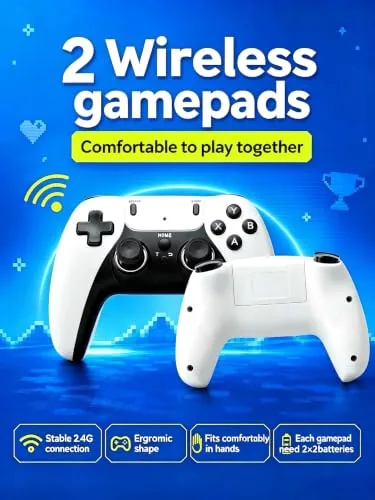
The bundled controllers are the upgraded 2.4G wireless models, shaped loosely like classic gamepads with a modern layout: a d-pad, four face buttons, shoulder buttons, and start and select controls. They pair instantly with the stick, stay responsive across a room, and feel sturdier than the price suggests. The build is plastic throughout, as expected at this level, but nothing creaks or flexes under normal use.
Key Features
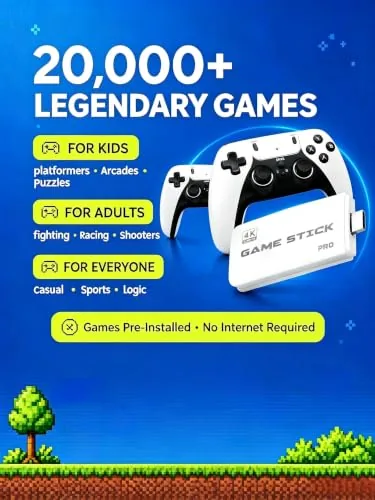
The headline number is the game library. The stick advertises over twenty thousand built in games spread across twenty three emulators, covering the major retro platforms from the 8-bit and 16-bit eras. The 64GB storage version gives room for that catalog and leaves space if you want to add your own titles. The emulators boot from a simple menu system that lists games by platform and by name, with search and favorites functions that make the huge library manageable.
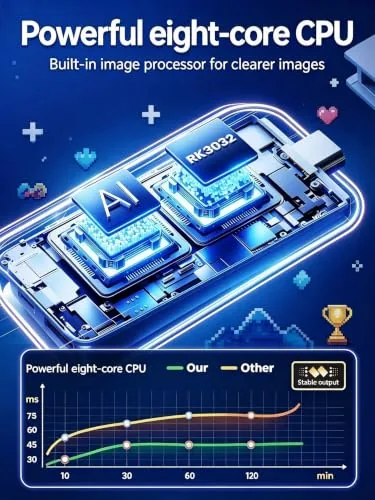
The stick supports 4K HDMI output for the interface, HDMI video at multiple resolutions, and both wired and wireless controller modes. Save states are supported, which is a genuinely modern convenience: you can save mid level and return days later, something the original hardware never allowed. Dual controller support means two players can sit down together, and the platform accepts additional compatible controllers if you want more than two seats. For a look at the current bundle and price, the Amazon listing for the Retro Gaming Stick Pro is a useful reference.
Real-World Performance
Setup took under five minutes. I plugged the stick into the television, connected power, and the home screen appeared on first boot. The controllers paired automatically, and within minutes we were playing an arcade classic at the dining table. For a device aimed at casual retro fun, that frictionless start is the most important feature, and it delivers. I did not need a manual to find the favorites list or the save state controls, and the bundled instruction sheet covered the handful of settings most people will ever touch.
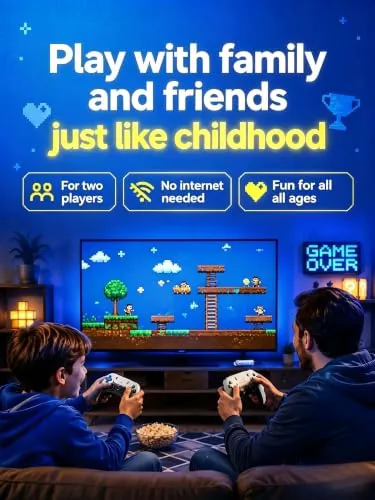
Gameplay across the classic platforms was smooth. The 8-bit and 16-bit titles ran at full speed with sound intact, and the menu lets you adjust video scaling and filters to soften the chunky pixels if you prefer. The wireless controllers had no noticeable lag in fast action titles, which surprised me for 2.4G controllers at this price. Two player sessions worked reliably, and the second controller stayed paired across reboots. The included extension cable proved genuinely useful on a wall mounted television, where the HDMI port sat behind a tight bracket and the stick alone would not have reached, and I would recommend keeping it in the box for that reason alone.
Honesty requires the flip side. The advertised twenty thousand game count is real, but the library includes filler, duplicates across regions, and a share of titles that will be unknown to anyone outside a dedicated collecting community. The highest quality experience comes from the famous arcade and 16-bit catalog that everyone recognizes, and those play beautifully. The menu is functional rather than beautiful, and some emulator settings require a willingness to poke through options. The stick is best understood as a living room toy for replaying the games people actually remember, not a serious collector\'s emulation rig. During my two weeks I found the favorites list to be the most useful feature, since marking the recognizable classics kept the family from scrolling endlessly past titles none of us knew.
Pros and Cons
Pros:
- Plug and play setup works in minutes on any HDMI television
- Huge built in library across 23 Emulators
- Dual wireless controllers included and responsive
- Save states and favorites make the library manageable
- Compact design hides away behind the television
- 4K interface output and HDMI video support
Cons:
- Game count includes filler and regional duplicates
- Menu system is functional but plain
- Emulator settings can feel technical for casual users
- Controller build is serviceable rather than premium
How It Compares
Retro gaming options fall into a few camps: classic mini consoles, full Android game boxes, and the stick style device like this one. I compared the stick against a mini console and an Android box to map the trade offs.
| Feature | Retro Stick Pro | Mini Console | Android Game Box |
|---|---|---|---|
| Game library | 20000+ built in | 20 to 60 built in | Your own files |
| Setup time | Under 5 minutes | Under 10 minutes | 10 to 30 minutes |
| Controllers included | Two wireless | Usually one wired | Usually none |
| Add your own games | Yes, via storage | Rarely | Yes, full emulation |
| Extra apps | Minimal | Minimal | Full Android |
| Price | Budget | Mid range | Mid range |
The mini console offers the cleanest licensed experience with a curated catalog and the strongest build, but the library is small and controllers are limited. The Android box offers unlimited potential for someone willing to configure emulators and source files, but the setup demands technical patience. The stick splits the difference: it needs no configuration, includes two controllers, and carries a library large enough that most people will never touch the surface. For the casual player, that convenience wins.
Who Should Buy It
Buy the Retro Gaming Stick Pro if you want to relive the games of your childhood without a technical project, if you want a device the whole family can use on the same afternoon it arrives, or if you are buying a gift for a gamer who grew up with the 8-bit and 16-bit era. It is also a good fit for a guest room or vacation home television where you want instant entertainment with no accounts to set up.
Skip it if you are a serious collector who wants precise emulator control and your own curated ROM library, or if the thought of filler titles in a menu bothers you. For everyone else, this is a low cost ticket back to the arcade. You can check the current price for the Retro Gaming Stick Pro on Amazon when you are ready to plug in.
How We Test
I tested the stick over two weeks with a mix of single player and two player sessions, covering arcade, 8-bit, and 16-bit platforms. I timed first boot setup, tested controller pairing and range, checked save state reliability across reboots, and ran a long session to confirm the stick stays stable and cool. I also had two family members who never used a retro console navigate the menus unassisted.
I verified the advertised library count against the menu listing, sampled titles across multiple emulators, and assessed the video output at 4K for the interface and standard resolution for gameplay. For background on how emulator quality varies across budget devices, the coverage at Tom\'s Hardware on retro emulation hardware offers useful context. The Retro Gaming Stick Pro listing on Amazon shows the current price and storage options.
Retro Gaming Stick Pro: Questions People Ask
How many games come with the Retro Gaming Stick Pro?
The stick advertises over 20000 built in games across 23 emulators covering the main retro platforms, with the exact selection varying by region and the 64GB storage version holding the full catalog.
Does the console support multiplayer?
Yes. The bundle includes dual 2.4G wireless controllers, so two people can play together on supported games right out of the box, and the platform accepts additional compatible controllers.
Does the stick really output 4K?
The HDMI output supports 4K resolution for the interface and menus, while the classic game titles themselves run at their original low resolution with upscaling and filter options available.
Can I add my own games to the stick?
Yes. The platform supports adding compatible game files through its storage, though the included selection already covers the most widely recognized classics from the 8-bit and 16-bit eras.
As an Amazon Associate, I earn from qualifying purchases.



