
The standard note first. This article contains affiliate links, and if you buy through one of them the site earns a small commission at no extra cost to you. That arrangement does not change what I test or recommend.
Design and Build
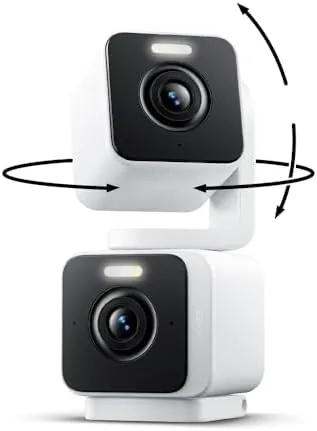
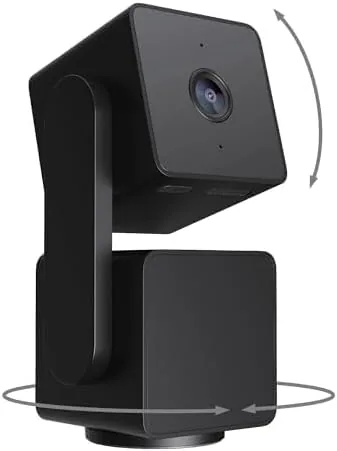
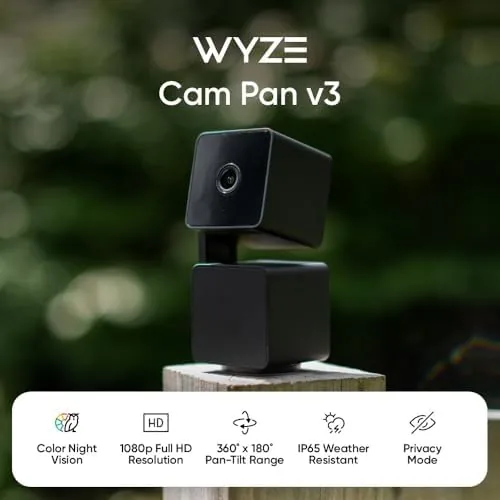
The Cam Pan v3 looks like a friendly dome with a lens on a rotating base. A 1080p camera module sits on a motorized pan and tilt head, which rotates a full 360 degrees and tilts up and down to cover the room. The build is typical Wyze: clean white plastic, compact enough for a shelf or ceiling mount, and light enough that the included mount plate handles it easily. The power cable is a wired USB-A to USB-C connection, because a rotating camera cannot run on batteries for long, and the adapter is included in the box.
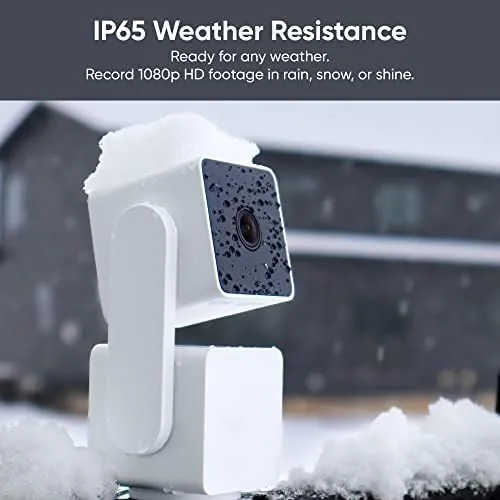
The standout build detail is the IP65 rating. The camera is sealed against dust and against water from any direction, which is what lets it live on a covered porch or under a roof eave. The lens is shielded by a transparent dome that wipes clean, and the motor housing is tight enough that there is no noticeable wobble when the head turns.
Setup follows the familiar Wyze pattern. You power the camera on, add it in the Wyze app, and scan a QR code from the phone screen to pair it. The app walks through the steps clearly, and the camera was live on my network within five minutes of opening the box.
Key Features
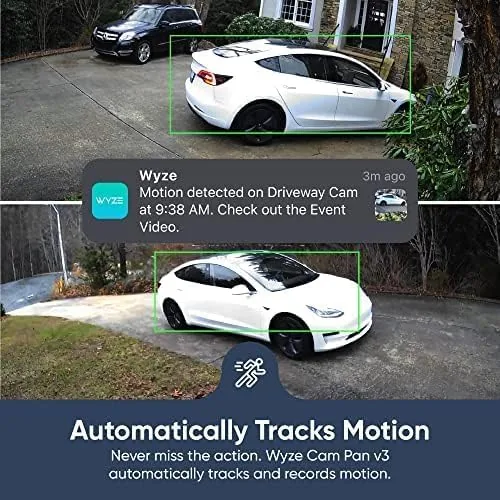
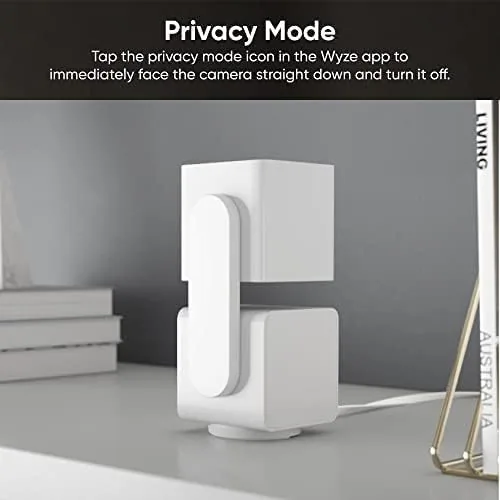
The defining feature is the pan and tilt mechanism. The camera can rotate a full 360 degrees horizontally and tilt vertically, and you can sweep the view manually from the app with a swipe. That alone would make it more flexible than a fixed camera, but the Pan v3 goes further with automatic motion tracking: when it detects motion, the head follows the subject, keeping a moving person or pet in frame.
The image sensor is the other headline. The Starlight sensor delivers color night vision, so in low light the camera keeps showing color rather than falling back to black and white infrared, as long as there is some ambient light available. In total darkness it switches to its infrared LEDs, which reach about 30 feet, so you still get a usable view at night either way.
Connectivity covers the modern basics. The camera works with Alexa and Google Assistant, so you can view the feed on a smart display or ask a voice assistant to pull it up. It records to a microSD card inserted in the base for continuous local storage, and it supports Wyze's cloud recording through the Cam Plus subscription for those who want event based clips without managing a card. Two way audio lets you talk through the speaker to a baby, pet, or delivery person.
Real-World Performance
In the nursery, the Pan v3 earned its keep on day one. Motion tracking locked onto the baby as they moved in the crib and followed along, keeping the view centered without any input from me. The 1080p image was sharp during the day, and the color night vision produced a clear, detailed picture of a dim nursery with the night light on, which is genuinely more reassuring than a grainy black and white feed.
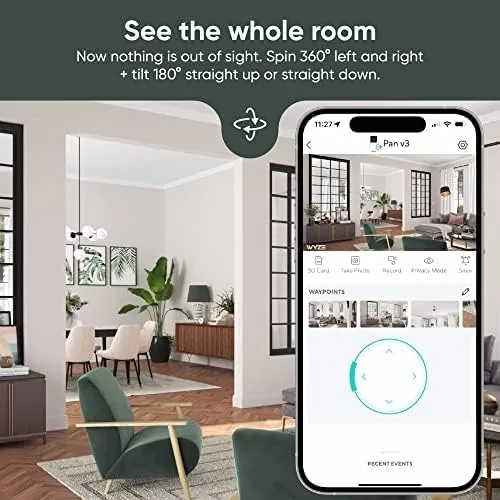
The pan and tilt mechanics proved reliable over the month. The head rotated smoothly, never grinding or drifting out of calibration, and the app responded to swipes with only a small delay. Motion tracking was impressively sticky; it followed a toddler wandering the room and a cat crossing the porch, and it returned to a home position when the subject stopped moving. The tracking is not perfect, since fast movement can momentarily outpace the motor, but for monitoring a room it is more than good enough.
Outdoors on the porch, the IP65 rating held up through rain and humidity. The camera streamed reliably over Wi-Fi, and the speaker output was loud enough for two way audio across the porch. Local microSD recording meant I never missed an event, even when the network blipped, and the app's playback made reviewing the day's motion clips quick.
The limitations are the price of the budget. The motorized head is audible when it turns, which some people notice in a quiet nursery, though it is soft and brief. The camera needs a constant power source, so placement is limited by the cable. And the best event detection features sit behind the Cam Plus subscription, while the free tier offers a more limited motion schedule. None of these are unusual for the price, but they are worth knowing before you buy.
Pros and Cons
Pros:
- Full 360 degree pan with smooth tilt control
- Automatic motion tracking keeps people and pets in frame
- Color night vision in low light, infrared in total darkness
- IP65 rating for safe outdoor placement
- Works with Alexa and Google Assistant
- Local microSD storage as well as cloud options
Cons:
- Motor is audible when the head turns
- Requires a wired power connection
- Best event features need the Cam Plus subscription
- Fast motion can outpace the tracking motor
How It Compares
The Pan v3 competes with fixed 1080p cameras and with more expensive pan and tilt models. The table below compares it with a standard fixed camera and with a higher priced pan and tilt competitor.
| Feature | Wyze Cam Pan v3 | Fixed 1080p cam | Premium pan and tilt |
|---|---|---|---|
| Pan and tilt | 360 degrees | None | 360 degrees |
| Motion tracking | Yes | No | Yes |
| Outdoor rating | IP65 | Varies | Varies |
| Color night vision | Yes | Varies | Varies |
| Local storage | microSD | microSD | microSD |
| Price | Budget | Budget | Premium |
Against a fixed camera, the Pan v3 wins on coverage and tracking for barely any more money. Against a premium pan and tilt model, it gives up some motor refinement and app polish while delivering most of the same capability for a fraction of the price. Guides such as CNET's best home security cameras regularly single out Wyze for value, and the Pan v3 is the best value camera in the Wyze lineup.
Who Should Buy It
Buy the Wyze Cam Pan v3 if you want a camera that watches a whole room instead of one corner, if you want to check on a baby or pet without manually aiming the lens, or if you want outdoor coverage without spending premium money. It is an excellent pick for nurseries, living rooms, and covered porches. You can check the current price at Amazon to see the bundle options.
Skip it if you need a battery powered camera, since the wired connection limits placement, or if you want the most polished app and motor in the business, which costs more elsewhere. For nearly everyone else, the Pan v3 delivers remarkable capability for the money.
How We Test
I ran the Wyze Cam Pan v3 for a month, first in a nursery monitoring a moving subject and then on a covered porch watching a yard. I tested the motion tracking with a person and a cat, swept the camera manually through the full 360 degree range, and reviewed both live and recorded footage from the microSD card. I also tested night vision in a dim room with color and in total darkness with infrared.
I set up Alexa and Google Assistant integration, made two way audio calls to the camera, and left it recording continuously to confirm the local storage worked as claimed. The verdict reflects that full month of real use rather than a short bench test.
Questions People Ask
Can the Wyze Cam Pan v3 be used outside?
Yes. It has an IP65 weather resistance rating, so it survives rain, dust, and temperature swings, and the included power adapter keeps it running year round. Place it under an eave or on a covered porch for the best image.
Does the camera track motion?
Yes. The pan and tilt head follows people and pets as they move, keeping them in frame automatically, and it can rotate a full 360 degrees. Fast movement can momentarily outpace the motor, but it recovers quickly.
How good is the night vision?
The Starlight sensor delivers color night vision in low light, so you can make out details and colors as long as there is some ambient light. In total darkness it switches to infrared LEDs with a reach of about 30 feet.
Does it work with Alexa and Google Assistant?
Yes. The camera works with both assistants, so you can view the feed on a smart display or ask a voice assistant to pull it up. It also supports two way audio and local storage on a microSD card or cloud recording with Cam Plus.
The Wyze Cam Pan v3 is the rare camera that makes you wonder why anyone pays more. The full 360 degree coverage, the automatic motion tracking, and the color night vision combine into a camera that watches a whole room for you, and the IP65 rating means it does not have to stay indoors. It has small rough edges, but at its price it is remarkably easy to recommend. You can see the latest listing at Amazon.
As an Amazon Associate, I earn from qualifying purchases.