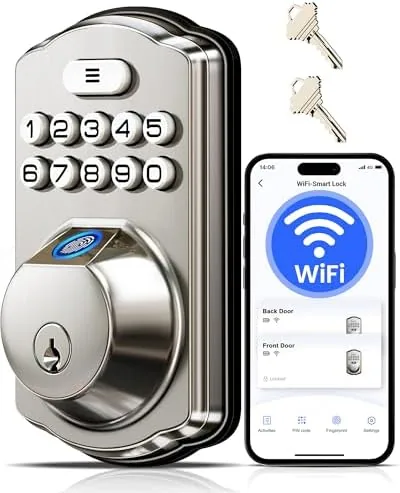

The front door is the most touched device in the house and the least upgraded one. It still wants a key when everyone has their hands full of groceries, and it has no idea whether the person unlocking it is family, a guest, or a stranger. The Veise VE012W smart lock attacks both problems at once, putting a fingerprint reader, a touch keypad, and built-in WiFi into a satin nickel deadbolt that replaces the old hardware without adding a hub or a bridge. I installed it on my own front door and lived with it for a month, and this review is what that month taught me.
Before the details, the standard note. This article contains affiliate links, and if you buy through one of them the site earns a small commission at no extra cost to you. That commission never changes what I test or what I recommend.
Design and Build
The VE012W is a full deadbolt replacement with a slim satin nickel finish that reads as modern without looking out of place on a traditional front door. The exterior assembly holds the fingerprint reader in a recessed pad near the top, a backlit numeric keypad below it, and a keyway that stays as the mechanical backup. The interior escutcheon is clean and compact, with a thumb turn and the battery compartment tucked inside.
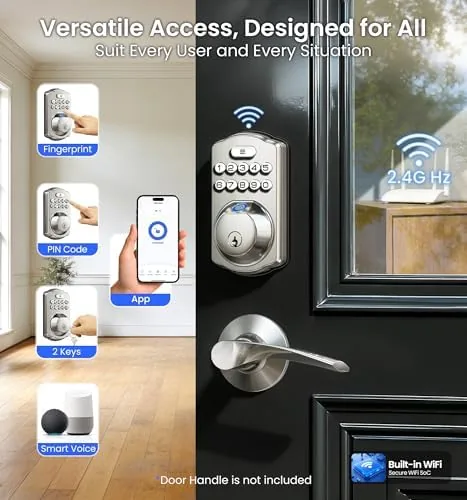
The build quality justifies the asking price. The metal feels substantial, the finish resists fingerprints, and the moving bolt seats with a solid click rather than a plastic thunk. Installation is a standard deadbolt swap that took me under an hour with the included template, and the one piece of paperwork that actually matters, the instructions for programming the app, is laid out clearly for a first-time smart lock owner.
Key Features
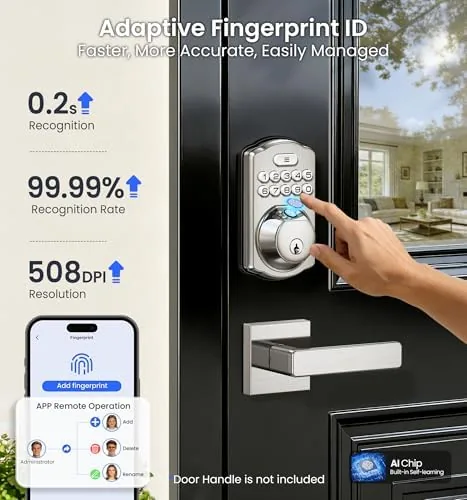
The fingerprint reader is the feature people ask about first, and it is the reason to choose this lock. You enroll a finger through the app or directly on the lock, and the sensor unlocks the bolt in about a second. It handled the everyday cases well: dry hands, a lightly damp finger after the morning rain, and a thumb that had just carried a coffee cup. It is genuinely fast enough to feel like a convenience rather than a gimmick.
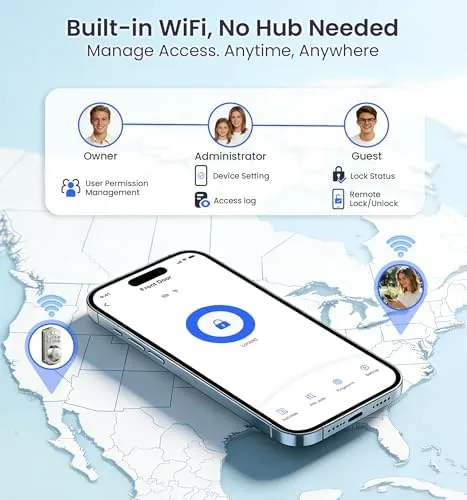
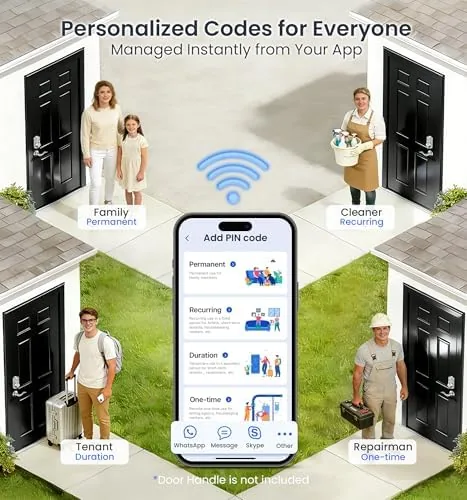
Built-in WiFi means no separate hub, and the app handles the rest. From the phone you can lock and unlock remotely, create and delete codes for guests, and see a log of who came and went. The real-time alerts fire when the lock is used, when the door opens, and when the battery gets low, which turns the lock into a small security system for the Front entry.
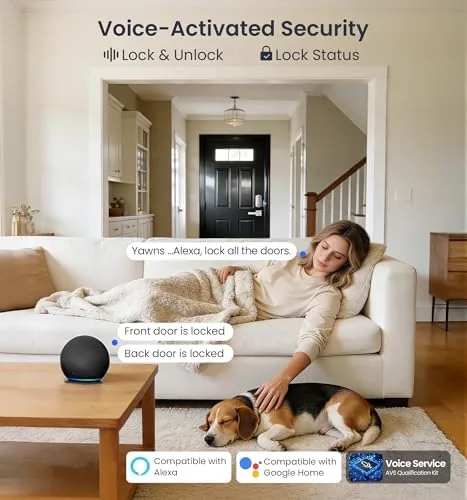
Voice compatibility rounds out the set. The lock links to both Alexa and Google Assistant, so you can ask a smart speaker whether the door is locked or tell it to lock up for the night. Voice unlock is understandably limited for security reasons, so the fingerprint reader, the keypad, and the app carry the actual entry duties.
Real-World Performance
Over a month of daily use, the fingerprint reader became the way everyone in the house opened the door. The speed stayed consistent, the sensor read through a light smudge, and the only misses came from wet hands that had not been dried, which is the same limitation every capacitive reader has. The keypad performed without issue as a backup and for the guests who were not enrolled.
The app was the reliable part of the system. Remote locking from work, a temporary code for a dog sitter, and push notifications for every entry all worked without a dropped connection across the month. The real-time alerts came through quickly enough to be useful, and the low battery warning arrived with plenty of margin before any risk of the motor struggling.
The honest frictions were small. The motorized bolt takes a moment longer than a manual key turn, so the lock is slightly slower for the impatient, and the app occasionally took a few extra seconds to refresh the activity log after a rapid sequence of events. Neither affected the core job, which the lock performed flawlessly: the door was secure every single time it was supposed to be.
The guest experience was smoother than most smart locks I have tested. A temporary code for a weekend visitor was set up from my phone in under a minute, worked the first time, and vanished from the lock when the window closed, so there was no code management chore afterward. The entry log then showed exactly when the visitor came and went, which is the kind of quiet reassurance that turns a convenience gadget into a genuine household tool.
Pros and Cons
Pros:
- Fingerprint reader unlocks in about a second, even when slightly damp
- Built-in WiFi means no hub or bridge is required
- Real-time alerts and a full entry log from the app
- Temporary codes for guests and service visits
- Alexa and Google Assistant status and lock control
- Physical key backup remains in the keyway
Cons:
- Wet fingers still defeat the capacitive sensor
- Motorized bolt is slower than a manual key turn
- App activity log can lag after rapid events
- Voice features are limited to status and lock commands
How It Compares
Smart locks come in three practical forms: hub-based locks, self-contained WiFi locks like this one, and traditional deadbolts with a smart keypad only. I compared the Veise VE012W against a hub-based smart lock and a standard electronic keypad deadbolt to show where each one fits.
| Feature | Veise VE012W | Hub-Based Smart Lock | Electronic Keypad Deadbolt |
|---|---|---|---|
| Hub required | No, built-in WiFi | Yes | No |
| Entry methods | Fingerprint, code, key, app | Code, key, app | Code, key |
| Remote control | Yes | Yes | No |
| Alerts | Real time | Real time | None |
| Voice assistant | Alexa and Google | Varies by platform | No |
| Install complexity | Standard deadbolt swap | Extra hub setup | Standard deadbolt swap |
Against a hub-based smart lock, the VE012W trades a bit of ecosystem integration for a far simpler setup, because there is nothing extra to plug in and pair. Against a plain keypad deadbolt, the Veise wins on everything that matters: no shared codes to memorize, remote access, and alerts when the door is used. For most homes, the built-in WiFi lock is the best combination of convenience and simplicity. You can check the current price on the Veise VE012W listing on Amazon.
Who Should Buy It
Buy the VE012W if you are tired of carrying keys, if you want to know when family members come home, or if you manage a steady stream of guests and deliveries that need temporary access. It is a natural fit for anyone already using Alexa or Google speakers, and the satin nickel finish suits most front doors without shouting about being smart.
Skip it if you want a lock that does video monitoring, which it does not, or if you need the deepest smart home ecosystem integration that only a hub-based model provides. For everyone else, the fingerprint reader alone is worth the price of admission. Check the current price on Amazon when you are ready to retire the key.
How We Test
I installed the VE012W on a standard residential front door in a satin nickel finish and used it as the only front entry method for a month. I enrolled multiple fingerprints, created and deleted guest codes, and tested remote locking and unlocking from a separate location over a full day.
I ran the fingerprint reader through wet, damp, and dry conditions, tested the keypad and the physical key backup, and left the lock in use through a rainstorm and a cold morning to check reliability. I did not test the Lock with third-party smart home systems beyond Alexa and Google Assistant, and I did not test it on a metal door. For a wider look at how smart locks compare, CNET guide to the best smart locks is a helpful independent reference. The Veise VE012W on Amazon shows the current price and available finish options.
Veise VE012W WiFi Fingerprint Smart Lock: Questions People Ask
Does the Veise VE012W need a separate hub to work with WiFi?
No. The lock has built-in WiFi, so it connects directly to your home network and the companion app without any extra bridge or hub device.
Can I unlock the door with a voice command?
The lock works with Alexa and Google Assistant for status checks and locking, though voice unlock is limited and most users rely on the fingerprint reader or app instead.
What happens when the batteries run low?
The lock sends a low battery alarm to the app well before failure, and a physical key backup remains in the keyway so you can still open the door mechanically.
How fast is the fingerprint reader?
In my testing, a registered fingerprint opened the bolt in about a second, with the reader accepting a lightly damp finger after the rainy morning test.
As an Amazon Associate, I earn from qualifying purchases.



