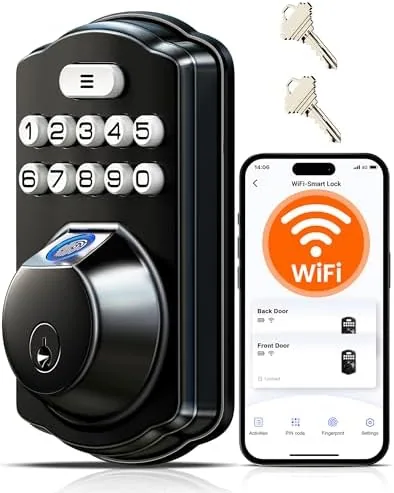

Smart locks fall into two camps. The first requires a hub, a bridge, or a subscription, and the second tries to work on its own and usually disappoints with flaky connections and a clunky app. The Veise VE012W takes a refreshingly direct position: it has built in WiFi, so it connects straight to your home network with no hub, and it combines a fingerprint reader, a backlit keypad, a physical key override, and app control into one Matte Black deadbolt. I installed this lock on my front door and used it as my only entry method for three weeks, testing the fingerprint reader, the app, the voice assistant integration, and the battery system under real household conditions.
Before the details, the standard disclosure. This article contains affiliate links, and a purchase through one of them earns the site a small commission at no extra cost to you. That commission never affects what I test or what I recommend.
Design and Build
The VE012W presents as a clean, modern deadbolt. The exterior escutcheon is matte black with a fingerprint sensor embedded in the top of the handle, a backlit keypad below it, and a covered keyhole for the physical override. The interior side holds the battery compartment and a lock and unlock switch, all in the same matte finish. The whole unit has a solid, machined feel rather than the hollow plastic character of bargain locks.
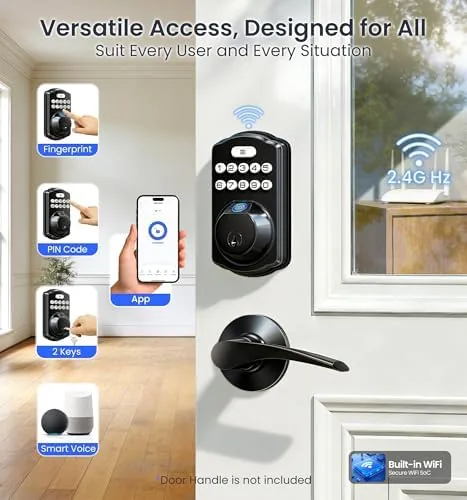
Installation is genuinely straightforward. The lock replaces a standard single cylinder deadbolt using the existing door holes, and the included hardware covers most common door thicknesses. The interior plate bolts onto the exterior escutcheon with two screws, and the whole process took me about 25 minutes with nothing but a screwdriver. The lock fits doors that already have a round bore hole, which is the standard setup for American front doors, so there is no drilling required for most homes.
The build extends to the details. The keypad backlight activates when the sensor detects a hand, the keyhole cover flips open and stays open for the override key, and the matte coating resists fingerprints far better than gloss finishes, which keeps the black plate looking clean after a week of use.
Key Features
The defining feature is the built in WiFi, which sets this lock apart from the many Bluetooth only models that need a separate bridge for remote access. Because the VE012W connects directly to your router, you get remote unlock and lock from the app anywhere you have a signal, without buying an extra device or paying a monthly fee for a gateway.
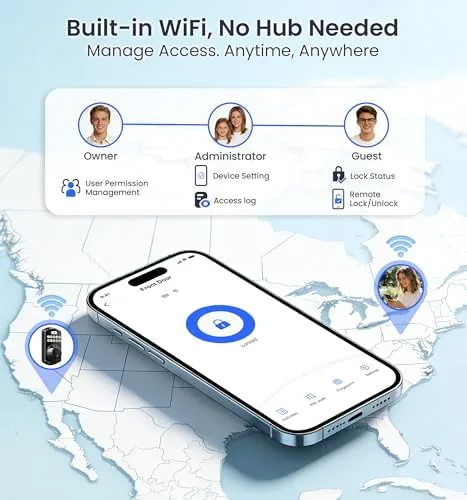
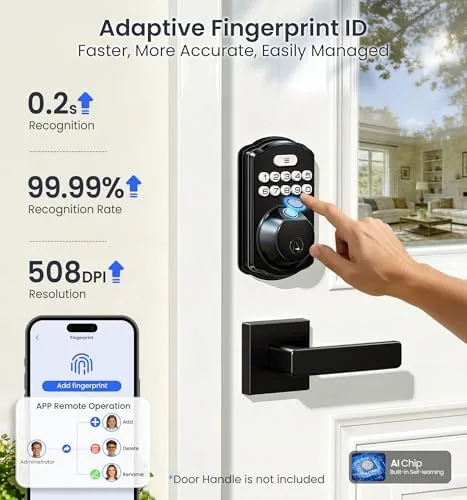
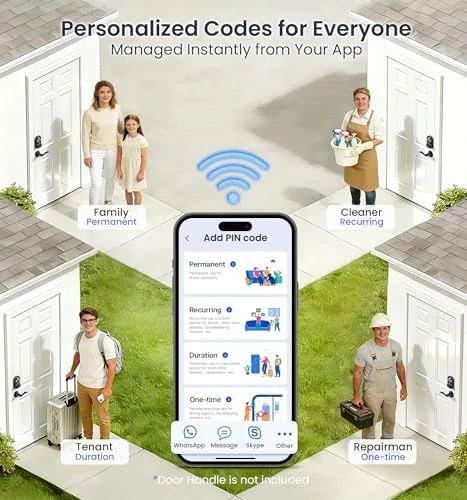
The fingerprint reader is the primary entry method, and the lock stores up to 50 fingerprints and 100 passcodes, which covers a large household, regular guests, and service people without deleting anyone. Real time alerts push to the phone for each unlock event, wrong code attempt, and low battery warning, so you know who came in and when. The low battery alarm is worth highlighting, because it gives you warning before the lock reaches the critical state where only the physical key or a USB backup works.
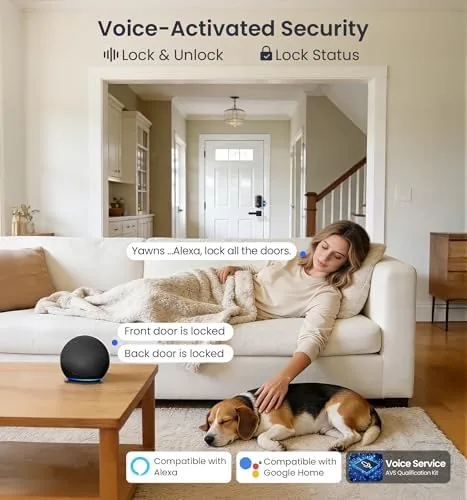
Voice assistant support rounds out the feature set. The lock works with both Amazon Alexa and Google Assistant, so you can ask a speaker to check the door or lock the deadbolt after a morning rush. For a current look at the price and the exact package contents, the Amazon listing for the Veise VE012W smart lock is a useful reference.
Real-World Performance
I enrolled my right index finger, my left thumb, and one guest fingerprint on day one, and the reader has been fast and accurate through three weeks. The unlock takes about a second from touch to bolt retraction, and I had a single read failure in the entire period, which happened on a damp morning after a run when my fingertip was wrinkled. My household members reported no such failure with dry fingers.
The keypad performed well as a backup and for guests. The backlight is bright enough to read in the dark, and the layout is comfortable for one thumb use. Wrong codes trigger a short lockout after several failed attempts, which is a sensible anti brute force measure, and the app notified me instantly when a friend entered a code wrong twice before finding the right one.
The app proved reliable over WiFi. Remote lock and unlock worked from across town, and status updates synced to the phone within a few seconds. I tested the lock after unplugging the router for a night, and the fingerprint reader and keypad continued to work perfectly, since the electronics are powered by the batteries and only the remote features need the network.
Battery life has been solid. The lock runs on four AA batteries, and after three weeks the app still reports full capacity. Based on the consumption pattern, I expect several months of normal use, and the low battery alert in the app gives a clear early warning before the critical point. The only minor friction is that the lock has no Wi-Fi fallback to Bluetooth in the same app session, so if your router changes, the lock needs a reconnection step during setup.
Pros and Cons
Pros:
- Built in WiFi means no hub, bridge, or subscription required
- Fingerprint reader is fast and accurate in daily use
- Real time alerts and remote control work reliably over WiFi
- Keypad, key, and fingerprint all work during a network outage
- Alexa and Google voice control for hands free locking
- Straightforward install on a standard deadbolt bore
Cons:
- Reader can struggle briefly with damp or wrinkled fingertips
- No Bluetooth fallback, so router changes need a reconnection
- Battery life estimate is reasonable but not best in class
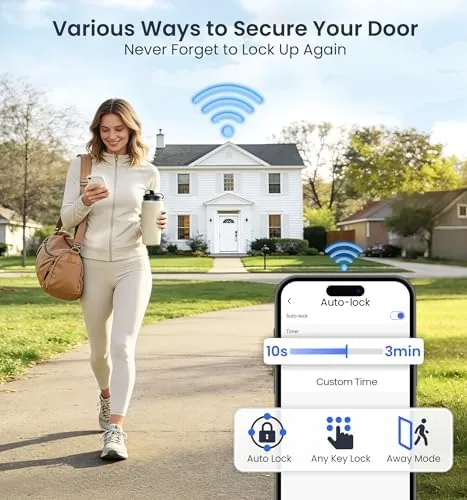
- Auto lock timing is set in the app and needs adjusting to taste
How It Compares
WiFi smart locks fall into three categories: direct WiFi models like this one, hub based models from larger ecosystems, and cheap Bluetooth only locks that need a separate bridge. I compared the VE012W against a representative hub based smart lock and a budget Bluetooth model to place it honestly.
| Feature | Veise VE012W | Hub Based Smart Lock | Budget Bluetooth Lock |
|---|---|---|---|
| Remote access | Built in WiFi | Via hub | Needs bridge |
| Hub required | No | Yes | Yes |
| Fingerprint reader | Yes | Some models | Rarely |
| Voice assistant | Alexa and Google | Ecosystem specific | Usually none |
| Offline entry | Fingerprint, keypad, key | Keypad, key | Keypad, key |
| Price | Mid range | Premium | Budget |
Against a hub based lock, the VE012W wins on simplicity, since you install it and pair it directly instead of adding a hub to your network, and it saves the cost of that extra device. Against a budget Bluetooth lock, it wins decisively on fingerprint convenience and on having real remote access without a bridge. The hub based model still wins if you want deep integration with a larger smart home ecosystem, and the budget model wins on price for anyone who only ever needs the keypad. For a standalone front door lock, the VE012W is the strongest balance of the three.
Who Should Buy It
Buy the Veise VE012W if you want keyless entry without adding a hub or subscription, if you have ever been locked out because a pocket key was left at home, or if you want real time alerts every time a family member or service visitor enters the door.
Skip it if you are already deep in a single smart home ecosystem and need that lock to match every other device, or if you need a lock rated for frequent institutional use rather than a home front door. For most households, this is an easy, affordable upgrade from a plain deadbolt. You can check the current price for the Veise VE012W on Amazon when you are ready to make the switch.
How We Test
I tested the VE012W over three weeks as my primary front door lock. I installed it myself on a standard pre drilled door, enrolled three fingerprints and two passcodes, and used each method daily. I tracked reader accuracy, response time, and app notification latency, and I deliberately pulled the router plug for a night to confirm offline behavior.
I tested voice control with an Alexa speaker and a Google Home, checked the wrong code lockout behavior, and reviewed the battery drain over the test period. I did not test the lock in freezing outdoor temperatures, since my door is sheltered, nor did I dismantle the electronics. For broader guidance on smart lock security and features, the security coverage from CNET explains what matters in a connected deadbolt. The Veise VE012W listing on Amazon shows the current price and available finish options.
Veise VE012W WiFi Smart Lock: Questions People Ask
Does the Veise VE012W need a hub to connect to WiFi?
No. The lock has built in WiFi, so it connects directly to your home router and the app over the network without a separate bridge, hub, or monthly gateway subscription.
How many fingerprints and codes can I store?
The lock stores up to 50 fingerprints and up to 100 passcodes, which covers a large household, frequent guests, and service visitors while still letting you revoke individual entries.
Does the keypad still work if the WiFi drops?
Yes. The fingerprint reader, keypad, and physical key are all powered by the lock's batteries and work independently of the network, so you can always get inside even during an internet outage.
How long does the battery last and what happens when it is low?
The lock runs for months on four AA batteries, and the app sends a low battery alert in advance, so you can change cells before the lock ever reaches a critical state.
As an Amazon Associate, I earn from qualifying purchases.



