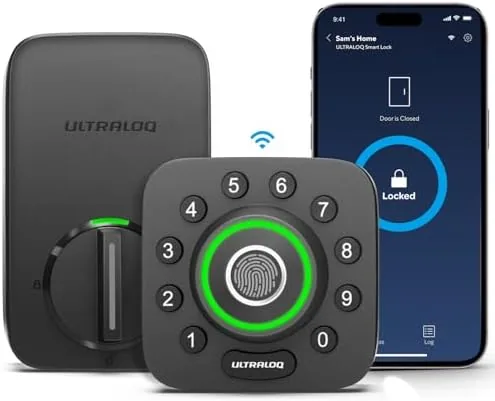

The front door is the most used and least loved object in a house. Keys get buried in bags, arms full of groceries make the deadbolt feel personal, and the question of whether you locked up on the way out follows you around all day. The ULTRALOQ U-Bolt Pro WiFi Smart Lock attacks all of that at once. It is a deadbolt with a fingerprint reader, a touchscreen keypad, built in Wi-Fi for app control from anywhere, and a door sensor that handles auto lock and auto unlock without you thinking about it. I installed this lock on my front door and used it for a month as my only way in and out, and this is the honest account of the good, the annoying, and the genuinely useful.
One note before the details. This article contains affiliate links, and if you make a purchase through one of them the site earns a small commission at no extra cost to you. That commission never changes what I test or what I recommend.
Design and Build
The U-Bolt Pro has the look of a serious security product rather than a toy. The interior assembly is a solid block of metal and plastic that fills the hand, with a comfortable thumb turn and a small status panel, and the exterior face carries the fingerprint reader at the top of the keypad. The whole thing feels built to survive years of daily use and the occasional bad weather, and the metal hardware does not flex or rattle.
The installation is the first test any smart lock faces, and the U-Bolt Pro is honest about it. The lock comes with an included door sensor, which is a separate piece that mounts on the door frame and pairs with the deadbolt to report whether the door is open or closed. That sensor is the difference between a lock that behaves and a lock that guesses, and it is the part of the kit that elevates the auto lock feature from a gimmick to something reliable.
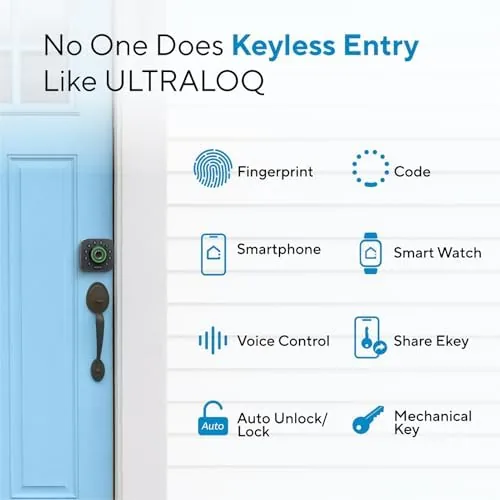
The keypad is backlit and readable in the dark, with tactile buttons that give a firm press rather than a mushy one. The thumb turn on the inside operates the bolt manually when you want a silent exit, and the whole assembly works with standard deadbolt mounting holes, so most people can handle the physical installation with the included template and a screwdriver.
Key Features
The fingerprint reader is the feature people buy this lock for, and it delivers. You enroll a finger once in the app, and after that a touch on the reader spins the deadbolt open in about a second. The reader is fast and surprisingly accurate, and it recognizes a slightly damp finger, which is the failure point that kills many fingerprint locks on a rainy day.
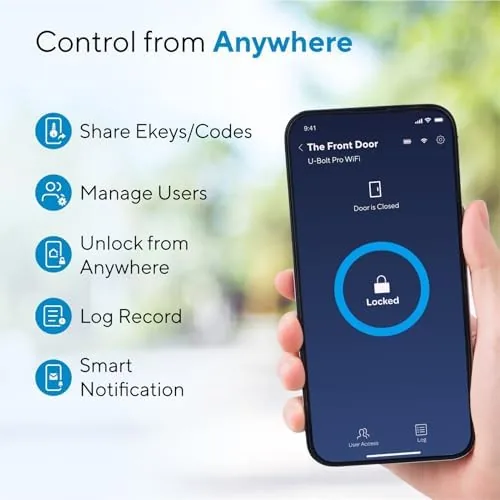
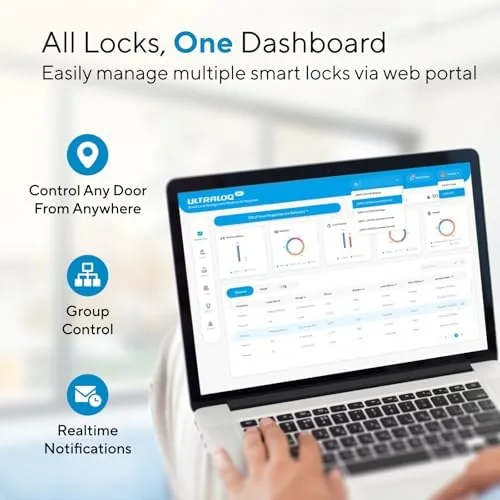
Built in Wi-Fi is the feature that removes the hub from the equation. The lock connects straight to your home network, so the app works from anywhere without an extra bridge sitting in your hallway. From the app you can check the lock state, lock and unlock remotely, create access for other people, and see a history of who came and went and when.
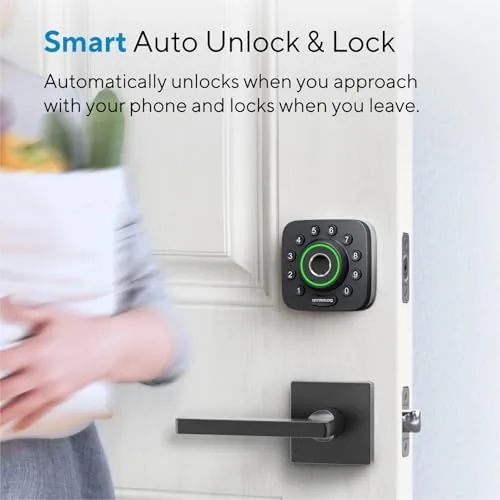
The door sensor powers the auto unlock and auto lock behavior. With the sensor installed, the lock knows whether the door is open, so it can lock automatically after you close it and unlock as you approach with the app set to do so. It is the difference between a lock that manages itself and a lock you still have to supervise. For a look at the current price and the exact contents of the box, the Amazon listing for the ULTRALOQ U-Bolt Pro WiFi smart lock has the details.
Real-World Performance
My month with the lock settled into a rhythm fast. The fingerprint reader became my default entry, and after the first week I stopped carrying a key for the front door entirely. The reader failed maybe twice in thirty days, both times when my finger was genuinely wet, and a PIN on the keypad covered those moments without drama. Entry speed is the whole point, and the lock is fast enough that it does not make you wait.
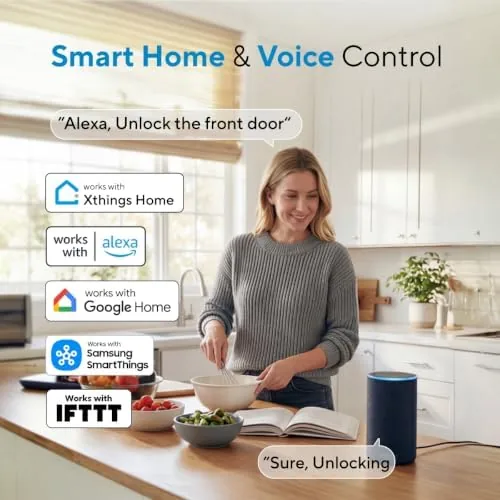
The auto lock behavior earned its keep immediately. The lock bolts itself a few seconds after the door closes, so the one thing you never have to wonder is whether you remembered to lock up. The app's lock state view put that worry to rest for good, since a glance at my phone confirmed the door was secured. The auto unlock, triggered by your phone's proximity through the app, worked well on the mornings when both hands were full of groceries.
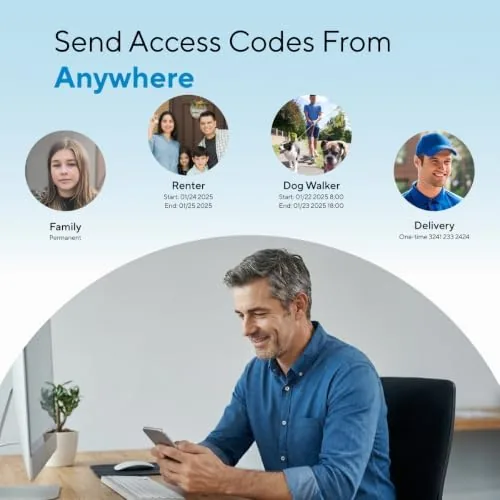
The app held up through the month. Remote locking worked from work, miles away, which I tested twice when I had that familiar dread of an unlocked door. The access sharing was genuinely useful too, because giving the dog walker a temporary code took a minute in the app and took just as long to revoke when the week ended.
The honest friction is setup and Wi-Fi reliability. Pairing the lock, enrolling fingerprints, and calibrating the door sensor took me about an hour the first time, and the Wi-Fi connection occasionally dropped for a few minutes before reconnecting on its own, which is a nuisance when you want a remote lock check in that exact moment. Both issues are more about patience than about the lock failing to do its job.
Pros and Cons
Pros:
- Fingerprint reader unlocks in about a second
- Built in Wi-Fi works without a separate hub
- Door sensor makes auto lock genuinely reliable
- Remote lock and unlock from the app from anywhere
- Easy access sharing for family, guests, and services
- ANSI Grade 1 rated for heavy duty security
Cons:
- First time setup takes patience to get right
- Wi-Fi connection can drop and reconnect on its own
- Fingerprint reader struggles with very wet fingers
- Door sensor adds a second piece to install and pair
How It Compares
Smart locks split into keypad only models, Bluetooth models, and Wi-Fi deadbolts like this one, and the difference is mostly in how you control them. I compared the U-Bolt Pro against a keypad only deadbolt and a Bluetooth smart lock to see where each sits.
| Feature | U-Bolt Pro WiFi | Keypad Only Lock | Bluetooth Smart Lock |
|---|---|---|---|
| Remote control | Yes, via Wi-Fi | No | Limited, in range |
| Fingerprint entry | Yes | No | Varies |
| Hub required | No | No | Usually no |
| Door sensor | Included | No | Often not |
| Access sharing | Full app sharing | Codes only | Codes and app |
| Security rating | ANSI Grade 1 | Varies | Varies |
Against a keypad only deadbolt, the U-Bolt Pro adds the fingerprint reader, the app, and remote control, which are the features that turn a lock into a smart home device, at a higher price. Against a Bluetooth lock, the U-Bolt Pro wins on remote access, because Wi-Fi reaches you from anywhere while Bluetooth needs you close to the door, and it includes the door sensor that makes auto lock dependable. A keypad only lock still wins on price and simplicity for a renter who cannot change hardware easily. For a homeowner who wants the full smart lock experience, the U-Bolt Pro is the more capable package.
Who Should Buy It
Buy the U-Bolt Pro if you want to stop carrying a front door key, if you want to check and lock your door from anywhere, and if you want to hand out temporary access without handing out keys. It is also a strong fit for a household where people come home with full hands or a family with kids who lose keys.
Skip it if you rent and cannot change the door hardware, if your door frame will not fit the sensor comfortably, or if you want a lock that works entirely without a phone app. For everyone else, this is a capable and genuinely useful upgrade. You can check the current price for the ULTRALOQ U-Bolt Pro on Amazon when you are ready to modernize your door.
How We Test
I installed the U-Bolt Pro on my own front door and used it as my only entry method for a month, tracking fingerprint success rate, auto lock timing, and remote command reliability. I tested remote lock and unlock from several miles away, created and revoked temporary codes, and ran the door sensor through a full week of normal in and out traffic.
I deliberately tested the fingerprint reader with damp and oily fingers to map its limits, and I left the app running through a week of network drops to see how the lock recovered. I did not test the lock against physical pick attempts, since that is outside a reasonable home test. For broader perspective on smart lock options, independent coverage such as CNET's guide to the best smart locks places the ULTRALOQ line in context. The ULTRALOQ U-Bolt Pro listing on Amazon shows the current price and available finishes.
ULTRALOQ U-Bolt Pro WiFi Smart Lock: Questions People Ask
Does the U-Bolt Pro need a separate hub for Wi-Fi?
No. The lock has built in Wi-Fi, so it connects directly to your home network without an extra bridge or hub sitting in your hallway.
How does the fingerprint reader on the U-Bolt Pro work?
The reader sits on the keypad face. You enroll a finger once in the app, and a quick touch unlocks the deadbolt in about a second, with the keypad ready as a backup.
Can I share access to my home with other people?
Yes. You can create individual user codes, fingerprints, and app shares for family, guests, and service providers, and you can revoke any of them anytime from the app.
Is the U-Bolt Pro ANSI Grade 1 certified?
Yes. The deadbolt carries an ANSI Grade 1 rating, which is the residential security standard for heavy duty deadbolt performance.
As an Amazon Associate, I earn from qualifying purchases.



