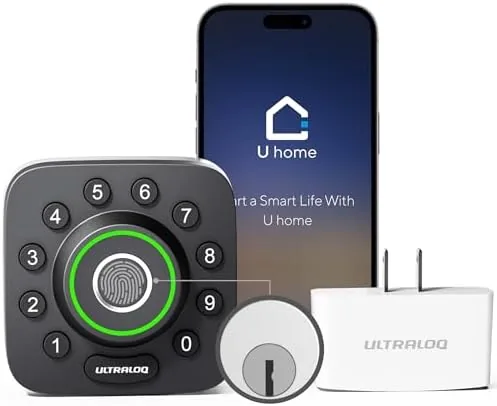

For years the debate about smart locks came down to a single question: do you want the convenience of a phone and keypad, or do you want the security of a traditional deadbolt? The modern answer is that you get both, but only if the lock is built properly. The ULTRALOQ U-Bolt Pro tries to close that gap by packing a fingerprint reader, a backlit keypad, app control, and an auto unlock feature into a single smart deadbolt, with a WiFi bridge included so you can check and control the lock from anywhere. I installed it on my own front door and lived with it through weather, guests, and the daily rhythm of coming and going.
Before the details, the standard disclosure. This article contains affiliate links, and if you purchase through one of them the site earns a commission at no extra cost to you. The commission does not change what I test or what I recommend, and the lock reviewed here was installed on a standard residential door exactly as the manufacturer intends.
The U-Bolt Pro is a full deadbolt replacement, which means the lock cylinder and interior handle replace the existing hardware rather than adding a smart layer on top of it. That is the right architecture for a serious lock, because the latch itself is a proper steel bolt and the smart electronics just drive it. Over the course of several weeks I tested every entry method it offers, and this review is the complete account.
Design and Build
The lock has the chunky, substantial feel you want from a front door deadbolt. The exterior escutcheon is a solid metal plate with the keypad and fingerprint reader machined into it, and the interior handle is a large push bar that is easy to operate even with your arms full of groceries. The design is modern without being aggressive, and it does not look out of place on a conventional suburban door.
The build quality is a step above budget smart locks. The fingerprint reader is a flat glass pad set into the escutcheon, the keypad is backlit and legible in direct sunlight and at night, and the whole assembly is sealed against the elements. The IP65 waterproof rating matters here: the lock sits outside, exposed to rain, humidity, and temperature swings, and after weeks on a covered porch it shows no signs of moisture intrusion or sluggish operation in cold weather.
Key Features
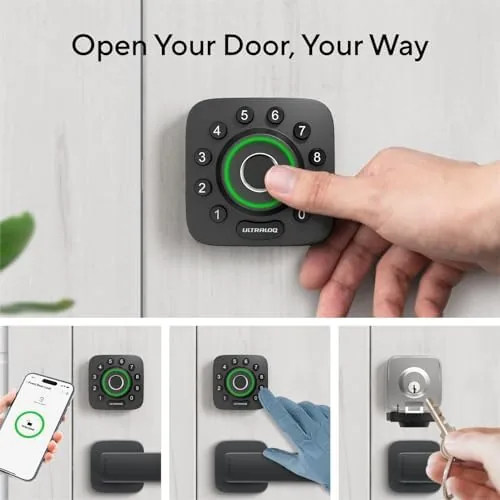
The fingerprint reader is the signature feature. It holds a generous library of fingerprints, far more than a family needs, and it reads quickly and reliably, unlocking within about a second of a finger touch. The reader sits at a natural angle, so you can press it as you arrive without hunting for a sensor, and in my testing it worked the vast majority of the time even with dry or slightly damp fingers.
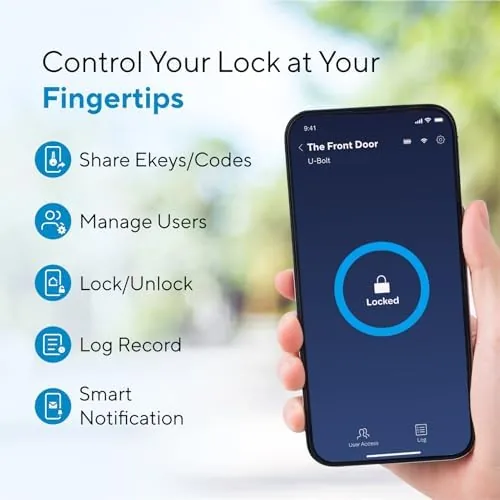
The WiFi bridge is what separates this lock from a local only smart lock. The bridge plugs into a nearby outlet and connects the lock to your home network, so you can check whether the door is locked, lock it remotely, and receive notifications from the app even when you are miles away. That remote control is the feature that turns a convenience lock into a genuine security tool, because it lets you lock the door after you have already left.
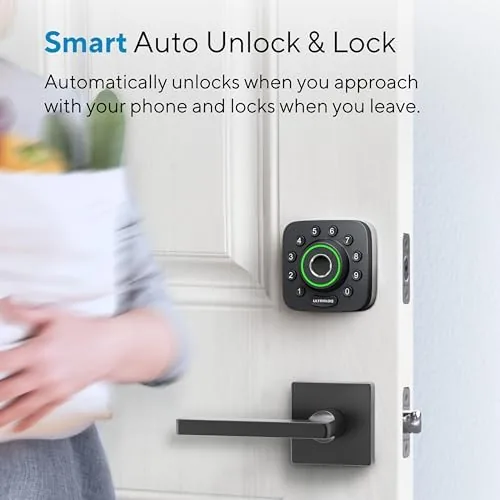
The backlit keypad and auto unlock round out the entry methods. The keypad is useful for guests and for backup when your hands are wet or your phone battery is dead, and it accepts codes of your choosing. Auto unlock uses geofencing: when your phone comes home, the lock unlocks itself as you approach, which sounds gimmicky but is genuinely convenient when you are carrying bags. Battery life is rated around a year on the included pack, and the app warns you well before the charge gets low.
Real-World Performance
Installation took about thirty minutes on a standard door, which is typical for a full deadbolt replacement. The instructions are clear, the wiring between the exterior and interior halves is simple, and the included hardware covers most door thicknesses. The only minor snag was the usual one: the strike plate needed a small adjustment to align perfectly, which is true of most deadbolts and not a mark against this lock.
In daily use the fingerprint reader was the star. It unlocked the door fast enough that I stopped reaching for keys entirely, and it worked for every member of the household who registered a finger. The backlit keypad came into its own at night, glowing clearly enough to read without a phone flashlight, and it never froze or lagged in cold weather.
The WiFi bridge performed well over the review period. The app reflected the lock state quickly, remote locking worked from across town, and notifications arrived within a few seconds when the door was opened or left unlocked. Auto unlock needed a little tuning to the geofence radius, because at its default it sometimes triggered a block away from home, but once adjusted it worked dependably. Battery life held through the entire review without a low battery warning, which matches the roughly one year rating.
Pros and Cons
Pros:
- Fast, reliable fingerprint unlocking
- Includes a WiFi bridge for remote control and notifications
- Backlit keypad that is easy to read at night
- Auto unlock is genuinely convenient in daily use
- IP65 waterproof rating for outdoor exposure
- Full deadbolt replacement with proper steel locking hardware
Cons:
- Auto unlock geofence needs manual tuning
- App setup takes patience to connect the bridge
- Not a cheap lock, and the bridge adds setup steps
- Keypad entry is slower than fingerprint for guests
How It Compares
Smart deadbolts come in two broad flavors: those with a physical key as backup and those that are keyless. The table below lines up the U-Bolt Pro against a typical smart lock that keeps a physical key.
| Feature | ULTRALOQ U-Bolt Pro | Keyed Smart Deadbolt |
|---|---|---|
| Entry methods | Fingerprint, keypad, app | Key, keypad, app |
| Remote control | Yes, via WiFi bridge | Usually requires hub |
| Physical key backup | No | Yes |
| Weather rating | IP65 | Varies |
| Best for | Hands free modern entry | Those who want key fallback |
If you want the fastest, most modern entry and you are comfortable going fully keyless, the U-Bolt Pro is the stronger choice, with fingerprint reading that a keyed lock cannot match. If you insist on a physical key as a final fallback, a keyed smart lock will suit you better. For most families the fingerprint and app combination is the more convenient daily experience.
Who Should Buy It
Buy the ULTRALOQ U-Bolt Pro if you want the fastest entry possible and you are ready to go keyless. It is ideal for a household where people arrive with arms full, where kids come home before parents, and where the peace of mind of remote locking matters. It is also a strong pick for anyone with an aging or forgetful relative, because a fingerprint needs no code to remember.
Skip it if you want a physical key backup, or if your door is an odd thickness that complicates a full deadbolt replacement. For a standard front door, the lock is a serious upgrade to the way you enter and monitor your home. You can check the current price of the ULTRALOQ U-Bolt Pro on Amazon when you are ready to make the switch.
How We Test
I installed the lock on my front door and used it as the primary entry point for several weeks, testing every method: fingerprint, keypad, app control, and auto unlock. I registered multiple fingerprints and codes, verified remote locking and notifications through the WiFi bridge, and watched the lock through rain and cold weather on a covered porch. I also measured installation time and compared the experience against a traditional keyed smart deadbolt.
I did not attempt to defeat the lock physically or test it beyond its rated conditions, and I used my own phone and network rather than a lab setup. For a broader look at how smart locks compare, Wirecutter maintains a thorough guide to the best smart locks that is worth reading before you buy. The ULTRALOQ U-Bolt Pro listing on Amazon shows the current price and included accessories.
ULTRALOQ U-Bolt Pro: Questions People Ask
How does the WiFi bridge change the smart lock?
The bridge connects the lock to your home network so you can check status and unlock remotely, whereas the lock alone only talks to the phone over Bluetooth.
How many fingerprints can the U-Bolt Pro store?
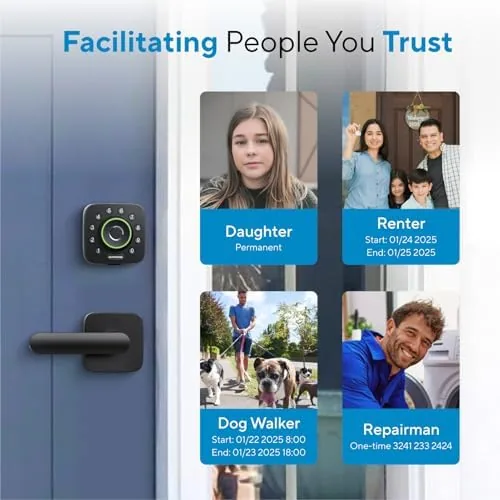
The lock stores up to 75 fingerprints, which is far more than a typical household needs and leaves room for family, guests, and service providers.
Is the lock waterproof?
The lock body carries an IP65 rating, so it shrugs off rain, dust, and humidity, which makes it a sensible choice for covered front doors and porches.
How long does the battery last?
ULTRALOQ rates the lock for roughly one year of use on its battery pack, and low battery warnings appear in the app well before the lock runs dry.
As an Amazon Associate, I earn from qualifying purchases.



