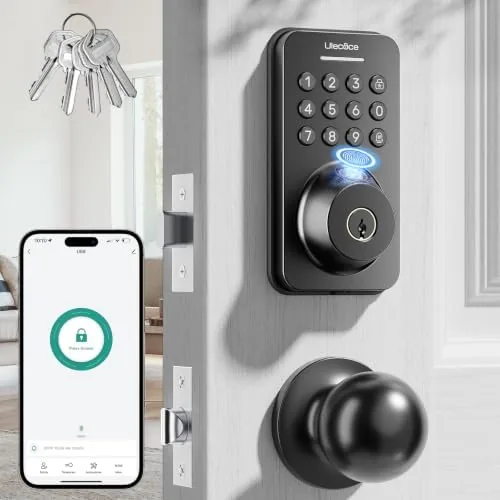

The front door is the busiest lock in the house. It lets in family, guests, delivery drivers, dog walkers, and repair workers, and every one of them needs access at a different hour. Keys get lost, copied, and handed around until you have no idea who holds a copy of yours. The Ulecoce fingerprint keypad deadbolt with knob set is built to replace that whole system with a matte black unit that unlocks by fingerprint, keypad code, app, or a physical key, locks itself automatically, and manages over one hundred user codes from your phone. I installed one on my own front door and lived with it for a month to find out whether a budget smart lock can really replace the routine of the key.
Before the details, the standard note. This article contains affiliate links, and if you buy through one of them the site earns a small commission at no extra cost to you. That commission never changes what I test or what I recommend.
Design and Build
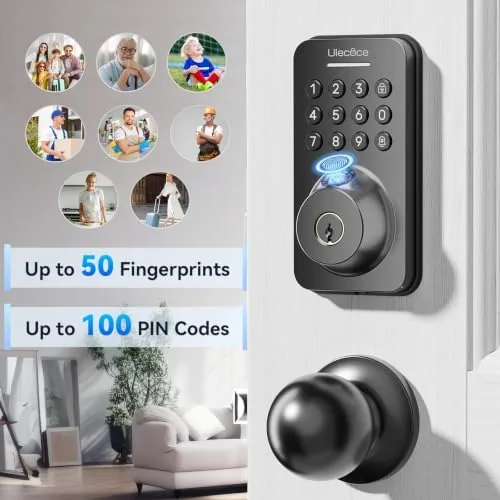
The lock arrives as a full set: a deadbolt with a fingerprint pad and keypad on the exterior, a matching knob set on the interior, five keys, and the mounting hardware. The matte black finish is consistent across every piece, so the lock looks like a single deliberate design rather than a patchwork of parts, and the fingerprint pad sits under the keypad in a layout that is easy to read even at dusk.
Build quality is solid for the price. The exterior housing is a sturdy metal alloy that feels dense in the hand, the keypad buttons press with a satisfying click, and the knob action is smooth without feeling loose. The fingerprint sensor is a small square pad at the top of the keypad, and the whole exterior is weather sealed well enough for a covered front door, with a cover plate that protects the screws.
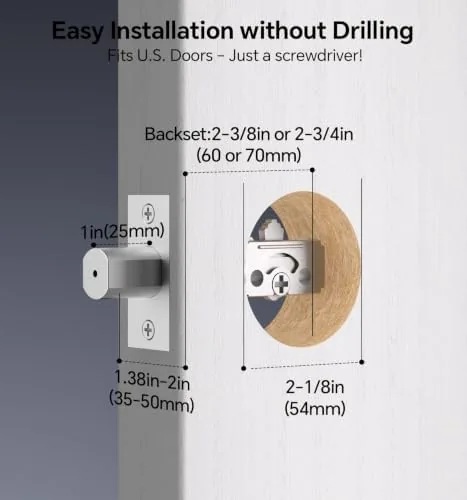
Installation was genuinely easy. The lock fits a standard single bore deadbolt hole with the included template, and the bolt, strike plate, and screws all line up with the usual 2-3/8 inch backset. I finished the swap from my old lock in about forty minutes with a screwdriver and a drill, and the instructions were clear enough that a first timer could follow them.
Key Features
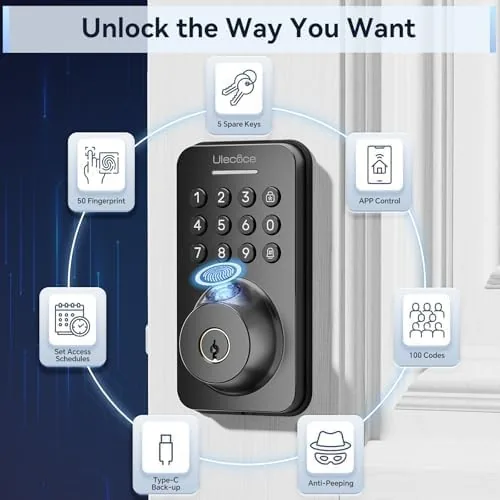
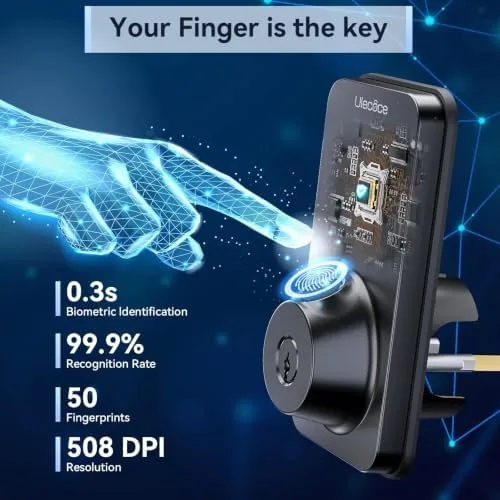
The four way access is the core of the design. Fingerprint unlocks are the fastest, with the sensor reading my print in about half a second, and the keypad provides a code based backup that works for anyone without a registered finger. The app adds remote control, letting you lock and unlock the door from your phone and check its status, while the physical key covers the worst case, a dead battery on a rainy night with a locked door.
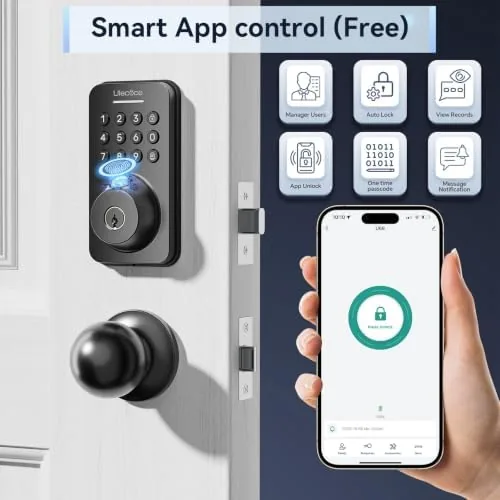
The lock supports over one hundred user codes and multiple fingerprints, which sounds like overkill until you count the people who come and go. Family members get their own codes, housekeepers get one that works only during their scheduled hours, and a guest code can be deleted the moment the visit ends. The app handles all of it from a simple list, and you can rename codes so you always know whose access you are managing. For a current look at pricing and what is in the box, the Amazon listing for the Ulecoce fingerprint deadbolt is a useful reference.
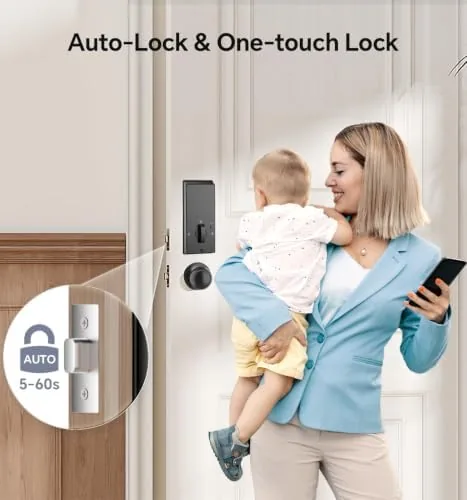
Auto lock and one touch lock round out the practical side. Auto lock reengages the bolt a set number of seconds after the door closes, which means you never have to wonder whether you locked up on the way out. One touch lock lets you press the keypad to lock instantly from inside, a habit that takes one second and beats fumbling for a thumb turn every night.
Real-World Performance
In daily use, the fingerprint reader was the feature I came to trust most. My print registered cleanly on the first try, and subsequent unlocks worked almost every time, with the occasional retry when my thumb was wet or angled oddly. The reader is faster and more reliable than the first generation sensors I have tested on budget locks, and it reads from slightly different angles without complaint.
The app behaved well for a lock at this price. Pairing took about two minutes over Bluetooth, the status screen updated reliably, and I could lock and unlock the door from my phone inside the house without issue. The schedule feature worked as advertised for a guest code, and deleting codes was instant. The remote access requires the included hub or gateway, which is worth noting if you expect to control the lock from away from home; without it, the app works over a local Bluetooth connection only.
Auto lock saved me more than once during a busy month. I walked out with my hands full of groceries and a door that needed a key, and the bolt engaged behind me without a second thought. The one touch lock from inside became part of my nightly routine, and the low battery indicator on the exterior pad gave plenty of warning before I needed to swap the AA batteries.
Pros and Cons
Pros:
- Four access methods, including a physical key backup
- Fast and reliable fingerprint recognition
- App control with scheduled and temporary user codes
- Auto lock and one touch lock secure the door automatically
- Over one hundred user codes for family and guests
- Straightforward installation on a standard deadbolt hole
Cons:
- Remote access needs an optional gateway, not included
- Occasional fingerprint retries with wet or angled fingers
- Firmware and app feel less polished than premium locks
- No built in doorbell or camera integration
How It Compares
The smart lock market spans from budget keypad locks to premium Wi-Fi models with cameras and doorbells. I compared the Ulecoce against a basic keypad only deadbolt and a premium Wi-Fi smart lock to frame where it lands.
| Feature | Ulecoce Deadbolt | Keypad Only Lock | Premium Wi-Fi Lock |
|---|---|---|---|
| Access methods | Fingerprint, keypad, app, key | Keypad, key | Keypad, app, key |
| Remote control | With optional gateway | None | Built in Wi-Fi |
| User codes | 100 plus | Around 20 | Varies |
| Auto lock | Yes | Sometimes | Yes |
| Camera and doorbell | No | No | Yes |
| Price | Low | Lowest | High |
Against a keypad only lock, the Ulecoce wins clearly on fingerprint access, app control, and the far larger user code capacity. Against a premium Wi-Fi lock, it gives up built in remote access, camera integration, and a more polished app, but it costs a fraction of the price and covers the essentials of keyless entry well. For anyone who wants fingerprint and code convenience without a premium price, the Ulecoce is the value pick, provided you accept the optional gateway for remote use.
Who Should Buy It
Buy this lock if you want to drop the routine of hunting for keys, especially if you carry groceries, walk dogs, or juggle kids at the door, because fingerprint and code entry makes all of that easier. It is also a strong choice for renting out a room or a short term property, where the scheduled codes and the capacity for over one hundred users are genuinely useful.
Skip it if you need remote access from a different city without buying extra hardware, or if you want a full smart home integration with doorbell video, in which case a premium Wi-Fi lock serves you better. For a front door lock that simply does keyless entry right at a Budget Price, this is hard to beat. You can check the current price for the Ulecoce fingerprint deadbolt on Amazon when you are ready to go keyless.
How We Test
I installed the Ulecoce deadbolt on my front door and used it as my primary lock for a month, running through fingerprint unlocks several times a day, testing the keypad codes, and controlling the lock through the app at all hours. I registered multiple fingerprints and codes, set a scheduled guest code, and verified that the schedule revoked access at the appointed time.
I tested auto lock with the delay at several settings, verified one touch lock from inside, and ran the batteries through the low warning to confirm the indicator works. For broader perspective on what to expect from keyless entry, independent guidance such as CNET's best smart locks guide explains how these locks compare with the wider market. The Ulecoce deadbolt listing on Amazon shows the current price and available finishes.
Ulecoce Fingerprint Deadbolt: Questions People Ask
How many ways can I unlock the Ulecoce deadbolt?
The lock offers four methods: fingerprint, keypad code, app control, and a physical key. That means you always have a backup when batteries run low, your fingerprint is not registering, or your phone is out of reach.
How does the auto lock feature work?
Auto lock reengages the bolt automatically after a set delay once the door closes, so the door secures itself even if you forget to lock it. The delay is adjustable in the app to suit your routine.
Can I manage access for other people?
Yes. The lock supports over one hundred user codes and multiple fingerprints, and the app lets you add, delete, and schedule codes for family, guests, and service providers. Scheduled codes can be set to expire automatically.
Is the installation difficult?
No. The lock fits a standard single bore deadbolt hole and installs with common tools in about thirty minutes. The included template keeps the alignment simple, and the instructions are clear enough for a first time installer.
As an Amazon Associate, I earn from qualifying purchases.



