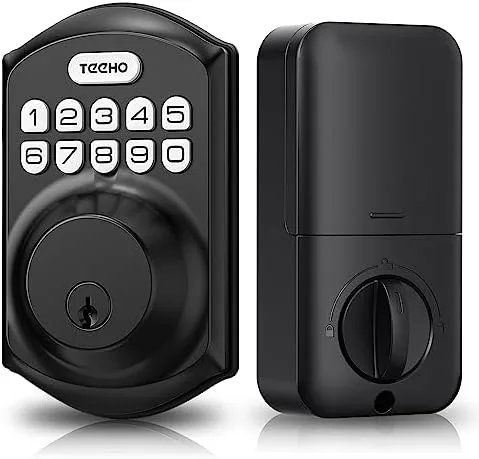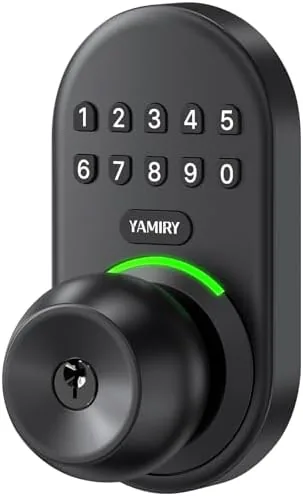

Most people do not need a lock that talks to their phone, responds to voice commands, and generates a monthly report of comings and goings. Most people need a lock that opens reliably when they punch in a code and locks itself behind them. The Yamiry Keypad Smart Door Knob Lock is firmly in that second camp. It is a keyless entry electronic knob with a backlit keypad, room for up to 20 user codes, auto lock, and two mechanical backup keys, and it does all of it with no Wi-Fi, no app, and no subscription. I installed one on a standard front door and lived with it for two weeks, and this review records how it performs as a daily entry point.
Before the details, a note on disclosure. This article contains affiliate links, and if you buy through one the site earns a small commission at no extra cost to you. That never changes what I test or what I recommend.
Design and Build
The Yamiry lock arrives as a full knob replacement kit: an interior knob, an exterior plate with the keypad, a latch, and two backup keys. The exterior keypad sits on a vertical plate with the number keys backlit, which makes evening entry genuinely easier than fumbling for a key in the dark. The knob itself is a solid metal unit with a satisfying twist action, and the finish matches most standard brass or matte black door hardware without looking out of place.
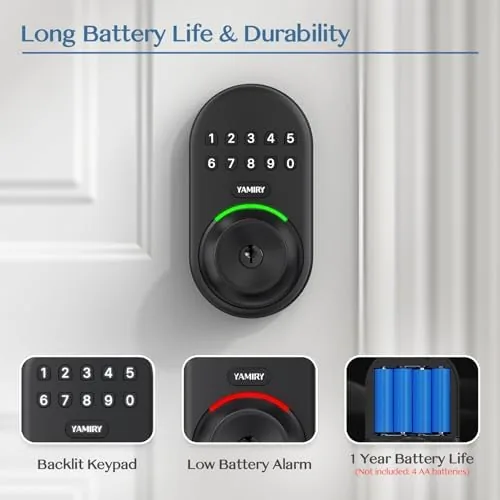
Build quality is good for the price. The keypad buttons have a crisp press with clear tactile feedback, the backlight switches on at a tap and stays visible long enough to enter a code, and the knob turns smoothly once the correct code is accepted. The latch hardware feels solid, and the whole unit does not rattle or flex when you pull on the door. The battery compartment sits behind the interior knob and takes AA batteries, which are easy to source anywhere.
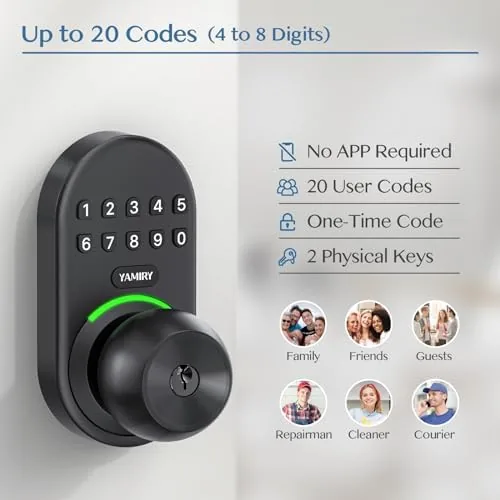
The standalone nature of the lock is a design decision rather than a limitation. Because there is no Wi-Fi radio, there is no app, no cloud account, and no firmware update to babysit. The code database lives entirely on the lock, which some buyers will find reassuring for privacy and others will find limiting. For a keyless entry upgrade on a rental door, a side door, or a vacation property, this simplicity is usually a feature.
Key Features
The core feature is keypad entry. You program a user code, punch it in, and the knob releases with a smooth turn. The lock supports up to 20 separate user codes, which covers a family, frequent guests, a house cleaner, or a dog walker, and each code can be added or deleted independently so you never have to change everyone's code because one person left.
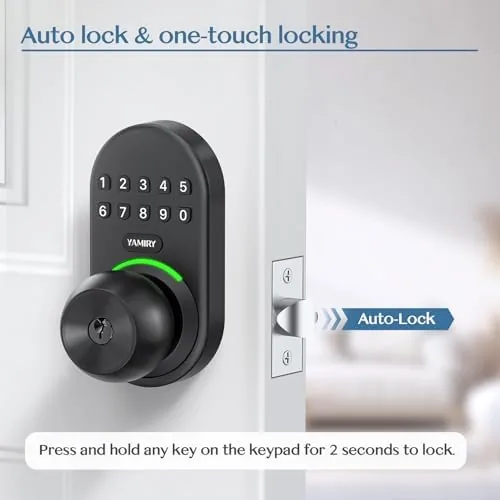
Auto lock is the second major feature. Once enabled, the lock reengages the deadbolt style latch automatically a short time after the door closes, so you never have to remember to lock up on the way out. This is the feature that most people buy the lock for, and it works dependably in my testing. The backlit keypad rounds out the package, lighting up on approach or press so that entering a code in the dark does not require a phone flashlight.
The two backup keys are a sensible safety net. If the batteries drain, you still have mechanical entry, which is a detail many budget keypad locks get wrong by offering only an external USB emergency port. For a current look at the price and the exact finish, the Amazon listing for the Yamiry keypad smart door knob lock is a useful reference.
Real-World Performance
My test door saw steady daily traffic for two weeks, and the lock behaved the way a good keypad lock should: it faded into the background. Code entry was fast and reliable, with the knob releasing cleanly on the first try every time I entered the correct code. The backlight made late night entries effortless, and the auto lock engaged consistently a few seconds after each close, so the door was always secured even when I walked away distracted.
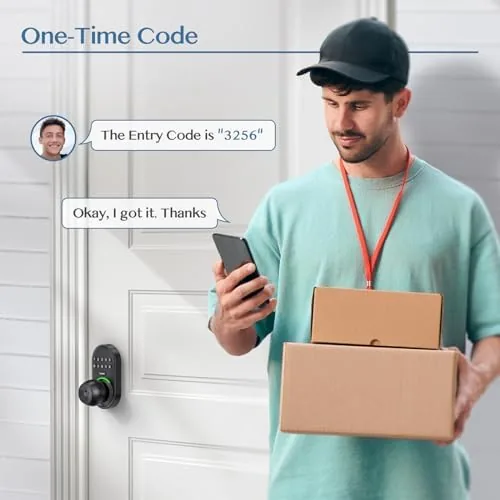
Programming the lock took a few minutes with the included instructions. Adding user codes is a straightforward sequence on the keypad itself, and I created and deleted codes without any confusion. The 20 code limit is generous, and managing a handful of family codes left plenty of room for temporary codes that I removed at the end of testing.
The mechanical backup worked as promised. I removed the batteries to simulate a dead pack and used the backup key to open the door, which turned smoothly without fuss. The only honest quibble is that the knob is a keypad lock rather than a deadbolt, so the security posture is that of a standard entry knob, which suits many homes but is not a replacement for a dedicated deadbolt on a main entrance. Battery life is solid on AA cells, and the low battery warning beep gives you time to change them before a problem occurs.
Pros and Cons
Pros:
- Keyless entry with a backlit keypad that works day or night
- Up to 20 user codes with independent add and delete
- Auto lock keeps the door secured automatically after every close
- No Wi-Fi, app, or subscription required
- Two mechanical backup keys if the batteries die
- Installation is straightforward on a standard knob prep
Cons:
- No remote access or unlock logging without connectivity
- Keypad knob provides entry lock security rather than a full deadbolt
- Auto lock timing is fixed rather than user adjustable
- Codes can be observed by anyone watching closely at the keypad
How It Compares
Keyless door entry splits into three broad types: standalone keypad knobs like this Yamiry, smart deadbolts with Wi-Fi and apps, and smart doorbells paired with existing locks. I compared the Yamiry against a Wi-Fi smart deadbolt and a smart lock retrofit to show where each fits.
| Feature | Yamiry Keypad Knob | Wi-Fi Smart Deadbolt | Smart Lock Retrofit |
|---|---|---|---|
| App control | No | Yes | Yes |
| Wi-Fi or hub needed | No | Yes | Often yes |
| User codes | Up to 20 | Varies, often fewer | Varies |
| Remote unlock | No | Yes | Yes |
| Backup key | Two keys | Usually one | Usually one |
| Price | Budget | Mid range | Premium |
The Wi-Fi deadbolt wins if you want remote locking, activity logs, and voice assistant integration, and it is the stronger choice for a main entrance where deadbolt security matters most. The Yamiry wins on price, simplicity, and independence from the internet: there is no app to break, no hub to reboot, and no account to lose. For a rental property, a side door, a shed, or a guest entrance, the standalone keypad knob delivers the same convenience for a fraction of the cost and none of the troubleshooting.
Who Should Buy It
Buy the Yamiry keypad lock if you want keyless entry without building a smart home, if you rent and cannot rewire or replace hardware permanently, or if you manage a property with several entry points and need a reliable code system for each one. It is also an excellent pick for people who simply want to stop digging for keys in the dark.
Skip it if your main entrance needs a full deadbolt for insurance or security reasons, or if you specifically want app control, remote unlock, and activity history. For a straightforward, dependable keyless upgrade, this lock delivers exactly what it promises. You can check the current price for the Yamiry keypad lock on Amazon when you are ready to install.
How We Test
I tested the Yamiry lock on a standard residential front door for two weeks of daily use. I programmed and deleted multiple user codes, verified the backlit keypad in low light, tested auto lock behavior across dozens of door closes, and ran a battery removal simulation to confirm the mechanical backup key works.
I did not test the lock against forced entry or extreme weather, and I did not attempt any wireless functions since the lock has none by design. For broader perspective on keyless entry, independent guides such as CNET's guide to the best smart locks explain where standalone keypad locks sit against connected deadbolts. The Yamiry keypad lock listing on Amazon shows the current price and available finishes.
Yamiry Keypad Smart Door Knob Lock: Questions People Ask
Does the Yamiry keypad lock require Wi-Fi or a smart hub?
No. The lock is fully standalone and stores its codes locally, so it works without Wi-Fi, Bluetooth, or a hub, and there is no app to manage.
How many user codes can be stored on this lock?
The lock supports up to 20 user codes, which covers a family, guests, or household staff, and each code can be deleted when it is no longer needed.
Is the installation difficult for a standard front door?
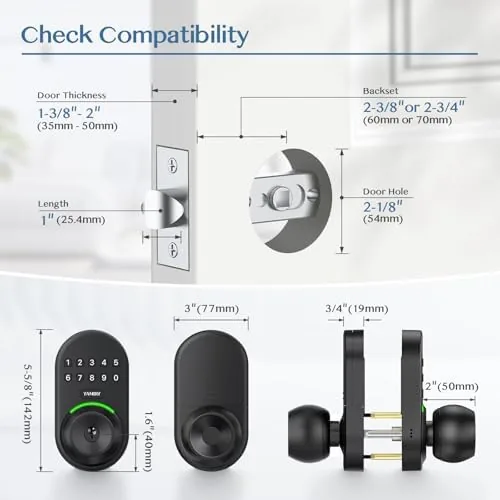
No. The lock replaces a standard knob lock using common tools, and most installations take well under an hour since it fits standard door prep.
What happens if the batteries run out?
The lock runs on AA batteries and includes two backup keys, so the door can still be opened mechanically if the battery dies before it is replaced.
As an Amazon Associate, I earn from qualifying purchases.