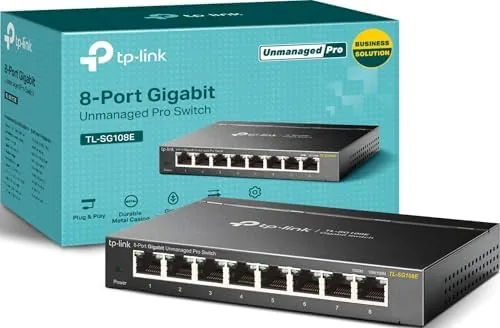
 Gigabit Switch on a desk" width="1200" height="800" loading="lazy" style="height:auto">
Most home networks do not need a managed switch. They need more ports, and they need them yesterday. The TP-Link TL-SG108E understands that reality and builds its appeal around it: eight gigabit ports that work the moment you plug them in, wrapped in a fanless metal box that costs less than a single lunch out. The twist is the easy smart layer underneath, a set of management tools for the day your network outgrows the basics. I ran this switch in a busy home office for a month to find out whether the smart part earns its keep.
The disclosure first, because it always should be. This article contains affiliate links, and if you buy through one of them the site earns a small commission at no extra cost to you. That commission does not affect what I test or what I recommend. The TL-SG108E in this review was bought at retail, and every router, cable, and device it connected to was handled the same way.
Design and Build
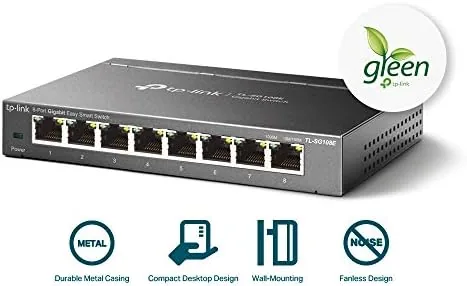
TP-Link wraps the TL-SG108E in a sturdy metal chassis, and that choice matters more than it looks. Metal conducts heat away from the internals, which is why the switch runs cool without a fan, and it gives the unit a solidity that the flimsy plastic switches on the same shelf cannot match. The housing is compact, roughly the size of a paperback, so it disappears behind a desk or television stand.
The layout is standard and sane. Eight gigabit ports run along the back, each shielded, with the power jack and the management features sitting in the expected places. On the front, LEDs show link status, speed, and activity for every port at a glance, a small touch that saves you from crawling behind furniture to diagnose a dead connection. The ports are snug and accept cables with a clean click, and they hold the connectors firmly enough that a kicked cable will not drop the link.
Two placement options cover most rooms. The unit can sit flat on a desk, cushioned by four rubber feet that stop it sliding, or it can hang on a wall using the metal mounting tabs built into the case. Both work without extra hardware beyond the screws TP-Link includes in the box, and neither blocks airflow, because the chassis is designed to breathe through its sides.
Key Features
The core spec is straightforward: eight ports, each running gigabit, for a non-blocking switching capacity that lets every port talk at full speed at the same time. For the home user this means simultaneous 4K streaming, gaming, video calls, and file transfers without a port becoming a bottleneck.
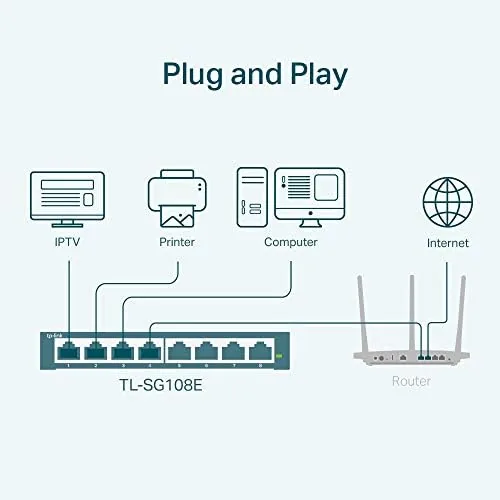
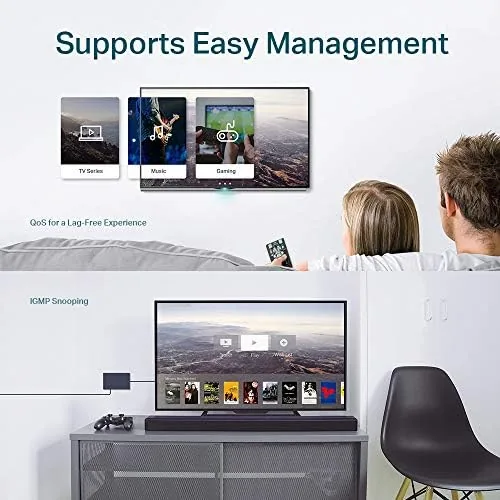
The easy smart layer is where this switch separates itself from a plain eight-port hub. It supports QoS, which lets you prioritize traffic, so a game or a video call can be given priority over background downloads. It supports VLANs, which partition ports so different devices cannot see each other, useful for separating smart home gadgets from your main network. It handles IGMP snooping, which keeps multicast traffic from flooding every port, and it supports link aggregation, which lets you bundle two ports into a single faster trunk.
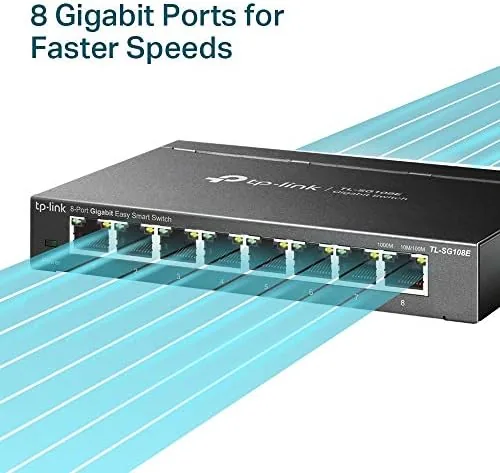
The trick is that every one of those features is optional. Out of the box, the switch behaves exactly like an unmanaged switch, which is why the box advertises plug and play. The management interface only appears if you ask for it, and you can run this switch for years without ever touching a settings page. That combination of simplicity now and capability later is the entire personality of the product.
Real-World Performance
I connected the TL-SG108E to my main router and wired in eight devices: a desktop, a laptop dock, two game consoles, a smart TV, a streaming box, and a network printer. The switch recognized every device immediately, no configuration, no drama, and file transfers between the desktop and a network drive ran at the full gigabit speed my cabling would allow. Throughput matched what I expected from a gigabit switch, with no measurable overhead from the management layer.
The silent operation deserves its own paragraph, because it is the feature you feel every day without noticing it. There is no fan in the TL-SG108E, and there is no whine, no hum, no coil noise at all. The metal case stays warm to the touch after heavy use, which is normal for fanless design, but the quiet is total. In a bedroom or office, that absence of noise is a real selling point.
I also tested the smart features, because a reviewer should use the product, not just admire the spec sheet. The one-time setup runs on a Windows PC, after which you open the switch in a web browser. I set up a QoS rule to prioritize my desktop during a large download and confirmed that a video call stayed smooth while the transfer ran. I built a simple VLAN to isolate two smart home hubs from the rest of the network, and both devices kept working while appearing invisible to the main LAN. Link aggregation worked as advertised too, though the honest note is that most homes will never need it, and its absence on a cheaper switch would not matter to the average user.
Pros and Cons
Pros:
- Genuine gigabit throughput on all eight ports
- Completely silent, fanless metal construction
- Works as a simple unmanaged switch with zero setup
- Optional QoS, VLAN, IGMP, and link aggregation for later
- Compact and easy to wall mount or tuck away
- No power switch, no moving parts, nothing to fail
Cons:
- Management setup requires a Windows PC for the initial step
- Only eight ports, so a large office needs a bigger unit
- No 2.5 or 10 gigabit speeds for modern NAS setups
- Most buyers will never touch the smart features
How It Compares
The TL-SG108E sits between a plain eight-port unmanaged switch and a full enterprise managed switch, and the comparison table makes its position clear.
| Feature | TL-SG108E | Plain 8-Port Unmanaged | Full Managed Switch |
|---|---|---|---|
| Ports | 8 gigabit | 8 gigabit | 8 or more gigabit |
| Setup | Plug and play | Plug and play | Configuration required |
| QoS priority | Yes | No | Yes |
| VLAN support | Yes, port based | No | Yes, advanced |
| Link aggregation | Yes | No | Yes |
| Chassis | Metal, fanless | Often plastic | Metal |
| Price | Low | Lowest | Highest |
The plain switch costs a few dollars less and does nothing wrong, but it offers no path forward when your needs grow. The full managed switch gives you enterprise tools you will never use, at a price and learning curve you do not want. The TL-SG108E threads the needle, delivering the plug and play experience most days and the smart tools on the rare day you need them.
Who Should Buy It
Buy the TL-SG108E if you are running out of router ports, if you want gigabit speeds to every room without paying for an expensive managed system, or if you like the idea of QoS and VLAN tools waiting in the wings for the day you need them. It is the default answer for the home office, the streaming setup, and the gamer who wants low latency without a complicated switch.
Skip it if you need more than eight ports, if you require 2.5 gigabit or faster networking, or if you truly will never touch a settings page, in which case a cheaper unmanaged switch does the same job. If the TL-SG108E fits your plan, you can check the current TL-SG108E price on Amazon.
How We Test
I ran the TL-SG108E as the backbone of a home office for a month, wiring in a desktop, two consoles, a smart TV, a streaming box, and a network printer. I measured file transfer throughput, watched latency during gaming, and left the switch running for days at a time to check stability and heat. I then exercised every management feature, including QoS priority rules, port-based VLANs, IGMP snooping, and link aggregation, and confirmed each one on a live network.
For a second opinion on how easy smart switches compare to fully managed models, I referenced the networking coverage at Tom's Hardware, which has published extensive testing of home and small office switches. The TL-SG108E listing on Amazon includes the full spec sheet and the current price if you want to verify the details before you buy.
Questions People Ask
Do I need to configure anything for basic use?
No. The TL-SG108E works out of the box as a plain unmanaged switch, and every management feature is optional, so plugging in cables is enough to start.
How do I access the management interface?
After a one-time setup on a Windows PC, you open a web browser pointed at the switch IP address to change QoS, VLAN, IGMP, and LAG settings.
Is the switch fanless and quiet?
Yes. The metal housing acts as a heatsink and there is no fan, so the switch runs completely silent even under load.
Can the switch be wall mounted?
Yes. The metal case includes mounting tabs, and the box ships with the screws and rubber feet you need for wall or desktop placement.
As an Amazon Associate, I earn from qualifying purchases.



