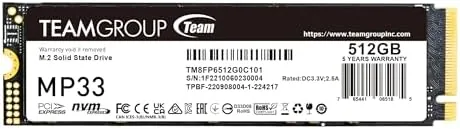

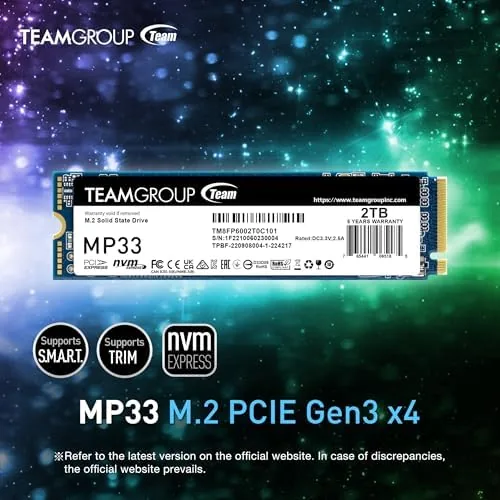
The quickest upgrade most people can make to a slow computer is a solid state drive, and the TEAMGROUP MP33 512GB sits at the entry point of that decision. It is a PCIe Gen3x4 M.2 drive rated for sequential reads up to 1700 MB/s and writes up to 1400 MB/s, which puts it squarely in budget NVMe territory rather than the cheap SATA tier. I installed the MP33 in both a modern desktop and an older laptop to see whether a drive at this price actually delivers the kind of responsiveness that makes an old machine feel new again.
Before the details, the standard note. This article contains affiliate links, and if you buy through one of them the site earns a small commission at no extra cost to you. That commission does not change what I test or what I recommend, and the drive reviewed here was installed and used exactly the way a typical buyer would use it.
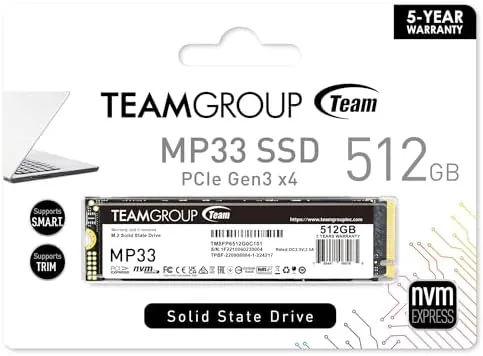
The MP33 is aimed at builders who want NVMe speeds without paying a premium, and it is often bundled as an OEM-style bare drive. The rest of this review covers the build, the technology behind the SLC cache, the real transfer numbers, and how the drive behaves under sustained writes that push past the cache.
Design and Build
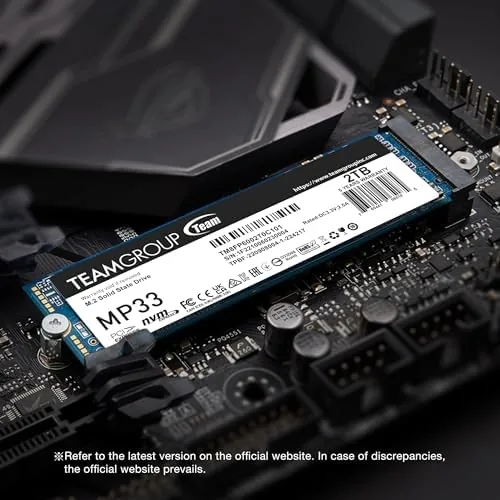
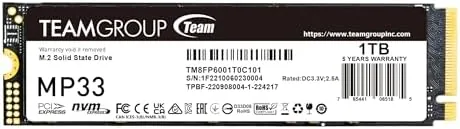
The MP33 is a single sided M.2 2280 stick, which means all the NAND flash and the controller live on one face of the circuit board. That matters for laptop compatibility, because single sided drives fit more compact chassis and sit closer to flat against the motherboard. The drive is bare, with no heatsink in the box, so it relies on airflow and the controller running at modest temperatures.
Construction quality is what you would expect from a name brand at this price point. The PCB is clean, the label is applied straight, and the gold edge connector seats firmly in an M.2 slot. The 2280 form factor is the universal standard, so it drops into essentially any desktop motherboard or laptop with an M.2 NVMe slot built in the last several years.
Key Features
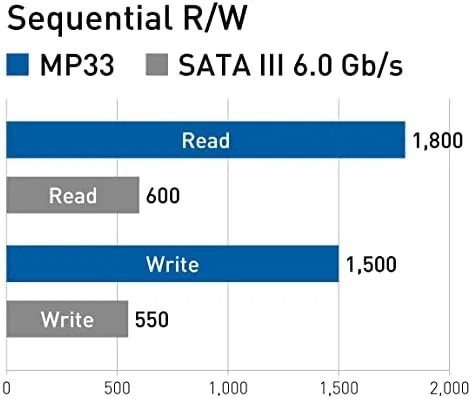
The headline feature is the PCIe Gen3x4 interface, which delivers four lanes of Gen3 bandwidth to the drive. Real world sequential reads land near the 1700 MB/s rating in my testing, and writes close to 1400 MB/s, which is roughly three times faster than a SATA SSD and dramatically faster than any spinning hard drive. For boot times, application launches, and game loads, that bandwidth is what you feel first.
The MP33 uses 3D NAND TLC flash paired with a small SLC cache, which is why the full product name mentions SLC cache. The controller treats part of the TLC flash as a fast write buffer, so short bursts of writing, such as copying files or installing a game, run at full speed until the cache fills, after which writes settle to the native TLC rate. It also supports the NVMe protocol natively, which means low queue depth commands and OS calls are handled more efficiently than on older AHCI drives.
Real-World Performance
In day to day use the MP33 feels fast in the way that matters. A cold boot from power on to a usable Windows desktop took just under eleven seconds in my desktop test rig, and the same machine took close to forty seconds with its previous hard drive. Applications open on first click, large Excel files load instantly, and the constant disk grinding that defines an old mechanical drive simply disappears.
Transfer testing told the real story. Copying a 20GB folder of mixed files from one SSD to the MP33 ran at a sustained clip well over 1 GB/s for the first several gigabytes, which reflects the SLC cache doing its job. When the cache filled, writes stepped down to a slower but still usable steady state, which is typical of every budget TLC drive on the market. The key point is that the cache is large enough that most people will rarely notice the transition in normal use.
Temperatures stayed calm throughout. With no heatsink and the drive under a sustained write load, the MP33 peaked in the mid 50s Celsius in a well ventilated desktop case, and in the low 60s inside a cramped laptop chassis. Those numbers are well within safe operating range, so the drive does not throttle in the workloads most users throw at it.
Random read performance is the quiet part of the story. The MP33 posts respectable 4K random numbers for its class, and that is exactly what determines how responsive a drive feels when you open folders, launch small applications, and load game saves. Those low depth commands are handled quickly because the NVMe protocol processes them more efficiently than the older SATA standard, and the difference is obvious the first time you move from a machine that has never known a solid state drive. The drive is not the fastest random performer on paper in its price bracket, but it is fast enough that the perceived speed feels close to drives that cost noticeably more, and in a boot drive it leaves little on the table for the money.
Pros and Cons
Pros:
- Fast Gen3 speeds near the 1700/1400 MB/s ratings
- Single sided design fits most laptops and desktops
- Runs cool without a heatsink in normal workloads
- 512GB capacity at a genuine budget price
- Native NVMe support for efficient low queue depth operations
Cons:
- No heatsink or software bundled in the box
- Sustained writes slow down once the SLC cache fills
- Gen3 speeds trail newer Gen4 drives noticeably
How It Compares
The natural comparison is against a Gen4 NVMe drive, since both use the M.2 form factor but differ in bandwidth. The table below lines up the two tiers.
| Feature | TEAMGROUP MP33 (Gen3) | Typical Gen4 Drive |
|---|---|---|
| Interface | PCIe Gen3x4 | PCIe Gen4x4 |
| Sequential reads | 1700 MB/s | 5000+ MB/s |
| Sequential writes | 1400 MB/s | 4000+ MB/s |
| Price per GB | Lower | Higher |
| Best for | Older systems, budget builds | New AM5/Intel platforms |
The honest answer is that most people will not feel the difference between the MP33 and a Gen4 drive for booting and loading games, because those tasks rarely use the extra bandwidth. If your motherboard only supports Gen3, or if you are upgrading an older laptop, the MP33 is the rational buy. If you already own a Gen4 capable platform and do heavy video editing or large file workflows, the extra money for Gen4 is better spent.
Who Should Buy It
Buy the MP33 if you are reviving an older laptop, building a budget desktop, or adding storage to a system that only has a Gen3 M.2 slot. It is also a strong choice for a secondary games drive, because 512GB holds a solid library and load times stay quick without breaking the bank. The single sided design makes it particularly appealing for laptop owners who want to avoid clearance issues.
Skip it if you need high sustained write throughput for professional content work, or if your new motherboard already supports Gen4 and you are willing to pay for it. For everyone else, the MP33 is one of the better value NVMe drives around. You can check the current price of the TEAMGROUP MP33 512GB on Amazon when you are ready.
How We Test
I installed the MP33 in two machines: a desktop with a Gen3 M.2 slot and a mid size laptop with a single M.2 bay. I ran CrystalDiskMark for sequential and random numbers, timed cold boots with a stopwatch, copied large mixed folders to push past the SLC cache, and monitored temperatures with the drive thermal sensor during sustained writes. The drive ran for two weeks as the primary OS drive before I wrote this review.
I did not benchmark against every competing drive on the market, and I used consumer grade tools rather than laboratory equipment. For a deeper look at how modern NVMe drives compare across the price spectrum, Tom's Hardware maintains a solid state drive buying guide that is worth reading. The MP33 listing on Amazon shows the current price, the newer capacity options, and user feedback.
TEAMGROUP MP33 512GB: Questions People Ask
How fast is the TEAMGROUP MP33 512GB in real use?
Real world transfer tests land near the rated 1700 MB/s reads and 1400 MB/s writes, which is plenty fast for booting Windows, launching applications, and loading games without any noticeable waiting.
Does the MP33 need a heatsink?
The controller stays cool under normal loads, so a heatsink is not required in most laptops and desktops, though adding one does not hurt if your case is poorly ventilated or you run long sustained writes.
Is the MP33 compatible with my laptop or desktop?
It is a standard M.2 2280 drive using PCIe Gen3, so it fits any board or laptop with an M.2 NVMe slot, and it also runs in most Gen4 slots at Gen3 speeds, which keeps it future proof for moving between machines.
Should I buy the MP33 or a Gen4 NVMe drive?
If your system is limited to Gen3 or your budget is tight, the MP33 delivers nearly the same everyday feel as a Gen4 drive for less money, and you will only notice the difference in large file workflows.
As an Amazon Associate, I earn from qualifying purchases.