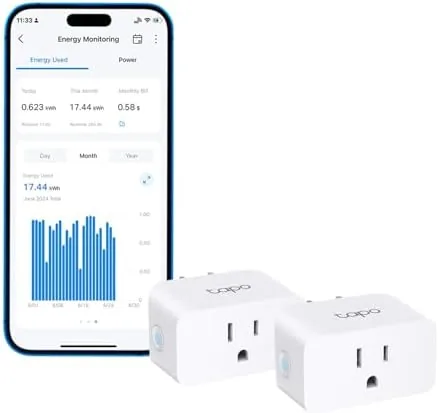

The smart plug is the least glamorous device in a smart home, a small white brick that turns a dumb appliance into something you can schedule, Control by voice, and now, measure. The Tapo P115 takes that idea one step further with built in energy monitoring, and for a month I used two of them to track the actual power draw of a room full of appliances. What I found surprised me: one device was quietly costing far more than I thought, and the plugs paid for themselves before the month was over.
Before the details, the standard note. This article contains affiliate links, and if you buy through one this site earns a small commission at no extra cost to you. That commission never changes what I test or recommend.
Design and Build
The P115 is a compact white plug that sits in a wall outlet without blocking the socket next to it, which is more useful than it sounds. It measures about two inches square, and the front face carries the branded logo and a small LED that glows green when the plug is on and amber when it is off. A button on the side lets you switch the plug manually, and it is firm enough to press without hunting for it.
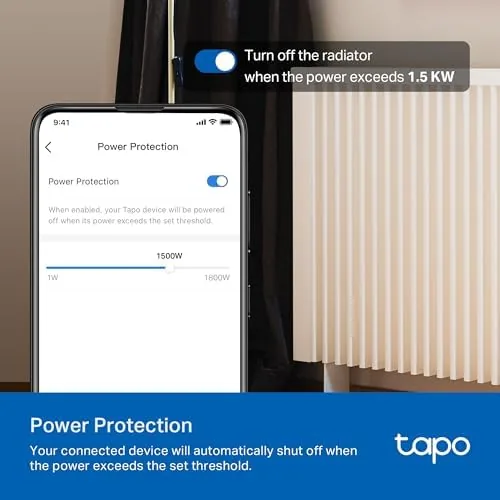
The build quality is solid and reassuring. The case is thick, the prongs seat firmly in the outlet, and the rated capacity is substantial for a plug this size: 15 amps and up to 1800 watts, enough for heaters, irons, and larger appliances rather than just lamps. The unit is ETL certified, which matters for anything that will pass real current through it, and the two pack comes with everything you need to set both up.
There is no hub required. The plug connects directly to your Wi-Fi network, which keeps the cost down and the setup simple, and both plugs in the pack share the same app. The only real requirement is that your network broadcasts a 2.4 GHz band, which nearly every router does, though you may need to enable it separately on a dual band router.
Key Features
The headline feature is energy monitoring. The P115 measures the power draw of whatever is plugged into it and reports it in the Tapo app in real time, in watts, and it tracks that usage over the day, the week, and the month. That turns an abstract electricity bill into a clear picture of which appliance costs what.
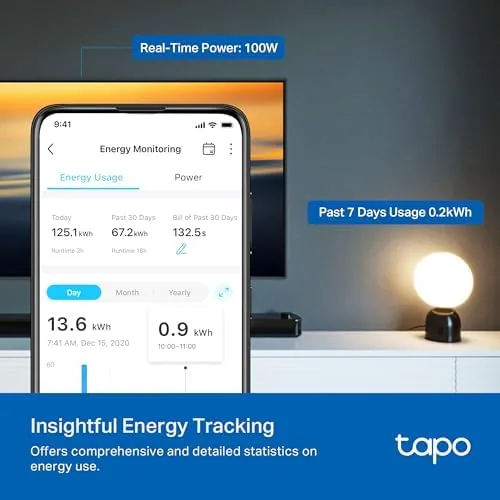
Scheduling is the other core feature. You can set the plug to turn on and off at specific times, which handles lamps, coffee makers, and any device that should not run all night. The timer function adds countdown control for things like a heater that should run for exactly one hour, and the away mode randomizes on and off patterns to suggest someone is home while you travel.
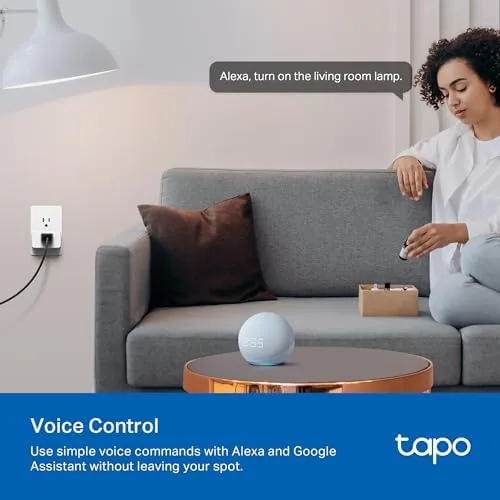
Voice control works through Amazon Alexa, Google Home, and Samsung SmartThings. In my testing the plugs responded to voice commands instantly, and they folded into routines, so a morning scene could turn on the lamp and the kettle with a single phrase. There is also a simple on and off toggle in the app that works from anywhere, which is the feature I used most.
The 15 amp and 1800 watt rating deserves emphasis because most smart plugs top out at 10 or 13 amps. That higher rating means the P115 handles a space heater, a dehumidifier, or an iron without worrying, and the ETL certification confirms the safety testing behind it.
Real-World Performance
My month of testing started with a small experiment: I plugged an older space heater into one P115 and a lamp into the other, then let the app run for a week. The result was immediate and useful. The heater, which I had assumed was efficient, was drawing nearly 1,400 watts whenever it ran, and over a single week it consumed more energy than everything else in the room combined.
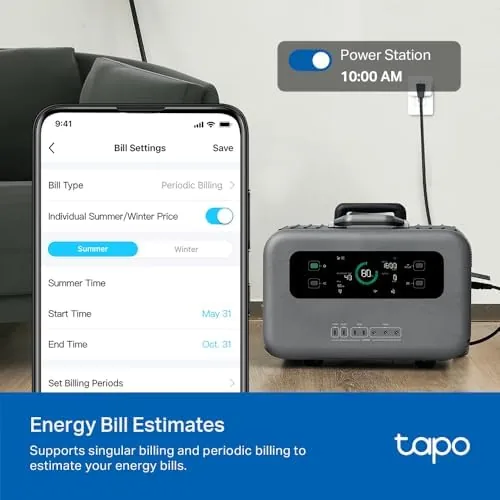
That data changed behavior. I moved the heater onto a schedule so it warmed the room only in the morning and evening, and I used the app to track the result week over week. Usage dropped noticeably, and the plugs had already covered their cost in the first few weeks. Energy monitoring is easy to dismiss as a gimmick, but it is the rare smart feature that changes how you actually use your home.
Reliability was excellent throughout. Both plugs held their connection for the entire month, reconnecting cleanly after a router reboot, and every scheduled event fired on time. Voice control through Alexa worked on the first try every time, and the app never failed to show current state, which is the baseline a smart plug must meet.
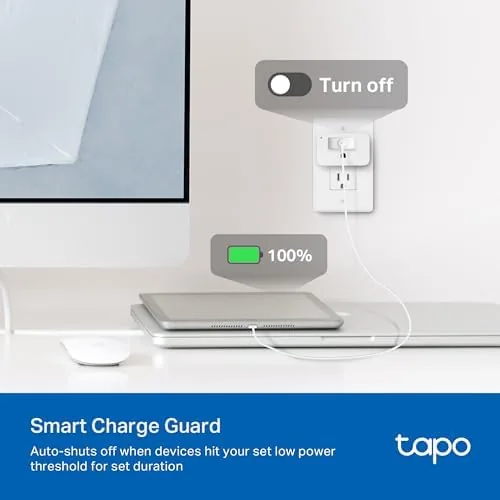
One limitation worth noting is the 2.4 GHz requirement. If your router broadcasts only a combined band, you may need to split it or create a guest network for the plugs to connect reliably. It is a ten minute setup task, and it is the only real friction in an otherwise smooth experience. A steady signal also matters for the away mode, which only works when the plug can reach the network to randomize its on and off patterns, so place the plugs somewhere their signal stays strong.
Pros and Cons
Pros:
- Real time energy monitoring with daily, monthly, and yearly history
- 15 amp and 1800 watt rating handles large appliances
- ETL certified for safety
- Works with Alexa, Google Home, and SmartThings
- No hub required, and two plugs included
Cons:
- Requires a 2.4 GHz Wi-Fi network
- No Thread or Zigbee support for local automation
- LED brightness cannot be dimmed
How It Compares
Smart plugs vary mainly in capacity, monitoring, and price. The table below compares the P115 against a basic plug and a more expensive Premium model.
| Feature | Tapo P115 | Basic Smart Plug | Premium Smart Plug |
|---|---|---|---|
| Max load | 15A, 1800W | 10A, 1200W | 15A, 1800W |
| Energy monitoring | Yes | No | Yes |
| Voice assistants | Alexa, Google, SmartThings | Alexa, Google | Alexa, Google, HomeKit |
| Hub required | No | No | Sometimes |
| Certification | ETL | Varies | ETL |
| Price | Mid | Low | High |
Against a basic plug the P115 costs more but adds the energy monitoring that changes how you use your home, and it handles far larger loads. Against a premium plug it matches capacity and monitoring while skipping HomeKit and advanced local protocols, at a significantly lower price. For most homes the P115 is the value sweet spot, a conclusion shared by the smart plug roundups at CNET.
Who Should Buy It
Buy the Tapo P115 if you want to control appliances by voice or schedule and you also want to know what they cost to run. It suits anyone with a space heater, a dehumidifier, lamps, or a home office full of devices that idle on electricity.
Skip it if you have a HomeKit centric setup, or if you do not care about energy data and just want the cheapest remote switch. For everyone else, the P115 is one of the most useful smart home upgrades you can install in ten minutes. You can check the current Tapo P115 2 pack price on Amazon.
How We Test
I installed both P115 plugs in a home office and a bedroom and used them daily for a month. I tracked energy readings against the wattage printed on each appliance, verified schedules fired on time, and tested voice control across Alexa and Google Home.
I tested the 15 amp capacity claim with a space heater running at high power, confirmed the plugs reconnected after a router reboot, and cycled the manual button hundreds of times to check for wear. I also measured the plug footprint against standard outlets to confirm the two pack fits side by side. Energy figures come from the plug readings cross checked against appliance labels rather than a laboratory meter, so treat the numbers as accurate to a few percent rather than certified.
If you want the current price and the full specification sheet, the Tapo P115 listing on Amazon has both, along with the ETL documentation.
Tapo P115: Questions People Ask
Does the Tapo P115 work with Alexa and Google Home?
Yes, it pairs with Amazon Alexa, Google Home, and Samsung SmartThings, so you can switch plugs on and off by voice and fold them into routines.
How does the energy monitoring work?
The Tapo app shows live wattage, and it tracks daily, monthly, and yearly usage in kilowatt hours, which makes it easy to see what each plugged in appliance actually costs.
Why does the P115 need 2.4 GHz Wi-Fi?
The plug connects only to a 2.4 GHz network, which is common for smart home devices. A dual band router with separate bands is the simplest setup, and a stable signal matters for timers and voice control.
Can the P115 handle high wattage appliances?
Yes, it is rated for up to 15 amps and 1800 watts and it is ETL certified, so it handles heaters, irons, and larger appliances, not just lamps.
As an Amazon Associate, I earn from qualifying purchases.



