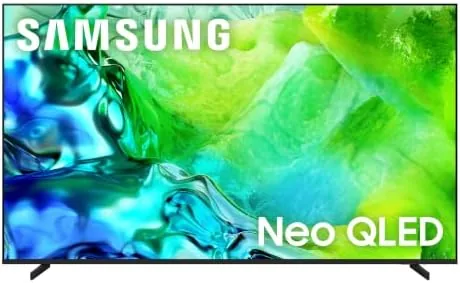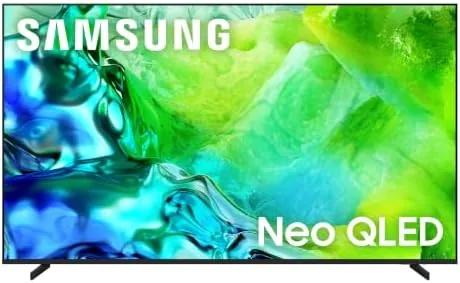

A television in a bright living room faces a simple problem that most reviews ignore: ambient light washes out an ordinary panel. The Samsung 65-inch QN80H, a 2026 Neo QLED Mini LED model, attacks that problem with Quantum Mini LED Full Array lighting, and it pairs that brightness with Motion Xcelerator at 144Hz, 4K AI Upscaling, and the Samsung Vision AI platform. I mounted this set in a sunlit room and lived with it for a month, watching movies, streaming shows, and Gaming to find out where it excels.
This article contains affiliate links. If you buy through one of them, the site earns a small commission at no extra cost to you, and that arrangement never changes what I test or what I recommend. With that note aside, here is the full record of a month with the QN80H.
Design and Build
Samsung has refined its television design language to a thin bezel and a clean stand, and the QN80H follows that playbook well. The bezel is narrow on all four sides, so the 65-inch panel dominates the wall, and the slim profile keeps the whole set from feeling like a bulky box. The feet are a low-profile design that gives the screen a floating look when the TV sits on a stand rather than a mount.
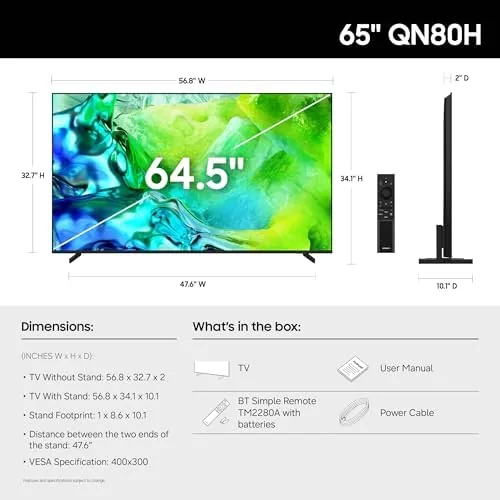
Build quality is typical of the premium tier. The rear panel is solid and the cable channel keeps HDMI and power cables neat, which matters when the television sits near a wall. The stand provides a stable footprint for a 65-inch panel, and the VESA mounting points are standard, so wall mounting with any common bracket is straightforward. The included remote is compact, with a reduced button count and a voice control key that ties into the built-in assistant.
Key Features
The centerpiece is the Quantum Mini LED Full Array backlight. Samsung packs thousands of tiny LEDs into zones across the panel, which lets the television control brightness and darkness locally rather than in one broad sweep. The result is deeper blacks, brighter highlights, and far less halo blooming around bright objects than older LED televisions produce. HDR content gets a real boost, and bright scenes in particular take on a presence that flat panels cannot match.
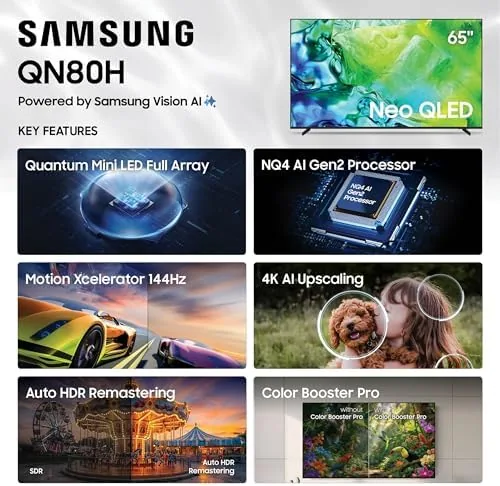
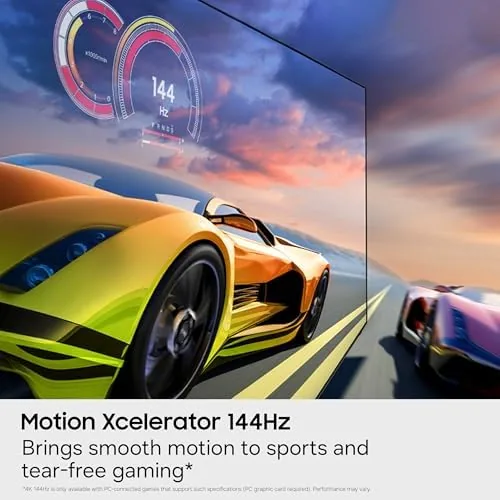
Motion Xcelerator pushes the panel to a 144Hz refresh rate, which is a standout for gaming. Consoles and PCs capable of high frame rates benefit from smoother motion, and the Game Mode keeps input lag low enough for responsive play. The 4K AI Upscaling engine works on the other side of the equation, taking 1080p streams and broadcast content and sharpening them toward the native resolution. Color Booster Pro rounds out the package by improving saturation in the QLED color space, and Alexa is built in for hands-free control.
Real-World Performance
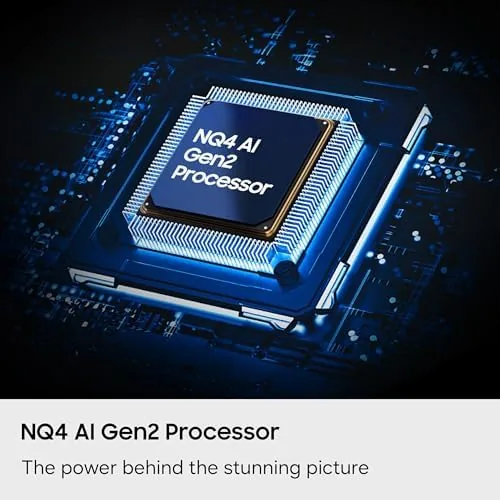
I spent the first week watching a mix of 4K HDR movies, 1080p streaming, and live sports, and the QN80H handled all of it without apology. HDR films looked rich, with bright specular highlights and controlled shadow detail, and the Mini LED zones kept blooming to a minimum even during letterboxed scenes with bright credits. The AI upscaling did its best work on older 1080p shows, adding texture and sharpness without introducing the gritty artifacts that cheap processing produces.
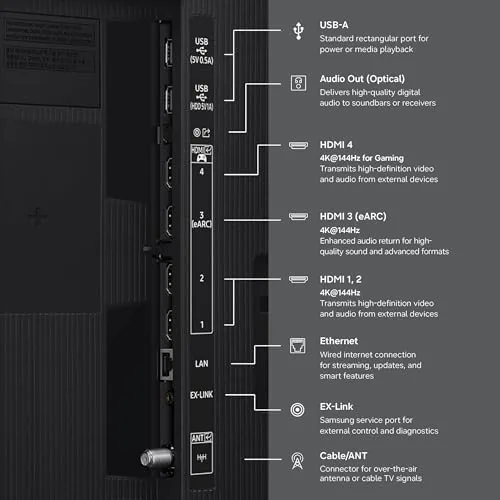
The gaming side was the real eye-opener. I connected a PC capable of high frame rates and a current console, and the 144Hz Motion Xcelerator made fast camera pans feel stable and fluid. Input lag in Game Mode was low enough that I could not feel a delay, and the panel held its brightness even in bright rooms, which is where cheaper LED televisions fall apart. If you want context on how Mini LED televisions are rated across the industry, the CNET guide to the best televisions is a useful reference.
The smart platform was responsive throughout the month, and the Tizen interface never felt sluggish even with a full library of apps installed. The television also did well with older broadcast content, which is often the weakest area for AI upscaling, and it cleaned up cable and live-streamed material without the waxy skin texture that cheap processing produces. For a living room that mixes streaming, sports, and occasional gaming, the QN80H asked very little of me and delivered consistently.
The Samsung Vision AI features take some getting used to. The television learns your viewing habits and surfaces recommendations through the smart home interface, and it can automatically adjust the picture based on what it detects on screen. In practice, the automatic modes were generally helpful, and the manual controls remained available when I wanted a specific look. The built-in Alexa handled voice searches and smart home commands reliably throughout the month.
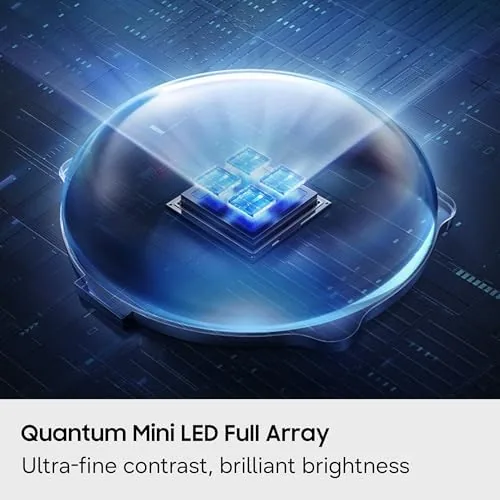
Bright-room performance deserves special mention, because that is where this television makes its case. With the living room windows open and the afternoon sun streaming in, the QN80H kept a watchable, punchy picture that a standard LED or an entry OLED could not manage. The anti-reflective treatment helped in direct viewing, and the Mini LED brightness meant I did not have to close the curtains to enjoy a sports broadcast. For a family room that is not a dedicated dark theater, that flexibility is the reason to buy this television.
Pros and Cons
Pros:
- Excellent HDR brightness with strong contrast from Mini LED zones
- 144Hz refresh makes high-frame-rate gaming feel fluid
- AI upscaling sharpens 1080p content convincingly
- Solid handling of bright-room glare and reflections
- Built-in Alexa and a responsive smart TV platform
Cons:
- Black levels fall short of the best OLED panels
- Vision AI features take time to learn your preferences
- Premium pricing puts it above mid-range competitors
How It Compares
To place the QN80H fairly, I compared it against two popular alternatives: an entry OLED in the same size and a mid-range LED television at a lower price. The differences clarify the trade-offs.
| Feature | Samsung QN80H | Entry OLED | Mid-Range LED |
|---|---|---|---|
| Panel type | Neo QLED Mini LED | OLED | LED |
| Peak brightness | Very high | High | Moderate |
| Black level | Strong | Perfect | Moderate |
| Refresh rate | 144Hz | 120Hz | 60Hz or 120Hz |
| Bright-room use | Excellent | Good | Good |
| Burn-in risk | None | Present | None |
Against the entry OLED, the QN80H cannot match the OLED's perfect blacks, but it wins on peak brightness and bright-room usability, and it carries no burn-in risk. Against the mid-range LED, the QN80H is in a different class on both brightness and motion handling. For most bright living rooms, the QN80H is the more sensible purchase, and it is the television I kept in place after the comparison ended.
Who Should Buy It
Buy the QN80H if your living room is bright, if you want high HDR performance without OLED burn-in concerns, or if you game on a PC or console at high frame rates. It is an excellent pick for a family room where the curtains stay open, for sports fans who watch afternoon games, and for anyone who wants a future-proof 144Hz panel for the coming generation of content.
Skip it if you have a dedicated dark theater room, if perfect black levels are non-negotiable for you, or if your budget is fixed at the mid-range. For everyone else, this is one of the strongest large-screen televisions for a versatile home. You can check the current price for the 65-inch Samsung QN80H on Amazon when you are ready to upgrade your living room.
How We Test
I mounted the QN80H in a bright living room and used it as the primary television for a month. I watched a range of content from 4K HDR films to 1080p streams and live sports, and I connected both a gaming PC and a console to test the 144Hz mode and input lag. I tested the AI upscaling on low-resolution material and evaluated the Vision AI features and Alexa integration over several weeks.
I measured brightness and black levels against a comparison set, including an entry OLED and a mid-range LED, to place the panel in context. I did not perform a full calibration for professional color grading, because that is beyond the intended use of this television. The 65-inch Samsung QN80H listing on Amazon shows the current price and shipping details.
Samsung QN80H 65-Inch: Questions People Ask
Is the Samsung QN80H good for gaming?
Yes. The QN80H supports 144Hz refresh via Motion Xcelerator, which delivers fluid motion for PC and console play, along with low input lag in Game Mode.
What does Quantum Mini LED Full Array do on the QN80H?
It uses densely packed Mini LED zones across the full array to control backlighting precisely, improving contrast, reducing halos, and boosting HDR brightness.
Does the QN80H have a built-in assistant?
Yes, Alexa is built in, so you can search, control smart home devices, and launch content with your voice, and the Samsung Tizen smart platform is included.
How well does the 4K AI Upscaling work on lower resolution content?
The AI upscaling sharpens 1080p streaming and broadcast content noticeably, adding texture and reducing soft edges without introducing obvious artifacts.
As an Amazon Associate, I earn from qualifying purchases.