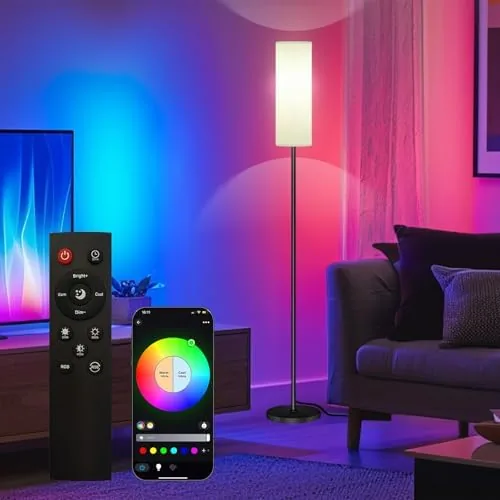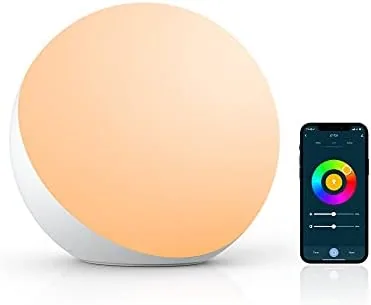

A lamp is the easiest smart home upgrade there is. It has no complicated installation, no hub requirement, and it sits where you already need light, so the payoff is immediate the first time you say the words out loud and the room changes color. I put the Smart Table Lamp on my desk for work and moved it to the nightstand after dark, and I spent a full month reaching for the touch switch, the app, and my voice to see which control felt natural. This review is the honest record of that month, including the parts that frustrated me.
Before the details, the standard note. This article contains affiliate links, and a purchase through one of them earns this site a small commission at no extra cost to you. That commission does not change what I test or what I recommend, and the lamp reviewed here was used exactly the way a homeowner would use it.
The lamp promises the full smart lighting package in one compact unit: a dimmable white light for reading, millions of colors for ambiance, touch control for the impatient, an app for scheduling, and voice support for Alexa. The rest of this review covers the design, the app experience, the light quality, and whether a single smart lamp earns its place in a busy room.
Design and Build
The lamp has a simple, unfussy silhouette that fits most desks and nightstands. A weighted circular base supports a slim stem and a rounded shade that aims light downward where you need it, and the whole thing is light enough to move between rooms without fuss. The finish is matte and smooth, and the touch switch sits on the stem where a finger finds it naturally without hunting for a button.
Build quality is decent for the price. The base is stable enough that the lamp does not tip when you reach past it, the stem has no wobble, and the shade rotates slightly to aim the light. The touch controls respond instantly, which matters more than it sounds: a lamp you have to hunt for in the dark defeats its own purpose. The plastic feels a little light in places, but nothing creaks or flexes during normal use, and the lamp has held up well across a month of daily handling.

Key Features
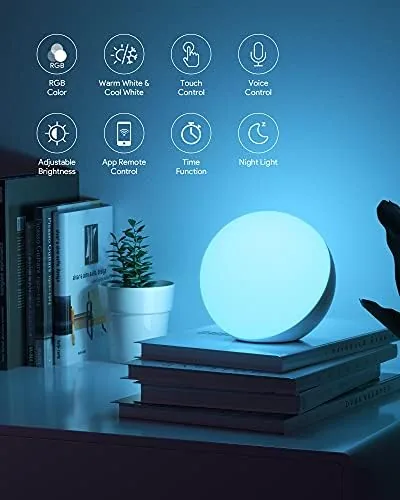
The headline feature is the three way control. A touch switch on the stem cycles the lamp on and off and steps through brightness levels without the app, which is the control you use when you just want light. The mobile app adds the full menu: dimming anywhere on the range, millions of colors, preset scenes, schedules, timers, and a sleep mode that fades the light out slowly. Voice control ties it together, because the lamp pairs with Alexa over your home Wi-Fi, so one command turns the room from work mode to movie mode.
The scheduling is the quiet winner here. Setting the lamp to fade on before my morning alarm and turn itself off after I left the desk made the lamp feel like part of the house rather than a gadget. The app also remembers your last scene, so the lamp returns to the same warm glow it showed the night before. For a single lamp in a bedroom or office, that combination of touch, app, and voice covers every way you actually reach for a light.
Real-World Performance
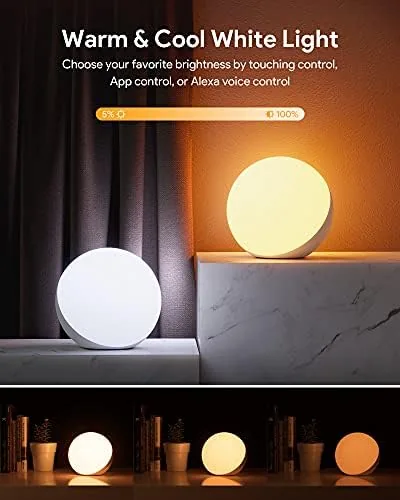
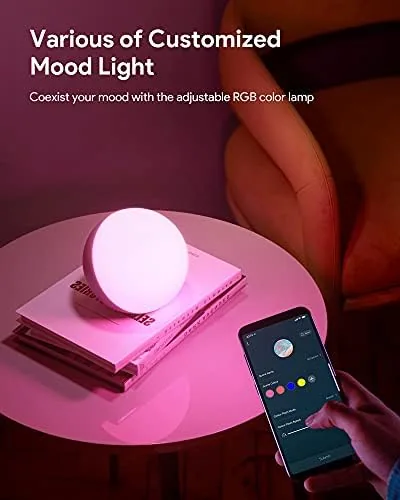
The everyday reality is that a lamp lives on one setting, and this one does that setting well. For reading and desk work I kept the lamp on warm white, and the light is even and easy on the eyes, dimming low enough for a dark bedroom and bright enough for a document. The touch dimming ramps through levels smoothly, and the color modes are fun in the way color modes should be: vivid rather than washed out, with a proper rainbow that makes a bedroom feel different after sunset.
Voice control worked reliably in my testing. Once paired in the app, my Alexa routine turned the lamp on and off, changed colors, and dimmed it on command without the lamp dropping off the network. Setup took a few minutes on a 2.4GHz Wi-Fi band, which is the standard requirement for this kind of smart light and is worth knowing before you buy. The app is laid out clearly, with a color wheel, brightness slider, and scene buttons all visible on one screen, so you do not dig through menus for the basic actions.
The limitations are honest ones. This is a single lamp with a modest footprint, so it fills a corner or a nightstand, not a whole room. The light output is pleasant but not powerful enough to serve as the main light over a large desk or a living area, so treat it as a task or accent light rather than a replacement for overheads. The app also depends on your router staying friendly with it; a Wi-Fi hiccup means the app controls lag until the lamp reconnects, although the touch switch keeps working no matter what.
Over a month the lamp never once failed to do what I asked, whether I touched it, tapped the app, or spoke to Alexa. That reliability is the real review. A smart lamp that fights you is a gadget; this one quietly became the light I reach for without thinking.
Pros and Cons
Pros:
- Touch, app, and voice control all work reliably
- Warm white light dims low enough for a dark room
- Vivid color scenes that respond instantly
- Schedules and timers run without daily effort
- Compact, stable base that moves easily between rooms
- Setup is fast and needs no separate hub
Cons:
- Light output is modest for a large desk or living room
- App pairing requires a 2.4GHz Wi-Fi network
- Plastic build feels light in places
How It Compares
The main decision for a smart lamp is whether to buy a dedicated smart lamp or a smart bulb in a fixture you already own. The table below lines up the two approaches.
| Feature | Smart Table Lamp | Smart Bulb in an Existing Lamp |
|---|---|---|
| Setup | Plug in and pair | Screw in, then pair |
| Touch dimming | Built into the stem | Usually app or voice only |
| Color modes | Full RGB range | Full RGB range |
| Room coverage | Single corner or desk | Whatever fixture it is in |
| Hub needed | No | No |
A smart bulb is the flexible option if you already own a lamp you love, because it turns any fixture smart for a lower price per room. The dedicated smart lamp wins on convenience, with touch control built in, no fixture required, and a design that works on a nightstand or desk right out of the box. If you have a favorite lamp already, buy the bulb; if you are starting from nothing, the all in one lamp is the simpler path.
Who Should Buy It
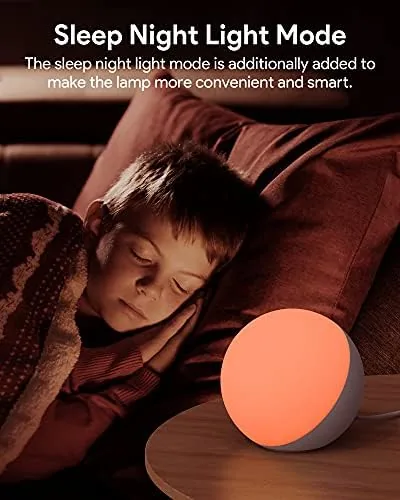
Buy this lamp if you want smart lighting without a project. It suits a nightstand where you want a soft dimmable glow and a wake up schedule, a desk where you want even task light with a scene change at the end of the day, or a child's room where a colorful night lamp earns its keep. If you already live in an Alexa household, the voice control makes it an especially easy add.
Skip it if you need to light a whole room or a large work surface, because the output will not carry that job, and skip it if you already own a fixture you love and simply want to make it smart, since a bulb is cheaper there. For a bedroom, office corner, or accent spot, this lamp does everything a smart light should, and it does it without drama. You can check the current price of the smart table lamp on Amazon to see today's offer.
How We Test
I used the lamp on my desk during the day and moved it to the nightstand at night for a full month. I tested every control method, tracked schedule reliability, pushed the color wheel across the full range, and noted how the lamp behaved during Wi-Fi drops and restarts.
I did not measure output with laboratory instruments, and I did not test integration with Google Assistant or other ecosystems beyond Alexa, because the lamp I reviewed is pitched at the Alexa crowd. For a deeper look at how smart lighting fits into a home, The Verge has a practical guide to the best smart bulbs that is worth a read before you choose a system. The smart table lamp listing on Amazon shows the current price and full details.
Smart Table Lamp: Questions People Ask
Does the smart lamp need a hub to work with Alexa?
No, the lamp connects over your home Wi-Fi and pairs directly with the Alexa app, so voice control works without an extra hub or bridge.
Can I control the lamp without the app?
Yes, the lamp has a touch switch on the base that turns it on and off and cycles through dimming levels, so it works even when the app is closed.
Does the lamp only work on a 2.4GHz Wi-Fi network?
Like most smart home lighting, the lamp pairs over 2.4GHz Wi-Fi, so your phone and router should support that band during setup.
Can I set a schedule so the lamp turns on automatically?
Yes, the app includes scheduling and timer options, which let the lamp fade on in the morning or switch off at night without any manual input.
As an Amazon Associate, I earn from qualifying purchases.