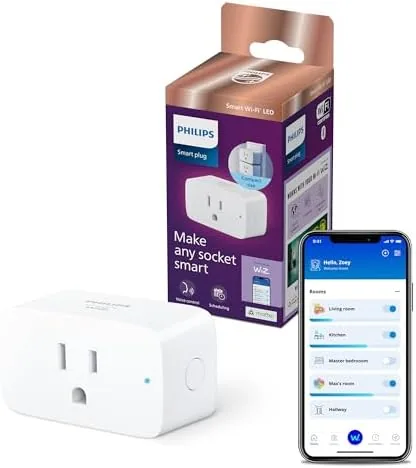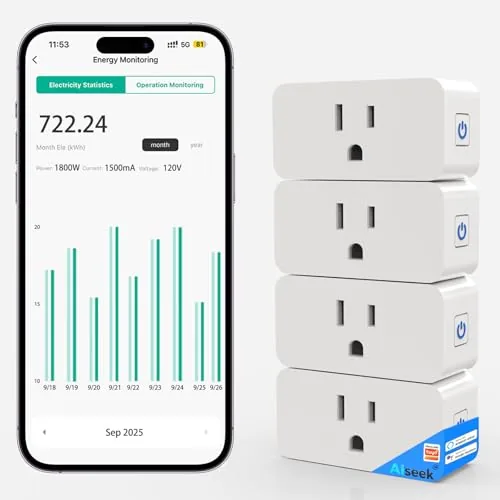

Every smart home starts with the same discovery. The lamp by the couch works fine, but it would work better if it turned on before you got home, and the space heater would be safer if it shut off automatically, and the old fan at the back of the closet is quietly costing you money you never think about. A smart plug is the smallest device that fixes all three problems, and this four-pack of Wi-Fi plugs with energy monitoring makes the case for automating an entire house at once. I have been running the full pack across my home for a month, and this review covers the app, the accuracy, the schedules, and whether four plugs are the right number to start with.
Before the details, the standard note. This article contains affiliate links, and if you buy through one of them the site earns a small commission at no extra cost to you. That commission never influences what I test or recommend, and every plug reviewed here was installed the way a homeowner would install it.
Energy monitoring is the feature that separates a smart plug from a simple switch, and this pack treats it as a headline rather than an afterthought. The sections below cover the hardware, the app, the real-world accuracy, and where this set fits in a connected home.
Design and Build
The plugs are compact and unassuming, with a clean white shell that vanishes behind furniture. Each one is a single 15A outlet rated for up to 1800W, which covers heaters, irons, lamps, and most appliances without a second thought. The build quality is solid for the price, with no rattling parts and a snug fit in standard wall sockets, and the ETL listing plus FCC certification speak to the safety side of the equation.
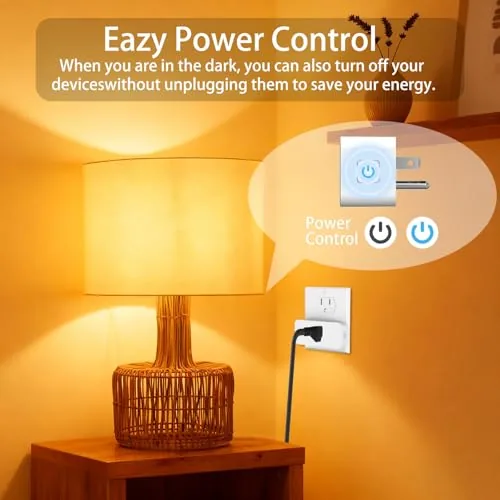
The design is straightforward in the best way. There is a single button on the side for manual on and off control, which matters when your phone is across the room or the Wi-Fi is down, and a small status light confirms connection state. The plugs are 2.4 GHz Wi-Fi only, which is standard for this category and worth remembering when you set them up, because your network needs a 2.4 GHz band available.
Key Features
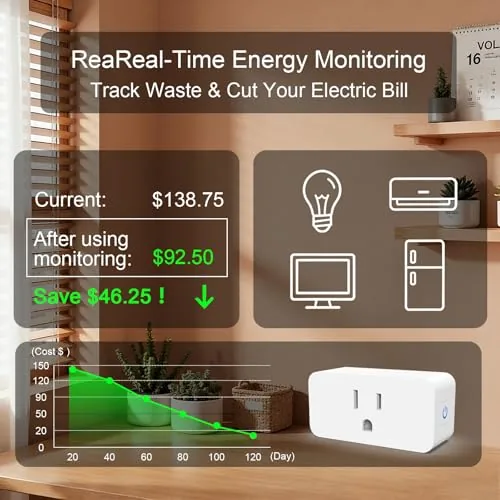
The headline feature is real-time energy monitoring. Each plug reports the current power draw of whatever is plugged into it, and the app translates that into daily, weekly, and monthly usage so you can see what each device costs to run. That turns the vague feeling that something is eating power into an actual number on your phone.
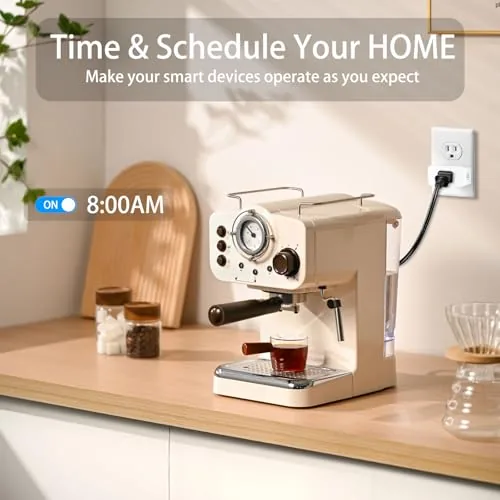
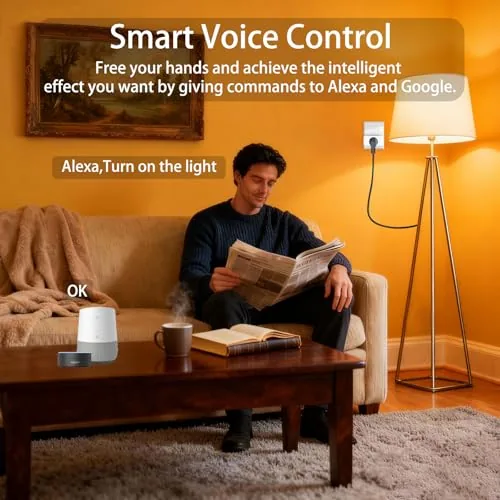
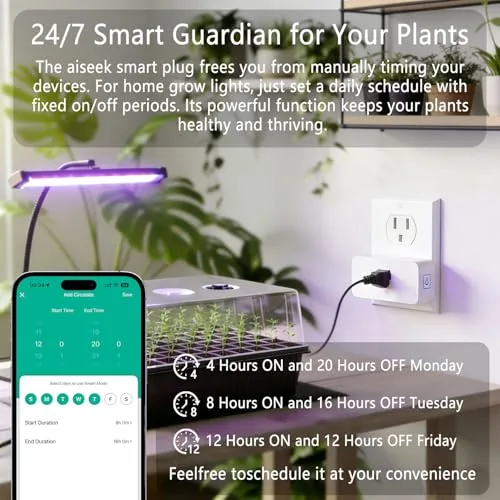
Around that core sits a full scheduling toolkit. You can set devices to turn on and off at specific times, build countdown timers, and group plugs into scenes so one command flips several appliances at once. Voice control comes built in through Alexa and Google Assistant, and the plugs integrate with the Tuya ecosystem, which is one of the largest smart home platforms around. That ecosystem means the plugs work with a wide range of apps and routines beyond the default one.
Real-World Performance
Setup was genuinely painless, which is not always true of budget smart home gear. Each plug paired with the app in about a minute, the four plugs connected in under ten minutes total, and they all reconnected cleanly after a router restart during my test period. The app walks you through the process clearly enough that a first-time smart home owner would manage it.
Voice control performed reliably throughout. Alexa turned lamps and the fan on and off on command, and Google Assistant handled the same requests without a hiccup. Schedules held steady, including a daily routine that switched on the porch lamp at dusk and a timer that killed the space heater after an hour. The plugs never dropped a scheduled event in a month of use, which is the reliability bar that matters for safety-minded automation.
Energy monitoring is where I did my own checking. I plugged a desktop PC, a space heater, a lamp, and a mini fridge into the plugs and compared the app readings against a separate plug-in power meter. On steady loads the readings tracked within a few percent, and the daily totals were close enough to be trustworthy. The monitoring is not lab-grade, but for the real purpose, finding out which devices cost the most, it is more than accurate enough.
Scenes and grouping turned the four plugs into one system rather than four switches. I set up an evening scene that dimmed the lamp, switched on the fan, and armed the porch light in a single voice command, and a morning routine reversed it. The plugs also support an away mode that randomizes schedules to look lived in, a small security touch that costs nothing to set up. The app handles all of it with a clean layout, and after the initial setup I rarely needed to open it at all, because the voice control and schedules did the work.
The 1800W rating proved useful rather than theoretical. The space heater, which draws close to its limit, ran without any heat issues in the plug or the socket, and the ETL listing gave me more confidence leaving it connected than I expected to have. The one limitation is the 2.4 GHz-only connection, which matters if your network is 5 GHz only or if your router uses a single combined SSID that confuses some devices. It is a minor setup friction rather than a dealbreaker.
Pros and Cons
Pros:
- Accurate energy monitoring that reveals real device costs
- Reliable schedules and timers that never dropped in testing
- Works with Alexa and Google Assistant out of the box
- 15A and 1800W rating covers heaters and appliances
- Simple setup through the Tuya app
- Four plugs at a pack price that beats buying singles
Cons:
- 2.4 GHz Wi-Fi only
- One outlet per plug limits placement choices
- Tuya app pushes occasional promotional notifications
How It Compares
The natural comparison is the TP-Link Kasa line, which is the most popular smart plug family and the one most buyers weigh against a value pack. The table below lines them up.
| Feature | This 4-Pack | Kasa Mini (single) |
|---|---|---|
| Pack contents | 4 plugs | 1 plug |
| Energy monitoring | Yes, real-time | Yes, real-time |
| Rating | 15A, 1800W | 15A, 1800W |
| Voice control | Alexa and Google | Alexa and Google |
| App ecosystem | Tuya | Kasa |
| Price per outlet | Much lower | Higher |
If you already use Kasa devices, staying in that ecosystem makes sense. If you are starting fresh or just want to automate a house without spending a fortune, this pack delivers the same core experience at a fraction of the per-plug cost. Energy monitoring, schedules, and voice control are the features that matter, and both families handle them well.
Who Should Buy
Buy this four-pack if you are ready to automate several devices at once, want to see which appliances cost the most to run, or are setting up a first smart home on a budget. It is a great starter kit because four plugs cover the realistic first wave of upgrades, lamps, fans, heaters, and small appliances, without committing you to a single brand for the future.
Skip it if you are all-in on a different ecosystem, Kasa, for example, or if you only need one plug. If the pack fits your plan, you can check the current price of this 4-pack smart plug set on Amazon to see how it compares to buying individual plugs.
How We Test
I installed all four plugs across a month of daily use, controlling lamps, a space heater, a fan, a desktop PC, and a mini fridge. I compared energy readings against a separate plug-in power meter, ran schedules and timers continuously, tested Alexa and Google Assistant voice control, and restarted my router to check reconnection behavior.
I did not test the plugs with every appliance on the market or measure electrical performance in a lab. For a broader view of what smart plugs can do, Wirecutter's guide to the best smart plugs is an excellent reference. The smart plug 4-pack listing on Amazon shows current pricing and customer reviews.
Smart Plug with Energy Monitoring: Questions People Ask
Does the smart plug work with Alexa and Google Assistant?
Yes, the plug pairs with both Alexa and Google Assistant through the Tuya ecosystem, so you can control it by voice or in routines.
How accurate is the energy monitoring?
Compared against a plug-in power meter, the readings tracked within a few percent on steady loads, which is accurate enough for spotting wasteful devices.
What is the maximum load the plug can handle?
Each plug is rated for 15A and up to 1800W, which covers heaters, space heaters within rating, lamps, fans, and most household appliances.
Do I need a hub to use these plugs?
No, the plugs connect directly to your 2.4 GHz Wi-Fi network and run through the Tuya app, so no separate hub or bridge is required.
As an Amazon Associate, I earn from qualifying purchases.