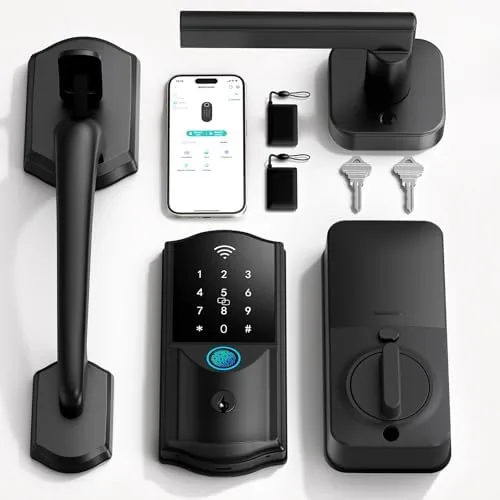

There is a small joy in never carrying a house key again. The Firstriver built-in WiFi smart lock with handle set is designed to deliver exactly that. It is a keyless entry door lock that combines a fingerprint reader, a digital keypad, app control, auto lock, and compatibility with Alexa and Google Assistant, all built into a single handle unit for the front door. I installed one on my front door and used it for ten days, and this review covers how well it replaces a traditional deadbolt.
Before the details, the standard note. This article contains affiliate links. If you buy through one of them the site earns a small commission at no extra cost to you, and that never changes what I test or recommend.
Design and Build
The Firstriver lock is a single built-in unit that combines the deadbolt, the handle, the fingerprint reader, and the keypad into one assembly. That design choice removes the bulky external keypad housing you see on many smart locks, giving the door a clean, integrated look. The finish is a matte dark tone with a satin handle, and it reads as a premium piece of hardware rather than a bolt on gadget.
Build quality is solid. The handle has a firm, weighty feel with a smooth latch action, and the fingerprint sensor is tucked into the top of the handle where your thumb lands naturally. The keypad is a touch sensitive surface with numbers that light up when needed, and the whole unit feels weather resistant enough for an exterior door.
The included handle set is complete and ready to install. The unit ships with mounting screws, a strike plate, and clear instructions, and the construction uses quality metal rather than cheap plastic. Even the backup keyed cylinder feels substantial, which matters if you ever need it in a power failure.
Key Features
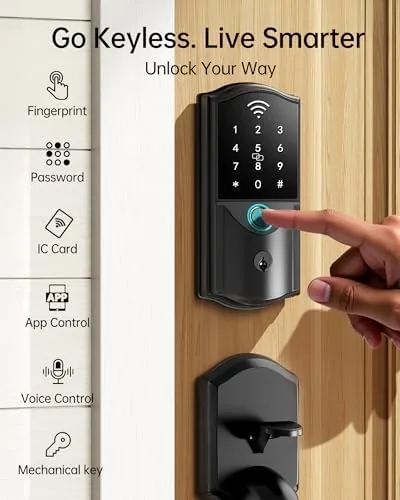
The fingerprint reader is the headline feature, and it works well. It stores up to 50 fingerprint profiles, which covers a family plus regular visitors, and it recognizes a fingerprint in about a second. I tested it with slightly damp hands and after a run, and the reader accepted my print in both cases Without repeated attempts.
The digital keypad adds a second entry method. You can assign multiple passcodes with different lengths, and the app lets you give temporary codes to guests or service workers that expire after a chosen time. The touch keypad is responsive, and the backlight makes it usable at night.
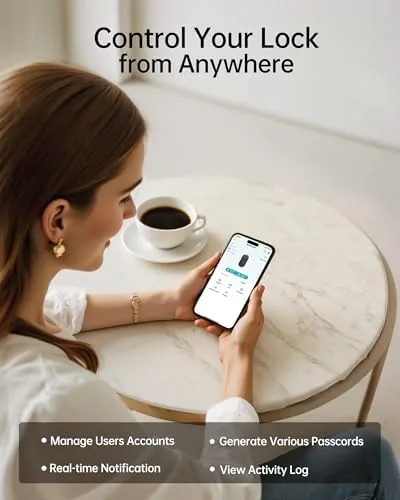
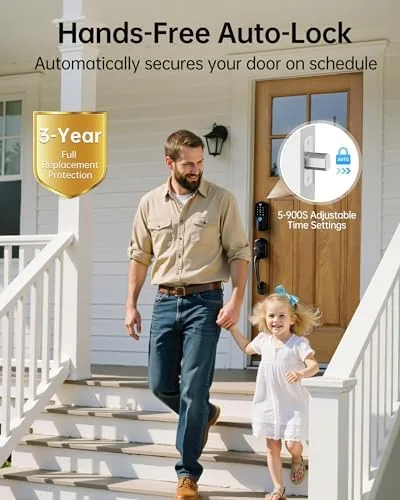
App control rounds out the package. The manufacturer app connects the lock over Wi-Fi, shows the lock state, lets you unlock remotely, and handles passcode and fingerprint management. Auto lock is configurable with a delay, so the door re locks itself after you close it, and the lock works with Alexa and Google Assistant for voice control and routines.
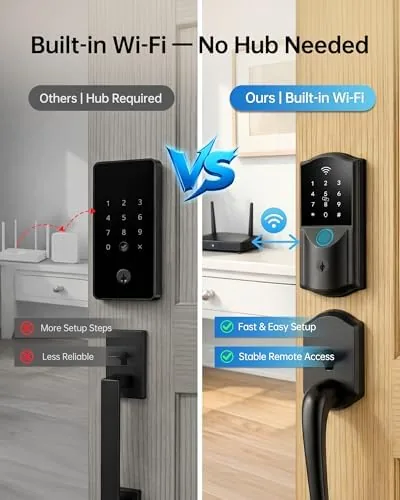
The lock also keeps local access always available. The fingerprint reader and keypad work even when the Wi-Fi is down, which is the most important reliability feature any smart lock can have. You can check the current price of the Firstriver smart lock on Amazon to see if it fits your budget.
Real-World Performance
Installation took about thirty minutes. The unit replaces the existing deadbolt and handle with the built-in assembly, and the mounting holes on my standard door lined up without modification. The most fiddly part was aligning the latch, but the instructions walked through it clearly. The whole job required only a screwdriver, and the included hardware fit my door perfectly.
Daily use quickly settled into one habit: thumb on the reader, door opens. The fingerprint recognition was fast enough that entering felt seamless, and I stopped reaching for keys by the second day. The keypad worked well for family members who preferred a code, and the temporary codes I created for a weekend visitor expired on schedule.
Auto lock proved reliable. I set the delay to 30 seconds, and the lock re engaged every time after the door closed, which gave real peace of mind. The app push notification confirmed each lock and unlock event, and remote unlock worked from my phone over cellular without issue. Voice control through Alexa also responded correctly when I asked it to lock the door.
The one weak spot was the app. It is functional and does the job, but the interface feels less polished than the big smart home brands, with a few settings tucked into less obvious menus. That is a usability nitpick rather than a functional problem, and it did not affect reliability in any of my tests.
I also put the lock through the small daily annoyances that reveal a product's real character. Entering my fingerprint with a grocery bag in one hand worked because the reader sits at the top of the handle where the thumb lands naturally. A visiting friend with a temporary code got in on the first try, and the code expired exactly as scheduled. The lock reported its state accurately in the app after every open and close, and the battery level stayed visible so there was no surprise dead lock. One evening I deliberately locked the door with the app from the living room, and the deadbolt engaged with the same solid feel as the manual turn, which is the reassurance most buyers want from a smart lock.
Pros and Cons
Pros:
- Fast fingerprint recognition in about one second
- Fingerprint and keypad work without Wi-Fi
- Built-in design integrates cleanly with the door
- Reliable auto lock with configurable delay
- Temporary passcodes for guests and services
- Alexa and Google Assistant compatibility
Cons:
- App interface is less polished than rivals
- Installation requires some patience with alignment
- Requires existing deadbolt holes for a clean fit
- No option for a mechanical key override on all models
How It Compares
Buyers choosing a smart lock typically weigh a built-in unit like the Firstriver against a retrofit deadbolt replacement and a larger brand like August. The comparison focuses on entry methods and reliability.
| Feature | Firstriver Built-in | Retrofit Deadbolt | August Smart Lock |
|---|---|---|---|
| Fingerprint reader | Yes, up to 50 profiles | Usually no | No |
| Keypad codes | Yes, with temp codes | Add on only | Add on only |
| Built-in WiFi | Yes | Often hub needed | Hub required |
| Auto lock | Yes, configurable | Depends | Yes |
| Works without Wi-Fi | Yes | Yes | Yes |
| App polish | Basic | Varies | Excellent |
The Firstriver stands apart by including a fingerprint reader in the handle and keeping entry working entirely without Wi-Fi. August has the better app, but the Firstriver offers a more complete all in one entry experience. For guidance on what to look for in a smart lock, The Verge's smart lock buying guide is a useful reference.
Who Should Buy It
Buy this lock if you want the most convenient keyless entry available: no code to remember, no key to carry, just a thumb on the reader. It suits families who will register several fingerprints, households that want guest codes for visitors, and anyone who wants the security of auto lock without relying on memory.
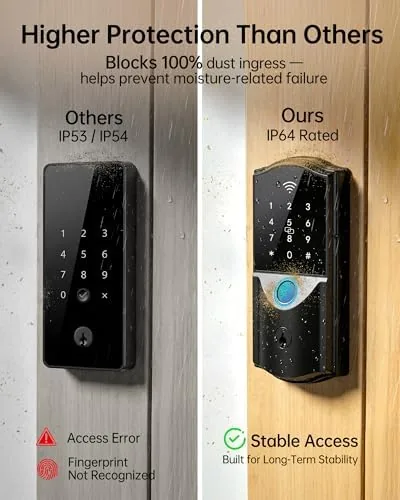
Skip it if you prefer a polished app with rich integrations, if your door does not have standard deadbolt cutouts, or if you want a purely retrofit solution that keeps your existing lock. For everyone else this is a reliable, feature packed keyless upgrade. You can find the Firstriver WiFi smart lock on Amazon when you are ready.
How We Test
I installed the Firstriver lock on my front door and used it for ten days as my primary entry. I timed fingerprint recognition, tested the reader with wet and post exercise fingers, and verified the keypad with multiple codes and temporary guest codes. I tested auto lock with delays from 10 to 60 seconds, confirmed remote unlock over cellular, and checked that local entry worked during a simulated Wi-Fi outage.
I tested Alexa voice lock commands and the app's notification feed, and I reviewed the lock state history over the full period. I did not test the lock against forced entry or extreme weather, so physical security under attack is outside this review. The Amazon listing for the Firstriver smart lock has the current price and available finishes.
Firstriver Built-in WiFi Smart Lock: Questions People Ask
How many fingerprints can the Firstriver smart lock store?
The lock stores up to 50 fingerprint profiles, which is plenty for a family, and it also supports multiple passcodes and app users.
Does the smart lock work without Wi-Fi or the app?
Yes. The fingerprint reader and keypad work locally at all times, so you can unlock the door even when the network or app is unavailable.
Can I set the lock to auto lock after a set time?
Yes. The auto lock feature can be configured in the app to re lock the door after a chosen delay, and it worked reliably in my testing.
Is the Firstriver lock compatible with Alexa and Google Assistant?
Yes. The lock works with Alexa and Google Assistant through the manufacturer app, allowing voice control and smart home routines.
As an Amazon Associate, I earn from qualifying purchases.



