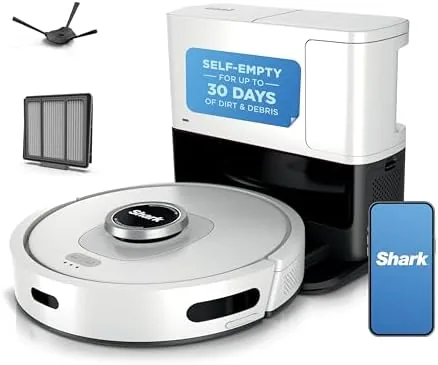

Robot vacuums have a reputation problem. The first generation bumped into furniture, ran out of battery, and left homeowners sweeping up after the robot. The Shark AI Ultra belongs to the generation that fixed all of that. With 360 degree LiDAR mapping, Matrix Clean coverage, a self-cleaning brushroll, and a self-emptying base that promises up to 60 days between empties, it is aimed squarely at people who want to set the robot up, let it learn the floor plan, and then forget it is even there. I ran one through a two bedroom apartment for three weeks, including the fur of a very hairy dog, to see if the promise survives real floors.
Before the details, the standard note. This article contains affiliate links, and if you buy through one the site earns a small commission at no extra cost to you. That commission never changes what I test or recommend.
The AV2511AE sits at the top of Shark's robot vacuum line, and it shows in the small things. The mapping is genuinely useful, the base handles the dust so you do not have to, and the app gives you a level of control that makes the old bumper robot vacuums feel ancient. The question is whether the AI tricks and the smart features are worth the premium over a simpler robot, and whether the self-emptying base works as quietly and reliably as Shark claims.
Design and Build
The Shark AI Ultra is a clean, modern machine in black and silver that fits comfortably into most rooms. The robot itself is round and low, with the LiDAR sensor housing rising from the top like a small tower, which is the same look shared by the better mapping robots in this class. The charging dock doubles as the self-emptying base, a tall, slim tower that holds the bagless dust bin and empties the robot automatically after each clean.
The build quality feels solid. The robot is sturdy enough to handle daily runs, the wheels have decent traction on carpet and rugs, and the drop sensors do their job at stairs. The dust bin on the robot is a decent size for a machine that empties itself, and the base itself is compact enough to sit against a wall without dominating the room.
Setup takes about ten minutes. You plug in the base, place the robot on it to charge, and walk through the app to connect it to your WiFi. Once connected, the robot runs a mapping pass through the home, building a floor plan that the app shows in detail. The whole process is smoother than most devices in this category, and it sets the tone for the rest of the experience.
Key Features
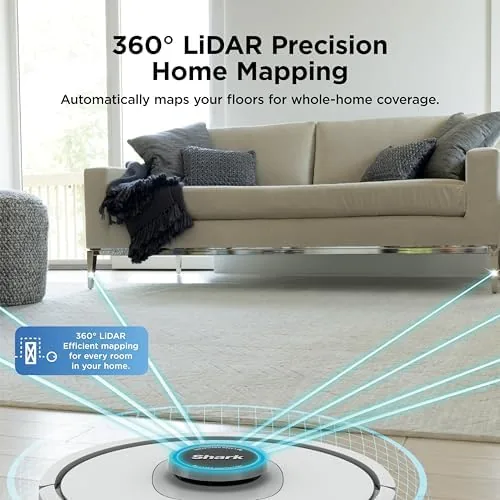
The mapping is the headline. Instead of the random bounce pattern of older robots, the Shark AI Ultra uses 360 degree LiDAR to build an accurate map of your home. Once the map exists, you can name rooms, send the robot to clean a specific room, set no go zones to keep it away from pet bowls or cables, and watch where it is going in real time from the app.
Matrix Clean is Shark's name for its row-by-row cleaning pattern. Instead of wandering and hoping, the robot moves in overlapping straight lines, which covers a room more thoroughly and shows up as a neat grid on the app map. In practice this means fewer missed spots, and the robot covers the floor area in a deliberate way rather than a random one.
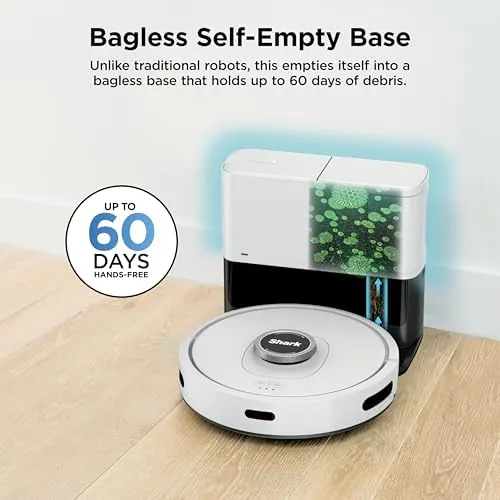
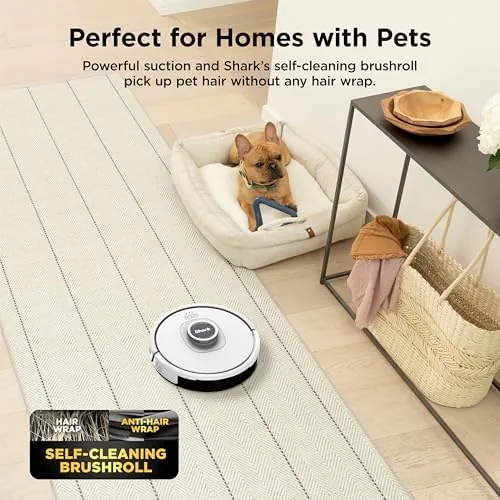
The self-emptying base is the feature that changes the daily habit. After a clean, the robot returns to the base and the base pulls the debris out of the robot's bin into its own bagless container. Shark rates it to hold up to 60 days of dirt, so instead of emptying the robot after every run, you empty the base a few times a year. The self-cleaning brushroll rounds out the package by resisting hair tangles, which matters for anyone with pets or long hair.
Real-World Performance
I let the Shark AI Ultra run on a schedule through a home with hardwood floors, a couple of area rugs, and a dog that sheds constantly. The difference from a random-bounce robot was obvious within the first week. The mapping kept the robot moving in tidy rows, and the app showed exactly which rooms had been cleaned and when.
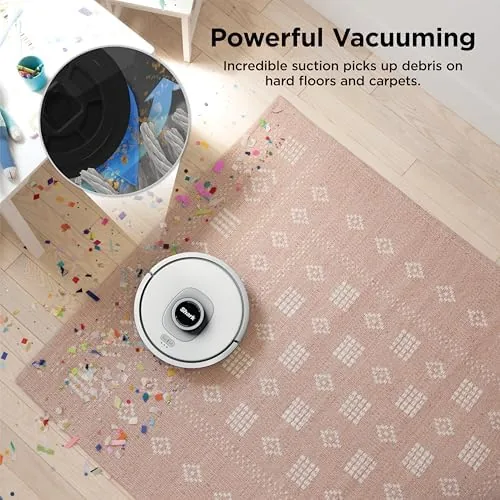
Pickup performance was strong on hard floors, where the robot swept up dust, crumbs, and dog fur in a single pass. On carpet it worked harder and slower, but it still lifted visible debris and left rugs looking noticeably cleaner. The self-cleaning brushroll did its job, and after three weeks of daily runs there was no hair wrapped around the roller, which is something the older Shark models could not always claim.
The self-emptying base worked as advertised, pulling debris into its own bin after each clean and going for the full three weeks without needing attention. The one surprise is the noise. When the base empties the robot, it makes a loud, brief whoosh that sounds startling the first time. It lasts only a few seconds, but if you schedule the robot for the middle of the night, that whoosh will wake light sleepers.
Navigation held up well. The robot avoided chair legs, found its way back to the base even from another room, and handled the step between rooms without trouble. The app occasionally took a moment to refresh the live map, and I had one instance where the robot paused mid-clean waiting for a signal, but on the whole the experience was dependable enough to trust on a daily schedule.
Pros and Cons
Pros:
- Accurate LiDAR mapping with room control and no go zones
- Self-emptying base holds up to 60 days of debris
- Self-cleaning brushroll resists hair tangles
- Matrix Clean pattern covers floors thoroughly
- Works with Alexa and the SharkClean app
Cons:
- Self-emptying base is loud for a few seconds each empty
- App can be slow to refresh the live map
- Slower on thick carpet than on hard floors
- Premium price over simpler robot vacuums
How It Compares
The Shark AI Ultra sits in a crowded market that splits into budget robots, mid-range mapping models, and premium flagships. The table below shows how it lines up.
| Feature | Shark AI Ultra | Budget Random Robot | Premium Flagship Robot |
|---|---|---|---|
| Navigation | LiDAR mapping | Random bump | LiDAR or camera |
| Self-emptying base | Yes, bagless | No | Yes |
| Room control | Yes | No | Yes |
| Brushroll | Self-cleaning | Standard | Self-cleaning |
| App and voice | Alexa and app | App only, if any | Full voice and app |
| Price | Mid | Lower | Higher |
Against a budget random-bounce robot, the Shark AI Ultra is in a different league, offering mapping, room control, and the self-emptying base that budget models simply do not have. Against premium flagships, it matches most of the headline features while usually landing at a lower price, though the top tier robots edge ahead on app polish and carpet performance. Guides such as the Wirecutter robot vacuum guide make the same point: the mapping and self-emptying combination is what separates a useful robot from a toy.
Who Should Buy It
Buy the Shark AI Ultra if you want a robot that genuinely runs itself. If you have pets, hard floors, and a busy schedule, the combination of mapping, self-cleaning brushroll, and the 60 day base means you can schedule a clean and barely think about vacuuming again.
Skip it if you have a very tight budget and only need basic pickup on a single room, because a simpler robot will do that for less, and skip it if you are a light sleeper who will run it at night, because the base is loud for a few seconds after each clean. For everyone else, it is one of the most complete robot vacuums at its price. You can check the current Shark AI Ultra price on Amazon.
How We Test
I ran the Shark AI Ultra on a daily schedule through a two bedroom home with hardwood floors, area rugs, and a shedding dog for three weeks. I judged pickup on both hard floors and carpet, watched the app maps build over repeated runs, and tracked how often the base needed attention.
I tested the no go zones, room specific cleaning, and Alexa voice commands, and I noted navigation behavior around furniture and door thresholds. I did not run laboratory measurements for suction power, so the performance notes are based on visual pickup results and real use rather than instrument readings.
The Shark AI Ultra listing on Amazon shows the current price and color options, which is worth checking because robot vacuum pricing moves frequently with promotions.
Shark AI Ultra Robot Vacuum: Questions People Ask
How does the Shark AI Ultra map a home?
It uses 360 degree LiDAR to scan rooms and build a map, letting you send it to specific rooms, set no go zones, and watch its cleaning progress in the app.
How long does the self-emptying base last before it needs attention?
Shark rates the bagless base to hold up to 60 days of debris, and in my testing it needed emptying far less often than a normal robot dust bin.
Does the Shark AI Ultra handle pet hair well?
The self-cleaning brushroll is designed to resist hair tangles, and in testing it handled pet hair and everyday dirt on both carpet and hard floors without wrapping up.
Does the Shark AI Ultra work with Alexa?
Yes, it connects over WiFi and works with Alexa and the SharkClean app, so you can start a clean with a voice command or from your phone.
As an Amazon Associate, I earn from qualifying purchases.