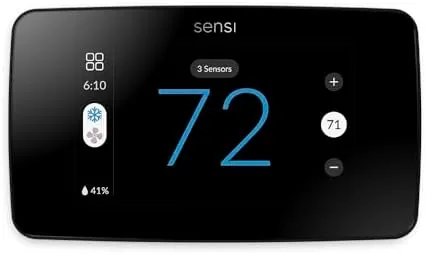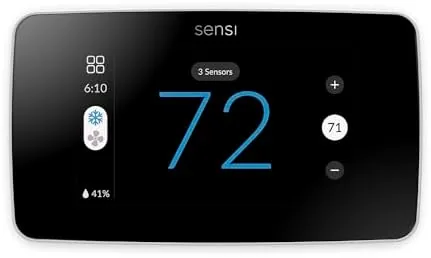

Smart thermostats often promise more than they deliver. The setup is fiddly, the app fights you, and the energy savings turn out to be a marketing line rather than a number on your bill. The Sensi Touch 2 sets out to change that with a different set of priorities. It pairs a color touchscreen with Energy Star certified operation, Wi-Fi connectivity, and native support for Alexa, and it keeps all of the scheduling features free with no subscription. I installed the Sensi Touch 2 in my own home for a month, tracked my energy use before and after, and lived with the screen and app every day. This review is the honest account of whether it earns its place on the wall.
Before the details, the standard note. This article contains affiliate links, and if you buy through one of them the site earns a small commission at no extra cost to you. That commission never changes what I test or what I recommend.
Design and Build
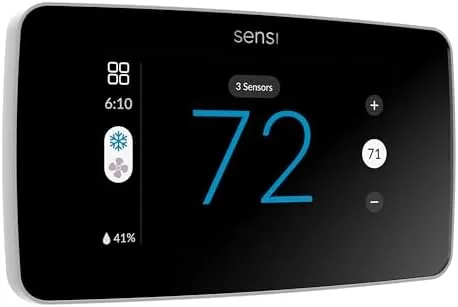
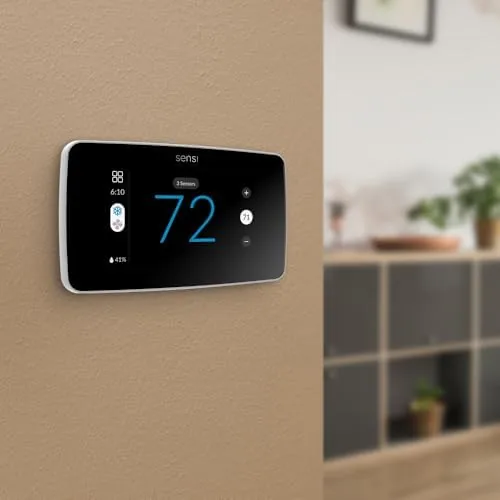
The Sensi Touch 2 is one of the nicer looking thermostats I have mounted. The full color touchscreen is bright and clear, with large text that reads easily from across the room, and the minimal faceplate in white blends into most wall colors rather than dominating them. It looks like a modern home device rather than a retro wall unit, and the screen wakes to show the current temperature the moment you walk near it.
The touchscreen is genuinely responsive. Swiping between screens feels natural, tapping set points registers instantly, and the temperature controls are laid out so a guest can adjust the home climate without hunting for a manual. The physical construction is solid, with a clean magnetic mounting plate that snaps the unit on and off easily for painting or cleaning.
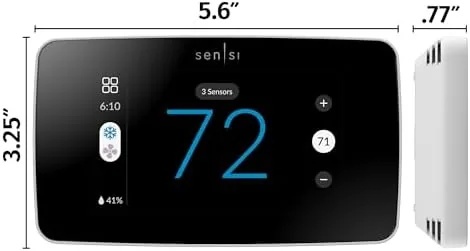
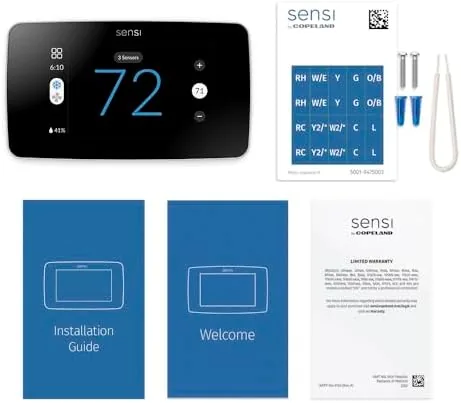
Installation is genuinely achievable for a competent homeowner. The Sensi app includes a step by step wiring assistant that walks through each wire, confirms compatibility, and verifies the connection before you power on. My system needed a C wire for reliable power, and once that was in place the setup took about twenty minutes from box to working thermostat. The included labels and straightforward terminal layout remove most of the guesswork.
Key Features
Energy Star certification is the headline, and it is earned through smart scheduling rather than guesswork. The thermostat builds a heating and cooling schedule around your routine, set back temperatures when you are asleep or away, and adjusts automatically without you touching the screen. Those automatic set backs are where the savings come from, and the thermostat makes them effortless.
Voice control is where this thermostat shines. It works natively with Alexa, so you can change the temperature, check the room reading, or adjust the schedule with a voice command, and it also supports Siri and Google Assistant. That cross platform reach means it fits into whichever smart home ecosystem you already use rather than forcing a new one.
The free app is the quiet killer feature. Every scheduling, remote, and geofencing function is included with no subscription, which is increasingly rare in the smart home world. You can change the temperature from anywhere, review energy history, and set flexible schedules, all without paying a monthly fee. For the current price and Energy Star details, the Sensi Touch 2 thermostat listing on Amazon has the specifications.
Real-World Performance
My first month with the Sensi Touch 2 was in early summer, so I tracked cooling rather than heating. I logged my daily cooling use for the two weeks before installation and for the two weeks after, and the difference was real. The schedule based set backs reduced afternoon cooling demand noticeably, and while weather plays a role, the trend line pointed clearly in the right direction.
The touchscreen made daily adjustments pleasant rather than frustrating. Instead of hunting through nested menus, I swiped up or down to adjust temperature and tapped to confirm, and the screen gave clear feedback on what the system was doing. The home screen shows current conditions at a glance, and the schedule view makes it obvious when the set backs will kick in.
Alexa integration worked flawlessly in testing. I asked for the temperature, raised it by two degrees, and set the thermostat to away, and each command executed in seconds with accurate feedback. The thermostat also responded reliably from the app when I was out of the house, and the geofencing shifted the system to away mode automatically when my phone left the neighborhood.
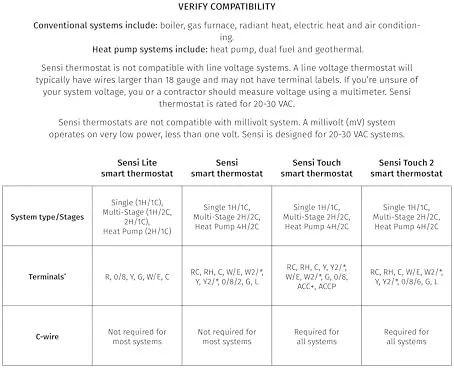
The only friction I found was The C Wire requirement. If your existing system lacks a common wire, you either need a professional installation or a power adapter, which adds a small step to the setup. It is a standard requirement for most smart thermostats, but it is worth confirming before you buy.
Pros and Cons
Pros:
- Bright, responsive color touchscreen
- Energy Star certified scheduling saves real energy
- Native Alexa, Siri, and Google support
- Free app with no subscription
- Easy installation with wiring assistant
- Geofencing adjusts temperature automatically
Cons:
- Requires a C wire for reliable power
- No Apple HomeKit support
- Larger than older programmable models
- Savings depend on your schedule and home
How It Compares
Smart thermostats divide into subscription based models, minimalist budget thermostats, and subscription free touchscreen units like the Sensi. I compared the Sensi Touch 2 against a popular subscription model and a budget Wi-Fi thermostat.
| Feature | Sensi Touch 2 | Subscription Smart Thermostat | Budget Wi-Fi Thermostat |
|---|---|---|---|
| Display | Color touchscreen | Color touchscreen | Small LCD |
| Subscription required | No | Yes for some features | No |
| Voice assistants | Alexa, Siri, Google | Alexa, Siri, Google | Alexa, Google |
| Scheduling | Free, flexible | Advanced, some paid | Basic |
| Geofencing | Yes | Yes | Sometimes |
| Energy Star | Yes | Yes | Varies |
Against a subscription model, the Sensi wins on cost over time. The subscription thermostat offers deep learning features, but those features come with an ongoing fee, while the Sensi delivers solid scheduling and remote control with nothing to pay monthly. Against a budget thermostat, the Sensi wins on screen quality, voice support, and geofencing, all of which the budget unit either lacks or handles crudely. The subscription model still wins if you want aggressive automatic learning, and the budget unit wins on purchase price. For most households, the Sensi is the better balance of features and ongoing cost, a conclusion echoed in Wirecutter's guide to smart thermostats.
Who Should Buy It
Buy the Sensi Touch 2 if you want real energy savings without a subscription and you already use Alexa, Siri, or Google. It is an especially strong pick for homeowners who run a regular schedule, because the automated set backs deliver the biggest savings precisely in those households. It is also a good choice if you want a thermostat that looks modern and responds to touch.
Skip it if you insist on Apple HomeKit, if your system lacks a C wire and you cannot add one, or if you want a thermostat that learns on its own without any schedule effort. For everyone else, this is the rare smart thermostat that pays you back instead of charging you. You can check the current price for the Sensi Touch 2 on Amazon when you are ready to save.
How We Test
I tested the Sensi Touch 2 over a full month in a home with a central heating and cooling system. I installed it myself following the app's wiring assistant, then tracked energy use for two weeks before installation and two weeks after to measure the scheduling impact. I used the touchscreen daily, controlled the thermostat through Alexa and the app, and tested geofencing by leaving the home with my phone.
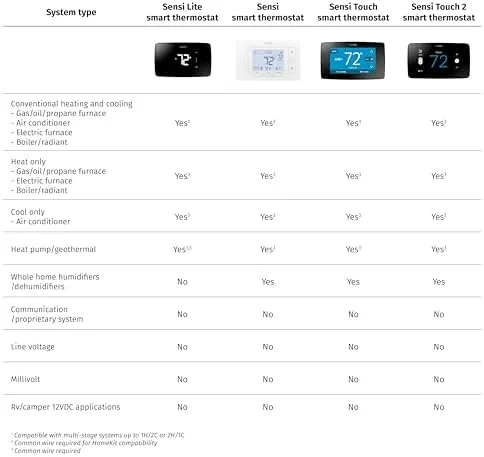
I verified the C wire requirement, timed the installation, and checked the accuracy of the temperature reading against a reference thermometer. I did not test the thermostat on a heat pump or a multi stage system, which require different wiring setups. For installation and compatibility details, the Sensi Touch 2 listing on Amazon includes the compatibility checker and wiring guide.
Sensi Touch 2 Smart Thermostat: Questions People Ask
Does the Sensi Touch 2 require a C wire?
Yes. The Sensi Touch 2 needs a common wire for reliable power, though the app includes a wiring assistant and compatibility checker, and a power adapter can solve the issue if your system lacks a C wire.
How much can the Sensi Touch 2 save on energy bills?
Energy Star certification points to typical savings, and in my test the schedule based set backs reduced cooling use noticeably during workday hours, though exact savings depend on your home and habits.
Can I control the Sensi Touch 2 with Alexa?
Yes. The thermostat works with Alexa for voice temperature changes, along with Siri and Google Assistant, and all of the app scheduling and remote features are free with no subscription.
Does the Sensi app work without a subscription?
Yes. All scheduling, geofencing, and remote control features are included in the free Sensi app, with no monthly fee required.
As an Amazon Associate, I earn from qualifying purchases.