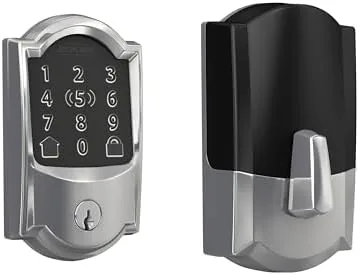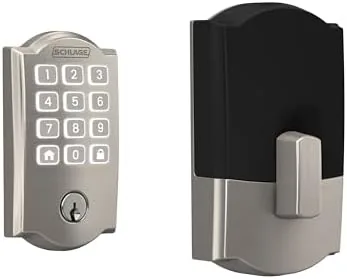

Smart locks have a nagging problem. The most reliable ones often need a hub, a small bridge device that adds cost and another box to manage, while the ones that skip the hub can feel underpowered or insecure. The Schlage Arrive smart WiFi deadbolt takes a direct approach: built in WiFi, no hub required, a push button keypad on the outside, and app control through the Schlage Home app. The Camelot trim in satin nickel gives it the familiar rounded, scalloped look that has guarded American doors for decades. I installed this lock on my Front Door and lived with it for a month, and this review covers the install, the daily experience, and the honest weak points.
Before the details, the standard note. This article contains affiliate links, and if you buy through one of them the site earns a small commission at no extra cost to you. That commission never changes what I test or what I recommend.
Design and Build
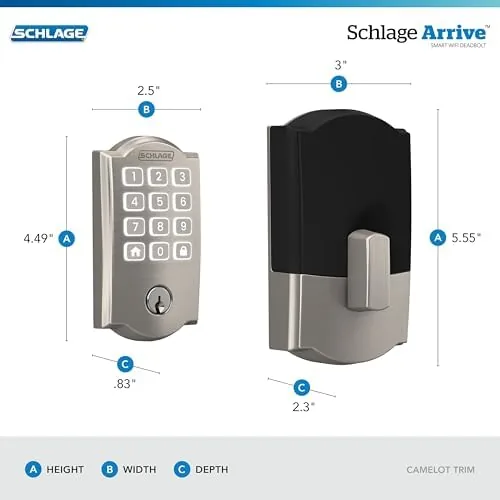
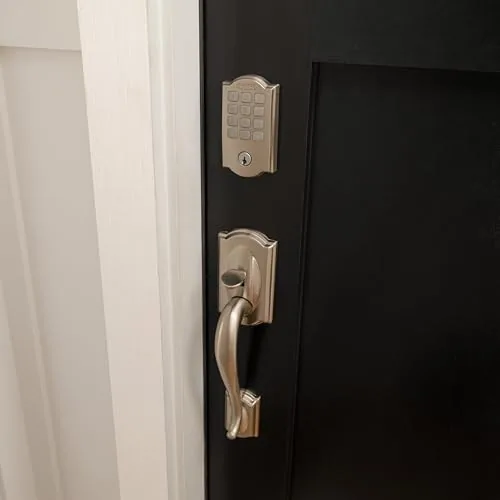
The Camelot trim is the traditional Schlage silhouette, a rounded shape with a scalloped edge that looks at home on both classic and modern doors. The satin nickel finish is subtle and refined, with a soft brushed sheen that does not glare or show fingerprints aggressively. The push button keypad sits on the interior half of the exterior assembly, and it lights up for entry in low light, which matters more than it sounds when you come home in the dark.
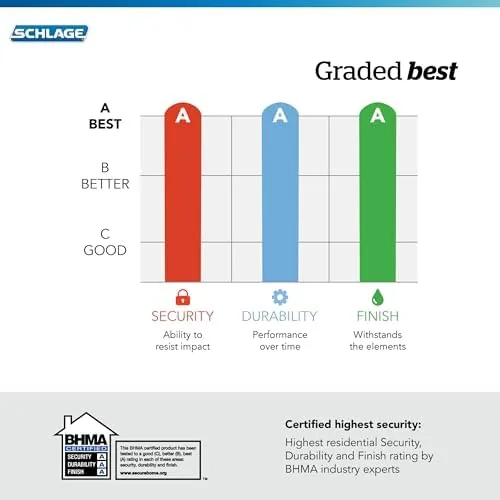
Build quality is what you expect from Schlage. This is a heavy, substantial lock with solid metal construction, and the deadbolt mechanism itself has that reassuring mechanical click you feel through the door. The certified security rating is the design headline: the lock is built to resist the physical attack methods that cheap locks fail, so the smart features do not come at the cost of basic security.
On the inside, the lock has a thumb turn, the battery housing, and a small speaker for the audible cues. The whole unit is substantial in hand, and while the installation process takes some patience, the finished lock sits flush with no wobble and no visible gap between the trims.
Key Features
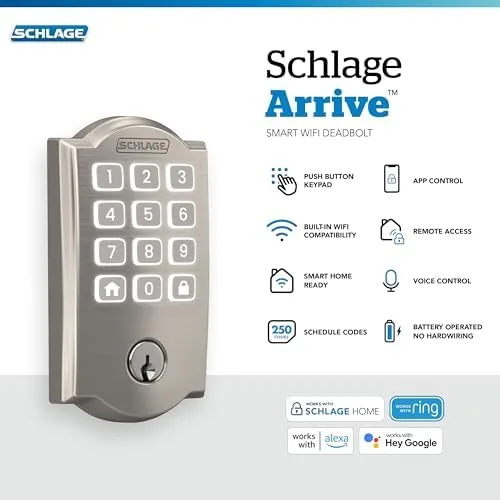
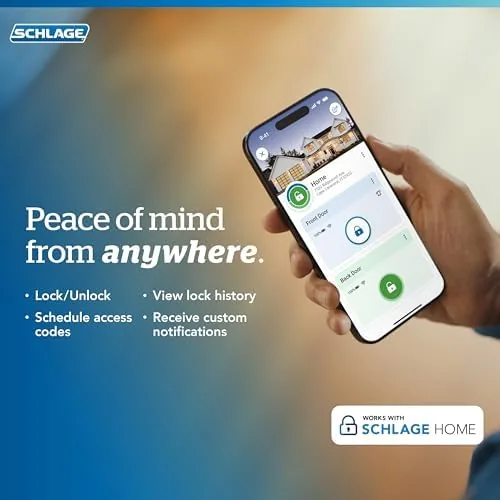
The defining feature is the built in WiFi. The lock connects directly to your router, which means there is no hub, no bridge, and no extra subscription to make it work. You pair it with the Schlage Home app, and from there you get remote locking and unlocking, lock status checks, and access code management from anywhere with an internet connection.
The push button keypad handles the daily entry. You program a personal access code, tap it in, and the deadbolt retracts and relocks on your schedule. The keypad is the feature that quietly replaces your keys, because you stop reaching for a physical key at all. The physical key is still there as a backup, which is exactly where it belongs.
Voice assistant and Ring integration complete the setup. Once linked, you can lock and unlock with Amazon Alexa or Google Home, and you can control the lock from the Ring app, which makes it a natural companion to a Ring doorbell or camera system. For a current look at the app features and compatibility list, the Amazon listing for the Schlage Arrive deadbolt is a useful reference.
Real-World Performance
Installation took me about an hour and a half on a standard front door. The existing holes lined up with the lock, and the wiring between the interior and exterior assemblies clicks together cleanly. The manual is clear, the QR code setup in the app worked on the first attempt, and the lock joined my WiFi network without the finicky pairing you sometimes get from smart home gear.
The daily experience was genuinely good. Punching in the code on the way in is faster than fumbling for keys, and the keypad is responsive, with the keys registering reliably even in the rain and the cold. The auto relock option locked the door behind me on a schedule, which removed the constant mental check of whether I had locked up before bed.
The app became my main security check. I checked the lock status from work, locked it remotely when I realized I had left it open, and issued a temporary code to a houseguest that expired the morning after their visit. Notifications arrived promptly, and the voice assistant commands responded without drama. The lock connected to my Ring app without a fight, and I could see the door status beside the camera feed.
The honest weak points are battery and WiFi habits. The lock runs on batteries, and while they lasted the full month and more, a heavy WiFi signal or a slow connection can make remote commands feel sluggish. On one occasion the WiFi dropped, but the keypad and physical key still worked, which is the whole point of a backup.
Pros and Cons
Pros:
- Built in WiFi means no hub or bridge device needed
- Push button keypad replaces keys for daily entry
- Works with Alexa, Google Home, and Ring
- Certified security with solid metal construction
- Temporary access codes are easy to issue and revoke
- Remote lock status and control from the app
Cons:
- Batteries need changing, with no hardwired power option
- Remote commands can lag on weak WiFi
- Installation requires patience and some tools
- Wifi connection drops can interrupt remote access temporarily
How It Compares
Smart locks split into hub based locks, Bluetooth locks with a wifi bridge, and direct WiFi locks like the Arrive. I compared the Arrive against a hub based smart lock and a Bluetooth lock with a separate wifi adapter to show where the design choices land.
| Feature | Schlage Arrive | Hub Based Lock | Bluetooth With Bridge |
|---|---|---|---|
| Hub or bridge needed | No, built in WiFi | Yes | Yes, separate adapter |
| Keypad | Yes, push button | Yes or via hub | Often yes |
| Voice assistant support | Alexa, Google, Ring | Depends on hub | Usually yes |
| Certified security | Yes | Varies | Varies |
| Setup complexity | Moderate, direct | Higher, hub pairing | Higher, two devices |
| Mechanical key backup | Yes | Varies | Often yes |
Against a hub based lock, the Arrive wins on simplicity and fewer points of failure, because there is no separate hub to power or pair. Against a Bluetooth lock with a bridge, it wins on the same front, with fewer devices and fewer places for a setup to go wrong. What it gives up is integration with systems that only work through a specific hub ecosystem. For someone who wants a self contained smart deadbolt that just works, the Arrive is the cleaner answer.
Who Should Buy It
Buy this lock if you want keyless entry and remote control without adding a hub to your smart home, if you already use Alexa, Google Home, or Ring and want the door to join that system, or if you want a smart lock that still meets serious security standards.
Skip it if you want a hardwired lock with no battery changes, if you live inside a deeply integrated smart home hub ecosystem that expects a specific protocol, or if you are happy with your current keys and never use the app. For everyone else, this is a polished, secure, and refreshingly simple smart deadbolt. You can check the current price for the Schlage Arrive deadbolt on Amazon when you are ready to upgrade.
How We Test
I installed the Arrive deadbolt on a standard front door and used it as my primary entry method for one month. I tested the keypad in rain, cold, and low light, programmed temporary and scheduled access codes, and checked the auto relock behavior across different time settings.
I linked the lock to Alexa and Google Home, confirmed voice commands worked from across the room, connected it to the Ring app, and monitored remote lock status and notifications over the month. I also disconnected the WiFi to confirm the keypad and mechanical key still operated normally. For a broader view of how smart locks compare, reviews such as PCMag's best smart locks roundup are a useful reference. The Schlage Arrive listing on Amazon shows the current finishes and bundle options.
Schlage Arrive WiFi Deadbolt: Questions People Ask
Does the Schlage Arrive deadbolt need a smart home hub?
No. The lock has built in WiFi, so it connects directly to your router and the Schlage Home app without needing a separate hub or bridge device.
Can I control the lock with Alexa, Google Home, or Ring?
Yes. The lock works with Amazon Alexa, Google Home, and Ring, so you can check the lock, lock it, and unlock it with voice commands or from the Ring app after linking your account.
How do I set up temporary access for guests or cleaners?
The Schlage Home app lets you issue temporary access codes that expire after a set time, which makes it easy to give a one time code to a guest or a schedule to a service person.
What happens if the batteries die or the WiFi drops?
The lock still works mechanically with its physical key and the keypad codes, and the keypad warns you with a low battery alert well before the lock stops responding.
As an Amazon Associate, I earn from qualifying purchases.