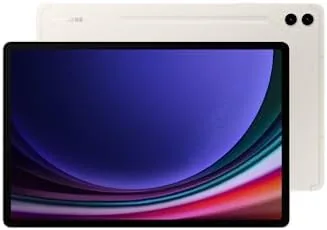

Tablets live in two camps. There are the small ones you pick up on the sofa for a video, and there are the big ones that try to replace your laptop. The Samsung Galaxy Tab S9+ sits firmly in the second camp, and it brings a 12.4 inch AMOLED panel, a Snapdragon 8 Gen 2 processor, and an included S Pen to the fight. As someone who edits photos and sketches on the side, I wanted to know whether the S9+ is a genuine creative tool or just another big screen with good marketing, so I carried it for three weeks as my only computing device.
This article contains affiliate links, and if you buy through one of them the site earns a small commission at no extra cost to you. That commission does not change what I test or what I recommend, and the tablet reviewed here was used exactly the way a buyer would use it.
The S9+ is the middle child of the 2023 Galaxy Tab S9 family, larger than the 11 inch Tab S9 and smaller than the 14.6 inch Ultra. That size sweet spot is the reason so many buyers land on it, and the rest of this review covers the display, the S Pen, the battery, and the honest limits of Android as a work platform.
Design and Build
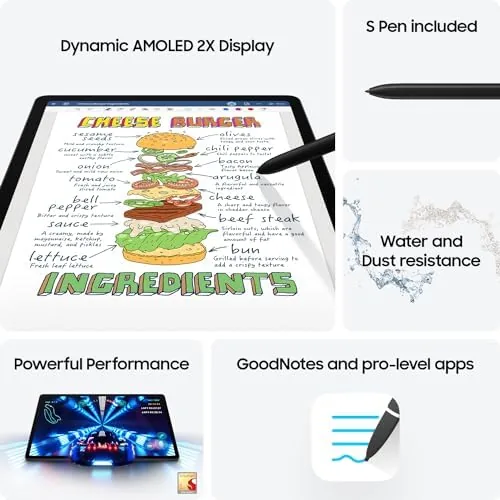
The S9+ follows the design language Samsung has perfected across several generations. The front is almost all glass, with slim, even bezels that keep the tablet comfortable to hold, and the rear is a clean aluminum slab in the Beige finish. It feels premium in the hand, and the Armor Aluminum frame earns the IP68 water and dust rating that remains rare among tablets, so a spilled coffee at the desk is not a disaster.
At just over 1.6 pounds the S9+ is heavier than the small Tab S9, but the weight is distributed well, and holding it in landscape for an hour of drawing did not tire my wrists. The magnetic strip on the back holds the S Pen securely for charging and travel, and the whole package slides into the same sleeve that fits a 13 inch laptop, which is the practical thing I noticed most.
Key Features
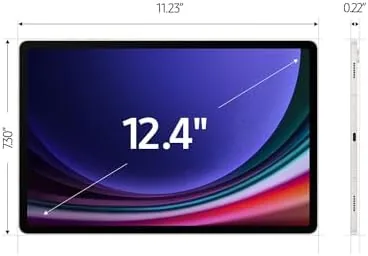
The headline feature is the 12.4 inch Dynamic AMOLED 2X display. Samsung is the undisputed leader in OLED panels, and the S9+ shows it. Colors are rich without looking artificial, blacks are genuinely black, and the 120Hz adaptive refresh keeps scrolling and the S Pen stroke following the tip with no visible lag. At 2560 by 1600, the sharpness is more than enough for text, photos, and 4K video.
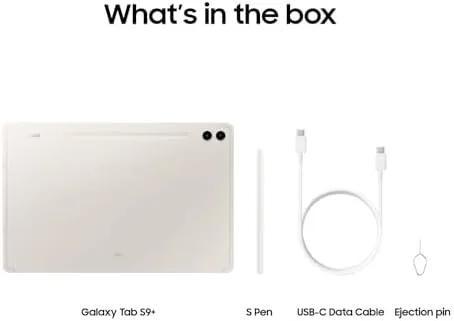
The S Pen is the second headline. It is included in the box, attaches magnetically, and charges while docked, which means it is always ready and never needs a battery change. The low latency makes handwriting notes and sketching feel close to pen on paper, and the Air Actions add a few shortcuts that are handy once you learn them.
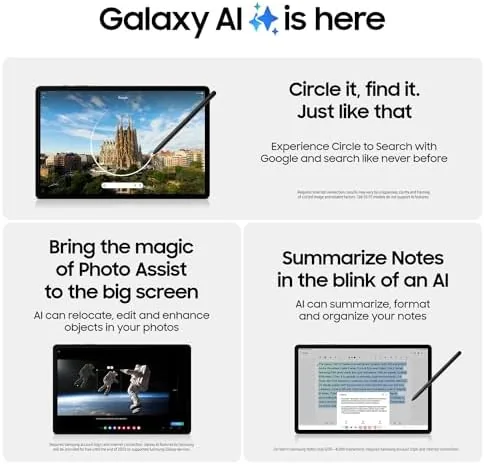
Under the hood sits the Snapdragon 8 Gen 2 for Galaxy, the same flagship chip used in the S23 series, paired with 12GB of RAM in the 256GB model. The USB 4 port moves files quickly, the four speakers with Dolby Atmos fill a room, and the WiFi 7 radio is a step ahead of the routers most people own today.
Real-World Performance
For photography work, the S9+ is a real tool. I edited RAW files in Lightroom, and the Snapdragon 8 Gen 2 never felt strained, even with a hundred megapixel image loaded and brushes moving. The S Pen lets me do precise retouching that I normally reserve for a desktop, and the screen shows colors that hold up when I export to a calibrated monitor. The tab is not a replacement for a full desktop editor, but for travel edits it is far better than the tiny screens I used to suffer through.
The battery is the other standout. Samsung rates it for 14 hours of video playback, and while my mixed workload of editing, streaming, and browsing is heavier than video loops, I finished most days above 40 percent. A full day of travel with the tab is realistic, and the 45 watt charging brings it back in about an hour and a half when it does run low.
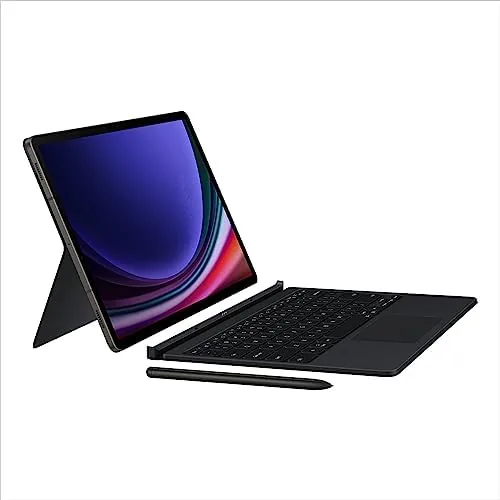
The honest limits show up in the software. Android tablets still have apps that ignore the big screen, and a handful of titles render as stretched phone apps. DeX mode helps by switching the interface to a desktop layout, and with the Book Cover Keyboard the S9+ becomes a genuinely usable laptop stand in, but a few apps remain stubbornly phone shaped no matter what you do.
Gaming and streaming are easy wins. High refresh games run smoothly, the speakers are loud and clear, and HDR movies on the AMOLED panel look better than they do on most televisions. The camera is serviceable for video calls, though no one should buy this tablet for its photos, and the in screen fingerprint reader unlocks it reliably every time.
Pros and Cons
Pros:
- Outstanding 12.4 inch AMOLED display with 120Hz
- Included S Pen with excellent low latency
- Snapdragon 8 Gen 2 handles editing and gaming easily
- Long battery life that survives a full day
- IP68 water and dust resistance for peace of mind
- DeX and the keyboard cover make it a laptop stand in
Cons:
- Android still has apps that ignore the tablet layout
- Book Cover Keyboard sells separately at a premium
- Charging speed is good but not class leading
- Premium price compared to the base Tab S9
How It Compares
The closest rivals to the Tab S9+ are the smaller Tab S9 and the Apple iPad Air. The table below puts the three side by side.
| Feature | Galaxy Tab S9+ | Galaxy Tab S9 | iPad Air |
|---|---|---|---|
| Screen | 12.4 inch AMOLED 120Hz | 11 inch AMOLED 120Hz | 11 inch LCD 60Hz |
| Stylus | S Pen included | S Pen included | Apple Pencil sold separately |
| Chip | Snapdragon 8 Gen 2 | Snapdragon 8 Gen 2 | M2 processor |
| Durability | IP68 rated | IP68 rated | No official rating |
| Best for | Creative work on a big canvas | Portable everyday use | App store ecosystem |
The AMOLED panel and the included S Pen give the S9+ an edge over the iPad Air for media and sketching, while the Air wins on raw app quality and ecosystem. Choose the S9+ if the screen and the pen matter most, and choose the Air if you live inside the Apple world.
Who Should Buy It
Buy the Galaxy Tab S9+ if you are a photographer, illustrator, or note taker who wants a large canvas you can carry. It also suits anyone who streams movies at night and wants a display that does them justice, and students who pair it with the keyboard cover will find it a comfortable laptop substitute for classwork.
If you rarely draw, watch most media on a television, and only need a tablet for browsing, the smaller and cheaper Tab S9 or an iPad will save you money. But for creative work on a big AMOLED screen, the S9+ is the sweet spot of the family. You can check the current price of the Galaxy Tab S9+ on Amazon when you are ready.
How We Test
I carried the Tab S9+ as my only personal computing device for three weeks, editing photos in Lightroom, taking notes with the S Pen, streaming, browsing, and running video calls. I measured battery life across a range of workloads, and I tested DeX on an external monitor to judge the desktop experience.
I did not run a full office suite for a working day, and I did not compare it against the S9 Ultra, because that screen size is a different use case. For a deeper look at the S9 family, The Verge covered the Galaxy Tab S9 series launch in depth. The Galaxy Tab S9+ 256GB listing on Amazon shows the current price and bundles.
Samsung Galaxy Tab S9+: Questions People Ask
How long does the Galaxy Tab S9+ battery last on a single charge?
The tablet easily covers a full day of streaming and note taking, and I ended most days near half charge after roughly eleven hours of screen time.
Is the S Pen included in the box?
Yes, the S Pen ships in the box, charges when it snaps to the magnetic back, and needs no pairing to start writing or drawing.
Does the Tab S9+ work with the Book Cover Keyboard?
Yes, the S9+ uses the larger Book Cover Keyboard made for the 12.4 inch model, which attaches magnetically and types well on the lap.
Can the tablet handle photo and video editing?
The Snapdragon 8 Gen 2 chip edits RAW photos and 4K clips comfortably in apps like Lightroom and CapCut, and the S Pen speeds up retouching.
As an Amazon Associate, I earn from qualifying purchases.