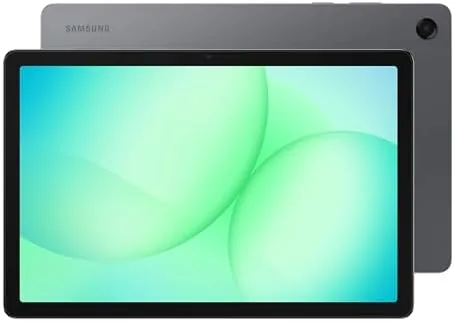

There is a specific kind of tablet shopper who does not want a flagship. They want A Big Screen for streaming, enough storage for a downloaded library, and a price that does not demand a second mortgage. The Samsung Galaxy Tab A11+ is built for that person, an 11 inch Android tablet with 128GB of storage, optional 5G, and a screen that does most of the heavy lifting. I have spent the past three weeks living with it as my primary tablet, and this review covers the display, the performance, the battery, and where Samsung cut corners to hit the price.
Before the details, the standard note. This article contains affiliate links, and if you buy through one of them the site earns a small commission at no extra cost to you. That commission never changes what I test or recommend, and the tablet reviewed here was used the way a real owner would use it.
The Galaxy Tab A11+ sits at the top of Samsung's budget tablet line, and the question is how far a modest processor can take a big screen. This review covers the design, the display, real-world use, and who should and should not buy it.
Design and Build
The A11+ keeps the clean, modern look of Samsung's tablet family. The front is nearly all screen, with slim bezels that make the 11 inch panel feel larger than it is, and the aluminum back gives it a more premium feel than the price suggests. It is not as light as some rivals, but it is comfortable to hold for a movie or an ebook session, and the build feels solid with no flex or creaking.
The port and button layout is conventional and sensible. There is a USB-C port for charging and data, a microSD slot tucked beside the SIM tray that supports cards up to 1TB, and volume and power buttons on the right edge. The tablet works with both a fingerprint sensor and face unlock, though the face unlock is basic and sometimes slow in low light. For the price, the fit and finish are genuinely a pleasant surprise.
Key Features
The headline feature is the 11 inch display. It is a bright, colorful LCD panel that handles video, photos, and reading with ease, and it holds up well even in a bright room. For streaming apps and casual browsing it is the best part of the tablet, and the stereo speakers add clear, room-filling sound for a device in this price class.
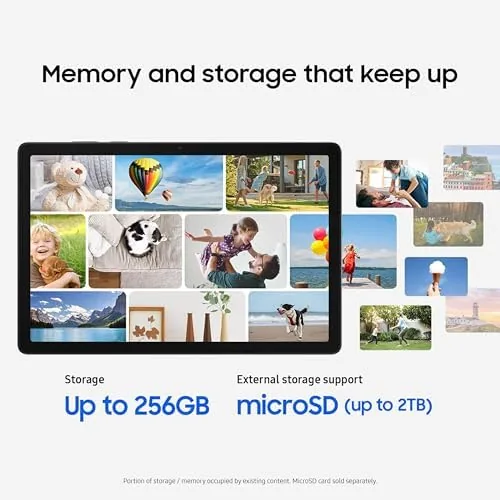
The 128GB of internal storage is generous at this tier, and the microSD slot means you can expand it without much thought. The optional 5G support is the other standout, because few budget tablets offer cellular connectivity, and an unlocked 5G model means you can drop in a carrier SIM and stay connected away from Wi-Fi. Android runs with Samsung's One UI on top, which adds multitasking tools, a kid-friendly mode, and integration with Samsung phones.

Real-World Performance
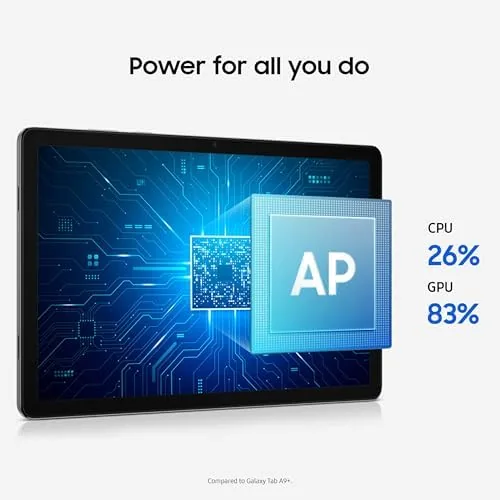
For the daily rhythm of a budget tablet, the A11+ performs exactly as expected. Streaming apps run smoothly, web browsing is responsive, and the display makes everything look better than it should at this price. I watched several movies over the course of a week, and the panel's brightness and color balance made long sessions genuinely enjoyable. The speakers deserve another mention, because they stay clear at high volume without the tinny distortion that plagues most budget tablets.
Productivity is a mixed bag, as the mid-range processor dictates. Light tasks like email, notes, and document editing run without complaint, and the split-screen multitasking Samsung builds into One UI works for juggling a couple of apps. Push the tablet toward heavier work, a dozen browser tabs alongside a video call, or a demanding game, and you will notice slowdowns. It is a tablet for consuming and light creating, not for professional workloads, and it never pretends otherwise.
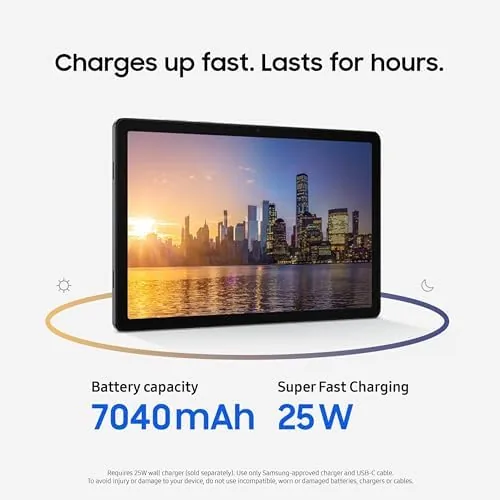
Battery life is strong. The tablet easily clears a full day of mixed use, and with moderate streaming and browsing I reached two days on a single charge. The 5G radio does not drag the battery down as much as I expected, which is good news for anyone planning to use it as a travel tablet. Charging is fine rather than fast, so you will want to plug it in overnight rather than in a rush.
The 5G performance was the feature I was most curious about. With a SIM installed, the tablet connected to the network without setup fuss, and browsing and streaming over cellular felt as smooth as over Wi-Fi. It turned the tablet into a genuinely mobile device, useful for commutes, road trips, and anywhere the local Wi-Fi is unreliable. That alone moves the A11+ ahead of most of its budget competition.
Samsung's One UI software adds value beyond the raw specs. The multitasking tools, including split screen and floating windows, are easy to call up from the edge panel, and the integration with a Samsung phone is genuinely useful, letting you sync photos, notes, and clipboard content without thinking about it. There is also a dedicated Kids mode with its own content space, which turns the tablet into a safe screen for a child while keeping your apps behind a parental gate. Those extras cost nothing at the register, and they are part of why the A11+ feels like a Samsung product rather than a generic Android tablet.
Pros and Cons
Pros:
- Bright, colorful 11 inch display for streaming and reading
- Generous 128GB storage with expandable microSD slot
- Optional 5G support for connectivity away from Wi-Fi
- Surprisingly premium aluminum build for the price
- Strong all-day battery life
- Clear stereo speakers for a budget tablet
Cons:
- Mid-range chip struggles with heavy multitasking
- Face unlock is basic and sometimes slow
- Charging is slower than flagship tablets
How It Compares
The obvious comparison is the cheaper end of Samsung's own lineup and the budget tier generally. The table below lines up the A11+ against the smaller Galaxy Tab A9+ class of tablet.
| Feature | Galaxy Tab A11+ | Galaxy Tab A9+ |
|---|---|---|
| Display | 11 inch LCD | 11 inch LCD |
| Storage | 128GB base | 64GB base |
| 5G option | Yes | Yes |
| Expandable storage | Yes, up to 1TB | Yes |
| Processor | Newer mid-range chip | Older mid-range chip |
| Price | Slightly higher | More budget |
The extra money over the A9+ buys more storage and a newer processor, which is a fair trade if you plan to keep the tablet for years. If the budget is absolute and 5G does not matter, the older model still gets the basics right. The A11+ earns its place by being the tablet that does not make you compromise on screen size or storage to stay affordable.
Who Should Buy
Buy the Galaxy Tab A11+ if you want a big screen for streaming, reading, and school work without spending flagship money, or if you need a 5G tablet that stays connected on the go. It is a natural fit for students, commuters, and anyone who wants a media tablet that doubles as a light productivity device.
Skip it if you need serious performance for editing, gaming, or heavy multitasking, because the processor will be the limit. If it suits your needs, you can check the current price of the Galaxy Tab A11+ on Amazon and compare the Wi-Fi and 5G configurations.

How We Test
I used the Galaxy Tab A11+ as my primary tablet for three weeks, covering streaming, browsing, reading, email, video calls, and light document work. I tested the 5G connection with a live SIM, ran battery drain tests across mixed days of use, and pushed multitasking to see where the processor starts to struggle.
I did not run synthetic benchmarks or compare every budget tablet on the market, and battery results reflect real-world mixed use rather than controlled conditions. For a broader look at the budget tablet landscape, CNET's guide to the best Android tablets is a useful reference. The Galaxy Tab A11+ listing on Amazon shows current pricing for both the Wi-Fi and 5G models.
Samsung Galaxy Tab A11+: Questions People Ask
Does the Galaxy Tab A11+ support 5G?
Yes, the model reviewed here is the 5G variant, and it works with most major carrier SIMs while also supporting standard Wi-Fi networks when a SIM is not needed.
Can the tablet be used as a second screen for a laptop?
Yes, the tablet works with Samsung Second Screen and similar apps, which turns the 11 inch panel into a portable companion display for a Windows PC.
How good is the display for streaming?
The 11 inch LCD panel is bright, colorful, and well suited to video apps, and the speakers provide clear sound for a tablet of this price.
Is the 128GB storage expandable?
Yes, the tablet includes a microSD slot that accepts cards up to 1TB, which gives you plenty of room for movies, photos, and offline content.
As an Amazon Associate, I earn from qualifying purchases.